
Few phrases are as immediately frustrating to a smartphone user as “SIM Not Provisioned.” In an era where our mobile devices are the primary gateways to communication, information, entertainment, and even our financial lives, being disconnected by such an error message can feel like having the rug pulled out from under you. This isn’t just a minor tech glitch; it’s a roadblock that can impact everything from casual texting to critical business operations. Understanding what this message means, why it appears, and how to resolve it is crucial for anyone who relies on mobile connectivity.
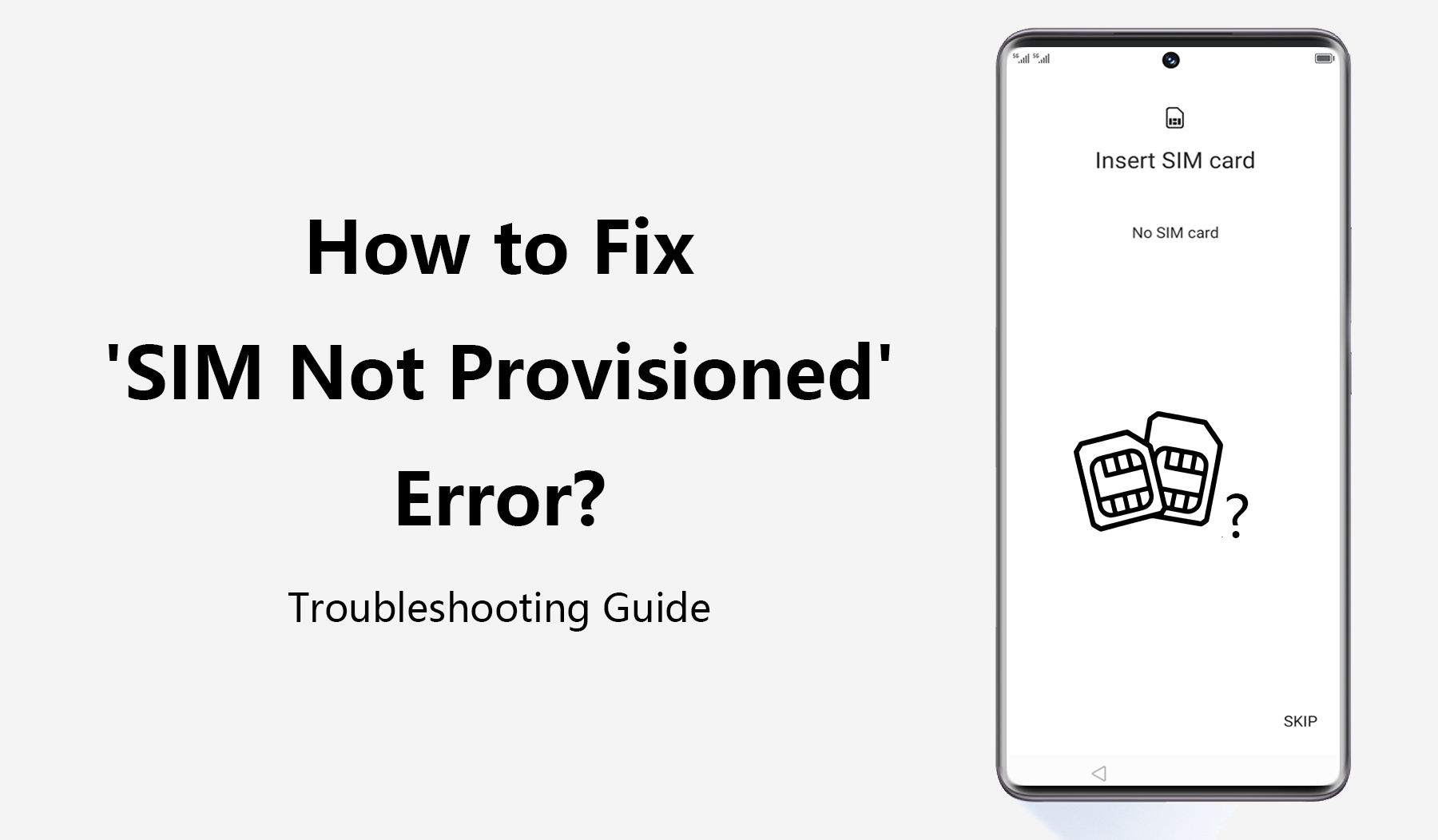
At its core, “SIM Not Provisioned” signifies a break in the digital handshake between your SIM card and your mobile network operator (MNO). It’s the system’s way of telling you that while a SIM card might be physically present in your device, it hasn’t been properly set up or recognized by the network to provide services like calls, texts, or mobile data. This article will delve into the technical underpinnings of this error, guide you through troubleshooting steps, and explore the broader implications for technology, brand trust, and personal finance, ensuring you’re equipped to navigate this common mobile dilemma.
Decoding the “SIM Not Provisioned” Error: A Tech Deep Dive
The SIM card, or Subscriber Identity Module, is a tiny chip that holds critical information identifying you as a legitimate subscriber to a particular mobile network. It’s essentially your digital passport to the cellular world. When your phone displays “SIM Not Provisioned,” it’s indicating that this passport isn’t valid, or hasn’t been recognized by the border control (the network).
The Fundamentals: What is SIM Provisioning?
To truly grasp the “not provisioned” error, we must first understand what “provisioning” entails. When you obtain a new SIM card – whether for a new phone, a new carrier, or as a replacement – it’s initially a blank slate, or at least one that isn’t yet active on a network. SIM provisioning is the process by which your mobile network operator activates this SIM card and links it to your specific account.
This complex, behind-the-scenes operation involves several key steps:
- Account Creation/Verification: When you sign up for a mobile plan, the carrier creates a unique subscriber account for you.
- SIM Card Association: Your physical SIM card, identified by its unique ICCID (Integrated Circuit Card Identifier), is linked to this account in the carrier’s database.
- Network Configuration: The carrier then configures the network to recognize your SIM card and allow it access to services. This includes assigning a phone number, setting up voice, SMS, and data plans, and establishing roaming capabilities if applicable.
- Activation: Once all these parameters are set, the SIM card is “provisioned” or activated. This typically involves a signal being sent from the network to the SIM card, signaling it to register and begin services.
Only after successful provisioning can your SIM card communicate with cell towers, make calls, send messages, and access the internet. Without it, your phone is essentially an expensive brick when it comes to cellular functions.
Common Scenarios Leading to This Error
Given the intricacies of the provisioning process, several situations can lead to a “SIM Not Provisioned” message:
- Brand New SIM Card, Not Yet Activated: This is perhaps the most common reason. You’ve just bought a new SIM, inserted it into your phone, but it hasn’t been activated by the carrier. While some carriers automate activation upon first use, many still require a manual step, either online, via a phone call, or in-store. If you’ve just transferred your number, there might also be a delay during the porting process.
- Account Suspension or Deactivation: If your mobile account is suspended due to overdue payments, a breach of terms, or if you’ve manually requested deactivation, the associated SIM card will become unprovisioned. Even if you’ve simply let a prepaid SIM go dormant by not topping it up for an extended period, the carrier might deactivate it to recycle the number and resources.
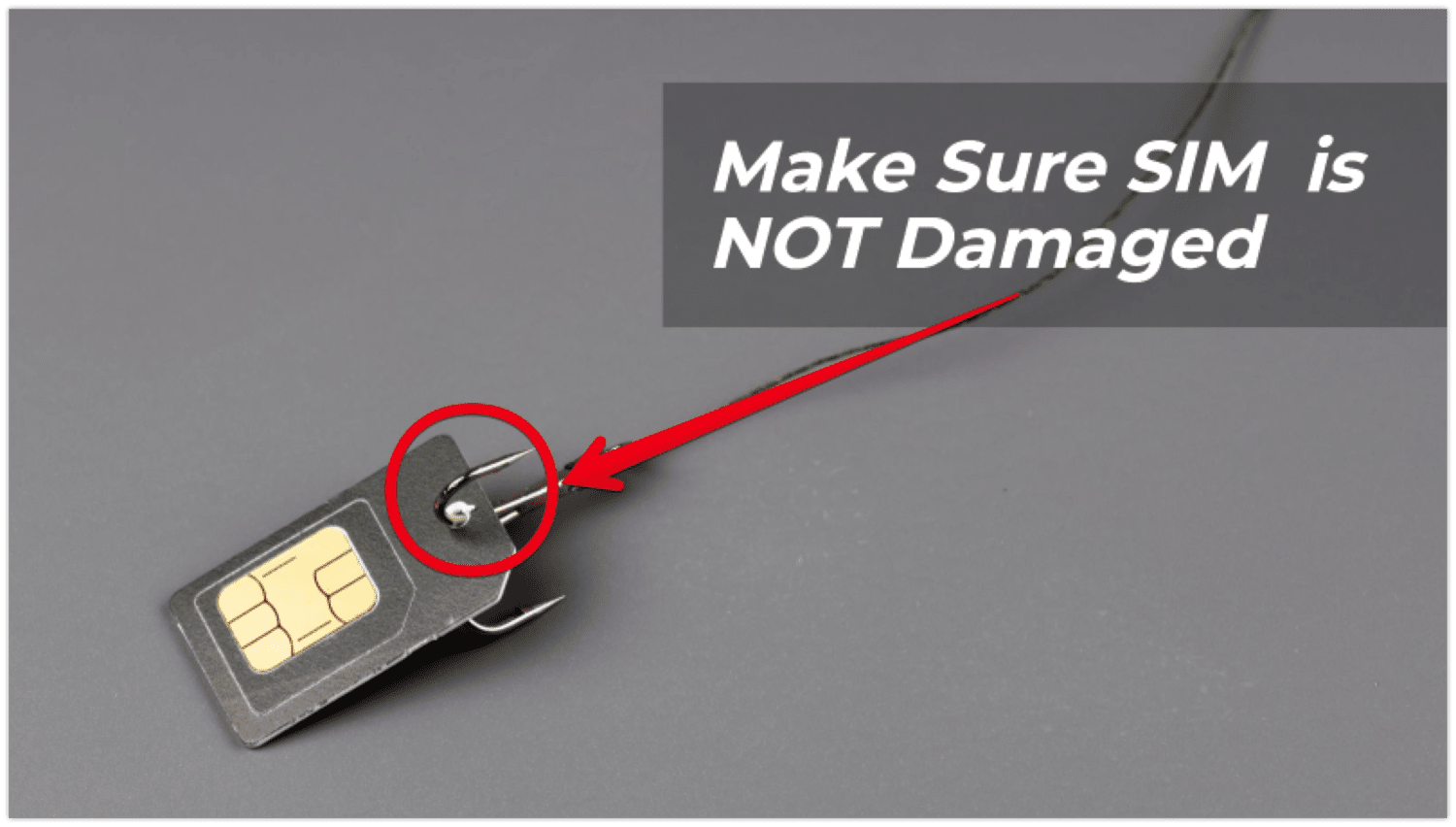
- Incorrectly Inserted or Damaged SIM: Although less about provisioning and more about physical contact, if your SIM card isn’t properly seated in its tray or slot, or if the metallic contacts on the SIM or inside the phone are dirty or damaged, the phone might fail to read the SIM correctly, leading to a similar error message. The phone cannot even begin the provisioning check if it can’t detect the SIM itself.
- Network-Side Issues or Glitches: While rare, sometimes the error isn’t on your end. The mobile network operator might be experiencing an internal system error, database synchronization issues, or undergoing maintenance that temporarily affects SIM provisioning for certain accounts. This can lead to a previously working SIM suddenly becoming unprovisioned.
- Attempting to Use a SIM from a Different, Incompatible Network: If your phone is locked to a specific carrier, inserting a SIM card from another MNO will result in an error. While “SIM Not Provisioned” isn’t the only message for this (you might see “Network Locked” or “Invalid SIM”), it can sometimes manifest this way, especially if the phone attempts to register the foreign SIM but fails due to network restrictions.
- SIM Card Swap Fraud (Less Common for This Specific Error, but Related): In unfortunate cases, fraudsters might attempt to perform a “SIM swap” – tricking your carrier into porting your number to a SIM card they control. While this generally involves their new SIM being provisioned, if their attempt fails or gets stuck in limbo, it could theoretically leave your original SIM in an unprovisioned state as the system tries to reconfigure. This is a severe digital security concern, though usually, your SIM would just stop working without the “not provisioned” message.
Understanding these underlying causes is the first step toward effective troubleshooting and regaining your vital mobile connection.
Step-by-Step Troubleshooting: Getting Your Connectivity Back
When confronted with the “SIM Not Provisioned” message, panic is a natural first reaction. However, a systematic approach to troubleshooting can often resolve the issue without extensive hassle. Before escalating to your mobile network provider, there are several checks you can perform on your own.
Initial Checks: Before You Call Support
These preliminary steps are designed to rule out common, easily rectifiable issues:
- Restart Your Phone: The classic tech solution, and often surprisingly effective. A simple reboot can refresh your phone’s connection to the network and resolve temporary software glitches that might be preventing it from recognizing the SIM card or communicating correctly with the carrier’s provisioning system. Turn your phone completely off, wait 30 seconds, then turn it back on.
- Re-insert the SIM Card: Carefully eject your SIM card tray (usually with a paperclip or a SIM ejector tool). Inspect the SIM card for any visible damage or dirt on the metallic contacts. Gently wipe the contacts with a soft, dry cloth if necessary. Ensure the SIM card is correctly oriented and securely seated in the tray before re-inserting it into your phone. Sometimes, a slightly misaligned SIM is all it takes to break the connection.
- Verify SIM Card is Correct for Your Account/Phone: Double-check that you’re using the correct SIM card for your active phone number and account. If you have multiple SIM cards or recently swapped phones, it’s possible you’ve accidentally inserted the wrong one. If you’ve just received a new SIM as a replacement, ensure it’s the one intended for your current service.
- Check for Network Coverage: While “SIM Not Provisioned” specifically indicates a problem with the activation of the SIM, a complete lack of network signal could sometimes mask or complicate the diagnosis. Check if others on the same network in your vicinity are experiencing issues. This is less likely to be the primary cause for this specific error, but it’s a good general troubleshooting step.
- Test the SIM in Another Phone (If Available): If you have access to another compatible, unlocked smartphone, try inserting your SIM card into it. If the SIM works in the second phone, the problem likely lies with your original device. If it still displays “SIM Not Provisioned,” then the issue is almost certainly with the SIM card itself or your account with the carrier.
When to Contact Your Mobile Network Operator (MNO)
If the initial troubleshooting steps don’t resolve the “SIM Not Provisioned” error, the next and most critical step is to contact your mobile network operator’s customer support. They have access to your account details and the provisioning systems required to diagnose and fix the problem.
Before you call, have the following information ready:
- Your Phone Number: The number associated with the unprovisioned SIM.
- Account Holder’s Name and Details: Full name, address, and any security questions or PINs required to verify your identity.
- SIM Card’s ICCID: This is a 19-digit number usually printed on the SIM card itself (you might need to remove it to see it) or on the original SIM card holder. This uniquely identifies your physical SIM.
- IMEI Number of Your Device: The International Mobile Equipment Identity is a unique 15-digit number for your phone. You can usually find it by dialing *#06#, in your phone’s settings (About Phone), or on the phone’s original packaging.
- Details of Your Issue: Clearly explain that you’re receiving a “SIM Not Provisioned” error and what troubleshooting steps you’ve already taken.
When you contact them, the customer service representative will be able to:
- Check Your SIM Activation Status: They can confirm if the SIM has been properly activated on their system. If not, they can initiate the activation process manually.
- Verify Account Status: They can check if your account is active, suspended, or if there are any billing issues that might be preventing service.
- Look for Network-Side Problems: They can check for any ongoing network outages or system issues in your area that might be affecting provisioning.
- Initiate a SIM Refresh: Sometimes, they can send a signal to your SIM card to force it to re-register with the network.
- Arrange a SIM Replacement: If the SIM card is damaged or faulty, they can arrange for a new one to be sent to you or picked up in-store. This is often necessary if the issue persists after all other checks.
Be prepared for potential waiting times, especially during peak hours. Patience and clear communication with the support representative are key to resolving the issue efficiently. Remember, your MNO has the ultimate control over provisioning your SIM, making them the final authority in getting your connection back online.
Beyond the Error: The Broader Impact on Tech, Brand, and Money
While “SIM Not Provisioned” might seem like a straightforward technical glitch, its implications ripple across various facets of modern life, touching upon the critical themes of technology, brand reputation, and personal and business finance. A seemingly small error can have significant downstream effects in an increasingly interconnected world.
The Tech Angle: Connectivity as a Foundation
In the 21st century, mobile connectivity is less of a luxury and more of a fundamental utility, akin to electricity or running water. From smart home devices to wearables, many elements of our digital ecosystem rely on the persistent connection provided by our smartphones.
- Device Functionality and User Experience: A phone without a provisioned SIM is severely hobbled. While Wi-Fi might cover some bases, the inability to make calls, send SMS, or access mobile data renders a smartphone largely useless for its core functions. This impacts not just personal communication but also location services, app updates, and even the basic security features that rely on a network connection.
- Digital Security and Two-Factor Authentication (2FA): Many critical online services – banking, email, social media – now rely on 2FA via SMS. If your SIM is unprovisioned, you cannot receive these vital verification codes, effectively locking you out of your accounts. This vulnerability underscores the importance of a continuously active SIM for maintaining digital security. The rise of eSIM technology (embedded SIM) offers a more flexible and often more secure alternative, as it eliminates the physical card that can be damaged or improperly inserted, allowing for remote provisioning and management. This represents a significant technological shift towards more resilient connectivity.
- IoT and Future Tech: As the Internet of Things (IoT) expands, everything from smart cars to connected medical devices will rely on robust, provisioned cellular connections. Understanding the nuances of SIM provisioning now sets the stage for troubleshooting and managing these more complex, interconnected systems in the future.
Brand Reputation and Customer Experience for MNOs
For mobile network operators, the experience of “SIM Not Provisioned” is a critical touchpoint that can significantly impact their brand reputation and customer loyalty. A smooth onboarding experience, especially regarding SIM activation, is paramount.
- First Impressions Matter: For new customers, receiving a “SIM Not Provisioned” error immediately after joining a new network creates a negative first impression. It contradicts the brand promise of seamless connectivity and reliable service. This initial frustration can translate into early churn or a permanent negative perception of the brand.
- Customer Support as a Brand Pillar: How an MNO handles provisioning issues directly reflects on its customer service quality. Long wait times, unhelpful representatives, or complex resolution processes exacerbate customer frustration and erode trust. Conversely, efficient, empathetic support can mitigate the negative impact and even turn a frustrating experience into an opportunity to demonstrate strong customer care. This contributes to positive brand sentiment and reinforces the idea that the MNO values its customers.
- Competitive Landscape: In a crowded market, MNOs differentiate themselves not just on price and network coverage, but also on the overall customer experience. Seamless provisioning is a competitive advantage. Brands that consistently deliver a hassle-free activation process build a reputation for reliability, which can attract and retain customers more effectively than those plagued by frequent technical hitches.
- Maintaining Trust: Connectivity is a fundamental trust relationship between the customer and the service provider. When that connection fails due to provisioning issues, it breaks that trust. Brands that fail to consistently deliver on their core promise of connectivity risk losing their customer base to competitors perceived as more reliable.
The Financial Ramifications: Personal and Business
The inability to communicate due to an unprovisioned SIM isn’t just an inconvenience; it can have tangible financial consequences for individuals and businesses alike.
- Personal Finance Disruptions:
- Missed Opportunities: Individuals might miss urgent calls for job interviews, crucial appointments, or family emergencies, potentially leading to financial or personal setbacks.
- Access to Banking/Financial Apps: As mentioned with 2FA, being locked out of banking or investment apps due to an unprovisioned SIM can prevent urgent transactions, bill payments, or monitoring of accounts, potentially incurring late fees or missing critical market movements.
- Online Income and Side Hustles: Many gig economy workers, freelancers, and small business owners rely heavily on their mobile phones for communication, coordination, and payment processing. An unprovisioned SIM means lost working hours, missed gigs, and direct loss of income.
- Business Finance and Operations:
- Downtime Costs: For businesses, especially those that rely on mobile sales teams, field service technicians, or remote workers, an unprovisioned SIM can lead to significant operational downtime. This means lost productivity, delayed projects, and inability to respond to client needs.
- Lost Sales and Customer Relationships: Missed client calls, inability to process mobile payments, or delayed communication can directly result in lost sales and damage to crucial client relationships. A business’s reputation for responsiveness can suffer, impacting future revenue streams.
- Emergency Communications: For businesses dealing with sensitive or emergency situations, reliable mobile communication is non-negotiable. An unprovisioned SIM can create severe liabilities and potentially endanger personnel or operations.
- Cost of Alternative Solutions: In an emergency, individuals or businesses might have to incur additional costs for alternative communication methods, such as public payphones (if still available), borrowing phones, or using international roaming on another device, all of which add unexpected expenses.
Understanding these broader impacts underscores why resolving a “SIM Not Provisioned” error promptly is not just a technical fix, but a vital step in maintaining personal security, financial stability, and business continuity.
Preventing Future “SIM Not Provisioned” Headaches
While resolving an existing “SIM Not Provisioned” error is important, taking proactive steps can help prevent this frustrating experience from recurring. Many of these measures revolve around smart account management and an awareness of evolving mobile technology.
Best Practices for SIM Management
Proactive measures are often the easiest way to avoid future issues with your SIM card’s provisioning status:
- Keep Your Account Active and Payments Up to Date: The most straightforward way to prevent deactivation is to ensure your mobile account is in good standing. For postpaid plans, pay your bills on time. For prepaid plans, be mindful of expiration dates for top-ups and ensure you maintain activity to prevent the SIM from going dormant and eventually being unprovisioned by the carrier. Set up auto-payments or reminders if needed.
- Purchase SIM Cards from Reputable Sources: Always obtain new SIM cards directly from your mobile network operator, an authorized reseller, or a trusted retailer. This minimizes the risk of receiving a faulty, counterfeit, or unactivated SIM card that could lead to provisioning issues. Be wary of unusually cheap or unofficial SIM card sales.
- Understand Activation Procedures for New SIMs: Before you insert a new SIM card, familiarize yourself with the activation process specific to your carrier. Some might require an online registration, a phone call, or even a visit to a store. Following these instructions precisely from the outset can prevent initial provisioning failures. If you’re porting your number from another carrier, understand the expected timeline for the transfer; your old SIM will remain active until the port completes, and the new one might not activate immediately.
- Handle SIM Cards with Care: Physical damage to a SIM card can render it unreadable and functionally unprovisioned. Avoid bending, scratching, or exposing your SIM to extreme temperatures or moisture. Store spare SIMs in their original packaging or a protective case. Ensure correct insertion into your phone’s SIM tray to prevent physical damage to both the card and the phone’s connector pins.
- Plan Ahead for International Travel and Roaming: If you’re traveling internationally and plan to use a local SIM card, research the local carrier’s activation process before you go. Alternatively, if you plan to use your home SIM for international roaming, confirm with your MNO that roaming services are activated on your account and that your plan includes or allows for international usage. An unexpected “SIM Not Provisioned” message while abroad can be particularly disruptive and costly.
- Consider the Rise of eSIM for Enhanced Flexibility: eSIM (embedded SIM) technology is increasingly becoming a standard feature in newer smartphones. Instead of a physical card, the eSIM is built directly into your device, allowing you to switch carriers or plans digitally without needing to swap physical cards. This eliminates issues like damaged SIMs or improper insertion and often streamlines the provisioning process, as carriers can activate your service remotely. For travelers, eSIMs are particularly convenient for quickly adding local data plans. As this technology becomes more prevalent, it offers a robust solution for more flexible and reliable mobile connectivity, potentially reducing many of the physical SIM-related provisioning problems.
By adopting these best practices, you can significantly reduce the likelihood of encountering the “SIM Not Provisioned” error, ensuring that your vital mobile connection remains stable and ready when you need it most.
In an increasingly connected world, mobile connectivity is non-negotiable. The “SIM Not Provisioned” error, while a technical hiccup, underscores our deep reliance on this technology. By understanding its causes, knowing how to troubleshoot effectively, and taking proactive steps in SIM management, you can minimize disruption and ensure your digital lifeline remains uninterrupted. This isn’t just about fixing a phone; it’s about safeguarding your access to communication, securing your digital life, protecting your financial interests, and ensuring seamless operation in both personal and professional spheres. Stay informed, stay connected, and keep your mobile experience smooth and reliable.