
In the ever-evolving world of technology, every component plays a crucial role in the overall performance and efficiency of a system. For PC builders, enthusiasts, and even those looking to upgrade their existing setups, understanding the nuances of each part is paramount. One such component that often sparks questions is the power supply unit (PSU), and more specifically, the concept of “modular” power supplies. This article will delve deep into what modularity means in the context of PSUs, exploring its benefits, drawbacks, and how it impacts your tech journey, all while drawing parallels to broader themes in technology, branding, and even finance.
The Anatomy of a Power Supply: Beyond Wattage
When we talk about power supplies, the first thing that often comes to mind is wattage – the raw power output the PSU can deliver. While this is undeniably important, it’s only one piece of the puzzle. The way a PSU is designed and manufactured also significantly influences its practicality, ease of use, and even its aesthetic appeal within a computer case. This is where the concept of modularity enters the picture.
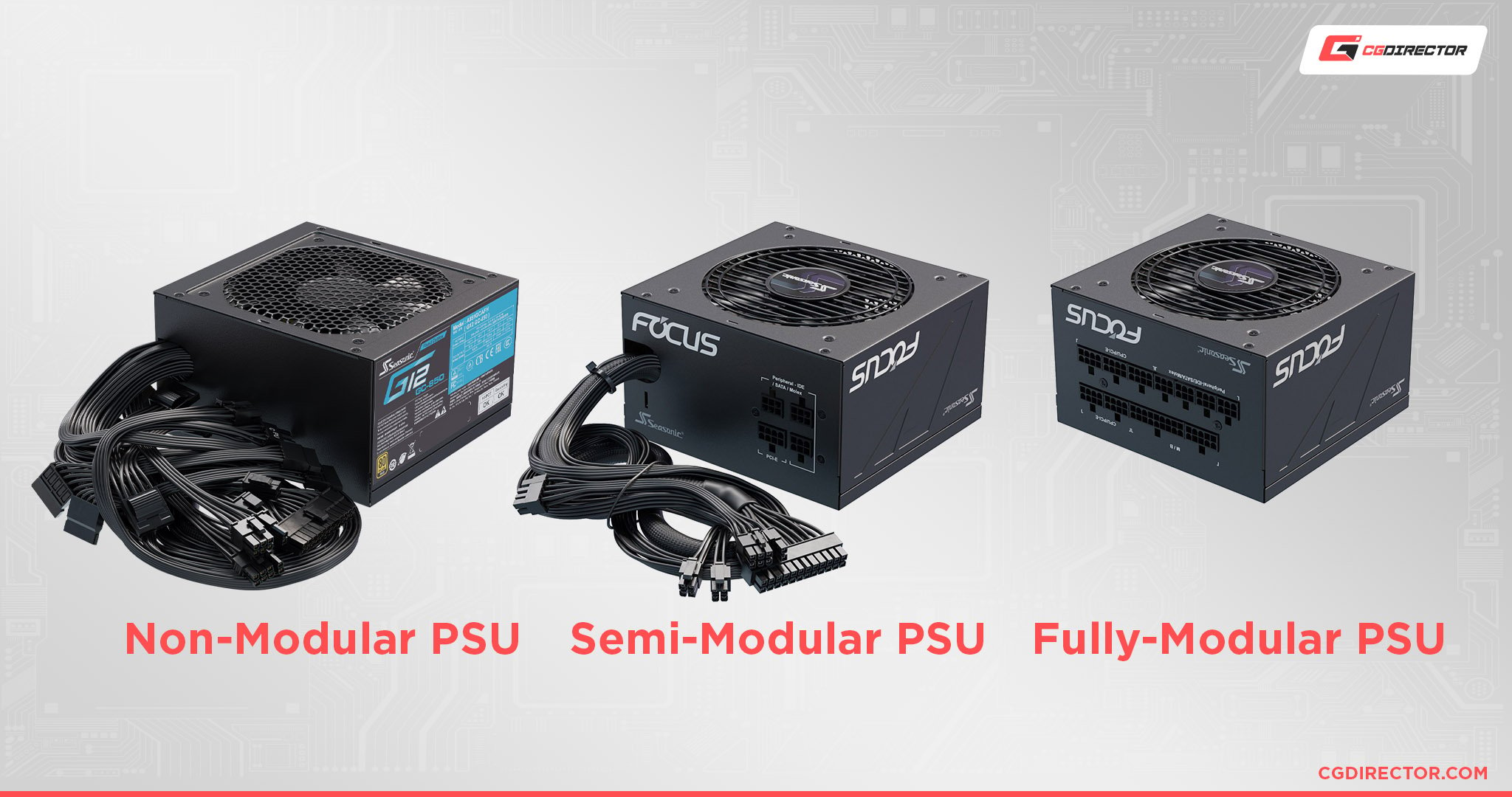
At its core, a modular power supply is a PSU where all or some of the cables are detachable. This stands in stark contrast to traditional, non-modular PSUs where all cables are permanently attached. Think of it like choosing between a wired headset and a truly wireless one. With a wired headset, you have to manage that one pesky cable, no matter what. With a truly wireless one, you have complete freedom. Similarly, modular PSUs offer a level of flexibility that non-modular ones simply cannot match.
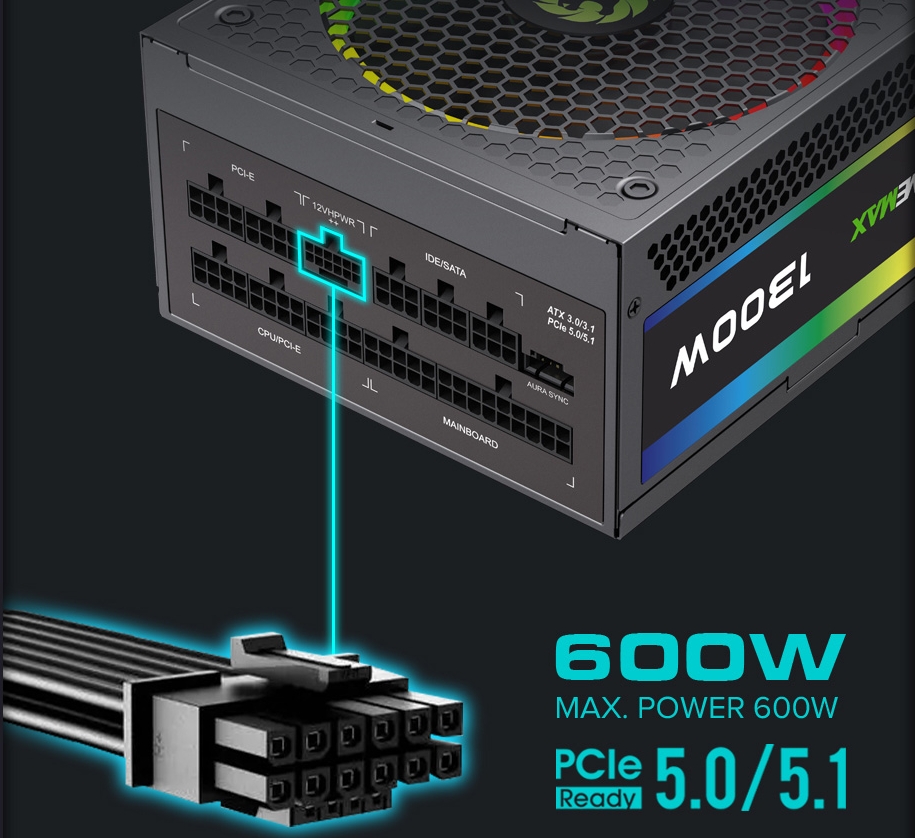
The modular design typically involves a set of connectors on the PSU itself. These connectors are where you plug in the necessary cables to power your motherboard, graphics card, storage devices, and other components. The cables that come with a modular PSU are designed to be specific to the component they are powering (e.g., a 24-pin ATX motherboard cable, an 8-pin PCIe power cable for graphics cards, SATA power cables for drives).
Types of Modularity: A Spectrum of Flexibility
While the basic definition of modularity is straightforward, there’s a spectrum of modular designs, each offering a different level of convenience:
1. Fully Modular Power Supplies
As the name suggests, fully modular PSUs have all their cables detached. This offers the ultimate in flexibility and cable management. When you purchase a fully modular PSU, it will come with a bundle of separate cables. You only connect the cables you actually need for your specific build.
- Analogy in Tech Trends: This is akin to the rise of “Software as a Service” (SaaS). Instead of buying a massive software suite with features you’ll never use, you subscribe to specific modules or functionalities that directly address your needs. This eliminates bloat and streamlines the user experience.
- Impact on Builds: For PC builders, this means a significantly cleaner internal aesthetic. Less clutter in the case leads to better airflow, which can, in turn, improve component temperatures and overall system stability. It also makes the building process itself much less frustrating, as you’re not wrestling with a tangle of unused cables.
2. Semi-Modular Power Supplies
Semi-modular PSUs strike a balance between fully modular and non-modular designs. In this configuration, some essential cables (like the motherboard power cable) are permanently attached, while other, less frequently used cables (like SATA power or PCIe power cables) are detachable.
- Analogy in Brand Strategy: This is like a brand offering a core product with essential features and then allowing customers to purchase add-on modules or accessories. It provides a solid foundation while still offering some customization to meet individual needs. Think of a smartphone with a base model and then optional accessories like extra battery packs or specialized lenses.
- Impact on Builds: Semi-modular PSUs are a good middle-ground option. They offer improved cable management over non-modular units without the potentially higher cost of a fully modular unit. For most mid-range builds, the permanently attached cables are usually the ones you’d need anyway, so the reduction in cable clutter is still substantial.
3. Non-Modular Power Supplies (The Baseline)
While not technically a type of modularity, it’s important to understand the contrast. Non-modular PSUs have all their cables permanently attached to the power supply unit. This is the most basic and often the most affordable type of PSU.
- Analogy in Personal Finance: This is like taking out a traditional loan with fixed terms and no flexibility. While it serves its purpose, there’s no room for adjustment or optimization based on your changing financial situation.
- Impact on Builds: Building with a non-modular PSU requires significant effort in cable management. You’ll need to tie off, tuck away, and hide any cables you aren’t using to prevent them from obstructing airflow or creating an unsightly mess. This can be a challenging and time-consuming part of the build process.
The Benefits of Modularity: More Than Just Aesthetics
The decision to opt for a modular or semi-modular PSU often boils down to a series of tangible benefits that extend beyond just making your PC look pretty.
Enhanced Airflow and Cooling
This is perhaps the most significant functional advantage of modular PSUs. Unused cables in a traditional PSU act as obstacles, disrupting the natural flow of air within the computer case. This can lead to:
- Increased Component Temperatures: When airflow is poor, heat can build up around sensitive components like the CPU, GPU, and RAM, potentially leading to thermal throttling and reduced performance.
- Higher Fan Speeds: To compensate for poor airflow, case fans and component fans may have to spin faster, leading to increased noise levels.
By only connecting the necessary cables with a modular PSU, you create a much cleaner internal environment, allowing air to move freely and efficiently. This can contribute to lower operating temperatures and a quieter system.
Simplified Building and Maintenance
The process of building or upgrading a PC can be daunting, and cable management is often cited as one of the most frustrating aspects. Modular PSUs dramatically simplify this:
- Easier Installation: You can install the PSU and then attach only the cables you need, rather than having to route a mass of cables from the outset. This is especially helpful in smaller PC cases where space is at a premium.
- Streamlined Upgrades: When it comes time to upgrade components, like adding a new graphics card that requires additional power connectors, you simply plug in the new cables you need. You don’t have to dig through a nest of wires to find the right connection.
- Troubleshooting: If you suspect a PSU issue, or need to replace a specific cable, having detachable cables makes it much easier to identify and swap out components.
Improved Aesthetics and Customization
For many PC builders, the visual appeal of their rig is just as important as its performance. Modular PSUs offer significant advantages in this regard:
- Cleaner Builds: The absence of unused cables leads to a much tidier and more professional-looking interior.
- Custom Sleeving: Many enthusiasts opt for custom-sleeved cables to match their build’s color scheme. Modular PSUs make this process far more manageable, as you can simply replace the standard cables with your custom ones. This level of personalization is a key aspect of modern tech customization, much like choosing specific software tools to enhance productivity.
Potential Drawbacks and Considerations
While the benefits of modular PSUs are clear, it’s important to acknowledge potential drawbacks and make informed decisions.
Cost
Generally, fully modular and semi-modular PSUs tend to be more expensive than their non-modular counterparts. This is due to the added complexity in their design and manufacturing process, which includes the connectors and the detachable cable system.
- Analogy in Investing: This is similar to investing in dividend-paying stocks versus growth stocks. Dividend stocks offer a steady, predictable income (like the convenience of a semi-modular PSU), while growth stocks aim for higher future returns but might have a higher initial cost or risk (like the premium of a fully modular PSU).
Connector Quality and Potential for Loose Connections
While rare with reputable brands, there’s a theoretical risk of a slightly less secure connection with detachable cables compared to permanently attached ones. However, this is largely mitigated by the quality of the connectors used by established PSU manufacturers. It’s crucial to ensure cables are fully seated when plugged in.
Cable Compatibility
It’s essential to use the cables that came with your specific PSU model or are certified as compatible by the manufacturer. PSU manufacturers often use proprietary pinouts for their modular connectors. Using cables from a different brand or even a different model from the same brand can result in damage to your components or the PSU itself. This highlights the importance of brand trust and following guidelines, much like understanding the terms of service for new AI tools.
Choosing the Right Modular PSU for Your Needs
The decision between non-modular, semi-modular, and fully modular ultimately depends on your priorities, budget, and the complexity of your PC build.
- For Budget Builds and Simplicity: If you’re on a strict budget and aren’t overly concerned with aesthetics or the absolute cleanest cable management, a non-modular PSU can still be a perfectly viable option.
- For Mainstream Builds and Good Value: Semi-modular PSUs offer a great balance of improved cable management and cost-effectiveness. They are ideal for most gaming rigs, workstations, and general-purpose PCs where a significant reduction in cable clutter is desired without breaking the bank.
- For Enthusiast Builds and Ultimate Aesthetics: If you’re building a high-end system, a showpiece PC, or simply want the absolute best in terms of cable management and ease of building, a fully modular PSU is the way to go.
When evaluating modular PSUs, always consider factors like:
- Wattage: Ensure it meets the power requirements of your components, with some headroom for future upgrades.
- Efficiency Rating (80 Plus Bronze, Gold, Platinum, Titanium): Higher ratings mean less wasted energy as heat, leading to lower electricity bills and a cooler system.
- Brand Reputation and Warranty: Stick with well-known brands that offer good warranties, as the PSU is a critical component that can impact the longevity of your entire system.
- Connector Availability: Make sure the PSU comes with enough of the necessary modular cables for your current and potential future components.

Conclusion: A Smart Investment in Your Tech Experience
Understanding what modular means on a power supply is about more than just a technical specification; it’s about making a conscious choice that impacts the build process, system performance, and long-term usability of your computer. Whether you choose fully modular, semi-modular, or stick with a traditional non-modular unit, knowing the differences allows you to make an informed decision that aligns with your personal tech journey, much like understanding the nuances of financial planning or the strategy behind successful branding. By investing in a modular PSU, you’re not just buying a component; you’re investing in a cleaner, more efficient, and ultimately more enjoyable computing experience.
aViewFromTheCave is a participant in the Amazon Services LLC Associates Program, an affiliate advertising program designed to provide a means for sites to earn advertising fees by advertising and linking to Amazon.com. Amazon, the Amazon logo, AmazonSupply, and the AmazonSupply logo are trademarks of Amazon.com, Inc. or its affiliates. As an Amazon Associate we earn affiliate commissions from qualifying purchases.