
For over half a decade, the “notch” was the defining characteristic of the modern smartphone silhouette. Introduced with the iPhone X in 2017, it was a necessary compromise—a blacked-out tab at the top of the screen required to house the complex TrueDepth camera system for FaceID. While competitors experimented with “hole-punch” cameras or pop-up mechanisms, Apple remained steadfast until the introduction of the Dynamic Island.
Debuting with the iPhone 14 Pro and eventually making its way to the entire iPhone 15 lineup, the Dynamic Island represents a paradigm shift in how we perceive hardware limitations. It is no longer a static obstruction; it is a fluid, interactive hub that blends the line between physical sensors and digital interface. But what exactly does the Dynamic Island do, and how does it change the way we interact with our most personal devices?
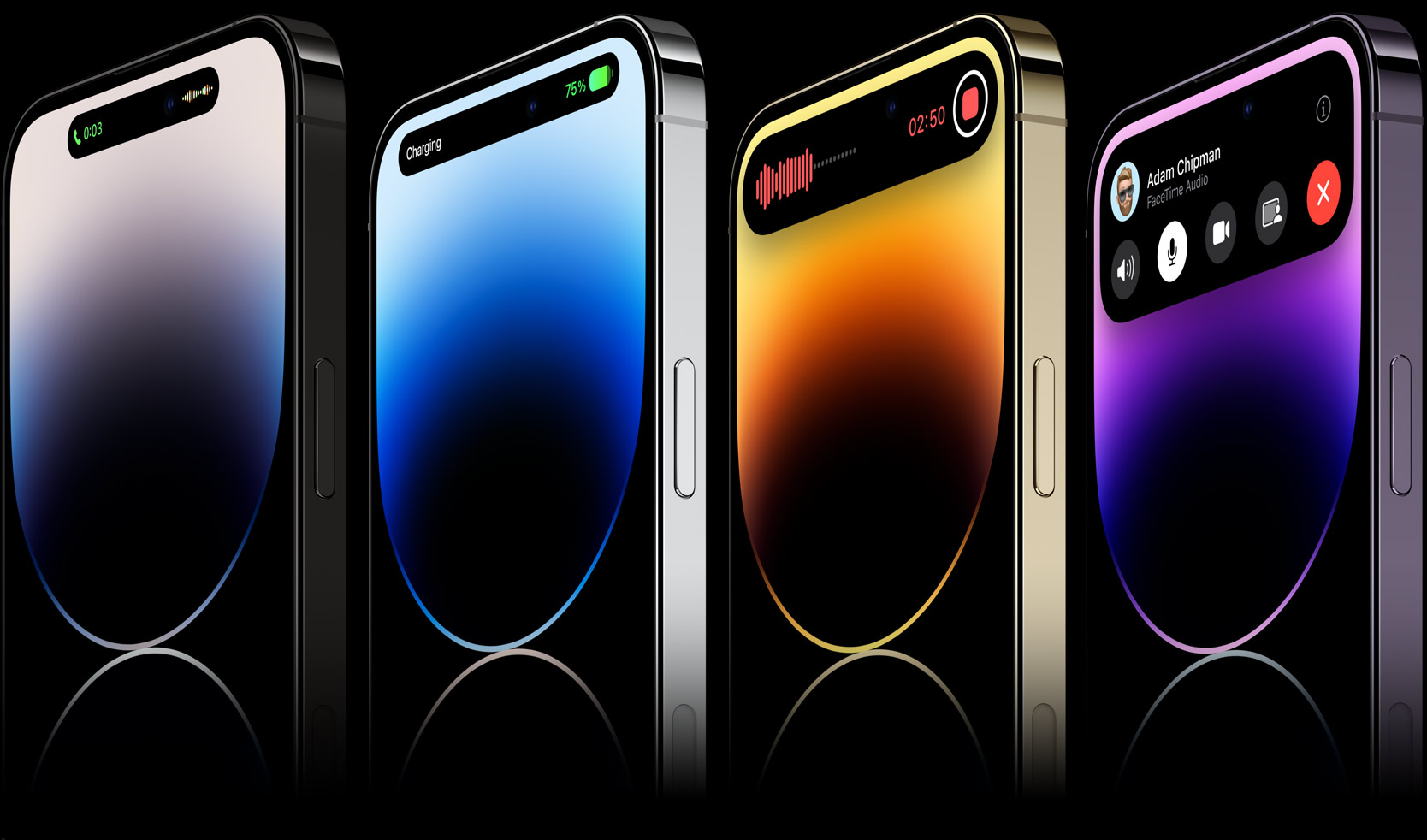
The Evolution of Display Design: From Notch to Dynamic Island
To understand what the Dynamic Island does, one must first understand the technical problem it solves. Modern smartphones require front-facing cameras and biometric sensors, but users demand edge-to-edge displays. The Dynamic Island is Apple’s answer to the “dead space” created by these sensors.
The Hardware Necessity vs. Software Ingenuity
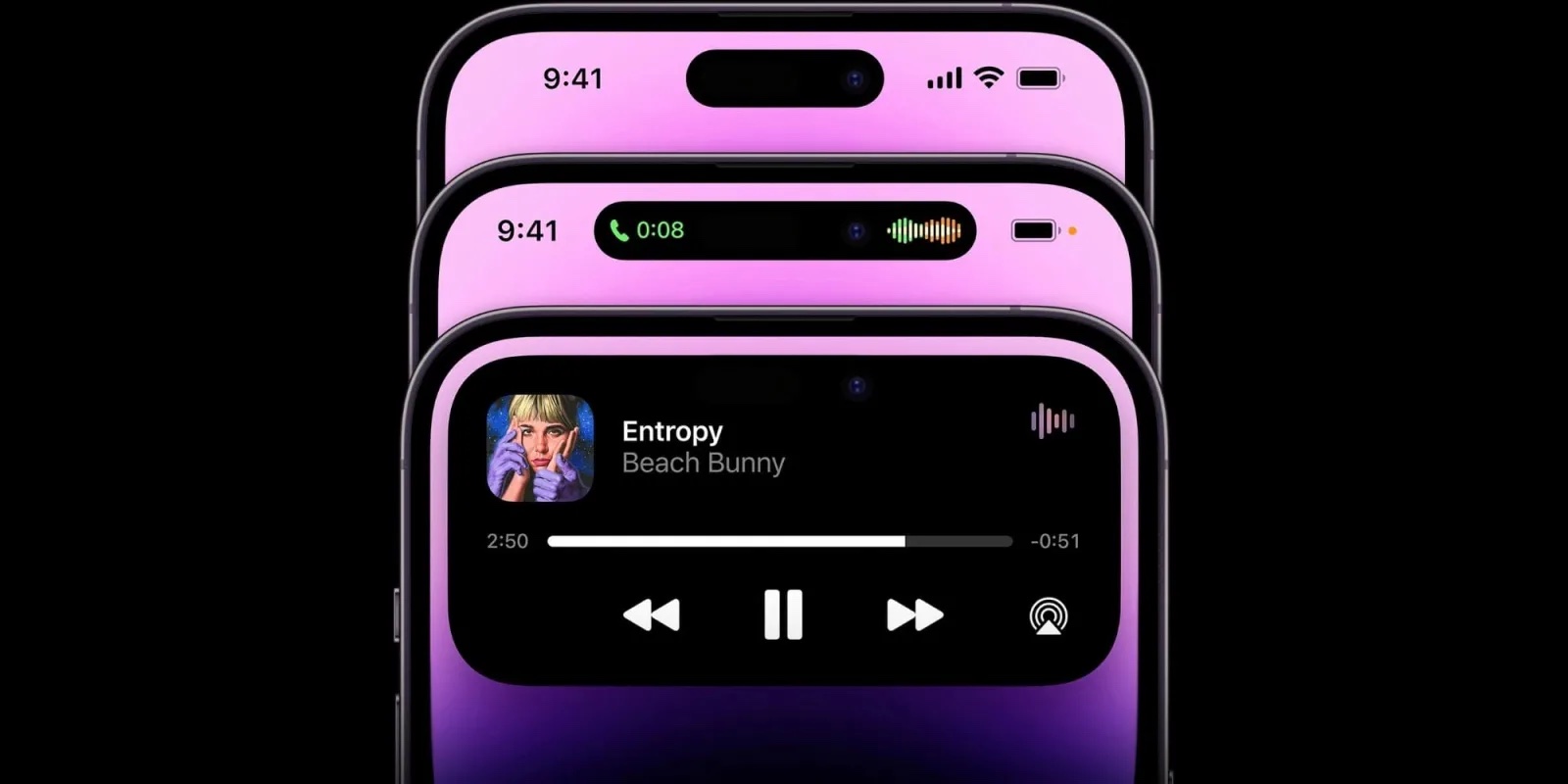
Physically, the Dynamic Island consists of two distinct cutouts in the OLED panel: a pill-shaped cutout for the proximity sensor and FaceID hardware, and a circular cutout for the front-facing camera. However, through software, Apple uses the deep blacks of the OLED display to turn off the pixels between these two holes, creating the illusion of a single, cohesive “island.”
The genius of the Dynamic Island lies in its refusal to be ignored. Rather than trying to hide the camera cutouts, Apple’s software (iOS) embraces them. It treats this area as a dedicated interactive zone that expands, contracts, and morphs based on the task at hand. This is a classic example of “hardware-software fusion,” where the interface reacts to the physical constraints of the device in a way that feels organic.
Redefining Screen Real Estate
Before the Dynamic Island, the top of the iPhone screen—the status bar—was largely informational. It told you the time, your signal strength, and your battery percentage. With the Dynamic Island, this area becomes functional. By moving background tasks and persistent notifications into this central hub, Apple has freed up the rest of the display for primary content, reducing the need for intrusive pop-ups that interrupt the user experience.
Core Functionalities and User Interaction
The Dynamic Island is not merely a visual flourish; it is a multitasking tool designed to streamline how users manage background activities. It functions through a series of “transforms”—animations that allow the island to stretch into a wide bar, expand into a large square, or split into two separate elements.
System Alerts and State Changes
One of the primary roles of the Dynamic Island is to provide “glanceable” information regarding system-level alerts. Previously, many of these alerts would take over the entire screen or drop down as a disruptive banner. Now, they originate from and retreat back into the island.
- FaceID Authentication: When an app requires FaceID, the island expands into a square to show the scanning animation.
- Charging and Battery: Connecting a MagSafe charger or hitting the 20% battery threshold triggers a smooth expansion of the island to confirm the status.
- Silent Mode: Toggling the mute switch results in a subtle animation within the island, confirming the change without blocking the user’s view of their current app.
- AirPods Connectivity: When you open your AirPods case, the island displays the connection status and battery levels of both the buds and the case.
The Power of Live Activities
Perhaps the most significant functional leap provided by the Dynamic Island is its integration with “Live Activities.” This feature allows apps to provide real-time updates for ongoing events. Instead of constantly unlocking your phone to check a status, the information lives at the top of your screen.
For example, if you are following a sports score, the island will show the current score of both teams in a compact view. If you are waiting for a ride-share, it displays the car’s ETA and license plate number. This persistent presence ensures that the most relevant information is always visible, even when you are using a different application.
Multitasking Made Seamless
The Dynamic Island excels at managing active background tasks. If you are on a phone call but need to check your calendar, the island will expand to show the call duration and a waveform. If you are playing music on Spotify or Apple Music, the island displays the album art and a miniature visualizer.
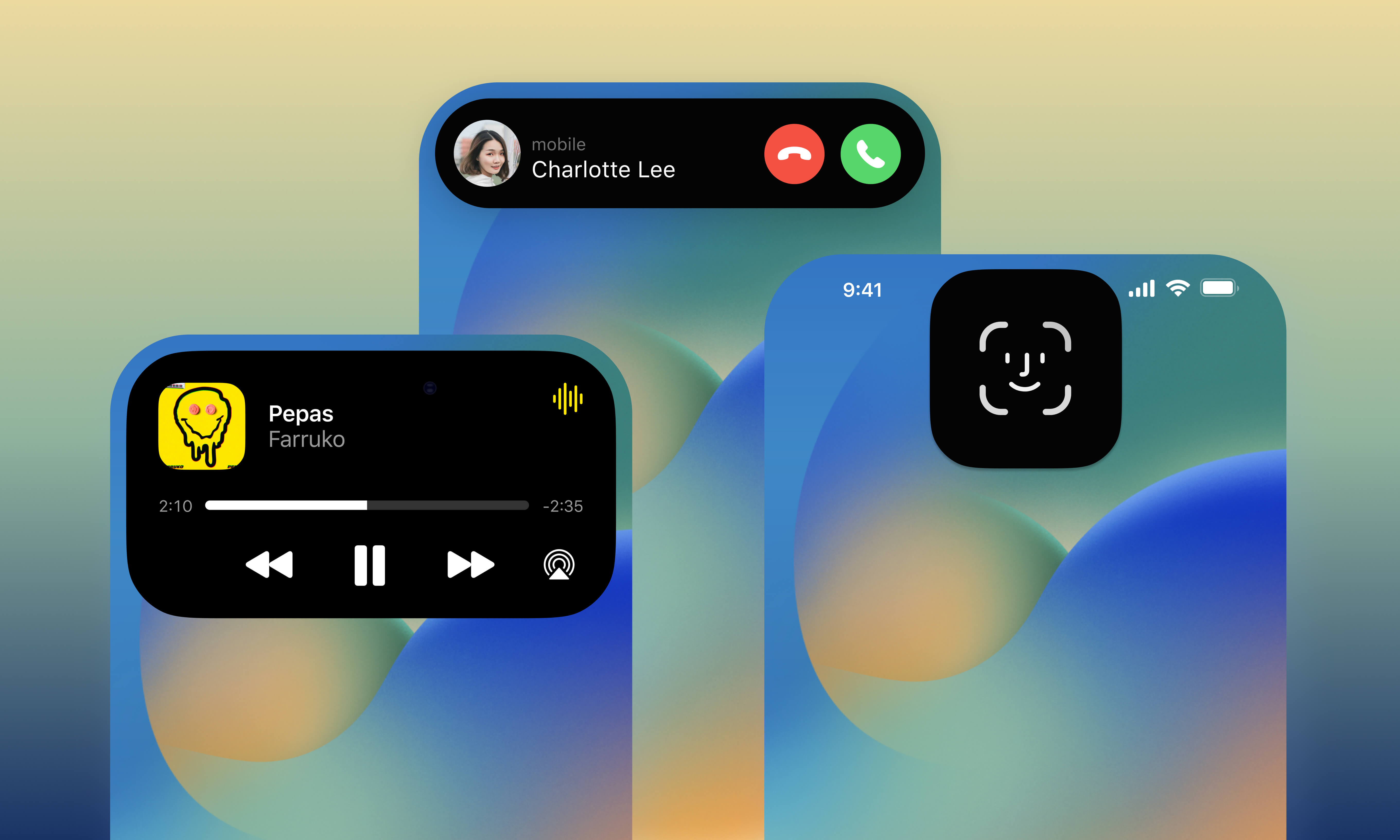
The interaction model is simple yet powerful:
- Tap: Tapping the island immediately opens the associated app.
- Long Press: Holding down on the island expands it into a “widget-like” view, allowing you to control playback, end a call, or see more detailed information without leaving your current app.
Third-Party App Integration and Developer Creativity
While Apple’s native apps were the first to showcase the Dynamic Island’s potential, the true value of the feature has been realized through third-party developer adoption. Apple provided the “ActivityKit” API, allowing developers to create custom experiences for this new interface.
Expanding Use Cases: Travel, Sports, and Productivity
The tech community has seen an explosion of creative uses for the Dynamic Island. In the travel sector, apps like Flighty use the island to show flight numbers, gate changes, and countdowns to departure. In the productivity niche, timer apps and voice recorders use the island to provide quick-access controls that don’t require the user to navigate through multiple menus.
Even food delivery services like Uber Eats and DoorDash have utilized the feature to show the progress of an order—from “preparing” to “out for delivery”—in a way that feels like a natural part of the OS. This integration reduces “app fatigue,” as users no longer feel the need to jump between five different apps to stay updated on their day.
The Technical Polish: Sub-Pixel Rendering
From a technical standpoint, the fluidity of the Dynamic Island is achieved through advanced anti-aliasing and sub-pixel rendering. Because the transition between the physical black cutout and the software-generated black pixels must be invisible to the naked eye, Apple uses extremely high-refresh-rate animations. This ensures that as the island grows or shrinks, there is no stuttering or visible “seams,” maintaining the illusion that the hardware itself is changing shape.
The Impact on Modern UX/UI Standards
The introduction of the Dynamic Island has sparked a broader conversation within the tech industry regarding User Experience (UX) and User Interface (UI) design. It represents a shift away from “hidden” technology toward “transparent” technology.
Solving the “Dead Space” Problem
For years, the industry trend was to minimize the “bezel” and the “notch” to the point of invisibility. However, the physical reality of camera lenses and sensors makes a 100% screen-to-body ratio difficult without sacrificing image quality (as seen in under-display cameras which often produce blurry images).
The Dynamic Island solves this by turning a “negative” (the screen cutout) into a “positive” (an interactive feature). In the world of tech trends, this is often referred to as “designing around the friction.” By making the notch useful, Apple has effectively neutralized the aesthetic complaint while adding genuine utility.
Future Implications for Mobile Interface Design
The success of the Dynamic Island has already influenced other manufacturers. Several Android OEMs have introduced their own versions of “capsule” notifications, proving that the concept of a centralized notification hub at the top of the display has legs beyond the iPhone ecosystem.
Furthermore, the Dynamic Island suggests a future where the Operating System is more context-aware. As AI tools become more integrated into mobile software, we can imagine the Dynamic Island evolving into an AI-driven concierge—predicting which app you need next, displaying relevant data before you ask for it, and acting as a persistent bridge between the user and the device’s processing power.
Conclusion
The Dynamic Island is more than just a clever name for a screen cutout; it is a sophisticated evolution of the smartphone interface. By combining hardware constraints with fluid software animations, Apple has created a tool that enhances multitasking, streamlines notifications, and provides a platform for developer innovation.
As we look toward the future of mobile technology, the Dynamic Island stands as a testament to the idea that the best tech solutions aren’t always about removing limitations—they are about reimagining them. Whether you are tracking a flight, controlling your playlist, or simply checking a timer, the Dynamic Island ensures that your iPhone is not just a screen, but a dynamic, living tool that adapts to your needs in real-time.
aViewFromTheCave is a participant in the Amazon Services LLC Associates Program, an affiliate advertising program designed to provide a means for sites to earn advertising fees by advertising and linking to Amazon.com. Amazon, the Amazon logo, AmazonSupply, and the AmazonSupply logo are trademarks of Amazon.com, Inc. or its affiliates. As an Amazon Associate we earn affiliate commissions from qualifying purchases.