
Since their inception, Beats by Dre headphones and earbuds have undergone a significant technical transformation. Originally a disruptor in the audio space before being acquired by Apple in 2014, the brand has navigated several industry-wide shifts in charging standards. For a user, identifying the correct charger is not merely about finding a cable that fits; it is about understanding power delivery, voltage requirements, and the evolution of connector technology to ensure the longevity of the device’s internal lithium-ion battery.
The answer to “what charger do Beats use” depends entirely on the specific model and its release year. As the tech industry moved from the fragile Micro-USB standard to Apple’s proprietary Lightning connector, and finally to the now-ubiquitous USB-C, Beats products have mirrored these hardware milestones.
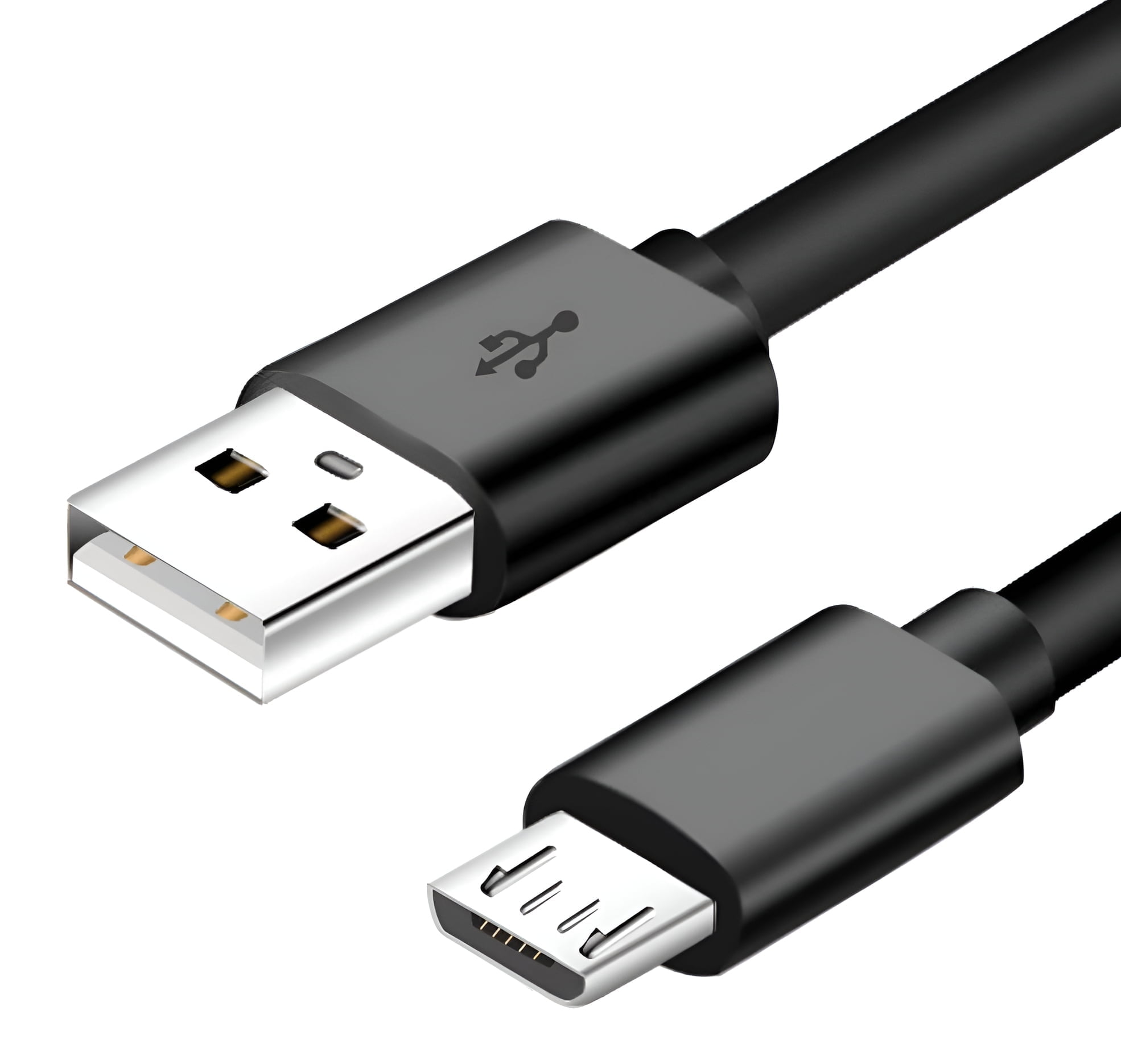
The Evolution of Beats Charging Interfaces
The history of Beats charging ports is a timeline of consumer electronics history. Understanding which “era” your device belongs to is the first step in identifying the technical requirements for its power supply.
The Micro-USB Era: Legacy Devices
Before the Apple acquisition and in the early years following it, the industry standard for non-Apple mobile devices was Micro-USB. If you own an older pair of Beats, such as the original Beats Studio Wireless, Solo2 Wireless, or the Powerbeats2, your device utilizes a Micro-USB port. Technically known as USB Battery Charging Specification 1.2, these ports are limited in power throughput and are more prone to mechanical wear over time. These devices typically require a 5V/1A power source, and using high-wattage modern chargers won’t necessarily speed up the process, as the internal charging circuit regulates the intake.
The Apple Integration and the Lightning Port
Following the $3 billion acquisition by Apple, the Beats product line was brought into the Apple ecosystem. This led to the adoption of the Lightning connector, the same port found on iPhones from 2012 through 2022. This phase included iconic models like the Beats Solo3 Wireless, Powerbeats3 Wireless, and the BeatsX. The move to Lightning was significant because it allowed for a more robust physical connection and paved the way for “Fast Fuel” technology—a technical feature that allows for a rapid “burst” charge. For example, the Solo3 can gain approximately three hours of playback from just five minutes of charging via a Lightning cable.
The Modern Standard: The Shift to USB-C
In alignment with global regulations and the broader tech industry’s push toward a universal standard, modern Beats products have transitioned to USB-C. This includes the Beats Studio Pro, Beats Solo 4, Beats Studio Buds+, and the Beats Fit Pro. USB-C is technically superior to its predecessors, supporting higher power delivery (PD) and faster data transfer rates. This shift also makes Beats more accessible to Android users, reinforcing the brand’s position as a cross-platform premium audio choice.
Model-Specific Charging Requirements
While the connector type is the most visible aspect of charging, the technical specifications behind the power delivery are equally important. Each category of Beats hardware has specific needs to maintain optimal battery health.
Over-Ear and On-Ear Headphones: Studio and Solo Series
The flagship over-ear headphones, such as the Beats Studio Pro and the Solo 4, are designed with high-capacity batteries to support Active Noise Cancellation (ANC) and spatial audio processing.
- Beats Studio Pro: These use USB-C and support “Lossless Audio” via the charging cable itself. This means the USB-C cable acts as both a power delivery system and a high-fidelity data conduit.
- Beats Solo 4: Also utilizing USB-C, these headphones are optimized for massive battery life (up to 50 hours). They require a standard USB-C to USB-C or USB-A to USB-C cable.
In-Ear Buds: The Powerbeats and Studio Buds Series
True Wireless Stereo (TWS) earbuds present a different technical challenge because they involve two separate batteries (the buds) and a third battery (the charging case).
- Beats Fit Pro and Studio Buds: These use a USB-C port on the exterior of the case. The internal pins in the case use a low-voltage “pogo pin” system to transfer energy from the case battery to the earbuds.
- Powerbeats Pro: These are unique because, while they were released during the transition period, they utilize a Lightning port on the charging case. Users must ensure the case is charged to keep the high-performance hooks powered for athletic use.
Portable Speakers: The Beats Pill Family
The recently rebooted Beats Pill speaker has moved exclusively to USB-C. Unlike the headphones, the Pill requires a slightly higher current to charge its larger internal cell effectively. While it can be charged with a standard phone brick, using a 20W or higher USB-C Power Delivery (PD) adapter will ensure the fastest possible recharge cycle.

Understanding Fast Fuel and Power Delivery (PD)
One of the most touted technical features of the Beats line is “Fast Fuel.” This is not just a marketing term; it refers to the specialized Power Management Integrated Circuit (PMIC) within the headphones that handles rapid energy intake.
The Science Behind Fast Fuel Technology
Fast Fuel works by allowing a higher amperage to flow into the battery during the initial 0-20% of the charging cycle. Lithium-ion batteries can safely absorb energy much faster when they are nearly empty. As the battery reaches a higher state of charge, the PMIC throttles the speed to prevent overheating and chemical degradation. To utilize Fast Fuel, you do not necessarily need a “Beats-branded” brick, but you do need a power source capable of outputting at least 5W to 10W consistently.
Choosing the Right Power Brick (Wattage and Amperage)
A common technical misconception is that using a high-wattage MacBook charger (such as a 61W or 96W USB-C brick) will “fry” your Beats Studio Buds. In reality, modern USB-C devices engage in a “handshake” protocol. The Beats device tells the charger exactly how much power it can handle, and the charger provides only that amount. Therefore, it is perfectly safe to use a high-wattage Apple or third-party PD charger; the headphones will simply draw the 5W or 10W they require.
Technical Troubleshooting and Maintenance
Even with the correct cable and brick, users may encounter issues where their Beats fail to charge or show a blinking red light. Understanding the technical triggers for these errors can save a device from being prematurely discarded.
Identifying Common Charging Faults
If your Beats are not charging, the issue usually lies in one of three areas:
- The Port: Particularly with Micro-USB and Lightning, lint and debris can compact inside the port, preventing the pins from making contact. Using a non-conductive toothpick to clean the port is a standard technical fix.
- The Cable: Cables often suffer from internal “silent” breaks. If the copper shielding is compromised, the resistance increases, and the PMIC may reject the power source as unstable.
- The Reset Procedure: Often, the internal logic board of the headphones may “hang.” Performing a hardware reset (usually by holding the power and volume down buttons for 10 seconds) reboots the charging controller and can resolve “no-charge” symptoms.
Battery Longevity and Heat Management
Heat is the primary enemy of battery health. Charging your Beats in a high-temperature environment or leaving them in a hot car can cause the battery to swell or lose capacity. From a technical standpoint, lithium-ion batteries prefer “shallow” discharge cycles. Instead of letting your Beats drop to 0%, charging them when they hit 20% and unplugging them at 80-90% can significantly extend the total number of charge cycles the hardware can handle over its lifespan.
Third-Party vs. OEM Accessories
When the original cable that came in the box is lost, users must decide between buying an Original Equipment Manufacturer (OEM) Apple/Beats cable or a third-party alternative.
The Risks of Low-Quality Cables
While “cheap” cables may look the same, they often lack the gauge of wire necessary to sustain a consistent voltage. For Lightning-based Beats, using a cable that is not MFi (Made for iPhone/iPad/iPod) certified can lead to “Accessory Not Supported” errors. This is because MFi cables contain a tiny authentication chip that communicates with the device’s charging logic.

Recommended Technical Specs for Replacements
If you are purchasing a replacement for a USB-C based Beats product, look for cables that support USB 2.0 or 3.0 standards and are rated for at least 15W. For the power brick, any reputable brand offering a UL-certified 5V/1A or 5V/2.1A output will suffice. By adhering to these technical standards, you ensure that your Beats receive a “clean” electrical signal, reducing the risk of electromagnetic interference or long-term battery damage.
In conclusion, while the world of Beats chargers may seem fragmented across Micro-USB, Lightning, and USB-C, the brand’s trajectory is clearly toward a unified, high-performance USB-C ecosystem. By matching your specific model to its native port and utilizing high-quality power delivery components, you can ensure your audio gear remains powered and ready for years of high-fidelity performance.
aViewFromTheCave is a participant in the Amazon Services LLC Associates Program, an affiliate advertising program designed to provide a means for sites to earn advertising fees by advertising and linking to Amazon.com. Amazon, the Amazon logo, AmazonSupply, and the AmazonSupply logo are trademarks of Amazon.com, Inc. or its affiliates. As an Amazon Associate we earn affiliate commissions from qualifying purchases.