
In the world of personal computing, enthusiasts and casual users alike often focus on the “headline” components: the Central Processing Unit (CPU) and the Graphics Processing Unit (GPU). We monitor clock speeds, core counts, and frames per second. However, beneath these high-profile components lies a crucial layer of software that acts as the glue holding the entire system together: the chipset driver.
If you own an AMD-based system—whether it is a high-end Ryzen gaming rig or a versatile Threadcompute workstation—understanding AMD chipset drivers is essential for maintaining system stability, unlocking hardware features, and ensuring peak performance. This guide explores the intricate role these drivers play, how they differ from other software, and why they are the unsung heroes of your digital experience.
Understanding the Foundation: What are Chipset Drivers?
To understand chipset drivers, one must first understand the “chipset” itself. The chipset is a collection of integrated circuits on your motherboard that manages the data flow between the processor, memory, and peripherals. It acts as the communications hub or the “traffic controller” of the motherboard.
The Role of the Motherboard Chipset
In an AMD ecosystem, the chipset (such as the B550, X570, or the newer B650 and X670 series) dictates what your computer is capable of doing. It determines how many USB ports you have, the speed of your NVMe SSD slots, and how many PCIe lanes are available for expansion cards. Without a chipset, the CPU would be an isolated island, unable to communicate with your keyboard, mouse, or storage drives.
Defining “Drivers” in the AMD Ecosystem
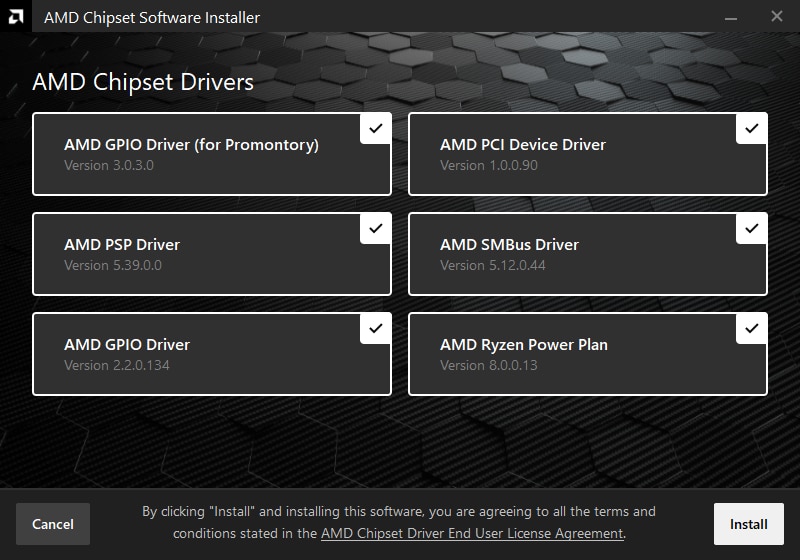
A driver is a piece of software that allows the operating system (typically Windows or Linux) to communicate with hardware. AMD chipset drivers are a bundle of software components specifically designed to tell Windows how to interact with the various sub-systems on an AMD motherboard. Unlike a simple plug-and-play mouse, the complex interactions between a Ryzen processor and the motherboard’s silicon require specific instructions to operate efficiently. These drivers include instructions for the GPIO (General Purpose Input/Output), PCIe (Peripheral Component Interconnect Express), and sophisticated power management protocols.
Why AMD Chipset Drivers are Crucial for Performance
Many users assume that if their computer boots up and runs, the drivers are “fine.” While Windows often installs generic drivers automatically, these generic versions frequently lack the optimizations necessary for AMD’s unique architecture. AMD chipset drivers provide several critical benefits that go beyond basic functionality.
Enhancing System Stability and Compatibility
System crashes, “Blue Screens of Death” (BSOD), and erratic peripheral behavior can often be traced back to outdated or generic chipset drivers. AMD regularly releases updates to fix bugs that occur when new hardware—like a high-speed Gen5 SSD—interacts with older motherboard firmware. By installing the official AMD chipset driver package, you ensure that the operating system recognizes every component of the motherboard correctly, reducing the likelihood of resource conflicts that lead to system instability.
Power Management and Ryzen Power Plans
One of the most significant features included in AMD chipset drivers (particularly for older Ryzen generations) is the AMD Ryzen Power Plan. AMD’s “Zen” architecture utilizes a complex boosting algorithm that moves tasks between cores in milliseconds.
The chipset driver provides the operating system with a roadmap of how to handle these power states. It allows the CPU to “park” unused cores to save energy or “wake” them up instantly for a burst of speed. Without these drivers, the Windows default power management might be too slow to react, leading to “micro-stuttering” in games or reduced efficiency in multi-threaded workloads.
Communication Between Hardware Components
Modern AMD systems rely on high-speed data lanes to move massive amounts of information. The chipset drivers optimize the PCIe bus drivers, which are responsible for the communication between your GPU and the CPU. They also manage the SATA and USB controllers. For users who rely on fast external storage or low-latency audio interfaces, the optimizations found in the official AMD package ensure that data throughput remains consistent and that latency is kept to an absolute minimum.
AMD Chipset Drivers vs. Graphics (GPU) Drivers
A common point of confusion for new PC builders is the difference between chipset drivers and graphics drivers. Because both are often downloaded from the AMD website, users sometimes mistake one for the other or assume that updating their GPU driver covers the chipset as well.
Distinct Roles in the Computing Hierarchy
The AMD Radeon Graphics driver is almost exclusively focused on the GPU. It handles the rendering of 3D images, video encoding/decoding, and the interface for gaming features like FreeSync or Anti-Lag.
In contrast, the AMD Chipset Driver is much broader. It doesn’t care about how many frames per second you are getting in a game; it cares about how the CPU talks to the RAM, how the USB ports respond to a thumb drive, and how the motherboard manages voltage. Think of the GPU driver as the driver of a high-performance car, while the chipset driver is the engineering team that built the road and the traffic lights the car drives on.
Why Updating One Isn’t Enough
You can have the latest Radeon software for your RX 7900 XTX, but if your chipset drivers are outdated, your GPU might be throttled by inefficient PCIe lane management. Conversely, having a perfectly optimized chipset won’t help your gaming performance if your graphics drivers are years out of date. To achieve a truly optimized “Tech” ecosystem, both must be maintained in tandem.
How to Identify and Install the Right Drivers for Your System
The process of updating chipset drivers is straightforward, but it requires knowing exactly what hardware you are running. AMD categorizes its chipsets into different tiers, usually designated by a letter and a three-digit number.
Identifying Your Chipset Series
Before visiting AMD’s support page, you need to know your motherboard’s chipset.
- X-Series (e.g., X570, X670): Enthusiast-grade, supporting maximum overclocking and PCIe lanes.
- B-Series (e.g., B450, B550, B650): Mainstream-grade, offering a balance of performance and value.
- A-Series (e.g., A320, A520): Entry-level, designed for basic computing without overclocking support.
You can find this information in your motherboard manual, on the box, or by typing “msinfo32” into the Windows search bar and looking at the “BaseBoard Product” section.
The Step-by-Step Installation Process
Once you know your chipset, the installation follows a logical flow:
- Visit the AMD Support Page: Navigate to the “Drivers & Support” section on the official AMD website.
- Select “Chipsets”: Choose your socket (e.g., AM4 for older Ryzen, AM5 for the latest 7000/9000 series) and then select your specific chipset model.
- Download the Package: Download the latest executable file for your version of Windows.
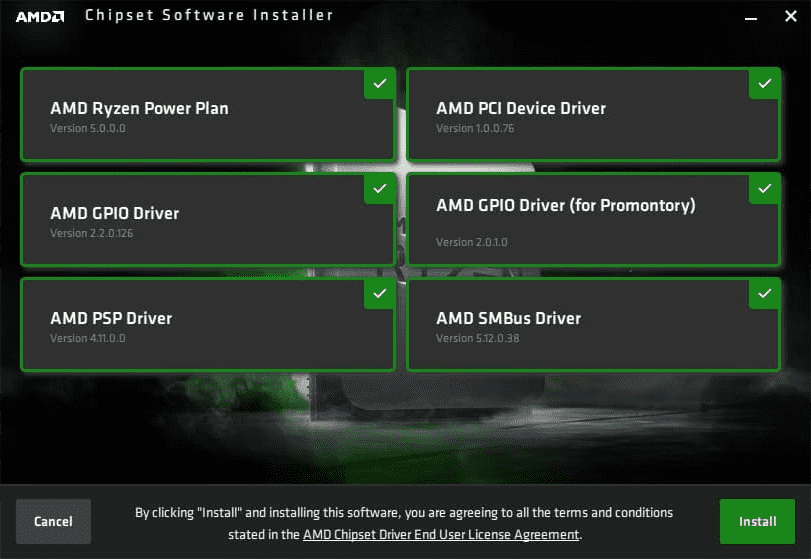
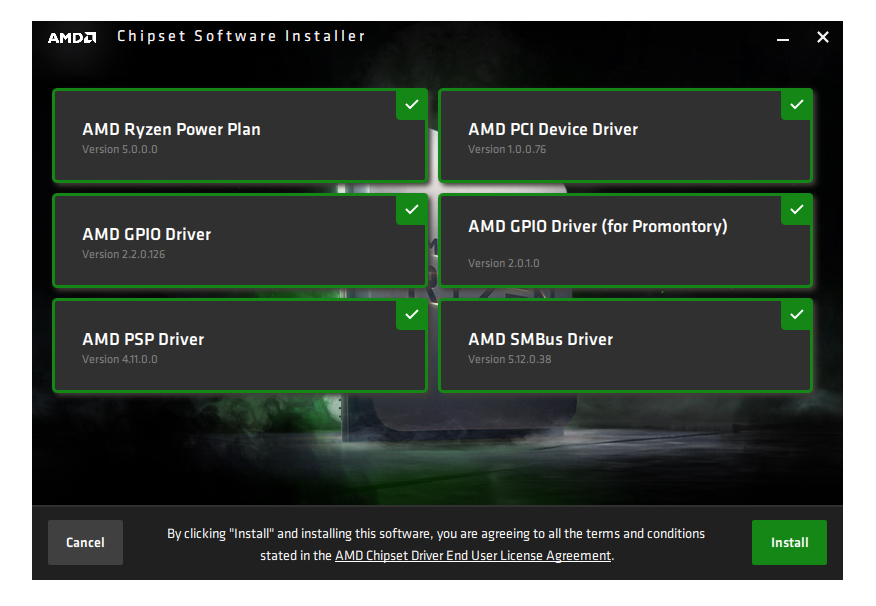
- Run the Installer: The installer will scan your system and present a list of components (such as “AMD SMBus Driver,” “AMD I2C Driver,” and “AMD PSP Driver”).
- Reboot: While some drivers take effect immediately, a system reboot is always recommended to ensure the operating system re-initializes the hardware with the new instructions.
Using the AMD Auto-Detect Tool
For users who are uncomfortable navigating hardware specifications, AMD offers an “Auto-Detect and Install” tool. This small application scans your hardware and automatically suggests the correct chipset and graphics drivers for your specific configuration. This is a highly recommended “Tech” best practice for ensuring you don’t accidentally install the wrong firmware.
Troubleshooting and Best Practices
In the realm of software maintenance, the mantra “if it ain’t broke, don’t fix it” sometimes applies, but with chipset drivers, staying current is usually the safer bet for security and feature compatibility.
When to Update (and When to Wait)
You should prioritize a chipset driver update in three scenarios:
- Immediately after a clean Windows installation: The drivers provided by Windows Update are often several versions behind.
- After upgrading your CPU: If you move from a Ryzen 3000 to a Ryzen 5000 series on the same motherboard, the chipset needs to know how to handle the new processor’s architecture.
- When experiencing peripheral issues: If your USB ports are disconnecting or your NVMe drive is underperforming, the chipset driver is the first place to look.
However, if your system is perfectly stable and you are in the middle of a critical project, it is often wise to wait until your deadline is over before performing updates, just in case a new version introduces a conflict with specific professional software.
Common Issues and How to Resolve Them
Sometimes, a chipset driver installation might fail or result in an “Error 1720.” This is often due to a conflict with existing Windows Installer processes or corrupted registry entries. To resolve this, ensure that Windows is fully updated first. If problems persist, using a tool like the AMD Cleanup Utility or the Microsoft Program Install and Uninstall troubleshooter can help clear the path for a fresh installation.
By treating AMD chipset drivers with the same importance as your GPU drivers or Windows updates, you ensure that your computer remains a cohesive, efficient machine. In the fast-evolving world of technology, these drivers are the foundational layer that allows your hardware to live up to its full potential, providing the speed, security, and stability that modern digital life demands.
aViewFromTheCave is a participant in the Amazon Services LLC Associates Program, an affiliate advertising program designed to provide a means for sites to earn advertising fees by advertising and linking to Amazon.com. Amazon, the Amazon logo, AmazonSupply, and the AmazonSupply logo are trademarks of Amazon.com, Inc. or its affiliates. As an Amazon Associate we earn affiliate commissions from qualifying purchases.