
The landscape of premium television has undergone a seismic shift, moving from the traditional linear cable model to a sophisticated, data-driven streaming ecosystem. For fans of high-quality cinema and original series, “How to watch Showtime” is no longer a simple question of turning a dial. It is a technical endeavor involving app ecosystems, platform integrations, and hardware optimization. As of recent industry shifts, the Showtime brand has evolved its digital delivery system, primarily integrating with the Paramount+ platform. This guide provides a deep dive into the technical requirements, software configurations, and hardware choices necessary to ensure a seamless viewing experience.
The Evolution of Showtime’s Digital Ecosystem
The transition of Showtime from a standalone digital service to its current state as an integrated component of the Paramount+ infrastructure represents a significant milestone in streaming technology. Understanding this backend shift is essential for users who want to navigate the current software landscape effectively.
The Software Merger: From Standalone App to Integrated Platform
Previously, users accessed content via the “Showtime Anytime” app (for cable subscribers) or the “Showtime” app (for direct streamers). However, the technical architecture has shifted. Most users now access the library through the “Paramount+ with Showtime” tier. This integration required a massive migration of metadata and high-definition video assets. For the end-user, this means that the “how” of watching Showtime now involves navigating the Paramount+ user interface (UI), which utilizes a complex recommendation engine and a unified billing API.
App Compatibility and OS Requirements
To run the modern Showtime interface, your device’s operating system (OS) must meet specific technical benchmarks. For Apple users, this typically requires tvOS 14.0 or higher for Apple TV, and iOS 14.0 for mobile devices. Android users generally need version 5.0 (Lollipop) or higher. These requirements exist because the app utilizes modern video codecs and DRM (Digital Rights Management) protocols that older hardware cannot decode efficiently. If you are running legacy software, you may experience “handshake” errors where the app fails to authenticate your subscription.
Hardware Requirements and Optimized Viewing Devices
The quality of your stream is heavily dependent on the hardware processing the data. While Showtime is available on various devices, the technical performance varies significantly between budget sticks and high-end set-top boxes.
Smart TVs and Integrated Software Architectures
Most modern Smart TVs (Samsung, LG, Sony, Vizio) come with native support for the apps required to watch Showtime. These devices use specialized System-on-Chip (SoC) hardware designed to handle 4K video decoding. When using a Smart TV, ensure your firmware is updated. Native apps are often optimized for the specific display panel of the TV, allowing for better HDR10 or Dolby Vision implementation compared to external sources. However, internal TV processors can sometimes lag; if the UI feels sluggish, it is often a sign that the TV’s RAM is being throttled by background processes.
Streaming Sticks and Set-Top Boxes
For users without a Smart TV, or those seeking a more responsive UI, external hardware is the preferred solution.
- Apple TV 4K: Utilizes the A15 Bionic chip, providing the fastest interface navigation and the most stable frame rates.
- Roku Ultra: Known for its “neutral” OS, Roku offers a streamlined experience with dedicated hardware buttons for quick app access.
- Amazon Fire TV Stick 4K Max: Uses Fire OS (an Android fork) and is excellent for users deeply embedded in the Alexa ecosystem.
- Gaming Consoles: Both the PlayStation 5 and Xbox Series X/S support Showtime content. These devices have massive GPU power, making them excellent for high-bitrate streaming, though they consume more power than a dedicated streaming stick.
Mobile and Desktop Access
Watching on a PC or Mac remains a viable option for many. From a technical standpoint, streaming through a browser (Chrome, Safari, Edge) utilizes HTML5 video players. To ensure 1080p or 4K playback on a computer, you must have a HDCP (High-bandwidth Digital Content Protection) compliant monitor and cable. On mobile devices, the app allows for “Offline Viewing,” which involves downloading encrypted video files to the device’s local storage—a feature that requires significant available flash memory.
Technical Troubleshooting and Stream Optimization

Even with the best hardware, technical bottlenecks can degrade the viewing experience. Managing your digital environment is key to maintaining high-fidelity audio and video.
Network Speed and Buffer Management
Showtime content, especially in 4K, requires significant bandwidth. For a standard High Definition (1080p) stream, a stable connection of at least 5 Mbps is required. For 4K Ultra HD, that requirement jumps to 25 Mbps.
- Latency vs. Throughput: Even if your download speed is high, high latency (ping) can cause the app to hang during the initial handshake.
- WiFi Congestion: If you are watching in a crowded apartment complex, WiFi interference on the 2.4GHz band can cause stuttering. Switching to a 5GHz band or using an Ethernet connection (wired) is the most effective way to eliminate buffering.
Resolving Common App Crashes and Login Errors
Many “watch” issues are software-based. If the app fails to load, the first technical step is to clear the “Cache” and “Data” within the app settings. This removes temporary files that may have become corrupted during an update. Furthermore, if you are accessing Showtime through a TV provider (like Xfinity or DirecTV), the authentication process uses a “token” system. If your login fails repeatedly, it usually means the digital token has expired, requiring a full logout and a “hard reboot” of the device to clear the system memory.
4K Ultra HD and HDR Compatibility
To truly watch Showtime in its best possible light, your hardware chain must support specific technical standards.
- HDMI 2.0/2.1: Your HDMI cable must support high-speed data transfer to carry 4K signals.
- HDR10 and Dolby Vision: These are metadata layers that tell your TV how to adjust brightness and color on a frame-by-frame basis. Ensure that “Deep Color” or “Enhanced Format” is enabled in your TV’s HDMI settings to allow these features to function.
Digital Security and Global Access via VPNs
Streaming services are often bound by geographic licensing agreements, which can limit access for users traveling abroad. This is where the intersection of digital security and streaming becomes vital.
How VPNs Bypass Geo-Restrictions
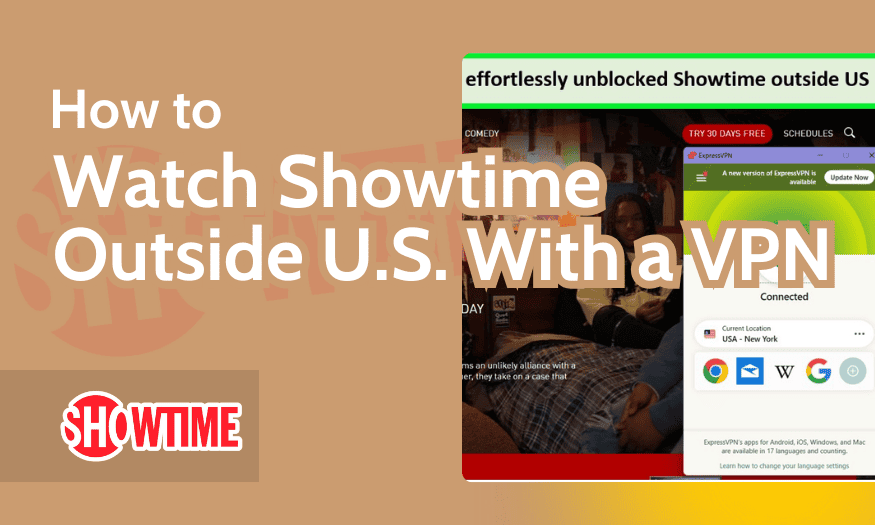
A Virtual Private Network (VPN) allows a user to encrypt their data and route it through a server in a different location. If you are trying to watch Showtime while outside the United States, your IP address will be flagged by the service’s geo-fencing software. By using a VPN with high-speed protocols like WireGuard or OpenVPN, you can assign your device a US-based IP address. From a technical perspective, this creates a secure tunnel that masks your actual location from the streaming server.
Maintaining Privacy While Streaming
Beyond geo-blocking, a VPN or a secure DNS (Domain Name System) helps protect your viewing habits from ISP (Internet Service Provider) throttling. Some ISPs detect high-bandwidth video traffic and intentionally slow down the connection. Using encryption prevents the ISP from identifying the packet type, ensuring you get the full speed you pay for. However, it is important to choose a VPN with “obfuscated servers,” as many streaming platforms have technical filters designed to block known VPN IP ranges.
The Future of Premium Content Delivery
The tech behind how we watch Showtime continues to evolve, moving toward even more integrated and intelligent systems.
AI-Driven Personalization in the Interface
Modern streaming apps are increasingly using Machine Learning (ML) to customize the user experience. The “Home” screen you see when you open Showtime content is generated by algorithms that analyze your past viewing duration, genre preferences, and even the time of day you watch. This backend tech reduces “search fatigue” by predicting what you want to see before you even type a character.
Cloud DVR and Synchronized Metadata
One of the most impressive technical feats of modern streaming is the synchronization of metadata across devices. If you start a movie on your iPhone during a commute and finish it on your Sony TV at home, the “Resume” point is stored in a cloud-based database associated with your User ID. This requires constant, low-latency communication between your device and the central server, ensuring that your “How to watch” experience is continuous and platform-agnostic.
In conclusion, watching Showtime in the modern era is a multifaceted technical process. By optimizing your hardware, ensuring your network meets bandwidth requirements, and understanding the software shift into the Paramount+ ecosystem, you can ensure a premium, uninterrupted cinematic experience. Whether you are troubleshooting a 4K stream or configuring a VPN for secure access, the intersection of technology and entertainment has never been more critical.
aViewFromTheCave is a participant in the Amazon Services LLC Associates Program, an affiliate advertising program designed to provide a means for sites to earn advertising fees by advertising and linking to Amazon.com. Amazon, the Amazon logo, AmazonSupply, and the AmazonSupply logo are trademarks of Amazon.com, Inc. or its affiliates. As an Amazon Associate we earn affiliate commissions from qualifying purchases.