
In an era increasingly dominated by algorithms, chatbots, and self-service portals, the simple act of speaking to another human being can sometimes feel like a digital odyssey. For users of vast platforms like Amazon, renowned for its technological prowess and efficiency, reaching a live customer service representative can be a particularly nuanced challenge. This article serves as a comprehensive tutorial, demystifying the process and empowering you to effectively navigate Amazon’s sophisticated support ecosystem to connect with a person when you truly need one. In the realm of technology, understanding how to leverage and sometimes circumvent automated systems is a crucial skill for any digital citizen.
The Evolving Landscape of Digital Customer Service
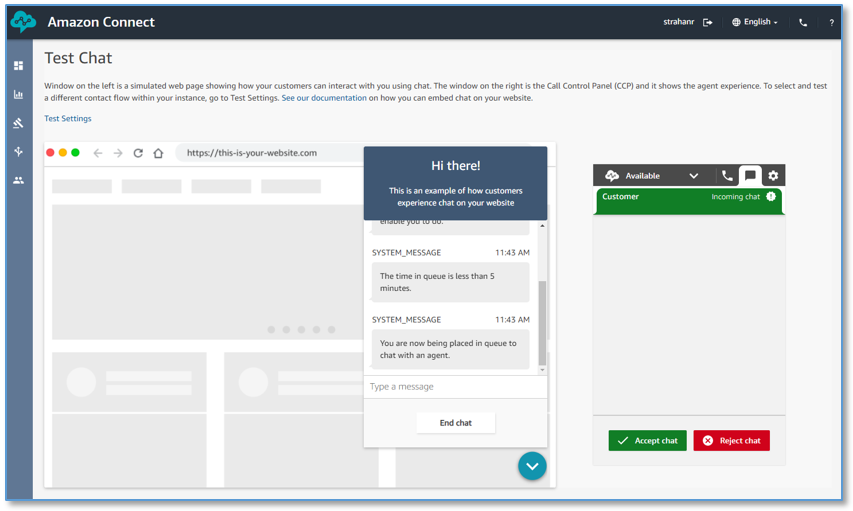
The way companies interact with their customers has undergone a profound transformation, driven largely by advancements in technology. What once was a simple phone call has evolved into a multi-faceted interaction involving websites, apps, AI, and various digital touchpoints. Understanding this shift is key to successfully engaging with large tech entities like Amazon.
The Rise of AI and Automation
The proliferation of artificial intelligence and automation tools has revolutionized customer service, offering unprecedented levels of efficiency and speed. Chatbots can instantly answer frequently asked questions, virtual assistants can guide users through troubleshooting steps, and extensive knowledge bases provide immediate access to information. From a technological standpoint, these systems are designed to handle high volumes of routine inquiries, freeing up human agents for more complex tasks. They offer 24/7 availability, reduce wait times for common issues, and often provide immediate, albeit scripted, solutions. For simple queries – tracking an order, initiating a standard return, or checking a product specification – automated systems are undeniably effective and represent a significant technological leap forward in customer support. They are the digital gatekeepers, programmed to resolve issues without human intervention wherever possible, optimizing operational costs for companies and providing quick answers for users.
Why Human Interaction Remains Crucial
Despite the undeniable benefits of AI and automation, there are inherent limitations to what algorithms can achieve. Complex issues, nuanced problems requiring empathy, or situations that deviate from predefined scripts often necessitate human intervention. When a package goes missing under unusual circumstances, an account is inexplicably locked, or a technical glitch persists despite following standard troubleshooting steps, the impersonal nature of a bot can become a source of profound frustration. Human agents possess the ability to understand context, interpret emotional cues, and think creatively to find solutions that might not be programmed into a system. They can escalate issues, make exceptions, and provide the personalized attention that complex problems demand. For many users, particularly those less comfortable with technology or facing highly specific issues, the assurance of speaking with a live person is not just a preference, but a fundamental requirement for effective problem resolution. It underscores the enduring value of human intelligence and adaptability within a technologically advanced framework.
Decoding Amazon’s Customer Support Ecosystem
Amazon, as a pioneer in e-commerce and cloud computing, has one of the most sophisticated and layered customer support systems in the world. It’s designed to guide users towards self-service solutions first, before offering pathways to human interaction. Understanding this structure is the first step in successfully navigating it.
Amazon’s Self-Service Portal: The First Line of Defense
Before even considering contacting a live person, Amazon’s website and mobile app offer an extensive array of self-service options. These are designed as the primary problem-solving tools and are incredibly robust, handling a vast majority of common customer issues. The “Help” section, typically found in the footer of the website or within the main menu of the app, is your gateway. Here, you can manage orders, track shipments, initiate returns, handle payments, manage digital content, troubleshoot device issues (like Kindle or Echo), and even update account settings. Each of these sections is rich with FAQs, step-by-step guides, and automated processes designed to resolve issues without any human input. For example, if you need to return an item, the process is almost entirely automated through your “Orders” history. Leveraging these tech tools effectively means a faster resolution for common problems and demonstrates an understanding of the platform’s design. Skipping this step often means an automated system will simply redirect you back to these resources, creating unnecessary delays.
Understanding the Contact Channels
When self-service isn’t enough, Amazon offers various channels for human contact, though these are strategically presented. The most common channels include chat (often starting with a bot), phone calls, and email. The platform uses a filtering process to direct inquiries, attempting to match the issue with the most appropriate (and often most cost-effective) support method. For instance, some issues might initially only present a chat option, while others might lead directly to a phone call. The key is to understand that Amazon’s system is built to minimize direct human interaction unless absolutely necessary. Your journey through the self-service options directly influences the contact methods presented to you. If the system perceives your issue as simple or already addressed by self-service, it will actively try to prevent direct contact with a live person. This intelligent routing is a core component of Amazon’s tech-driven approach to customer service.
Step-by-Step Guide to Reaching an Amazon Human
Navigating Amazon’s digital labyrinth to reach a live representative requires a methodical approach. It’s not always immediately obvious, but with the right steps, you can bypass the bots and speak to a person.
Utilizing the Amazon Website/App Help Section
This is your primary entry point.
- Access Help: On the Amazon website, scroll to the very bottom of any page and click “Help.” In the Amazon app, tap the three horizontal lines (menu icon), scroll down, and tap “Customer Service” (or sometimes “Help & Customer Service”).
- Navigate to “Need More Help”: Once on the Help page, you’ll see various categories. Look for a section or button often labeled “Need More Help?” or “Contact Us.”
- Initiate Contact: This will typically present you with two main options: “Chat with an associate” or “Talk to us.” The exact wording can vary, but these are your live contact avenues.
- Select Your Issue: Before you get to an actual person, Amazon will prompt you to select the nature of your issue from a series of dropdown menus or radio buttons. This is a critical step. Be as accurate as possible, but also understand that some paths are more direct to a live person than others. Issues related to “My Order,” “Returns & Refunds,” “Payment & Pricing,” or “Digital Content & Services” are common starting points.
- Refine Your Choice: After selecting a broad category, you’ll often be asked to refine it further. For example, if you chose “My Order,” you might then select a specific order, and then choose “Where’s my stuff?” or “Problem with an order.” Continue selecting options until the system presents you with the ultimate goal: a chat or phone call option with a human. Sometimes, selecting “Something else” or a less common issue can open up the live support options more quickly.
The Power of Persistent Navigation: Bypassing Bots
Once you select to chat or talk, you might still encounter an automated system first. This is where strategic interaction comes into play.
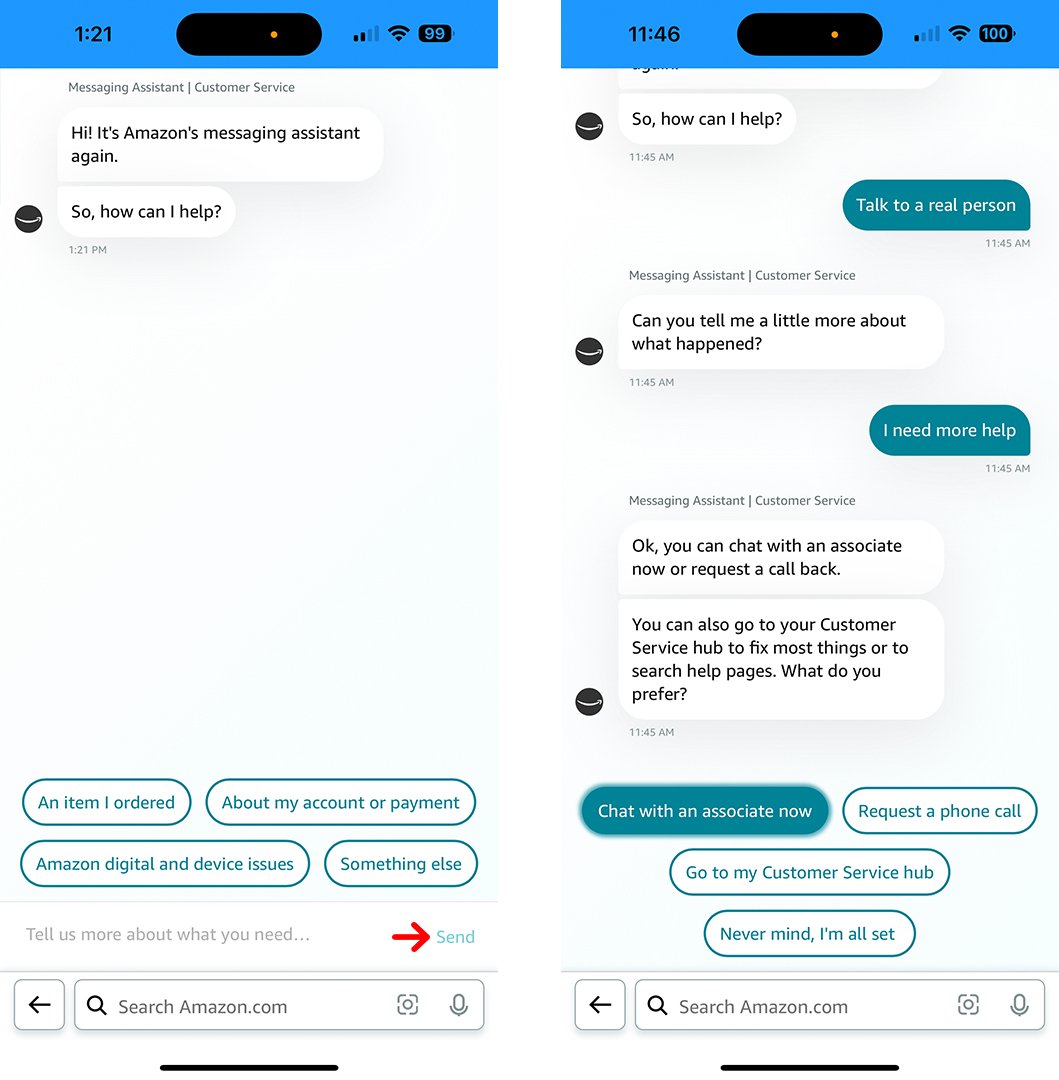
- Chatbot Evasion: If you initiate a chat and are met with a chatbot, resist the urge to answer its predefined questions directly if they don’t solve your problem. Instead, try typing phrases like:
- “Speak to a representative”
- “Talk to a human”
- “Live agent”
- “Connect me to a person”
- “I need help with something else”
The chatbot is programmed to recognize these keywords and, after a few attempts, should offer to connect you to a human agent. Be patient; it might try to offer self-service links once or twice before giving in.
- Phone Call Workaround: If you manage to get a phone call option, you might still go through an automated menu. Similar to the chatbot, avoid selecting options that lead to recorded information. Instead, try pressing “0” repeatedly, saying “representative” or “agent” when prompted, or simply remaining silent. Many IVR (Interactive Voice Response) systems are designed to route unanswered prompts to a live agent after a few attempts.
Preparing for Your Live Interaction
Once you’ve successfully navigated the digital hurdles and are about to connect with a live person, preparation is key to an efficient interaction.
- Have Information Ready: Gather all relevant details: order numbers, tracking numbers, specific dates, screenshots of error messages, account details (e.g., email address, payment method used).
- Clearly Define Your Issue: Before the call or chat begins, mentally (or physically) summarize your problem in one or two clear sentences. This helps you articulate it concisely to the agent.
- Be at a Computer/Device: If possible, be at your computer or the device experiencing the issue. This allows you to follow instructions, verify information, and provide screenshots more easily.
Tips for an Effective Live Conversation
Reaching a live person is only half the battle. Maximizing the effectiveness of that interaction ensures your problem is resolved swiftly and satisfactorily.
Clarity and Conciseness
When you finally connect with an agent, be clear and concise. Start by stating your problem directly, providing the relevant details without unnecessary preamble. Avoid getting sidetracked or expressing frustration about the difficulty of reaching them; focus on the issue at hand. The agent is there to help resolve your specific problem, not to listen to a complaint about the system (though you can offer feedback later if requested). A well-articulated problem leads to a quicker understanding and resolution.
Patience and Politeness
Remember that the person on the other end is a human being, often dealing with a high volume of calls and potentially frustrated customers. Maintaining a polite and patient demeanor can significantly improve the quality of your interaction. Agents are more likely to go the extra mile for a polite customer. If you feel the interaction isn’t going well, or if you’re not getting the help you need, you can politely ask to speak with a supervisor or to have your issue escalated, but always do so respectfully.
Documenting Your Interaction
It’s always a good practice to document your interactions, especially for complex or ongoing issues. Note down the date and time of the conversation, the name of the agent you spoke with (if provided), and any reference numbers given. If chatting, save a transcript. If on the phone, make brief notes about the solution offered, any next steps, and promises made. This digital trail can be invaluable if you need to follow up or if the issue resurfaces. Using tech tools like note-taking apps on your phone or computer, or even simply taking a screenshot of a chat window, can be very helpful for record-keeping.
The Broader Implications: User Experience in Tech
The quest to connect with a live person at Amazon highlights a broader trend and challenge within the tech industry: balancing hyper-efficient automation with genuine human-centric support.
Balancing Automation and Accessibility
For technology companies, the dilemma is constant: how to leverage AI and automation for scale and efficiency without alienating customers who need nuanced, human-driven assistance. Amazon’s system is a testament to the pursuit of this balance, pushing users towards self-service while maintaining a pathway to human interaction. The goal is to make the right level of support accessible at the right time. Overly aggressive automation can lead to user frustration and brand damage, while an over-reliance on human agents can be prohibitively expensive and slow. The ideal is a hybrid model where AI handles the routine, freeing humans to excel at the complex.
The Future of Hybrid Support Models
The future of customer service in the tech sphere likely lies in more sophisticated hybrid models. This involves AI that not only answers simple questions but also assists human agents, providing them with relevant information, suggesting solutions, and even drafting responses. Interfaces will become more intuitive, able to gauge the complexity and emotional tone of an inquiry to route it to the most appropriate resource – be it a smart self-service tool, an AI-powered chatbot, or a live human expert – seamlessly. The aim is to make the transition between automated and human support frictionless, ensuring that users can always get the help they need without feeling lost in a digital maze. This continuous evolution in customer experience design is a critical aspect of how tech companies maintain user loyalty and satisfaction.
In conclusion, while Amazon’s cutting-edge technology endeavors to automate as much of the customer service experience as possible, the need for human interaction remains paramount for complex and personal issues. By understanding the technological architecture of their support system and applying a systematic approach, users can effectively navigate the digital pathways, bypass the bots, and connect with a live person. This tutorial not only equips you with the practical steps but also provides insight into the broader technological trends shaping modern customer service, underscoring the enduring value of human connection within our increasingly automated world.
aViewFromTheCave is a participant in the Amazon Services LLC Associates Program, an affiliate advertising program designed to provide a means for sites to earn advertising fees by advertising and linking to Amazon.com. Amazon, the Amazon logo, AmazonSupply, and the AmazonSupply logo are trademarks of Amazon.com, Inc. or its affiliates. As an Amazon Associate we earn affiliate commissions from qualifying purchases.