
Grand Theft Auto V (GTA 5) has captivated millions with its sprawling open world, engaging story, and endless possibilities for mayhem. But what if the base game, immense as it is, isn’t quite enough? For many players, the answer lies in the vibrant and creative world of mods. Mods are user-created modifications that can fundamentally alter or enhance your GTA 5 experience, adding everything from new vehicles and weapons to entirely new gameplay mechanics and graphical overhauls. This guide will walk you through the essential steps of installing mods for GTA 5, transforming your Los Santos into a truly personalized playground.
The allure of modding GTA 5 is undeniable. It’s a gateway to extending the life of the game, experimenting with creative content, and experiencing the familiar world in ways the developers never envisioned. Whether you’re looking to add hyper-realistic car models, introduce supernatural abilities, or simply make the game visually stunning, mods offer a boundless frontier. However, like any powerful tool, modding requires a degree of caution and understanding. This guide aims to equip you with the knowledge to navigate this exciting terrain safely and effectively, drawing parallels to the careful consideration required in technology, brand development, and financial management.
Understanding the Modding Landscape: Tools, Risks, and Rewards
Before diving headfirst into downloading files, it’s crucial to grasp the fundamental principles of GTA 5 modding. This isn’t just about dragging and dropping files; it’s about understanding the ecosystem, the essential tools, and the potential pitfalls. Just as a savvy investor researches different asset classes before committing capital, or a brand strategist understands market dynamics before launching a campaign, a modder needs to understand the landscape.
Essential Modding Tools: Your Digital Toolkit
To effectively install most GTA 5 mods, you’ll need a few key pieces of software. Think of these as your foundational “tech” tools, akin to the operating system or essential productivity apps you rely on daily.
-
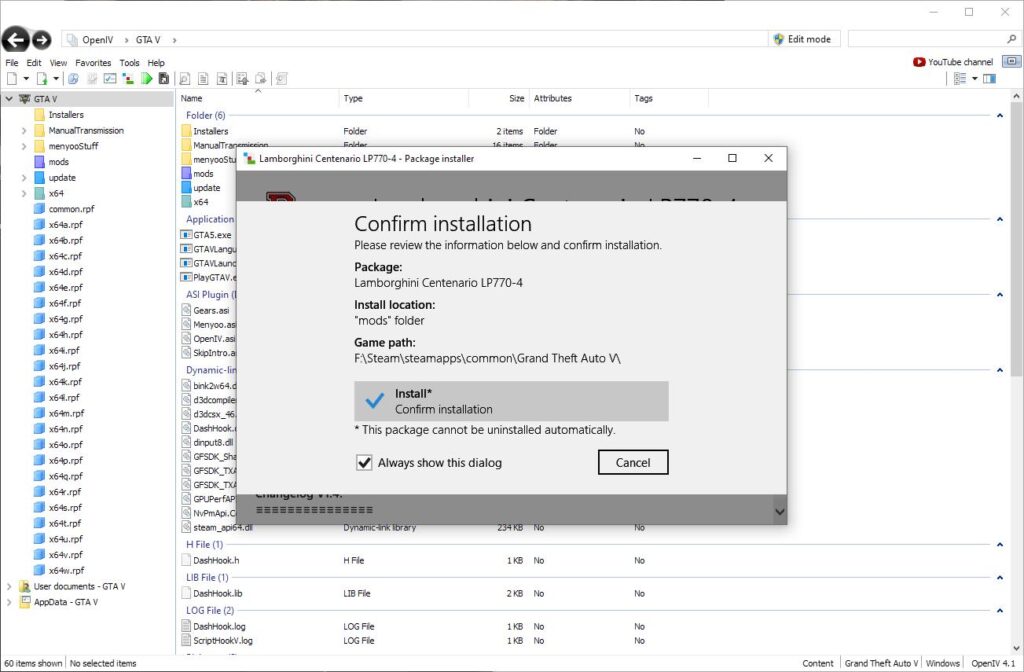
OpenIV: This is arguably the most critical tool for GTA 5 modding. OpenIV is an open-source archive editor that allows you to browse, extract, and replace game files. Many mods require you to edit or add files within the game’s data structure, and OpenIV is the key that unlocks this capability. When you download OpenIV, ensure you are getting it from its official source to avoid malware or compromised versions. This is a crucial step in digital security – always verify the source of your software.
-
Script Hook V: Many advanced mods, particularly those that add new gameplay features or vehicles, rely on Script Hook V. This is a library that allows custom scripts to be loaded into the game. It essentially acts as a bridge between the mod’s code and the GTA 5 engine. Script Hook V also comes with a native trainer that allows you to spawn vehicles, change weather, and perform other in-game actions. Like OpenIV, always download Script Hook V from its official developer to ensure its integrity and functionality.
-
Community-Developed Trainers and Tools: Beyond OpenIV and Script Hook V, there’s a vast array of community-developed tools. These can range from simple file converters to complex mod managers. Familiarize yourself with popular GTA 5 modding forums and websites to discover these helpful utilities.
Navigating the Risks: Protecting Your Game and Account
Modding, while immensely rewarding, carries inherent risks. Understanding these is akin to understanding the risks associated with investing or the potential downsides of a marketing campaign. The primary concern for most players is the risk of being banned from GTA Online.
-
GTA Online vs. Single-Player: It is absolutely paramount to understand the distinction between modding your single-player experience and attempting to use mods in GTA Online. Rockstar Games has a strict policy against cheating and unauthorized modifications in GTA Online. Using mods in GTA Online will almost certainly lead to a permanent ban. This means your online progress, purchased Shark Cards, and access to the online world will be lost forever. Treat your GTA Online account with the same care you would a financial portfolio – don’t jeopardize it with reckless actions.
-
Game Stability and Crashes: Even in single-player, poorly made or incompatible mods can cause game instability, crashes, and corrupted save files. This is a common issue when your “tech” setup isn’t configured correctly or when you mix and match mods without understanding their dependencies. Always back up your game saves before installing new mods.
-
Malware and Viruses: As mentioned earlier, downloading mods from untrusted sources is a significant security risk. Malicious actors can embed viruses or malware within mod files, which can compromise your computer. Treat mod downloads like any other file download from the internet – be discerning, stick to reputable sources, and run antivirus scans if you’re unsure.
The Rewards of Modding: Unlocking New Dimensions
Despite the risks, the rewards of modding GTA 5 are substantial and cater to various interests, mirroring how smart branding can capture market share or strategic financial planning can yield significant returns.
-
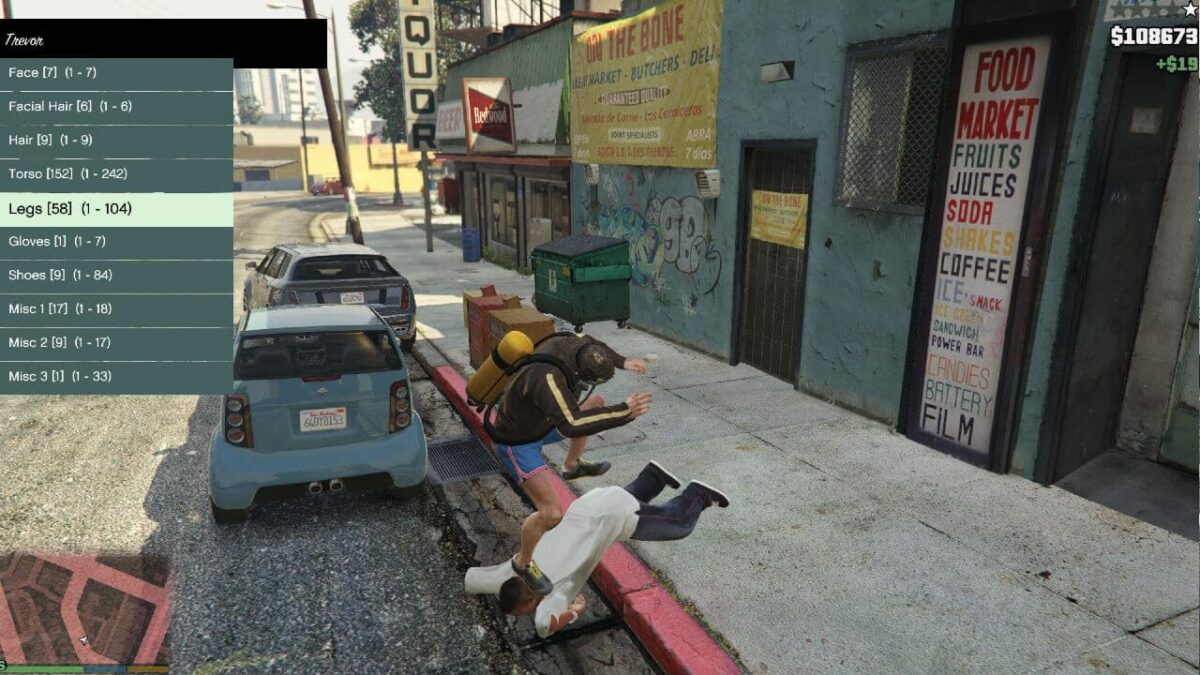
Enhanced Realism and Visuals: Mods can drastically improve the game’s graphical fidelity, with realistic lighting, textures, and weather effects. You can make Los Santos look as if it were rendered with cutting-edge modern technology.
-
New Vehicles and Weapons: From real-world supercars to futuristic military hardware, mods offer an endless supply of new vehicles and weapons to play with. This adds an exciting layer of variety to the gameplay, allowing you to experiment with different combat styles and transportation options.
-
Gameplay Overhauls and New Mechanics: This is where mods truly shine. You can find mods that introduce new abilities, complex mission systems, improved AI for NPCs, and even entirely new game modes. Some mods transform GTA 5 into a survival horror experience, while others turn it into a simulation of real-world driving.
-
Personalization and Creative Expression: Modding allows you to tailor GTA 5 to your exact preferences. You can create the ultimate custom garage, design your dream character, or build a Los Santos that reflects your unique vision. This is akin to personal branding – shaping an identity that resonates with you.
Preparing Your Game for Modding: The Crucial First Steps
Before you start downloading mods, a few preparatory steps are crucial for a smooth and safe modding experience. This is like setting up your workspace for a complex project, ensuring all tools and materials are ready.
Backing Up Your Game Files: A Digital Safety Net
This is the most critical step in modding. Think of it as a crucial financial safeguard – having an emergency fund. If something goes wrong, a backup allows you to revert to a stable state without losing your progress or having to reinstall the entire game.
- Locate Your GTA 5 Installation Directory: This is typically found in “Program Files (x86)/Steam/steamapps/common/Grand Theft Auto V” if you’re using Steam, or a similar location for other platforms.
- Copy Key Folders: While you can copy the entire game folder, it’s often sufficient to back up the most critical folders:
updateandx64(and any subfolders within them). These contain the game’s core assets. - Store Backups Safely: Store your backup copies on a separate drive or cloud storage. Do not leave them in the same directory as your active game files.
Creating a Mod-Specific Game Folder (Optional but Recommended)
For a cleaner modding experience and to easily switch between modded and vanilla gameplay, consider creating a separate, modded installation of GTA 5. This is a more advanced technique, but it’s excellent for managing multiple mods and preventing conflicts.
- Copy Your Entire GTA 5 Folder: Once you have a clean installation, copy the entire GTA 5 folder to a new location.
- Install Mods to This New Folder: All your mods will then be installed in this separate folder, leaving your original installation untouched.
- Use a Mod Manager (Advanced): For managing complex mod setups, consider using a dedicated mod manager designed for GTA 5. These tools automate the process of installing, enabling, and disabling mods.
Installing Mods: A Step-by-Step Guide
With your preparation complete, it’s time to dive into the actual installation process. This section breaks down the common methods, emphasizing clarity and caution, much like following a set of instructions for a new tech gadget.
Method 1: Using OpenIV for File Replacement
This is the most common method for installing many mods, especially those that replace existing game assets like vehicles, textures, or weapons.
- Download and Install OpenIV: Obtain OpenIV from its official website and follow the installation prompts.
- Launch OpenIV and Select GTA 5: When OpenIV launches, it will ask you to select the game. Choose Grand Theft Auto V.
- Enable “Edit Mode”: In OpenIV, click on the “Tools” menu and select “ASI Manager.” Install “ASI Loader” and “OpenIV.asi” if they are not already installed. Then, click the “Edit Mode” button (usually a pencil icon) at the top of the OpenIV window to enable file editing.
- Navigate to Game Files: Mods will typically instruct you to place files within specific folders inside the GTA 5 directory, often within the
updateorx64folders. For example, a custom car mod might require you to editvehicles.rpf. - Replace or Add Files:
- For replacing existing files: Locate the
.rpffile mentioned in the mod’s instructions (e.g.,vehicles.rpf). Open it, and then drag and drop the mod’s replacement files (often.ytdor.yftfiles for vehicles) into the OpenIV window. - For adding new files: Some mods might require you to add new
.asior.dllfiles to the main GTA 5 directory. Simply drag and drop these files into the root of your GTA 5 folder.
- For replacing existing files: Locate the
- Save Changes: Once you’ve added or replaced the files, OpenIV will prompt you to save the changes. Click “Save.”
Important Note: Always read the mod’s installation instructions carefully. They will specify exactly which files to replace and where to find them within OpenIV.
Method 2: Installing Script Hook V and .ASI Mods
Script Hook V is essential for mods that add custom scripts and gameplay mechanics.
- Download Script Hook V: Get the latest version of Script Hook V from its official website.
- Extract Script Hook V: You’ll typically find a
binfolder containingdinput8.dllandScriptHookV.dll. - Copy to GTA 5 Root Directory: Place both
dinput8.dllandScriptHookV.dllinto the main Grand Theft Auto V installation folder. - Install .ASI Mods: Many mods that use Script Hook V come as
.asifiles. Simply place these.asifiles directly into your GTA 5 root directory alongsidedinput8.dllandScriptHookV.dll. - Install .NET Script Mods (if applicable): Some mods require the Script Hook V .NET Framework. If your mod needs this, download it separately and install it according to its instructions, which usually involves placing files in a
scriptsfolder within your GTA 5 directory.
Method 3: Using Community Mod Managers
As your modding library grows, manually managing files can become cumbersome. Mod managers automate much of this process.
- Research and Choose a Mod Manager: Popular options include GTA V Mod Manager or others found on dedicated modding forums.
- Install the Mod Manager: Follow the specific installation instructions for your chosen manager.
- Configure the Mod Manager: You’ll typically need to point the manager to your GTA 5 installation directory.
- Install Mods Through the Manager: Mod managers often have interfaces that allow you to easily install, enable, and disable mods by simply selecting them from a list or by pointing the manager to a downloaded mod file.
Maintaining Your Modded Game: Updates, Conflicts, and Troubleshooting
Modding is not a “set it and forget it” endeavor. Like maintaining a complex technological system or managing an ongoing brand campaign, it requires ongoing attention.
Updating Mods and Game Patches
- Mod Updates: Mod creators frequently update their creations to fix bugs, add new features, or ensure compatibility with game patches. Always check the mod’s download page or forum thread for the latest versions.
- Game Updates: When Rockstar releases an official GTA 5 patch, it can often break existing mods. You may need to wait for mod creators to release updated versions of their mods that are compatible with the new game patch. This is a common challenge in the modding world, analogous to software compatibility issues in the tech industry.
Resolving Mod Conflicts
It’s common for mods to conflict with each other, leading to crashes or unexpected behavior.
- Identify the Culprit: If you encounter issues after installing a new mod, the most effective way to diagnose the problem is to disable mods one by one until the issue disappears. This is a process of elimination, much like debugging code.
- Read Mod Descriptions Carefully: Mod creators often list known incompatibilities. Pay attention to these warnings.
- Use Mod Managers: Many mod managers have features that help detect or manage conflicts, making this process easier.
Troubleshooting Common Issues
- Game Crashes on Startup: This often indicates a problem with Script Hook V or a corrupted core game file. Ensure Script Hook V is installed correctly and that you haven’t accidentally deleted or modified critical game files.
- Mods Not Appearing: Double-check that you’ve placed the mod files in the correct directory and that all required dependencies (like Script Hook V) are installed.
- Performance Issues: Some graphically intensive mods can significantly impact your frame rate. If you experience lag, consider disabling graphically demanding mods or reducing your in-game settings.
Conclusion: Embarking on Your Personalized GTA 5 Journey
Modding GTA 5 opens up a universe of possibilities, allowing you to tailor the game to your exact desires. By understanding the essential tools, the inherent risks, and the best practices for installation and maintenance, you can embark on an incredibly rewarding journey. Remember to prioritize safety by downloading from reputable sources, always back up your files, and crucially, keep your modding efforts confined to the single-player experience to protect your GTA Online account. Just as careful planning and execution are key to success in technology, brand building, and finance, a methodical and informed approach will ensure your GTA 5 modding adventure is both exciting and problem-free. Los Santos is your sandbox; modding is your key to building entirely new worlds within it.
aViewFromTheCave is a participant in the Amazon Services LLC Associates Program, an affiliate advertising program designed to provide a means for sites to earn advertising fees by advertising and linking to Amazon.com. Amazon, the Amazon logo, AmazonSupply, and the AmazonSupply logo are trademarks of Amazon.com, Inc. or its affiliates. As an Amazon Associate we earn affiliate commissions from qualifying purchases.