
The intersection of physical security and digital innovation has fundamentally transformed how we interact with our living spaces. No longer are we tethered to a physical piece of brass; the modern locking door knob is a sophisticated piece of technology designed to offer convenience, audit trails, and robust protection. Whether you are building a smart home ecosystem or simply seeking a more secure way to manage access to your property, transitioning from a traditional mechanical lock to a smart locking door knob is a pivotal tech upgrade.
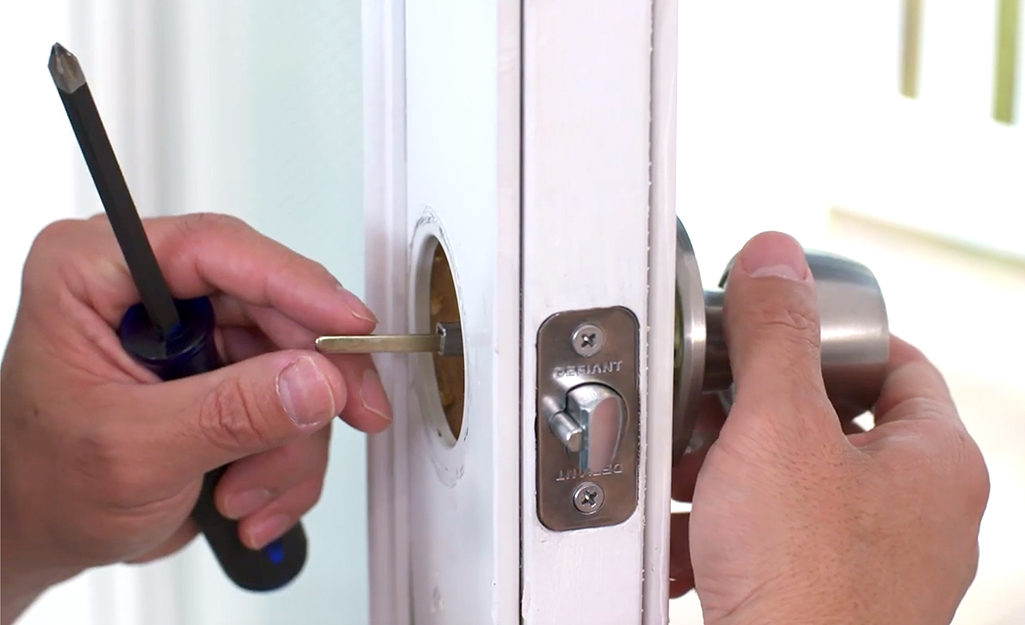
In this guide, we explore the technical nuances of these devices and provide a comprehensive walkthrough on how to install and configure them to ensure your digital and physical perimeters remain uncompromised.
The Evolution of Physical Security in the Digital Age
The “dumb” lock, while reliable for centuries, lacks the flexibility required by the modern, interconnected lifestyle. The shift toward smart locking mechanisms represents a leap in how we define “Digital Security” within the home.
From Mechanical to Biometric: Why Tech Matters
Traditional pin-tumbler locks are vulnerable to physical bypass methods such as picking, bumping, and unauthorized key duplication. Smart locking door knobs mitigate these risks by replacing or augmenting physical keys with encrypted digital credentials. Modern tech-driven locks utilize biometric sensors (fingerprint scanning), capacitive touchscreens for PIN codes, and RFID/NFC technology. By removing the physical keyway, many smart locks eliminate the threat of “lock bumping” entirely, shifting the security focus toward high-level encryption standards like AES-128 or AES-256.
Key Benefits of Smart Lock Ecosystems
Integration is the hallmark of modern technology. A smart locking door knob isn’t just a barrier; it’s a node in your home network. When installed correctly, these devices allow for remote monitoring via smartphone apps, real-time alerts when the door is accessed, and the ability to issue temporary “digital keys” to guests or service providers. This level of granular control is a significant upgrade for those who value data-driven insights into their home’s security status.
Essential Pre-Installation Tech Checklist
Before you begin the physical installation, it is crucial to perform a technical audit of your door and your network environment. Smart locks are precision instruments, and their performance is often dictated by the quality of their surroundings.
Compatibility and Hardware Requirements
Most smart locking door knobs are designed to fit standard bore holes (typically 2 1/8 inches in diameter) and standard backsets (2 3/8 or 2 3/4 inches). However, you must verify the thickness of your door. Smart locks contain internal electronics, batteries, and motors, making them deeper than traditional knobs. Ensure your door thickness falls within the manufacturer’s specified range (usually 1 3/8 to 2 inches). Additionally, check that the door is properly aligned; a smart motor will burn out prematurely if it has to fight against a misaligned strike plate.
Connectivity Protocols: Wi-Fi, Bluetooth, and Zigbee
The tech niche you choose will dictate your installation complexity.
- Bluetooth Locks: Easiest to install but require proximity for control.
- Wi-Fi Integrated Locks: Connect directly to your router but consume battery life faster.
- Zigbee/Z-Wave Locks: Require a dedicated smart home hub (like Samsung SmartThings or Hubitat) but offer superior battery life and mesh networking capabilities.
Before you start the physical assembly, ensure your home network has a strong signal at the point of installation.
Step-by-Step Installation of Smart Locking Hardware
The physical installation of a smart locking door knob is where the digital meets the mechanical. Accuracy during this phase ensures the longevity of the device’s electronic components.
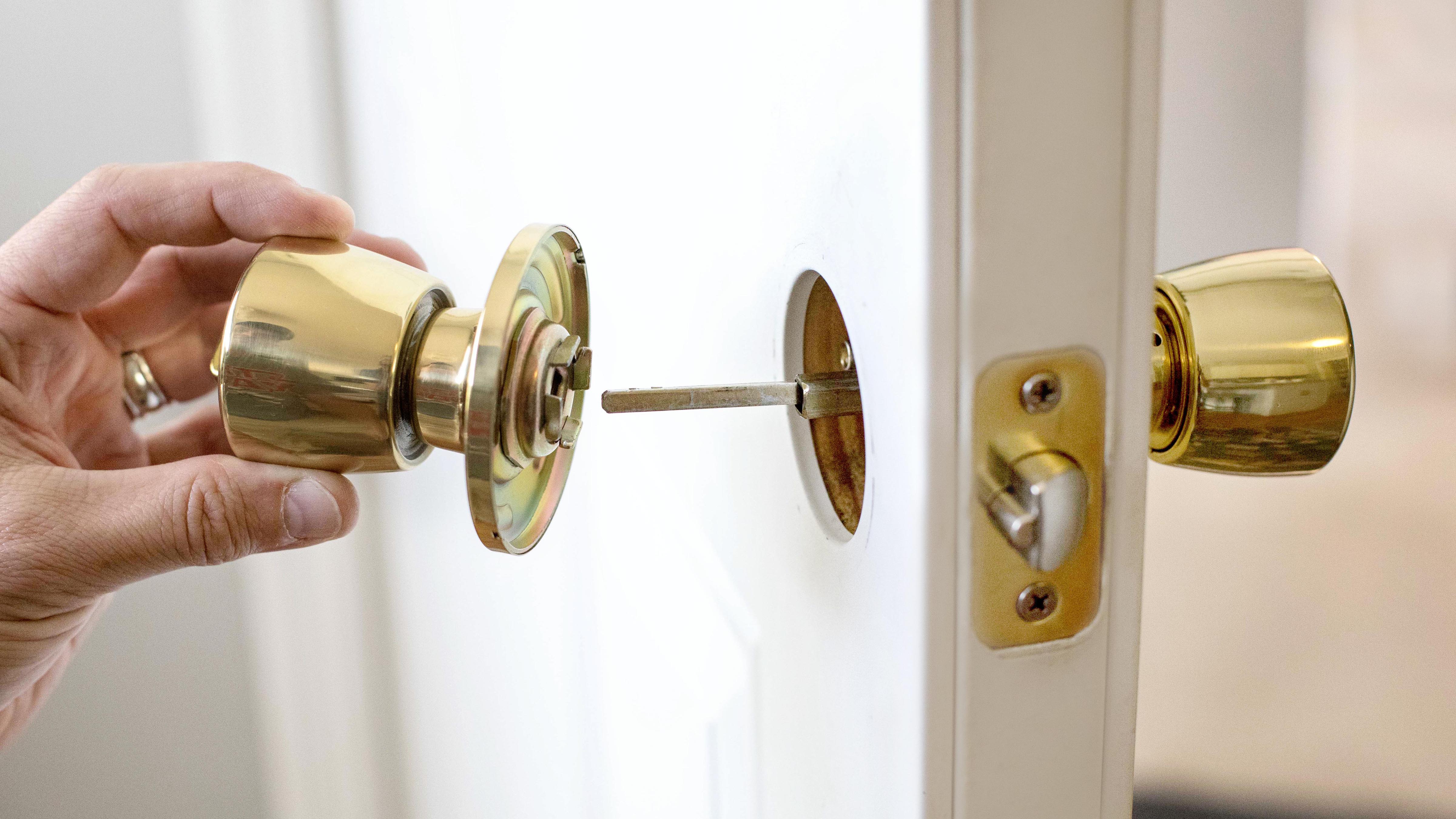
Removing the Legacy Hardware
Begin by removing the existing door knob. This usually involves unscrewing the interior rose or mounting plate and pulling the two halves of the knob apart. Remove the old latch and strike plate from the door edge and frame. This is a good time to inspect the structural integrity of the wood. If the previous screws have stripped the wood, use a tech-friendly filler or wood plugs to ensure the new high-tech lock has a solid foundation.
Aligning the Internal Drive and Digital Interface
The core of a smart lock is the latch mechanism. Insert the new latch into the door edge, ensuring the “bolt” side faces the direction the door closes. A critical technical detail here is the orientation of the spindle hole. Most smart locks use a torque blade or a specific D-shaped spindle to transmit the motor’s motion to the latch.
Next, feed the data cable (which connects the exterior input pad to the interior logic board) through the space above or below the latch. It is vital not to pinch these wires; a crimped cable can lead to intermittent power failures or “ghost” inputs, compromising your digital security.
Securing the Exterior and Interior Housings
Align the exterior keypad or biometric scanner with the mounting plate on the interior. Connect the data cable to the interior assembly’s logic board. You will usually hear a click or feel a haptic confirmation that the connection is secure. Once the cables are tucked away, screw the interior assembly into the mounting plate. Do not over-tighten; the internal motor needs a slight amount of “float” to operate smoothly without friction.
Software Configuration and Digital Integration
The hardware is only half the battle. To turn a piece of metal into a security tool, you must navigate the software setup.
Syncing with Mobile Apps and Hubs
Download the manufacturer’s application and create a secure account. Most modern locks use a “pairing mode” initiated by a button on the interior housing. Use your smartphone to scan the QR code located inside the battery cover or on the manual. This step pairs the hardware’s unique MAC address with your account.
If you are using a hub-based system (Zigbee or Z-Wave), you will need to put your hub into “Inclusion Mode.” The lock will then communicate its capabilities to the hub, allowing you to create “If-This-Then-That” (IFTTT) routines—such as turning on the hallway lights the moment the door is unlocked via fingerprint.
Setting Up Access Codes and Biometric Profiles
Digital security relies on the strength of your credentials. When setting up PIN codes, avoid obvious sequences like “1234” or birthdays. If your lock supports biometrics, calibrate the fingerprint scanner by touching it from multiple angles. This increases the False Rejection Rate (FRR) accuracy. Most high-end tech locks also support “scramble codes”—allowing you to enter random digits before or after your real PIN to prevent “smudge attacks” where an observer guesses your code based on fingerprints on the screen.
Troubleshooting and Cyber-Physical Maintenance
A smart lock is an “active” device, unlike a “passive” mechanical lock. It requires ongoing maintenance to ensure the hardware and software remain synchronized.
Battery Management and Firmware Updates
One of the most common points of failure in smart home tech is power management. Most locking knobs use AA or Lithium-Ion batteries. High-tech models will send a push notification to your phone when the battery hits 20%. Always use high-quality alkaline or lithium batteries; cheap zinc-carbon batteries can leak and corrode the logic board.
Furthermore, keep the device’s firmware updated. Manufacturers frequently release patches to fix security vulnerabilities or improve motor efficiency. Check the app monthly for updates to ensure your lock is protected against the latest digital exploits.

Ensuring Encryption Standards and Network Security
Finally, the physical lock is only as secure as the network it sits on. Ensure your home Wi-Fi uses WPA3 encryption if possible. If the lock uses a cloud-based service, enable Two-Factor Authentication (2FA) on your account. In the tech world, “physical security” and “cyber security” are now two sides of the same coin. By following these installation and configuration steps, you ensure that your “locking door knob” is not just a piece of hardware, but a sophisticated gateway to a more secure and automated lifestyle.
aViewFromTheCave is a participant in the Amazon Services LLC Associates Program, an affiliate advertising program designed to provide a means for sites to earn advertising fees by advertising and linking to Amazon.com. Amazon, the Amazon logo, AmazonSupply, and the AmazonSupply logo are trademarks of Amazon.com, Inc. or its affiliates. As an Amazon Associate we earn affiliate commissions from qualifying purchases.