
In an increasingly connected world, the way we secure our homes and businesses is evolving at a rapid pace. Traditional keys, while still widely used, are gradually giving way to smarter, more convenient, and often more secure keyless entry systems. From enhancing daily convenience to bolstering overall property security, a keyless entry door lock is a significant upgrade for any modern dwelling. This comprehensive guide will walk you through the entire installation process, ensuring a smooth transition to a smarter, key-free lifestyle, while also touching upon the technological advantages, brand considerations, and financial implications of this smart home upgrade.

The Appeal of Keyless Entry: Modernizing Your Home Security
The decision to install a keyless entry door lock goes beyond mere convenience; it’s a step into the future of home management and security. As part of a larger trend in smart home automation, these locks offer a blend of cutting-edge technology and practical benefits that resonate deeply with today’s tech-savvy homeowners and businesses.
Enhanced Convenience and Productivity
Imagine never fumbling for keys again, especially when your hands are full of groceries, or rushing to get out the door. Keyless entry systems streamline daily routines, saving precious minutes and reducing stress. Whether it’s a keypad, a fingerprint scanner, or a smartphone-controlled smart lock, the ease of entry is unparalleled. For businesses, this translates into improved operational efficiency, allowing authorized personnel quick and secure access without the hassle of key management. It’s a subtle yet significant boost to productivity, freeing up mental bandwidth for more important tasks.
Superior Security and Digital Peace of Mind
While some might mistakenly believe keyless means less secure, modern keyless entry systems often offer superior security features compared to traditional locks. Many models boast advanced encryption, tamper alerts, and automatic locking mechanisms. Smart locks, in particular, can integrate with broader digital security systems, allowing for remote monitoring, activity logs, and even temporary access codes for visitors or service providers. This level of control and oversight provides a robust layer of digital security, giving you peace of mind whether you’re at home or thousands of miles away. The ability to monitor who enters and exits, and at what times, adds an invaluable layer of protection against unauthorized access.
Seamless Smart Home Integration
For those invested in smart home ecosystems, a keyless entry lock is a natural extension. Many modern keyless locks are designed to integrate seamlessly with platforms like Amazon Alexa, Google Assistant, Apple HomeKit, or Samsung SmartThings. This integration allows for voice control, custom automation routines (e.g., lights turning on when the door unlocks), and centralized control through a single app. This connectivity transforms your front door from a standalone security point into an active participant in your intelligent home network, enhancing overall home automation and user experience.
Increased Property Value and Brand Appeal
Beyond the immediate benefits, upgrading to keyless entry can subtly increase your property’s market appeal and even its value. Modern buyers often seek homes equipped with smart technology, viewing them as more contemporary, efficient, and secure. For rental properties, offering keyless entry can be a significant draw, positioning your brand as forward-thinking and tenant-friendly. It reflects a commitment to modern amenities and a proactive approach to security, which can be a valuable selling point in a competitive market. From a financial perspective, it’s an investment that pays dividends in both convenience and potential return on investment (ROI).
Choosing Your Keyless Entry System: Tech, Features, and Fit
Before you embark on the installation process, selecting the right keyless entry door lock is crucial. The market offers a diverse range of technologies, each with its own set of features, security protocols, and integration capabilities. Understanding these differences will help you choose a lock that aligns perfectly with your security needs, lifestyle, and budget.
Types of Keyless Entry Locks
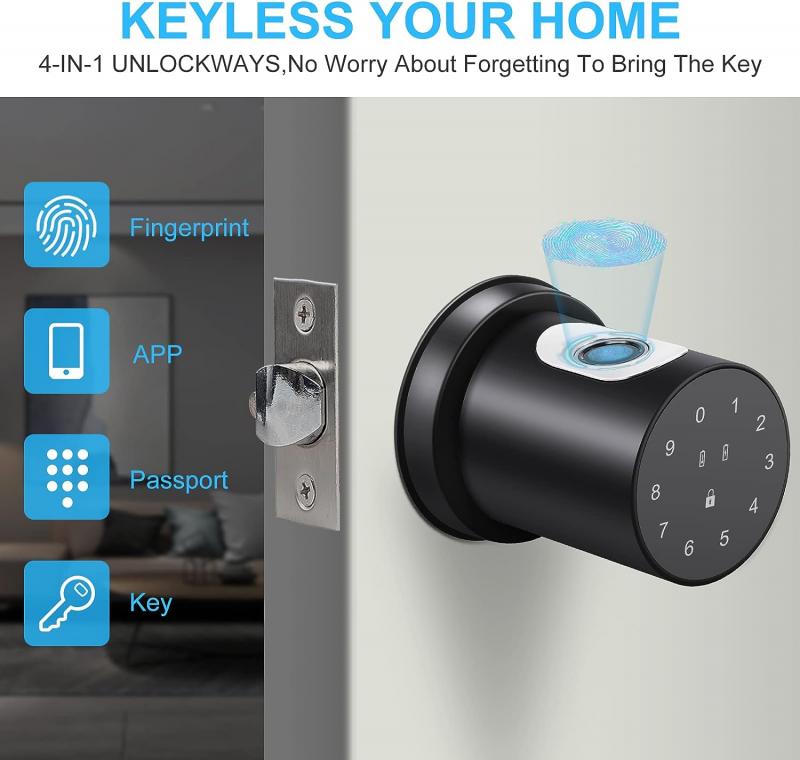
- Keypad Locks: These are the most common type, relying on a numerical code entered on a physical keypad. They are generally robust, reliable, and more affordable.
- Smart Locks (Bluetooth/Wi-Fi): These connect to your smartphone via Bluetooth or Wi-Fi, allowing you to lock/unlock doors remotely, manage access codes, and receive notifications. Many integrate with smart home hubs. Wi-Fi models offer greater range and remote access, while Bluetooth models are more energy-efficient and rely on proximity.
- Biometric Locks (Fingerprint/Facial Recognition): Offering the highest level of personal security, these locks use your unique biological data (fingerprint or facial scan) for access. They are incredibly convenient as there’s nothing to remember or carry.
- Proximity/RFID Locks: These unlock when a specific card, fob, or even a smartphone (using NFC) is brought close to the reader. Common in commercial settings, they are gaining traction in residential use for their ease of use.
Key Considerations When Choosing a Lock
- Security Ratings and Standards: Look for locks certified by reputable organizations (e.g., ANSI/BHMA Grade 1, 2, or 3). Grade 1 offers the highest security and durability. While price isn’t always an indicator, reputable brands often adhere to higher standards.
- Power Source: Most keyless locks run on batteries (AA or AAA). Consider battery life, low-battery warnings, and potential backup power options (e.g., a hidden key override or external battery jumpstart). Smart locks, especially Wi-Fi models, tend to consume more power.
- Connectivity and Ecosystem: If you have an existing smart home system, ensure the lock is compatible. Consider protocols like Z-Wave, Zigbee, Apple HomeKit, or Wi-Fi. Compatibility ensures seamless integration and avoids fragmented smart home management.
- Installation Complexity: While most DIY-friendly locks are designed for easy installation, some advanced models might require more specific wiring or door modifications.
- Brand Reputation and Reviews: Research different brands. Companies like Schlage, Kwikset, Yale, August, and Nest offer a range of reliable options. Reading user reviews and professional tutorials (like this one!) can provide invaluable insights into a product’s real-world performance and the brand’s customer support. A strong brand often signifies better quality control, more reliable software, and responsive technical assistance – critical factors for long-term satisfaction.
- Budget and Financial Tools: Keyless locks range from under $100 to several hundred dollars. Consider your budget alongside the features you need. Remember, investing a little more upfront for a higher-grade lock from a reputable brand can save you money and headaches in the long run by preventing security breaches or frequent replacements. Financial planning tools can help you allocate funds for such home improvements, viewing it as an investment in your property’s safety and future value.
Gathering Your Tools and Preparing for Installation
Proper preparation is the cornerstone of any successful DIY project, and installing a keyless entry door lock is no exception. Having the right tools on hand and taking precise measurements will ensure a smooth, frustration-free installation experience, saving you time and preventing potential errors.
Essential Tools for Installation
While specific tools may vary slightly by lock model, these are the common items you’ll likely need:
- Phillips Head Screwdriver: This is the most crucial tool for nearly every step of the process.
- Tape Measure: Essential for checking door dimensions and ensuring proper alignment.
- Pencil: For marking measurements and drilling locations if needed.
- Drill (Optional, but often recommended): Only if new holes need to be bored or existing ones enlarged. Most keyless locks are designed to fit standard door preparations, but it’s good to have one ready.
- Chisel (Optional): If the strike plate or latch plate mortise needs adjustment.
- Safety Glasses: Always recommended when working with tools.
- The New Keyless Lock Kit: Ensure all components are present and accounted for (exterior assembly, interior assembly, latch/deadbolt mechanism, strike plate, screws, keys if applicable, manual).
Pre-Installation Checklist and Door Assessment
Before disassembling your old lock, a thorough assessment of your door is critical.
- Read the Manual: This cannot be stressed enough. Every lock has unique instructions. Familiarize yourself with them completely before starting.
- Check Door Handing (for lever locks): Some keyless lever locks are “handed,” meaning they are designed for left-hand or right-hand doors. The manual will guide you on how to determine this and adjust the lock if necessary. Deadbolts are typically not handed.
- Measure Backset: The backset is the distance from the edge of the door to the center of the bore hole (the large hole where the lock cylinder sits). Standard backsets are 2-3/8 inches (60mm) or 2-3/4 inches (70mm). Most keyless locks come with an adjustable latch that can accommodate both.
- Measure Door Thickness: Standard door thickness is 1-3/8 inches to 1-3/4 inches. Ensure your chosen lock is compatible with your door’s thickness.
- Examine Bore Holes: Verify that the main bore hole and the smaller latch bore hole are of the correct diameter for your new lock. Most keyless locks are designed for standard residential door preparations.
- Clear the Work Area: Remove any obstructions and ensure you have enough space to work comfortably and safely. Keep the old lock parts organized until the new one is fully functional.
A Step-by-Step Guide to Keyless Entry Lock Installation
With your tools ready and your door assessed, you’re now prepared for the main event: installing your new keyless entry door lock. This section provides a general walkthrough; always refer to your specific lock’s manual for precise instructions.
1. Removing the Old Lock
Carefully remove your existing door lock. This usually involves:
- Removing screws: Most door locks have visible screws on the interior side of the door. Unscrew these.
- Separating components: Once screws are removed, the interior and exterior handles/assemblies should separate easily.
- Removing the latch/deadbolt: There will typically be two screws on the edge of the door that secure the latch or deadbolt mechanism. Remove these and slide the old mechanism out of the door.
- Removing the strike plate: Unscrew the strike plate from the door frame.
Keep the old parts organized until your new lock is fully functional, just in case you need to revert or reuse any components.
2. Installing the New Latch or Deadbolt Mechanism
- Identify the correct backset: Many new latches are adjustable. Twist or slide the latch mechanism to set it to either 2-3/8″ or 2-3/4″ backset, matching your door’s measurement.
- Insert the latch: Slide the new latch or deadbolt mechanism into the hole on the edge of the door, ensuring the “up” arrow (if present) points upwards and the bolt faces the correct direction (usually beveled towards the door frame).
- Secure the latch: Use the provided screws to firmly attach the latch plate to the edge of the door. Ensure it sits flush with the door’s edge.
3. Mounting the Exterior Keypad/Assembly
- Position the spindle/tailpiece: Depending on your lock type, insert the spindle or tailpiece (the rotating bar that connects the interior and exterior mechanisms) through the latch mechanism.
- Feed the wire (if applicable): If your lock has a wire connecting the exterior and interior units, carefully feed it through the bore hole to the interior side of the door.
- Align and secure: Place the exterior assembly onto the door, aligning its posts or screws with the holes in the latch mechanism and the main bore hole. Ensure it sits flush and level. Hold it in place temporarily.
4. Securing the Interior Assembly
- Connect the wire: Connect the wire from the exterior assembly to the interior assembly’s port. Be gentle; these connectors can be delicate.
- Align the mounting plate: Place the interior mounting plate against the door, ensuring the spindle/tailpiece passes through its central opening and the wire is not pinched.
- Secure with screws: Use the provided long screws to connect the interior mounting plate to the exterior assembly. Tighten these evenly until the entire unit is snug against the door, but do not overtighten, which can cause binding.
- Attach the interior cover: Once the mounting plate is secure, attach the final interior cover to the mounting plate, usually with smaller screws or a snap-on mechanism.
5. Installing the Strike Plate
- Align and test: Ensure the new strike plate aligns perfectly with the deadbolt or latch when the door is closed. The bolt should slide smoothly into the strike plate opening without resistance.
- Secure: Use the provided screws to firmly attach the strike plate to the door frame. If needed, a chisel can be used to deepen the mortise for a flush fit.
6. Installing Batteries and Initial Power-Up
- Insert batteries: Open the battery compartment (usually on the interior assembly) and insert the specified number and type of batteries (typically AA or AAA), paying attention to polarity.
- Initial startup: The lock may emit a series of beeps or light up, indicating it has powered on.
Post-Installation: Programming, Testing, and Maintenance
Installing the physical lock is only half the battle. To truly leverage the benefits of your new keyless entry system, proper programming, thorough testing, and routine maintenance are essential. This ensures optimal functionality, robust security, and longevity of your investment.
Initial Programming and User Code Management
Refer directly to your lock’s manual for specific programming instructions, as these vary significantly between brands and models. However, the general steps usually involve:
- Master Code/Admin Code Setup: This is the most critical step. You’ll typically set a unique master code (4-8 digits) that allows you to manage other user codes and settings. Keep this code secure and don’t share it.
- Adding User Codes: Create unique entry codes for family members, trusted friends, or service providers. Many locks allow you to set temporary codes or codes that are only active during specific times.
- Deleting User Codes: When a code is no longer needed (e.g., after a contractor finishes work, or if someone moves out), delete it promptly to maintain digital security.
- Connecting to Smart Home Apps (for Smart Locks): If you have a smart lock, follow the instructions to pair it with its dedicated app and/or your smart home hub (e.g., Z-Wave, Zigbee, Wi-Fi pairing). This unlocks remote control, monitoring, and automation features.
Digital Security Best Practices:
- Always use strong, unpredictable codes. Avoid birthdays, addresses, or sequential numbers.
- Change your master code periodically.
- Never share your master code.
- Regularly review your access logs (if available) through your smart lock app to monitor who accessed your home and when.
- Keep your lock’s firmware updated (if it’s a smart lock) to ensure you have the latest security patches and features.
Testing Functionality and Calibration
After programming, rigorously test every function of your new lock:
- Manual Operation: Use the thumb-turn on the interior side to lock and unlock the door. Ensure it operates smoothly without resistance.
- Keypad/Biometric Operation: Test all programmed user codes and your master code. Confirm that each unlocks the door as expected. Test any biometric features (fingerprint, face scan) multiple times for reliability.
- Remote Operation (for Smart Locks): If connected to an app, try locking and unlocking the door remotely. Check for successful integration with voice assistants or smart home routines.
- Auto-Lock Feature: If your lock has an auto-lock function, test it by leaving the door unlocked for the set duration to ensure it automatically secures itself.
- Alignment Check: Close the door and check that the deadbolt or latch fully extends into the strike plate without rubbing or requiring force. If there’s resistance, you may need to adjust the strike plate or door frame slightly with a chisel. A misaligned strike plate is a common source of lock malfunction and premature wear.
Routine Maintenance and Troubleshooting Tips
Regular maintenance prolongs the life of your lock and ensures consistent performance:
- Battery Replacement: Most locks will give you an audible or visual low-battery warning. Replace batteries promptly (usually every 6-12 months, depending on usage and lock type) to avoid being locked out. Use high-quality alkaline batteries.
- Cleaning: Periodically wipe down the keypad and exterior components with a soft, damp cloth. Avoid harsh chemicals that could damage the finish or electronics.
- Lubrication (Sparing): Only if specifically recommended by the manufacturer, a small amount of graphite lubricant can be applied to the bolt mechanism, but avoid spraying into electronic components.
- Firmware Updates (for Smart Locks): Keep your lock’s firmware updated via its companion app. These updates often include security enhancements and performance improvements.
Common Troubleshooting:
- Lock not responding: Check batteries, ensure they are inserted correctly.
- Codes not working: Re-enter your master code and reprogram the user codes. Check the manual for specific reset procedures.
- Lock binding/sticky: Often due to misalignment. Recheck strike plate and latch alignment. Ensure screws are not overtightened.
- Smart lock connectivity issues: Check your home Wi-Fi signal, router, and smart home hub. Restarting the lock (by temporarily removing batteries) and your router can often resolve temporary glitches.
Enhancing Your Home Security Ecosystem
Installing a keyless entry door lock is a powerful individual upgrade, but its full potential is realized when integrated into a broader home security ecosystem. This approach not only maximizes safety but also streamlines management, offering greater control and peace of mind, contributing to both your digital security and long-term financial well-being.
Integrating with Smart Home Hubs
For smart lock owners, true power lies in integration. Connecting your keyless entry to a central smart home hub (like Samsung SmartThings, Hubitat, or Apple HomeKit) allows for advanced automation:
- Automated Lighting: Have lights turn on automatically when the door unlocks after dark.
- Climate Control: Adjust your thermostat as you unlock the door when returning home.
- Security Camera Integration: Link your lock to a doorbell camera or outdoor security camera to view who is at your door when it unlocks, or to record activity if a certain code is entered.
- Geofencing: Some systems can detect when your phone leaves or approaches your home and automatically lock or unlock the door.
This level of integration transforms individual gadgets into a cohesive, intelligent system, enhancing productivity and delivering a truly smart home experience.
Digital Security Beyond the Door
While your keyless lock provides robust physical security, it’s crucial to extend digital security practices to your entire network.
- Strong Wi-Fi Passwords: Ensure your home Wi-Fi network is secured with a strong, unique password.
- Two-Factor Authentication (2FA): Enable 2FA for all your smart home apps and accounts. This adds an extra layer of security, making it harder for unauthorized individuals to access your system even if they have your password.
- Regular Software Updates: Keep all your smart devices, including your router, updated with the latest firmware to protect against vulnerabilities.
- Guest Network: Consider setting up a separate guest Wi-Fi network for visitors and smart devices, isolating them from your main personal network.
Long-term Value and Financial ROI
Investing in a keyless entry door lock isn’t just about immediate convenience; it’s a strategic financial decision.
- Insurance Benefits: Some home insurance providers offer discounts for homes equipped with smart security features, including keyless locks. Check with your provider to see if you qualify.
- Reduced Costs: Eliminate the need for locksmiths due to lost keys or rekeying a traditional lock.
- Property Value Enhancement: As discussed, smart home technology is a desirable feature in the real estate market. This upgrade can contribute to a higher appraisal value and quicker sales.
- Peace of Mind: While intangible, the peace of mind derived from enhanced security and knowing your property is protected is an invaluable return on investment. This allows you to focus more on your personal finance, side hustles, or business ventures without constantly worrying about home security.
Conclusion
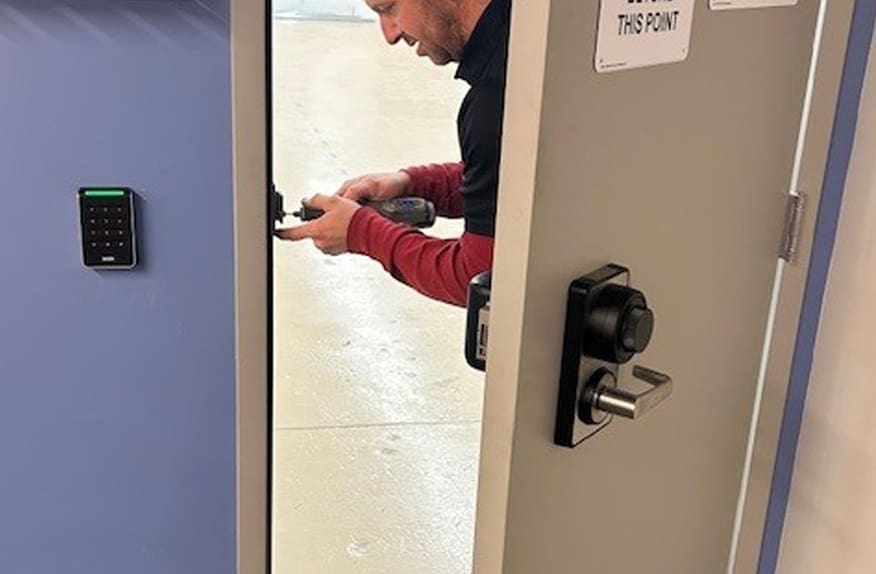
Installing a keyless entry door lock is a highly rewarding DIY project that significantly upgrades your home’s security, convenience, and technological sophistication. By carefully choosing the right system, meticulously preparing for installation, following the steps outlined, and maintaining good digital security practices, you can seamlessly transition to a key-free lifestyle. This modernization isn’t just about a smarter door; it’s about integrating your home more deeply into the future of technology, enhancing your property’s brand appeal, and making a financially sound investment in your peace of mind and daily productivity. Welcome to the era of effortless entry and robust security.
aViewFromTheCave is a participant in the Amazon Services LLC Associates Program, an affiliate advertising program designed to provide a means for sites to earn advertising fees by advertising and linking to Amazon.com. Amazon, the Amazon logo, AmazonSupply, and the AmazonSupply logo are trademarks of Amazon.com, Inc. or its affiliates. As an Amazon Associate we earn affiliate commissions from qualifying purchases.