
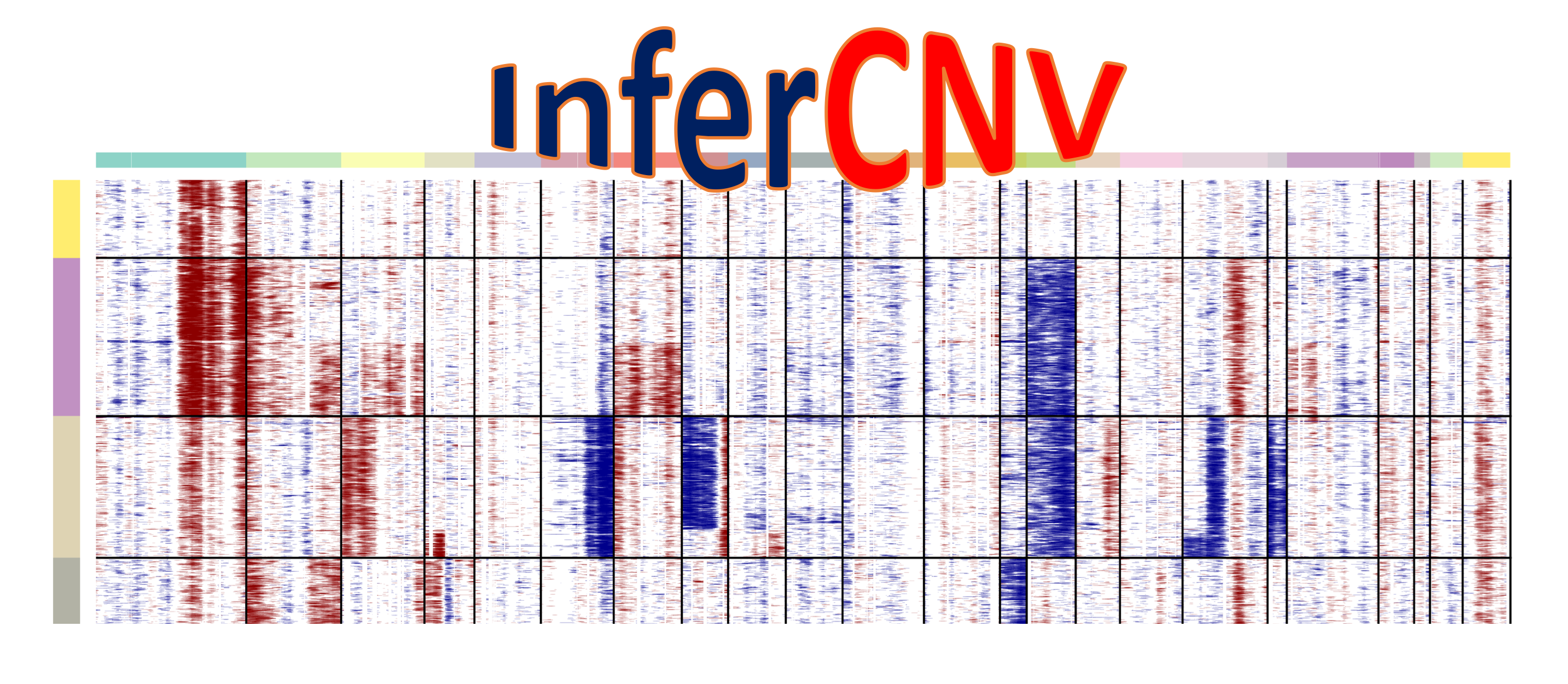
In the rapidly evolving landscape of bioinformatics, the ability to extract nuanced genomic information from transcriptomic data is a game-changer. Among the most powerful tools in this domain is infercnv, a software package designed to explore single-cell RNA-seq data to identify evidence for somatic large-scale chromosomal copy number variations (CNV), such as gains or losses of entire chromosomes or large segments of chromosomes. Developed by the Broad Institute, infercnv has become a staple in oncology research, allowing scientists to distinguish malignant cells from normal “stromal” cells in heterogeneous tumor samples.
However, as with many sophisticated bioinformatics tools, the installation process can be a hurdle for researchers who are more accustomed to laboratory wet-work than software engineering. Because infercnv relies on a complex stack of R dependencies and external C++ libraries, a “one-click” installation is rarely the reality. This guide provides a deep dive into the technical requirements, installation workflows, and optimization strategies to get infercnv running smoothly on your system.
1. Understanding infercnv and Its Role in Modern Bioinformatics
Before diving into the command line, it is essential to understand why infercnv is a critical component of the modern computational toolkit. In traditional genomics, CNVs are typically detected using Whole Genome Sequencing (WGS) or Exome Sequencing. However, these methods don’t always capture the cellular heterogeneity of a tumor.
The Importance of CNV Detection in Single-Cell RNA-seq
Single-cell RNA sequencing (scRNA-seq) primarily measures gene expression. However, in cancer, the transcriptomic profile is heavily influenced by the underlying genomic architecture. If a cell has three copies of a chromosome instead of two, the genes on that chromosome will generally show higher expression. Infercnv leverages this principle by using a reference set of “normal” cells to establish a baseline of expression and then identifying persistent deviations from that baseline in the “test” (tumor) cells.
Why infercnv is the Industry Standard
Infercnv is part of the Trinity CTAT (Cancer Transcriptome Analysis Toolkit) ecosystem. It is favored because of its robust statistical framework, which uses a sliding window approach across the genome to smooth out the noise inherent in single-cell data. By successfully installing this tool, researchers gain the ability to perform lineage tracing and sub-clone identification without the need for additional genomic sequencing, saving both time and institutional funding.
2. Preparing Your Computational Environment
The most frequent failures in installing bioinformatics software stem from environmental mismatches. Infercnv is an R-based package, but it is not a standalone script; it sits atop a mountain of dependencies.
Hardware and Operating System Requirements
While infercnv can run on Windows, macOS, or Linux, a Linux-based environment (like Ubuntu or CentOS) is highly recommended for large datasets. Single-cell datasets often involve tens of thousands of cells, which can easily consume 32GB to 64GB of RAM during the infercnv smoothing process. If you are working on a personal laptop, ensure you have a robust swap partition or access to a High-Performance Computing (HPC) cluster.
Installing R and Essential Dependencies
Infercnv requires R (version 4.0 or higher is strongly recommended). Before initiating the installation, you must ensure your system has the necessary compilers. On a Linux system, this typically means having build-essential, libxml2-dev, and libcurl4-openssl-dev installed via your package manager. For macOS users, having Xcode Command Line Tools and Homebrew is essential for managing the underlying libraries that R packages often link to.
The JAGS Dependency: A Critical Step
The most common “gotcha” during the infercnv installation is the JAGS (Just Another Gibbs Sampler) requirement. Infercnv uses Bayesian hierarchical models for some of its advanced statistical functions, and these models are executed via the JAGS library.
- On Linux: Use
sudo apt-get install jags. - On macOS: Use
brew install jags. - On Windows: You must download the JAGS installer (.exe) from the official SourceForge repository and add it to your system PATH.
Without JAGS, the R packagerjagswill fail to compile, which in turn will prevent infercnv from functioning.
3. Installation Workflows: From CRAN to GitHub
There are three primary ways to install infercnv, depending on your need for stability versus the latest features.
Standard Installation via BiocManager
Infercnv is officially distributed through Bioconductor, the primary repository for biological R software. This is the most stable method and ensures that all dependencies are version-matched. To install via this method, open your R console and run:
if (!require("BiocManager", quietly = TRUE))
    install.packages("BiocManager")

BiocManager::install("infercnv")
This command will analyze your current R library, identify missing dependencies (like HiddenMarkov, phangorn, and coda), and attempt to install them in the correct order.
Installing the Development Version from GitHub
If you require a specific bug fix or a brand-new feature not yet available in the Bioconductor release, you can install directly from the Broad Institute’s GitHub repository. This requires the devtools or remotes package:
# install.packages("remotes")
remotes::install_github("broadinstitute/infercnv")
Note: The GitHub version is the “bleeding edge.” While it offers the latest innovations, it may occasionally contain bugs that haven’t been vetted by the Bioconductor review process.
Managing Library Paths and Version Conflicts
One of the technical challenges in bioinformatics is “dependency hell.” You might find that installing infercnv updates a package that your single-cell clustering tool (like Seurat or Scanpy) relies on, causing the latter to break. To avoid this, it is highly recommended to use Conda or renv. By creating a dedicated environment for infercnv, you isolate its dependencies from the rest of your system, ensuring that your various genomic pipelines do not interfere with one another.
4. Advanced Deployment: Using Docker and Containers
For researchers working in professional or clinical environments where reproducibility is paramount, manual installation in a local R environment is often discouraged. This is where containerization technologies like Docker and Singularity come into play.
Why Containerization Matters for Reproducible Science
In a peer-reviewed study, it isn’t enough to say you used “infercnv.” You need to be able to replicate the exact computational state—the version of R, the version of JAGS, and every sub-library—to get the same results. Docker captures the entire operating system, R installation, and infercnv package into a “container” that runs identically on any machine.
Setting Up infercnv via Docker
The Trinity CTAT team maintains official Docker images that come with infercnv pre-installed and pre-configured. To pull the latest image, use the following terminal command:
docker pull trinityctat/infercnv:latest
Once pulled, you can run the container and mount your local data folders into the containerized environment. This bypasses the need to install JAGS or manage R libraries entirely, as the environment is already “perfected” inside the image.
Using Singularity for High-Performance Computing (HPC)
Most university clusters do not allow Docker due to security concerns (specifically, root access requirements). In these environments, Singularity is the tool of choice. You can convert a Docker infercnv image into a .sif file (Singularity Image File). This allows you to run massive infercnv jobs across hundreds of compute nodes without worrying about whether each node has the correct libraries installed.
5. Troubleshooting and Optimizing Your infercnv Setup
Once installed, the journey isn’t quite over. Ensuring the software performs optimally on real-world data is the final technical hurdle.
Resolving Common Error Messages
The most frequent error is Error: package 'rjags' could not be loaded. As discussed, this is almost always due to a missing or improperly linked JAGS installation. Another common issue involves Magick++ dependencies for visualization. If you encounter errors related to “png” or “jpeg” output, you may need to install the libmagick++-dev library on your system to allow infercnv to generate the heatmaps that are its primary output.
Verifying the Installation with a Test Dataset
Before committing your proprietary research data to the pipeline, run a verification test. The infercnv GitHub repository provides a “small_example” dataset. Running the provided example script:
- Loads the raw expression matrix.
- Loads the gene ordering file.
- Loads the annotation file.
- Executes the
infercnv::runfunction.
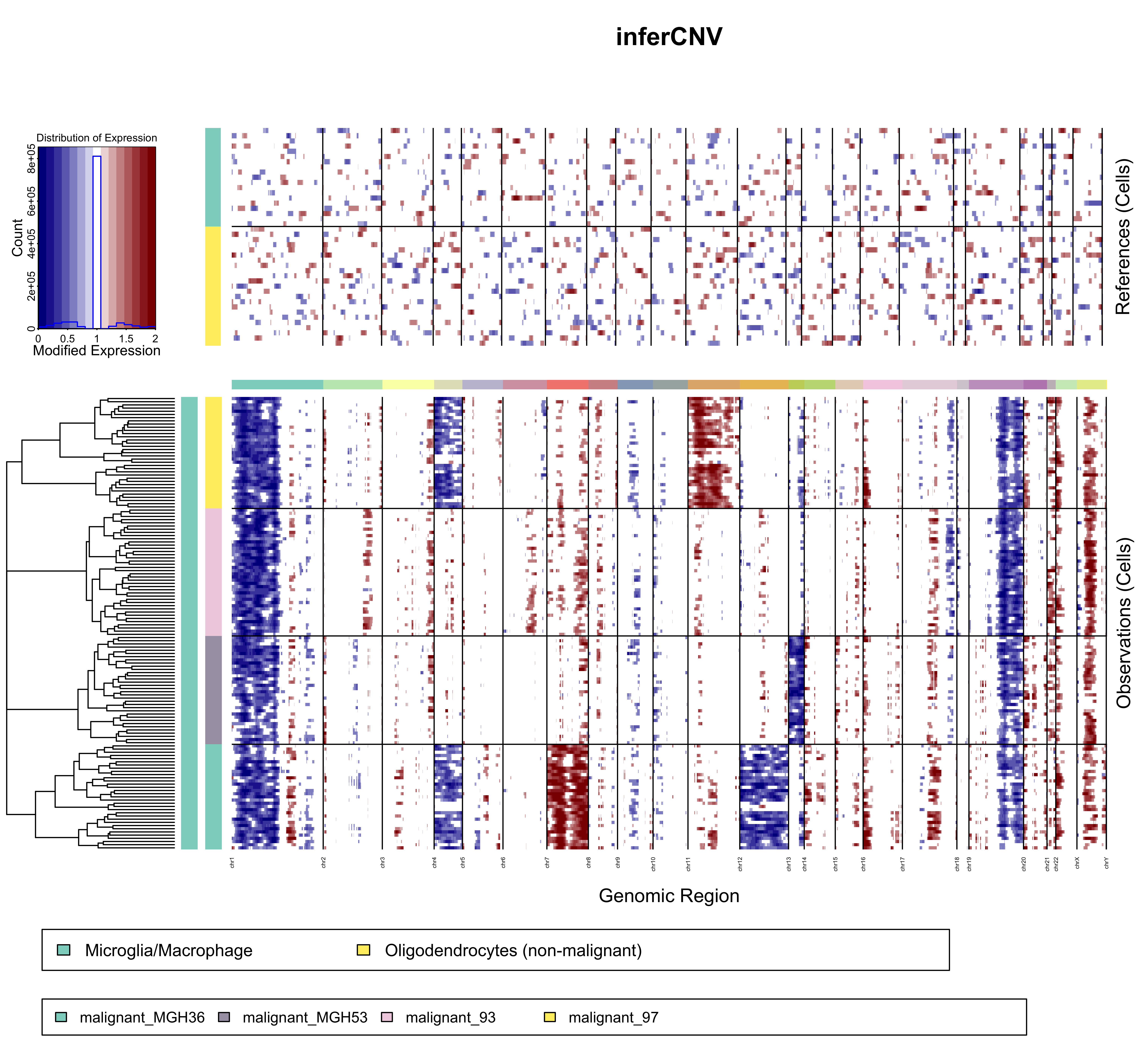
If the script completes and generates a dendrogram.png and a heatmap.png, your installation is successful.

Performance Tuning for Large-Scale Single-Cell Datasets
Infercnv is computationally expensive. To optimize performance, check if your R installation is linked to an optimized Basic Linear Algebra Subprograms (BLAS) library, such as OpenBLAS or Intel MKL. Additionally, infercnv supports multi-threading through the num_threads parameter in the run() function. On a powerful server, setting this to 10 or 20 can reduce processing time from days to hours. However, be cautious: each thread replicates a portion of the data in the RAM, so ensure your memory capacity can handle the parallelism.
By following these structured steps—from environmental preparation to containerized deployment—you ensure that your setup of infercnv is not just functional, but robust and reproducible. In the high-stakes world of genomic research, a solid technical foundation is the first step toward breakthrough discoveries.
aViewFromTheCave is a participant in the Amazon Services LLC Associates Program, an affiliate advertising program designed to provide a means for sites to earn advertising fees by advertising and linking to Amazon.com. Amazon, the Amazon logo, AmazonSupply, and the AmazonSupply logo are trademarks of Amazon.com, Inc. or its affiliates. As an Amazon Associate we earn affiliate commissions from qualifying purchases.