
In an age dominated by smartphones, satellite navigation, and digital communication, the venerable Citizen Band (CB) radio might seem like a relic from a bygone era. Yet, for countless individuals – from professional truck drivers navigating interstate highways to off-road enthusiasts tackling remote trails, and even disaster preparedness communities – the CB remains an indispensable tool. It offers real-time, peer-to-peer communication without relying on cellular networks or costly subscriptions, making it a robust and reliable choice when other technologies fail or are simply impractical. Installing a CB radio, however, involves more than just plugging it in. It’s a precise process that, when done correctly, ensures optimal performance, reliability, and safety. This comprehensive tutorial will guide you through every step, transforming your vehicle into a reliable communication hub.
Understanding Your CB Radio System: Components and Benefits
Before diving into the nuts and bolts of installation, it’s crucial to understand what makes up a CB system and why it continues to hold its own in a tech-saturated world. This foundational knowledge will not only demystify the process but also empower you to make informed decisions throughout your installation.
The Core Components of a CB Setup
A functional CB radio system is comprised of several key components, each playing a vital role in transmitting and receiving signals. Understanding these parts is the first step towards a successful installation.
- The CB Radio Unit (Transceiver): This is the heart of your system, combining both a transmitter (to send your voice) and a receiver (to hear others). CB units come in various sizes and feature sets, from basic models to those with advanced noise reduction, weather alerts, and sideband capabilities. Your choice will depend on your budget and communication needs.
- The Antenna: Arguably the most critical component for effective communication, the antenna converts electrical signals from your CB unit into radio waves and vice-versa. Its type, length, and mounting location significantly impact range and clarity. Common types include whip antennas (fiberglass or stainless steel), magnet-mount antennas, and permanent-mount antennas.
- Coaxial Cable (Coax): This specialized cable connects your CB unit to the antenna. It’s designed to carry radio frequency (RF) signals efficiently with minimal loss. The most common type for CB use is RG-58 or RG-8X, often terminated with a PL-259 connector. The quality and length of your coax are vital; too long or too short, or poor quality, can degrade signal integrity.
- Mounting Bracket: Your CB unit will need a secure place within your vehicle. Most CBs come with a universal mounting bracket that allows you to attach the unit to a dashboard, console, or overhead compartment.
- Power Cable: Every CB radio requires a 12-volt DC power source. This cable typically comes with a red wire for positive (+) and a black wire for negative (-) or ground. It often includes an in-line fuse for safety.
- SWR Meter (Optional, but Highly Recommended): A Standing Wave Ratio (SWR) meter is an invaluable tool for tuning your antenna. It measures how efficiently your antenna is radiating power from your CB. A low SWR reading (ideally 1.5:1 or less) indicates good performance and prevents damage to your radio. While not strictly part of the operational setup, it’s crucial for optimization.
Why Install a CB? The Modern Relevance of Citizen Band Radio
Despite the proliferation of digital alternatives, CB radios continue to offer unique advantages that make them highly relevant in specific contexts.
- Real-time, Group Communication: Unlike phone calls, CBs allow for open, group communication without dialing or setting up conference calls. This is invaluable for convoys, work crews, or emergency situations where multiple parties need to hear and respond simultaneously.
- No Service Fees or Subscriptions: Once purchased, a CB radio operates freely. There are no monthly bills, data limits, or roaming charges, making it a cost-effective long-term communication solution.
- Reliability in Remote Areas: CBs operate on direct radio waves, independent of cellular towers or satellite networks. In remote locations where cell service is spotty or nonexistent, a CB can be your lifeline, particularly for off-roading, camping, or rural work.
- Road Hazard Information and Community: For truckers, CBs are a primary source of real-time traffic updates, road hazard warnings, weather conditions, and even local directions. It fosters a strong community among users, offering assistance and camaraderie.
- Emergency Preparedness: In natural disasters or other emergencies where conventional communication infrastructure might be compromised, CB radios can be a critical tool for local communication and coordination.
- Legal and Easy to Use: CB radio operates on an unlicensed band (26.965 MHz to 27.405 MHz in the US), meaning anyone can use it without special permits or training, making it highly accessible.
Preparing for Installation: Tools, Equipment, and Strategic Planning
A successful CB installation hinges on thorough preparation. Gathering the right tools and meticulously planning your setup will prevent frustration, ensure safety, and lead to a more professional outcome.
Essential Tools and Materials for a Smooth Setup
Before you start, ensure you have the following on hand:
- Your CB Radio Kit: (CB unit, power cable, microphone, mounting bracket, hardware)
- CB Antenna Kit: (Antenna, mount, coaxial cable)
- SWR Meter and Jumper Cable: (Short coax cable, typically 2-3 feet, with PL-259 connectors on both ends)
- Basic Hand Tools: Screwdrivers (Phillips and flathead), wrenches (adjustable or socket set), wire strippers, wire crimpers, drill with appropriate bits.
- Multimeter/Test Light: Essential for checking voltage and continuity.
- Electrical Tape and Zip Ties: For securing wiring and neat cable management.
- Heat Shrink Tubing (Optional, but Recommended): For waterproof and durable electrical connections.
- Marine Grade Silicone Sealant or Dielectric Grease: For protecting outdoor electrical connections.
- Safety Glasses and Gloves: Always protect yourself.
- Owner’s Manual for Your CB Radio: Crucial for specific wiring diagrams and features.
Choosing the Optimal Location for Your CB Unit
The placement of your CB unit isn’t just about convenience; it affects safety, ergonomics, and even the longevity of the device. Consider these factors:
- Accessibility and Ergonomics: The CB should be within easy reach for operating controls (volume, squelch, channel selector) and using the microphone, without requiring you to stretch or take your eyes off the road for too long.
- Visibility: Ensure the display is clearly visible but not distracting.
- Safety: The unit should be mounted securely, preventing it from becoming a projectile in a sudden stop or accident. Avoid blocking airbags or critical controls.
- Airflow: CB radios generate a small amount of heat. Ensure the unit has adequate ventilation and isn’t crammed into an enclosed space, which could lead to overheating and premature failure.
- Interference Avoidance: Keep the CB unit and its wiring away from existing vehicle electronics (ECU, infotainment system, ignition components) as much as possible to minimize potential electromagnetic interference (EMI).
- Mounting Options: Common locations include below the dashboard, on the transmission hump, in an overhead console, or using a specialized vehicle-specific mount. Test different positions before drilling any permanent holes.
The Installation Process: Step-by-Step Guide to Power, Antenna, and Cabling
With your tools ready and a location chosen, it’s time to proceed with the core installation steps. Precision here is key for both performance and safety.
Powering Your CB: Secure and Reliable Electrical Connections
Proper power wiring is paramount. Incorrect connections can blow fuses, damage your CB, or even pose a fire hazard.
- Locate a 12V Power Source:
- Direct to Battery (Recommended for best performance): This provides the cleanest power, free from electrical noise from other vehicle components. Run the positive (+) red wire directly to the positive terminal of your battery and the negative (-) black wire to a good chassis ground point (unpainted metal) or the negative battery terminal. Always install the inline fuse (usually supplied with the CB) as close to the battery’s positive terminal as possible.
- Fuse Box (Switched Power): You can tap into an existing accessory fuse in your vehicle’s fuse box that provides 12V power when the ignition is on. Use a “fuse tap” adapter for a safe connection. Ensure the chosen circuit can handle the CB’s current draw (typically 1-2 amps on receive, 3-5 amps on transmit). The negative wire should still go to a good chassis ground.
- Cigarette Lighter Socket (Least Recommended): While convenient, cigarette lighter sockets often provide “dirty” power prone to electrical noise, which can degrade CB performance. Only use this as a temporary solution.
- Secure Wiring and Fusing: Ensure all connections are tight and insulated. Use heat shrink tubing or electrical tape over bare wires. The inline fuse protects your CB from power surges and short circuits. Never bypass or use a higher-rated fuse than recommended.
- Grounding: A solid ground connection is crucial. For the CB unit itself, if you’re not running a separate negative wire back to the battery, ensure the mounting bracket or chassis of the CB unit has good electrical contact with the vehicle’s metal frame. Scrape away any paint to expose bare metal for the ground connection.

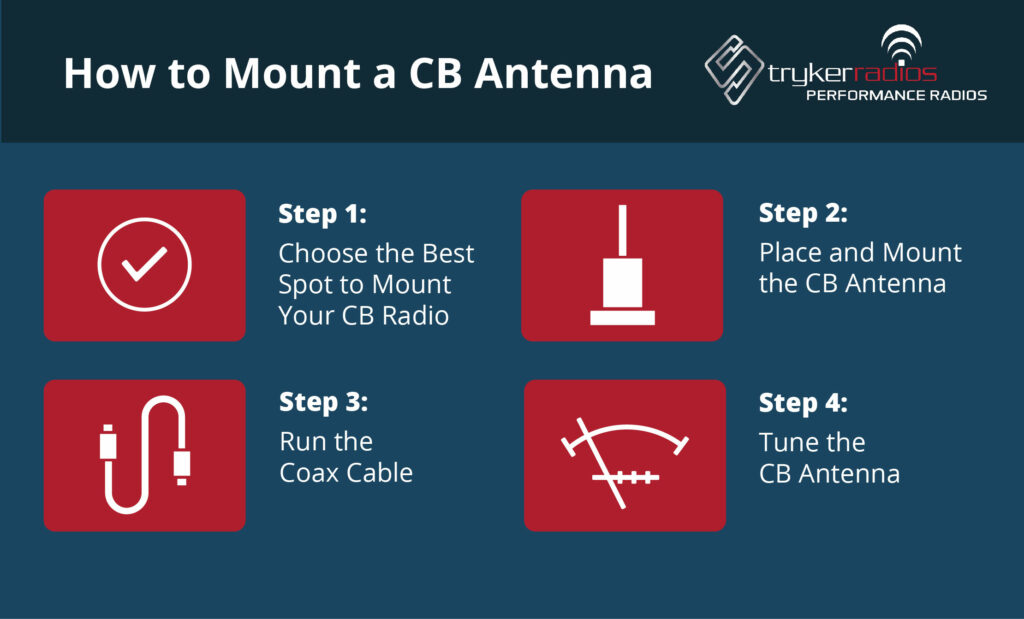
Antenna Selection and Mounting: Maximizing Your Range and Clarity
The antenna is your CB’s voice and ears. Its type and placement are critical to how well your system performs.
- Antenna Type:
- Whip Antennas (Fiberglass or Stainless Steel): Offer excellent performance, especially longer ones (e.g., 102-inch whip, 5-foot fiberglass). Require a good ground plane.
- Magnet-Mount Antennas: Convenient for temporary setups or vehicles where drilling is undesirable. Performance can be good if the magnet mount has excellent contact with a large metal surface (like the center of the roof).
- No-Ground Plane (NGP) Antennas: Designed for vehicles with non-metallic bodies (e.g., RVs, fiberglass trucks) where a traditional ground plane isn’t available. They come as a complete kit with a specially designed coaxial cable.
- Mounting Location:
- Highest Point (e.g., Roof Center): Generally provides the best omnidirectional radiation pattern and range.
- Mirror Mounts/Bumper Mounts: Common for trucks and larger vehicles. Ensure the antenna clears any obstructions.
- Trunk Lip Mounts: For sedans, offering a good compromise between performance and aesthetics.
- Consider the Ground Plane: Most antennas require a substantial metal surface beneath them (the ground plane) to function efficiently. The larger and more central the ground plane, the better. If your vehicle lacks a good ground plane in your chosen spot, you might need an NGP antenna or add a ground wire.
- Secure Mounting: Use appropriate mounts (L-brackets, through-hole mounts, specialized vehicle mounts). Ensure the mount is sturdy and the antenna stands upright. A poorly mounted antenna can detach, cause damage, or radiate poorly.
- Weatherproofing: For external mounts, use marine-grade silicone sealant around drilled holes and dielectric grease on connections to prevent water ingress and corrosion.
Routing Coaxial Cable and Accessories: Minimizing Interference and Wear
Proper cable routing protects your coax, prevents damage, and minimizes electrical noise.
- Run the Coax Cable: Carefully route the coaxial cable from the antenna to the CB unit.
- Avoid Kinks and Sharp Bends: These can damage the internal shielding of the coax, leading to signal loss and increased SWR. Maintain a gentle curve.
- Keep Away from Power Sources: Route the coax away from high-voltage cables, ignition systems, engine components, and computer modules to reduce electrical interference.
- Protect from Abrasion: Use rubber grommets when passing the cable through metal panels. Secure the cable with zip ties at regular intervals to prevent it from rubbing against sharp edges or getting snagged.
- Interior Routing: Run the cable discreetly under floor mats, along door sills, or behind interior trim panels for a clean, professional look.
- Connect Coax to CB: Connect the PL-259 connector from the coax cable directly to the antenna jack on the back of your CB unit. Ensure it’s hand-tightened, then a quarter turn with a wrench – don’t overtighten.
- Microphone and External Speaker (Optional): Plug in the microphone. If you have an external speaker (often recommended for clearer audio, especially in noisy environments), connect it to the external speaker jack on your CB and mount it in a convenient location.
Optimizing Performance: SWR Tuning and Final Checks
The installation isn’t complete until your antenna is properly tuned. This step is critical for efficient operation and protecting your radio.
The Critical Step: SWR Calibration for Peak Performance and Longevity
SWR (Standing Wave Ratio) tuning is not optional; it’s essential. An improperly tuned antenna can reflect RF power back into your CB, causing overheating, reduced range, and potentially damaging the final amplifier stage of your radio.
- Connect the SWR Meter:
- Disconnect the antenna coax from the back of your CB.
- Connect the “ANT” or “TO ANTENNA” port of the SWR meter to your antenna coax.
- Use a short jumper cable (PL-259 on both ends) to connect the “TX” or “TO RADIO” port of the SWR meter to the antenna jack on the back of your CB radio.
- Set Up the CB:
- Turn your CB radio on.
- Select Channel 1.
- Ensure your CB is set to AM mode (not SSB).
- Calibrate the SWR Meter (if applicable):
- Some SWR meters require calibration. With the meter set to “FWD” (Forward) or “SET” and the CB keyed (microphone button pressed), adjust the “CAL” knob until the needle aligns with the “SET” mark on the meter’s scale. Release the mic.
- Measure SWR:
- Switch the SWR meter to “REF” (Reflected) or “SWR” mode.
- Key the CB microphone on Channel 1 and note the SWR reading.
- Repeat the process for Channel 40 (or the highest channel on your CB).
- Adjust the Antenna:
- Your goal is an SWR reading as close to 1:1 as possible, and ideally below 2:1 across both Channel 1 and Channel 40.
- If SWR is lower on Channel 1 than Channel 40: Your antenna is electrically too short. Lengthen it by extending the whip, using a longer tip, or adjusting the tuning screw (if your antenna has one).
- If SWR is lower on Channel 40 than Channel 1: Your antenna is electrically too long. Shorten it by retracting the whip, trimming the tip (carefully, in small increments), or adjusting the tuning screw.
- Repeat the SWR measurement and adjustment process until you achieve the lowest possible SWR readings on both Channel 1 and Channel 40. Aim for below 1.5:1 for optimal performance.
- Final Check: Once satisfied, disconnect the SWR meter and reconnect your antenna coax directly to your CB radio.
Post-Installation Testing and Troubleshooting Common Issues
After SWR tuning, it’s time to conduct a thorough functional test and be prepared for minor troubleshooting.
- Basic Functionality Test:
- Turn on your CB.
- Adjust squelch (turn it up until static disappears, then slightly back down) and volume.
- Listen for activity on common channels (e.g., Channel 19 for truckers, Channel 9 for emergencies).
- Perform a “radio check” by asking for one on a quiet channel. A clear, audible response confirms your transmission and reception.
- Audio Quality:
- Check your microphone’s clarity. If equipped, adjust the mic gain.
- If using an external speaker, ensure it’s clear and loud enough.
- Common Troubleshooting:
- No Power: Check the inline fuse, power connections, and vehicle’s fuse box. Use a multimeter to confirm 12V at the CB’s power input.
- No Receive/Transmit: Ensure the antenna coax is securely connected at both ends. Verify the mic is plugged in. Check SWR – a very high SWR can cause the radio to protect itself by reducing transmit power.
- Excessive Static/Noise: This could be electrical interference from the vehicle (alternator whine, ignition noise). Try rerouting power wires, adding an in-line noise filter, or ensuring a better ground connection for the CB. Keep coax away from power cables.
- Poor Range: Re-check SWR. Ensure your antenna has a good ground plane. Consider a longer or higher-gain antenna. Check for obvious damage to the antenna or coax.
Maintaining Your CB System and Embracing the CB Community
Your CB installation is a technological investment designed for long-term use. A little ongoing care will ensure it performs reliably for years, and understanding its place in the broader tech landscape can enhance your experience.
Tips for Long-Term CB Radio Maintenance and Care
Like any electronic gadget, a CB radio system benefits from periodic maintenance.
- Keep Connections Clean and Tight: Regularly check the antenna connections, coax connectors, and power wiring for corrosion, looseness, or damage. Apply dielectric grease to outdoor antenna connections to prevent moisture ingress.
- Inspect Coaxial Cable: Look for signs of wear, fraying, kinks, or insulation damage, especially where it passes through tight spots or is exposed to the elements. Replace damaged coax immediately.
- Clean the Unit: Wipe down the CB radio unit periodically to remove dust and grime. Avoid harsh chemical cleaners.
- Antenna Integrity: Ensure the antenna is securely mounted and upright. Check fiberglass antennas for cracks or damage, and stainless steel whips for bends.
- SWR Re-check (Annual or After Changes): It’s a good practice to re-check your SWR annually, or anytime you make significant changes to your vehicle (e.g., adding roof racks, changing antenna location, or after an impact).
- Microphone Care: Protect your microphone from drops and moisture. Clean the mic grille if it becomes clogged.

The Evolving World of CB Radio and Its Place in Modern Tech
While CB radio might seem like an analog outlier in a digital world, its persistence highlights its enduring value. It coexists with and, in many scenarios, complements newer technologies. For instance, a trucker might use a smartphone for navigation and digital logistics, but rely on their CB for immediate, local traffic alerts and direct communication with other drivers. Off-roaders might employ GPS mapping apps, but count on their CB for convoy coordination when out of cell range.
The “Tech” aspects of CB installation also reflect modern best practices: ensuring clean power, minimizing interference (a common challenge in all electronics), precise calibration, and robust physical installation. It’s a testament to the idea that sometimes, simpler, more direct communication methods remain superior for specific tasks, offering resilience and community in ways that high-tech alternatives cannot fully replicate.
By following this comprehensive guide, you’ve not only installed a piece of communication equipment but also empowered yourself with a reliable tool for safety, convenience, and connection on the open road and beyond. Enjoy the clear channels and the camaraderie of the CB airwaves!
aViewFromTheCave is a participant in the Amazon Services LLC Associates Program, an affiliate advertising program designed to provide a means for sites to earn advertising fees by advertising and linking to Amazon.com. Amazon, the Amazon logo, AmazonSupply, and the AmazonSupply logo are trademarks of Amazon.com, Inc. or its affiliates. As an Amazon Associate we earn affiliate commissions from qualifying purchases.