
Deciding to close a credit card account is a significant financial move that requires more than just a pair of scissors and a firm resolve. Whether you are streamlining your wallet, avoiding a high annual fee on a Chase Sapphire Reserve, or simply moving your primary banking relationship elsewhere, the process of closing a Chase credit card involves several critical steps to protect your credit score and preserve your hard-earned rewards.
In the world of personal finance, your credit cards are not just tools for spending; they are components of your overall financial identity. Closing an account with a major issuer like JPMorgan Chase requires a strategic approach to ensure you don’t leave money on the table or inadvertently damage your credit profile. This guide provides a comprehensive roadmap for navigating the closure process while maintaining your financial health.
Preparing Your Finances Before Initiating the Closure
Before you pick up the phone or log into your Chase portal, you must conduct a thorough audit of your account. Closing an account prematurely can lead to the loss of accumulated points or unexpected “zombie” charges that could result in late fees on a supposedly closed account.
Maximizing and Redeeming Your Rewards
One of the most common mistakes cardholders make is closing a Chase account before securing their Ultimate Rewards points. If you hold a card like the Chase Sapphire Preferred or the Ink Business Preferred, your points are highly valuable. Once the account is closed, any unredeemed points are typically forfeited immediately.
To protect your assets, consider these options:
- Transfer to a Partner: If you have a premium card, transfer your points to airline or hotel partners like United MileagePlus or World of Hyatt.
- Consolidate Points: If you have another Chase card, such as a Chase Freedom Flex, you can move your points to that account through the “Combine Rewards” feature on the Chase website.
- Cash Out: If you don’t have another Chase card, redeem your points for a statement credit or a direct deposit into your bank account.
Clearing the Balance and Managing Pending Transactions
You cannot fully close a credit card if there is a pending balance. While you can initiate the closure request, Chase will keep the account “active” for billing purposes until the balance is zero. Pay off your current statement and wait for all “Pending” transactions to post and be cleared. Furthermore, check for any credits or refunds you might be expecting from merchants. It is significantly easier to receive a refund on an active card than to hunt down a check for a credit balance on a closed account.
Auditing Automatic Payments and Subscriptions
In the age of the subscription economy, many of us have “hidden” recurring charges for streaming services, insurance, or gym memberships. Look back through your last three months of statements to identify every automated payment linked to your Chase card. Transition these to a new payment method at least one week before you close the account to prevent service interruptions or “failed payment” penalties.
Step-by-Step Methods to Close Your Chase Account
Chase offers several avenues for closing an account, ranging from traditional phone calls to digital messages. The method you choose depends on your preference for documentation and your willingness to engage with a retention specialist.
Closing via Customer Service Phone Line
The most direct way to close your account is to call the number on the back of your card (or 1-800-432-3117). When you call, you will likely be connected to a “Retention Specialist.” Their job is to convince you to keep the card. They might offer to waive the annual fee for a year or provide a “spend challenge” to earn extra points. If your goal is strictly to close the card, be firm and polite. State clearly, “I am not interested in any offers; I would like to close this account permanently.”
Using the Chase Secure Message Center
For those who prefer a digital paper trail and want to avoid a “retention pitch,” the Chase Secure Message Center is an excellent tool.
- Log in to your Chase Online or mobile app account.
- Navigate to the “Secure Messages” menu.
- Select “New Message” and choose the “Account Inquiry” category.
- Specify the card you wish to close and state your request.
Chase usually responds within 24 to 48 hours to confirm the request or ask for final confirmation. This method provides you with a written record of the transaction, which can be useful if the account is not closed correctly.
Closing in Person at a Local Branch
If you prefer a face-to-face interaction, you can visit any Chase branch. A personal banker can assist you with the process. This is particularly helpful if you have other Chase products, such as a checking or savings account, and you want to ensure the “Combine Rewards” process is handled correctly by a professional.
Understanding the Impact on Your Credit Score
Closing a credit card is not a neutral event for your credit report. Depending on the age of the account and your total available credit, closing a card can cause a temporary or even long-term dip in your credit score.
The Credit Utilization Ratio
The most immediate impact of closing a card is on your credit utilization ratio. This ratio is calculated by dividing your total credit card balances by your total available credit limits. When you close a Chase card, you lose that card’s credit limit, which decreases your total available credit. If you carry balances on other cards, your utilization ratio will spike, which can negatively impact your FICO score. To mitigate this, ensure your other card balances are as low as possible before closing the account.
Length of Credit History
The “Age of Accounts” makes up 15% of your FICO score. While a closed account in good standing will stay on your credit report for ten years, it will eventually fall off. If the Chase card you are closing is one of your oldest accounts, its eventual removal could shorten your average credit age. Generally, it is advised to keep your oldest “no-fee” cards open indefinitely to anchor your credit history.
Strategic Alternatives to Closing Your Account
Before you finalize the closure, consider if there is a more advantageous way to achieve your goal. In many cases, “firing” your credit card isn’t the most profitable move.
The “Product Change” Strategy
If your primary reason for closing the card is a high annual fee, ask for a “Product Change” or “Downgrade.” For example, if you have a Chase Sapphire Reserve with a $550 annual fee, you can request to downgrade it to a Chase Freedom Unlimited, which has no annual fee. This allows you to:
- Keep your credit line open (protecting your utilization ratio).
- Maintain the age of the account.
- Avoid paying the annual fee.
- Preserve your Ultimate Rewards points (though they may be worth less without the Sapphire “boost”).
Transferring Your Credit Line
If you are determined to close the card but want to protect your credit score, ask the Chase representative to transfer your credit limit to another Chase card you own. For instance, if you are closing a card with a $10,000 limit and have another card with a $5,000 limit, you can often move most of that $10,000 to the remaining card. This keeps your total available credit the same, effectively neutralizing the impact on your credit utilization ratio.
Post-Closure Best Practices
Once the representative confirms the account is closed, your work is not quite finished. You must take a few final steps to ensure the transition is seamless and secure.
Confirming the Closure in Writing
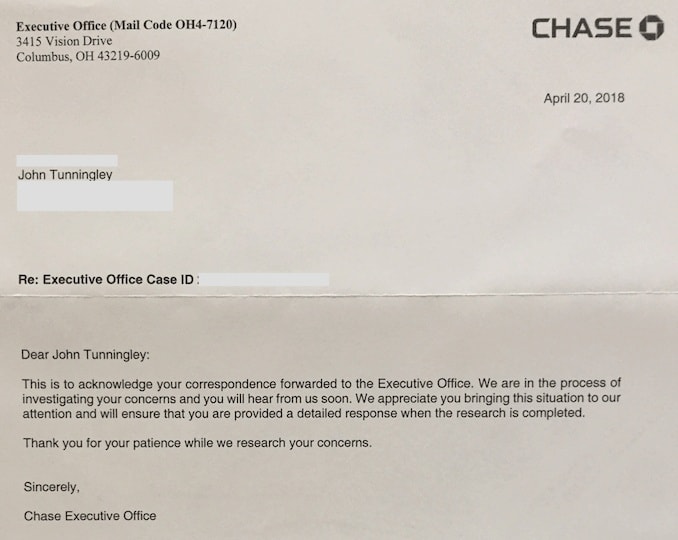
Even if you closed the account over the phone, it is wise to request a written confirmation letter. This letter should state that the account was “closed at the consumer’s request.” This distinction is important; “closed by consumer” looks better on a credit report than “closed by grantor,” which could imply the bank terminated your account for negative reasons.

Physical Security and Final Monitoring
Once the account is closed, physically destroy the card. If it is a plastic card, a cross-cut shredder works best. If it is a metal card (like the Sapphire series or the Amazon Prime card), you cannot shred it at home. You can mail it back to Chase or drop it off at a local branch for secure disposal.
Finally, monitor your credit report for the next 30 to 60 days. Ensure that the account status updates to “Closed” and that the balance is reflected as zero. If you see any discrepancies, you can use your written confirmation from Chase to dispute the error with the credit bureaus. By following this disciplined approach, you ensure that your departure from one financial product is handled with the same care and strategy as your initial application.
aViewFromTheCave is a participant in the Amazon Services LLC Associates Program, an affiliate advertising program designed to provide a means for sites to earn advertising fees by advertising and linking to Amazon.com. Amazon, the Amazon logo, AmazonSupply, and the AmazonSupply logo are trademarks of Amazon.com, Inc. or its affiliates. As an Amazon Associate we earn affiliate commissions from qualifying purchases.