
In the contemporary digital landscape, the “Subscription Economy” has transformed how we consume media, software, and services. Amazon Prime Video has positioned itself as a central hub for this ecosystem, utilizing a technical framework known as “Prime Video Channels.” This allows users to integrate third-party services like Paramount Plus directly into their Amazon interface. However, while the integration is seamless for consumption, the technical process of de-linking these services requires navigating specific layers of Amazon’s account management UI.
Managing these digital permissions is not just a matter of convenience; it is a critical component of digital hygiene and software management. This guide provides a comprehensive technical walkthrough on how to cancel Paramount Plus via Amazon Prime, while exploring the underlying mechanics of subscription-based software ecosystems.
Navigating the Amazon Digital Ecosystem
Amazon’s architecture is designed to be a “sticky” ecosystem. By allowing users to subscribe to Paramount Plus through their Prime account, Amazon acts as the merchant of record. This means your billing data, authentication tokens, and viewing history are mediated through Amazon’s API rather than Paramount’s native servers.
The Architecture of Prime Video Channels
Prime Video Channels operate as an add-on layer to the core Prime Video application. Technically, when you subscribe to Paramount Plus through Amazon, you are not creating a standalone Paramount account in the traditional sense. Instead, Amazon communicates with Paramount’s servers via secure APIs to authorize your stream. This centralized management is efficient for the user but complicates the cancellation process if you attempt to do it through the Paramount Plus app directly.
Why You Cannot Cancel via the Paramount Plus App
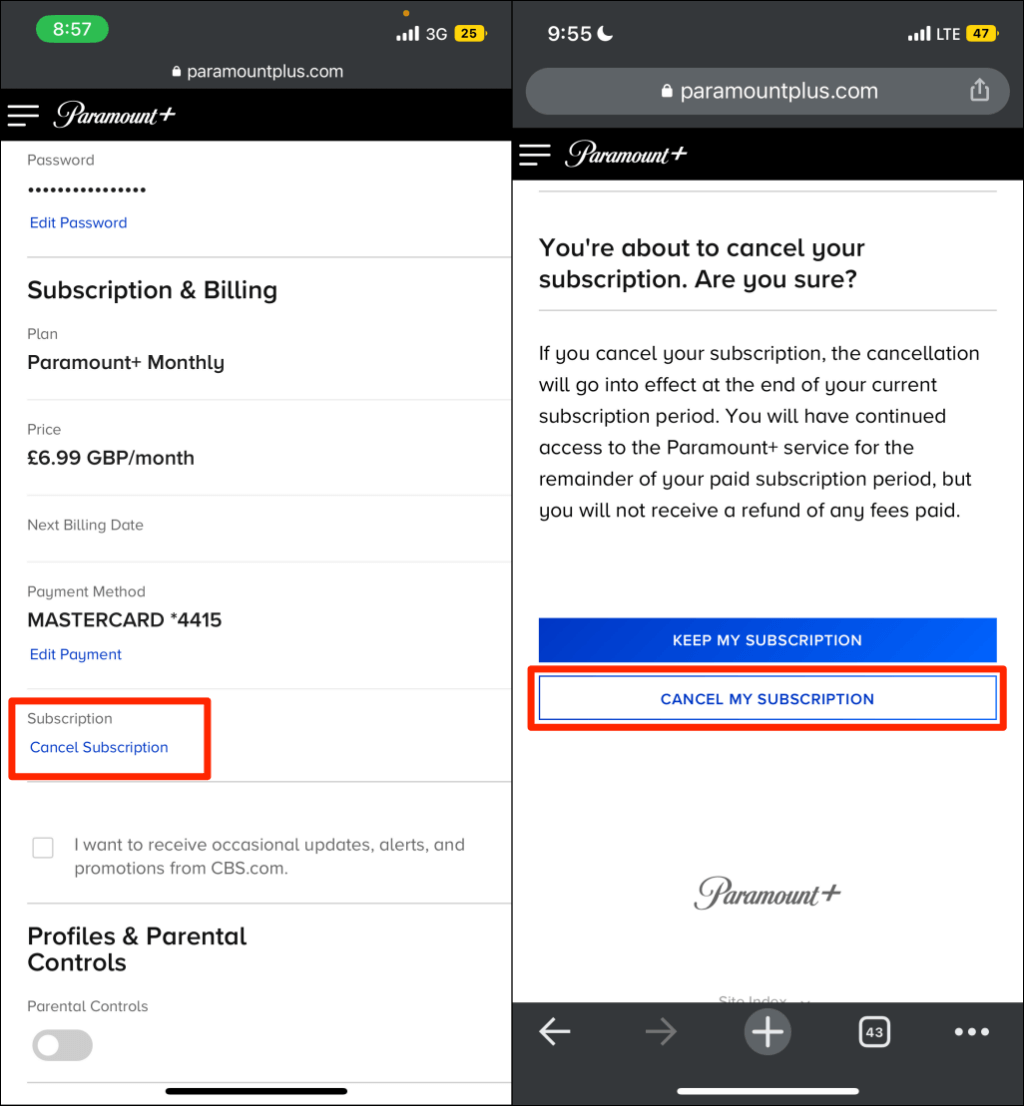
One of the most common technical hurdles users face is attempting to cancel the service within the Paramount Plus standalone application or website. Because the “entitlement” (the digital permission to view content) is owned by Amazon, the Paramount Plus interface will not show a “cancel” button. It will simply redirect you to your “third-party provider.” Understanding this hierarchy is the first step in successful digital service management.
Step-by-Step Technical Walkthrough: Canceling the Subscription
To effectively terminate the Paramount Plus renewal, you must access the “Digital Orders” or “Manage Your Prime Video Channels” section of the Amazon dashboard. This process differs slightly depending on the hardware and software interface you are using.
Method 1: Desktop Browser (The Most Reliable Path)
The web interface provides the most granular control over your digital services.
- Authentication: Log in to your Amazon account using a secure browser. Ensure you are on the primary account that holds the Prime membership.
- Account & Lists: Hover over the “Account & Lists” dropdown menu in the top right corner.
- Memberships & Subscriptions: Select this option to see a high-level view of all active SaaS (Software as a Service) agreements linked to your identity.
- Prime Video Channels: Within this sub-menu, locate Paramount Plus. Click on “Cancel Channel.”
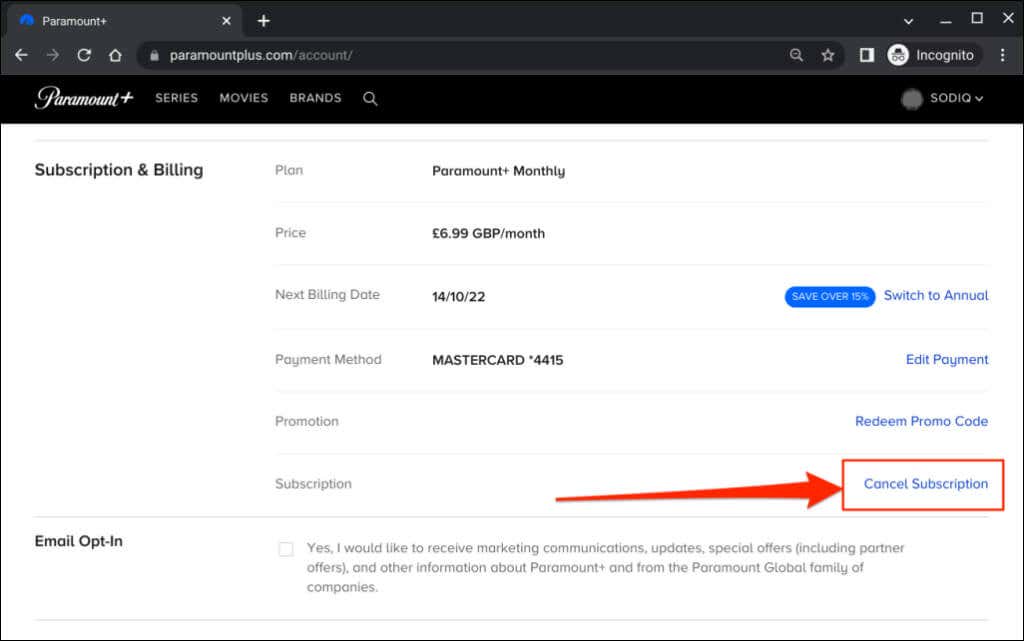
- Retention UI: Amazon’s user experience (UX) design will likely present a series of retention prompts (e.g., “Keep my subscription” or “Remind me later”). To fully execute the cancellation, you must proceed until you receive a confirmation message stating that your “Auto-renew” has been turned off.
Method 2: Mobile App Interface
Managing subscriptions via the Amazon mobile app involves navigating the “Customer Profile” silo.
- Bottom Navigation: Tap the “User” icon (the person silhouette) at the bottom of the app.
- Your Account: Tap the “Your Account” button to open the full settings menu.
- Account Settings: Scroll down to the “Memberships & Subscriptions” section.
- Channel Settings: Locate Paramount Plus and select “Manage Subscription.” From here, the mobile UI mirrors the web-based “Cancel Channel” workflow.
What Happens to the Data?
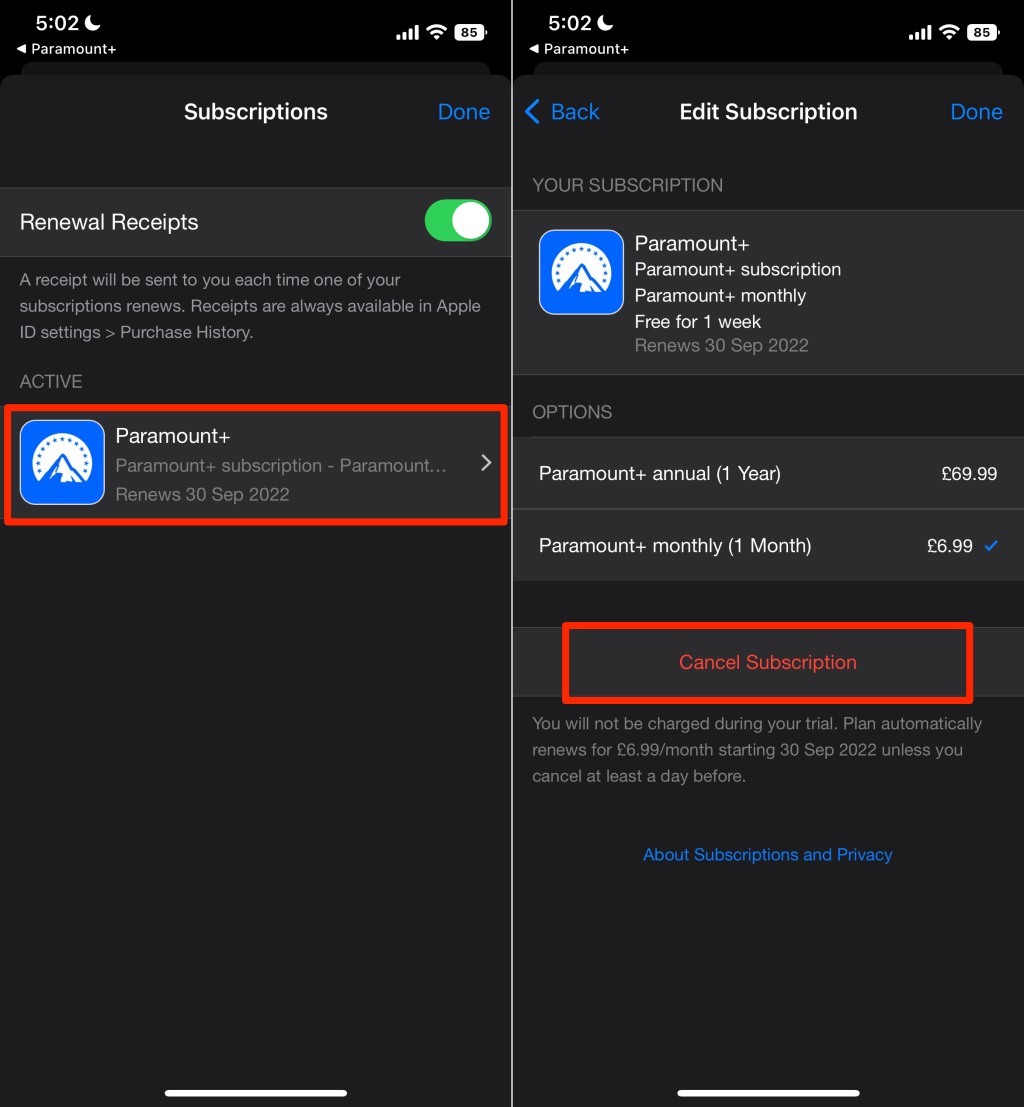
When you cancel the subscription, the “Auto-renew” flag in Amazon’s database is set to False. However, your access does not vanish instantly. The technical entitlement remains active until the end of the current billing cycle. This is because the digital contract—governed by the terms of service—has already been fulfilled for the pre-paid month.
Troubleshooting Common Technical Hurdles
Even with a clear roadmap, technical glitches can occur within the Amazon/Paramount API handshake.
The Missing “Cancel” Button
Occasionally, users report that the “Cancel Channel” button is invisible or greyed out. This usually happens if a payment is currently being processed or if there is a synchronization delay between the mobile app and the cloud server.
- Solution: Clear your browser cache and cookies, or attempt the cancellation via an Incognito/Private window. This forces the browser to pull a fresh version of the Account Management page from Amazon’s servers rather than relying on a cached (and potentially outdated) version.
Billing Discrepancies and “Ghost” Subscriptions
If you are still being charged after cancellation, you may be dealing with a “Ghost” subscription—a situation where you have both a standalone Paramount Plus account and an Amazon-linked account.
- Technical Verification: Check your bank statement. If the charge says “AMZN MKTP,” the subscription is through Amazon. If it says “Paramount+,” you must cancel through Paramount’s direct website. Keeping these digital identities separate is vital for accurate financial tracking.
App Sync Failures
If the Amazon dashboard shows the subscription is canceled, but the Paramount Plus channel still works weeks later, there may be a delay in the API “Revoke” command. While this benefits the user with free content, it indicates a lag in the backend communication between the two platforms.
Managing Multiple Digital Subscriptions in the Tech Era
The need to cancel Paramount Plus often stems from “Subscription Fatigue.” As the streaming market fragments, the technical burden on the consumer to manage 10 or more different apps increases.
Centralized Management Strategy
From a technical standpoint, subscribing through Amazon Prime (or Apple TV Channels) is a strategic move for “Centralized Identity Management.” By using one platform to manage five different services, you reduce the number of locations where your credit card data is stored. This minimizes your “attack surface” in the event of a data breach. When you cancel Paramount Plus on Amazon, you are effectively using Amazon as a firewall for your financial data.
Security and Privacy Considerations
Every time you subscribe to a new digital service, you agree to data-sharing protocols. By canceling unused services, you are practicing “Data Minimization.” When the Paramount Plus channel is deactivated, the data stream between Amazon’s user-tracking algorithms and Paramount’s content-recommendation engines is eventually severed, leading to a more private digital footprint.
Future Trends: The Evolution of Subscription Software
The process of canceling a subscription via a third-party aggregator like Amazon is indicative of where the tech industry is heading: Consolidation and Interoperability.
AI-Driven Subscription Management
We are seeing the emergence of AI tools designed to scan user emails and bank statements to identify “forgotten” subscriptions. In the future, we can expect Amazon to integrate more proactive AI features that notify users when they haven’t accessed a channel like Paramount Plus in over 30 days, suggesting a cancellation to save resources.
The Shift Toward “Bundling” APIs
Technically, the “Prime Video Channel” model is a precursor to a more unified UI. Instead of switching apps, users want a single “glass” through which to view all content. However, as we see with the cancellation process, the backend “plumbing” of these deals remains complex. The challenge for developers in the next decade will be making the “Unsubscribe” and “Delete Data” workflows as seamless and transparent as the “One-Click Purchase.”
In conclusion, canceling Paramount Plus on Amazon Prime is a straightforward technical procedure, provided you understand the hierarchy of the digital ecosystem. By navigating to the “Memberships & Subscriptions” section of your Amazon account, you can effectively manage your digital entitlements, ensure your financial security, and maintain a streamlined software environment. As the streaming wars continue to evolve, mastering these technical management skills will be essential for every savvy digital consumer.
aViewFromTheCave is a participant in the Amazon Services LLC Associates Program, an affiliate advertising program designed to provide a means for sites to earn advertising fees by advertising and linking to Amazon.com. Amazon, the Amazon logo, AmazonSupply, and the AmazonSupply logo are trademarks of Amazon.com, Inc. or its affiliates. As an Amazon Associate we earn affiliate commissions from qualifying purchases.