
In an increasingly digitized world, peer-to-peer (P2P) payment applications have transformed how individuals manage and exchange money. Among these, Venmo stands out as a prominent player, celebrated for its user-friendly interface and integrated social features. More than just a financial tool, Venmo is a sophisticated piece of software designed to simplify money transfers, making it a quintessential example of technology enhancing everyday financial interactions. This guide delves into the technological intricacies of sending money on Venmo, offering a comprehensive tutorial, exploring advanced features, and outlining essential digital security practices to ensure a smooth and secure experience.

Understanding the Venmo Ecosystem: A Tech Perspective
At its core, Venmo is a mobile application developed to facilitate instant money transfers between users. Launched in 2009 and later acquired by PayPal, it quickly gained traction for its intuitive design and the novel concept of adding social feeds to financial transactions. From a technological standpoint, Venmo leverages a robust cloud infrastructure and sophisticated encryption protocols to handle billions of dollars in transactions annually. It represents a powerful integration of mobile technology, secure data transfer, and social networking elements, all designed to create a frictionless payment experience.
Venmo’s Core Functionality and Peer-to-Peer Transfers
The primary function of Venmo is its P2P payment system, allowing users to send and receive money directly from their mobile devices. This is achieved through linking a bank account, debit card, or credit card to the Venmo profile. When a user initiates a payment, the app acts as an intermediary, securely processing the transaction. Unlike traditional bank transfers that can take days, Venmo aims for near-instantaneous transfers between users, though funds typically need to be transferred out of the Venmo balance to a linked bank account, which can take 1-3 business days (or instant for a small fee). The underlying technology ensures that once a payment is confirmed, the digital ledger within Venmo is updated almost immediately, reflecting the new balance.
Key Features Beyond Simple Payments
While P2P transfers are its bread and butter, Venmo’s technological architecture supports a range of additional features that extend its utility:
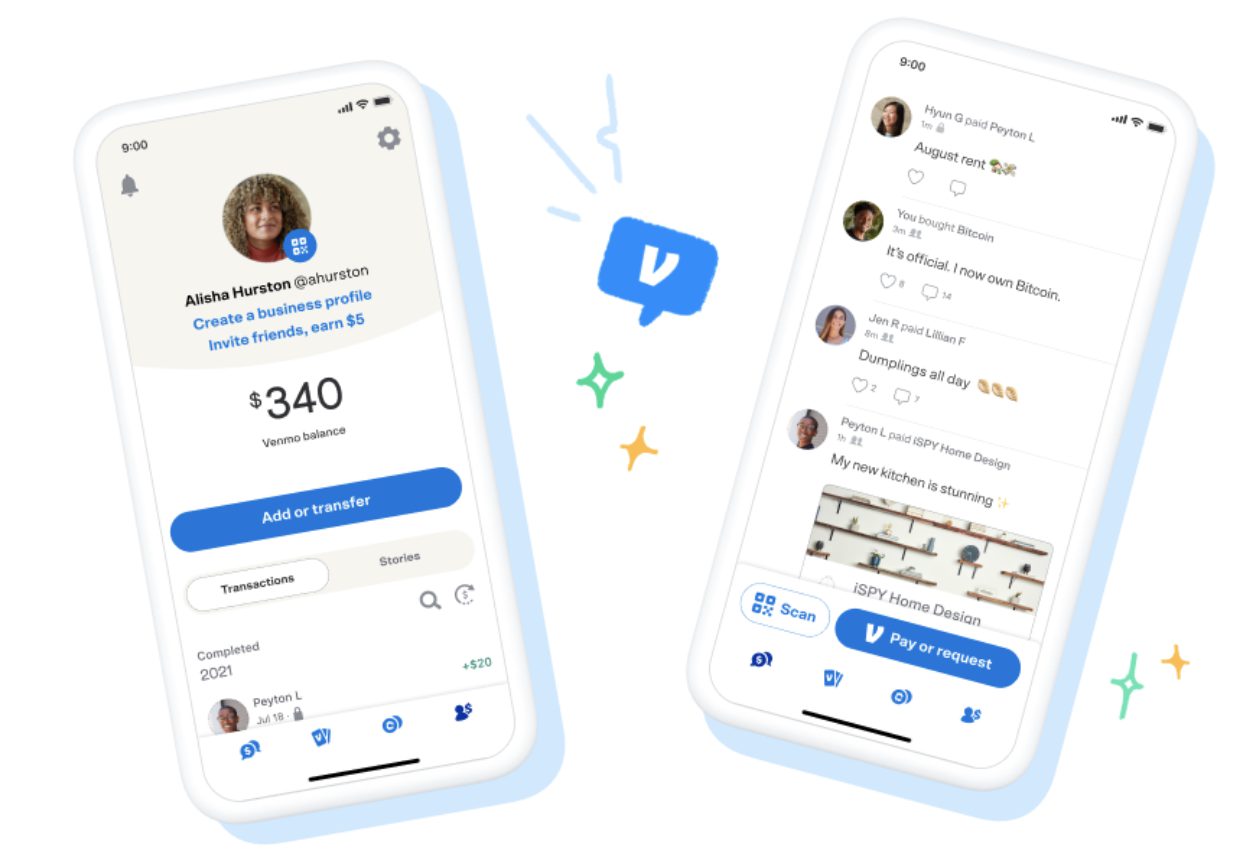
- Social Feed: Payments can be made public, visible to friends, or kept private. This social aspect, while optional, differentiates Venmo, allowing users to add notes, emojis, and comments to transactions, turning a mundane financial action into a social interaction.
- Venmo Balance: Users can hold a balance within the app, which can be used for future payments or transferred to a linked bank account.
- Business Profiles: Small businesses and freelancers can create dedicated profiles to accept payments from customers, leveraging the app’s convenience for commercial transactions.
- Venmo Debit Card and Credit Card: These physical cards integrate directly with the Venmo balance, allowing users to spend their Venmo funds anywhere Mastercard or Visa is accepted, effectively bridging the digital balance with the physical retail world.
Step-by-Step: Sending Money with Ease
Sending money on Venmo is designed to be straightforward, thanks to its user-centric interface. The process involves a few simple taps, guided by clear on-screen prompts. Understanding these steps is crucial for anyone looking to leverage this digital payment platform efficiently.
Initiating a Payment: Finding Your Recipient
The first step in sending money is to open the Venmo app on your smartphone and locate the “Pay or Request” button, usually represented by a pencil and paper icon or a dollar sign icon, typically in the bottom navigation bar. Once tapped, you’ll be prompted to select a recipient. Venmo offers several ways to find someone:
- Username Search: If you know the recipient’s unique Venmo username, you can type it directly into the search bar.
- Phone Number/Email: You can search for recipients using their phone number or email address linked to their Venmo account.
- Friends List: If the person is already in your Venmo friends list (often synced with your phone contacts, with permission), they will appear as an option.
- QR Code: Venmo provides an option to scan a recipient’s unique QR code, which instantly populates their profile for payment.
Accuracy in selecting the recipient is paramount, as Venmo payments are often irreversible once sent. Always double-check the recipient’s username or photo before proceeding.
Specifying Amount and Adding Context
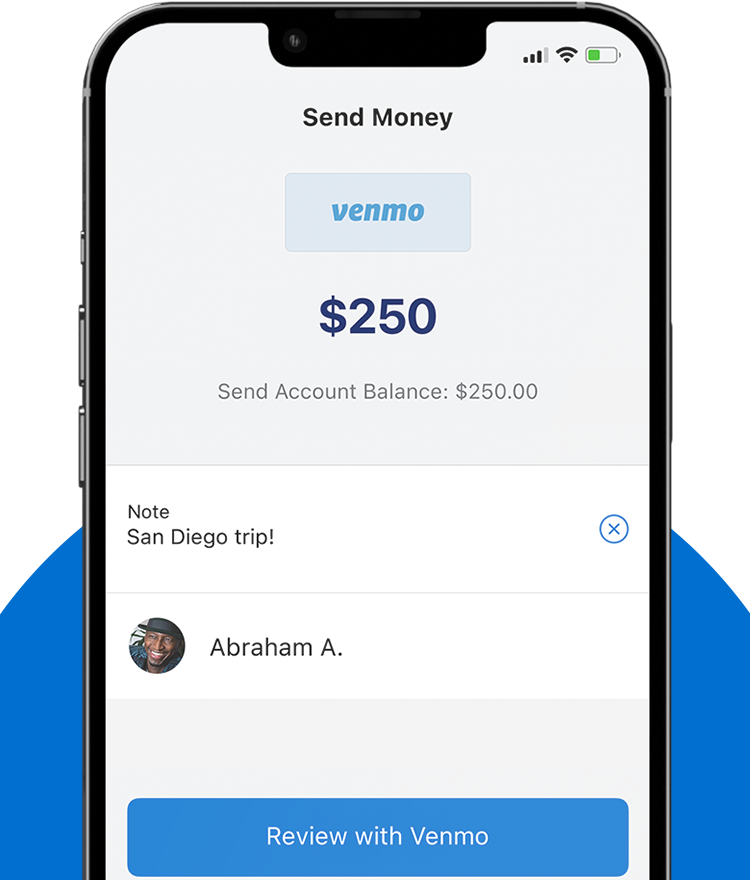
After selecting your recipient, the app will guide you to the payment screen. Here, you’ll enter the exact amount you wish to send. Venmo’s interface clearly displays the numerical keypad for this purpose. Below the amount, there’s a crucial field for adding a note or description to the payment. This field is integral for contextualizing the transaction, whether it’s for “dinner,” “rent,” or “gift.” This note can be set to public, visible to friends, or private, depending on your preference, aligning with Venmo’s social feed integration. Adding a clear, concise note helps both parties remember the purpose of the transaction and can be useful for record-keeping.
Confirming and Sending: The Final Step
Before finalizing the payment, Venmo provides a review screen where you can confirm all details: recipient, amount, and note. This is your last opportunity to verify the information. You’ll also be able to select the funding source for the payment (e.g., Venmo balance, linked bank account, debit card, or credit card). While payments funded by a Venmo balance, bank account, or debit card are typically free, credit card payments usually incur a 3% transaction fee. Once everything is confirmed, you tap the “Pay” button. Venmo may require you to enter a PIN, use Face ID, or Touch ID to authorize the transaction, adding an extra layer of security. Upon successful payment, both you and the recipient will receive a notification within the app, and the transaction will appear in your respective Venmo feeds.
Advanced Sending Options and Features
Venmo’s technological capabilities extend beyond basic P2P transfers, offering several advanced features that cater to diverse financial interactions. These functionalities make the app a versatile tool for managing group expenses and engaging with businesses.
Splitting Bills and Requesting Money
One of Venmo’s most popular features is the ability to easily split bills. Instead of individually sending money to multiple people, you can initiate a payment request and specify multiple recipients to contribute. This is particularly useful for shared expenses like dining out or group trips. Similarly, the “Request” feature allows users to send a payment request to someone, prompting them to send money to your account. This streamlines collecting money from friends or clients without having to chase them individually. The app’s interface clearly distinguishes between sending and requesting, ensuring clarity for users.
Group Payments and Business Profiles
For larger groups, Venmo offers features that facilitate managing shared finances. While not a dedicated group wallet, the ability to request money from multiple people effectively serves this purpose for many. For businesses, Venmo’s “Business Profiles” allow entrepreneurs, freelancers, and small businesses to accept payments for goods and services. These profiles come with enhanced features, such as transaction history, customer tracking, and the ability to process payments that are clearly identifiable as commercial transactions. This segregation helps businesses manage their finances more effectively within the Venmo ecosystem.
QR Code Payments for Seamless Transactions
In an effort to further streamline in-person payments, Venmo integrated QR code functionality. Each user has a unique QR code tied to their Venmo profile. By scanning a recipient’s QR code using the Venmo app’s built-in scanner, users can instantly pull up their profile and initiate a payment without needing to type in usernames or phone numbers. This feature is particularly useful in retail environments, at events, or among friends who are physically together, offering a quick, secure, and contactless payment method.
Ensuring Secure Transactions: Tech Best Practices
While Venmo’s technology is designed for security, user awareness and adherence to best practices are crucial for protecting your account and funds. Digital security is a shared responsibility, and understanding the app’s protective features is paramount.
Protecting Your Account: Multi-Factor Authentication and PINs
Venmo employs industry-standard encryption to protect your data and transactions. However, the first line of defense is always the user’s security settings. It is highly recommended to enable Multi-Factor Authentication (MFA), also known as two-factor authentication. This requires a second form of verification (like a code sent to your phone) in addition to your password, significantly hindering unauthorized access attempts. Setting up a PIN or enabling Face ID/Touch ID for payments within the app adds another layer of security, ensuring that even if your phone is compromised, payments cannot be made without biometric verification or a specific code. Regularly reviewing and updating your password with a strong, unique combination is also vital.
Understanding Privacy Settings
Venmo’s social feed feature, while engaging, requires users to be mindful of their privacy settings. By default, many transactions might be set to “Public” or “Friends,” meaning others can see your payment activity (though amounts are usually hidden, the sender, recipient, and note are often visible). Users have the option to change the privacy setting for each transaction to “Private,” ensuring only the sender and recipient can view the details. Regularly reviewing and adjusting your default privacy settings within the app’s “Settings” menu is a key step in managing your digital footprint and financial privacy.
Recognizing and Avoiding Scams
Despite Venmo’s robust security infrastructure, users are still susceptible to social engineering and phishing scams. Common scams include receiving fake payment notifications, requests for money from unknown individuals, or overpayment scams where a scammer sends more money than owed and asks for the difference back (which later proves to be fraudulent). Always verify the identity of the sender/recipient and the legitimacy of the transaction. Never click on suspicious links in emails or texts pretending to be from Venmo. Venmo will never ask for your password via email or text. If a deal seems too good to be true, or a payment request arrives unexpectedly, exercise extreme caution. Report any suspicious activity directly through the app or Venmo’s official support channels.
Troubleshooting Common Sending Issues
Even with sophisticated technology, occasional hiccups can occur. Understanding how to troubleshoot common issues when sending money on Venmo can save time and frustration, ensuring a smoother user experience.
Payment Delays and Holds
While Venmo aims for instant transactions, delays can sometimes happen. This might be due to a review process by Venmo’s security system, particularly for large or unusual transactions, or if there’s a suspected security breach. If a payment is pending or held, it often means Venmo is verifying details to protect against fraud. Users typically receive notifications for such holds, and contacting Venmo support with the transaction ID can provide clarity. Transferring funds out of Venmo to a bank account can also experience delays, especially if chosen as a standard transfer (1-3 business days) versus an instant transfer (which incurs a fee).
Incorrect Recipients and Reversals
One of the most critical aspects of Venmo is that payments are often difficult to reverse once sent, especially to an active account. If you accidentally send money to the wrong person, your first step should be to immediately request the money back from them through the Venmo app. If the recipient is unresponsive or uncooperative, you can contact Venmo’s customer support, but they cannot guarantee recovery of funds, particularly if the money has already been spent or transferred out of the recipient’s Venmo balance. This highlights the importance of double-checking recipient details before confirming any payment.
App Glitches and Connectivity Problems
Like any software, the Venmo app can occasionally experience glitches, crashes, or connectivity issues that prevent payments from going through. If you encounter such problems:
- Check your internet connection: Ensure you have a stable Wi-Fi or cellular data connection.
- Restart the app: Force-closing and reopening the Venmo app can resolve minor software bugs.
- Update the app: Ensure you are running the latest version of the Venmo app from your device’s app store, as updates often include bug fixes and performance improvements.
- Clear app cache (Android): For Android users, clearing the app’s cache in your phone settings can sometimes resolve performance issues.
- Check Venmo’s status: Occasionally, Venmo’s servers might experience outages. Check Venmo’s official social media channels or status page for any reported issues.
By understanding these common troubleshooting steps, users can often quickly resolve minor technical difficulties and continue to use Venmo effectively.
In conclusion, sending money on Venmo is a process deeply rooted in mobile technology, offering convenience and efficiency that traditional banking methods often lack. By mastering its core functionalities, exploring advanced features, adhering to stringent security practices, and understanding basic troubleshooting, users can fully leverage this powerful financial application. Venmo is not just a payment platform; it’s a testament to how technology continues to reshape and simplify our financial lives.