
In the rapidly evolving landscape of consumer electronics, the iPad stands as a definitive benchmark for tablet computing. Since its debut in 2010, the iPad has branched into several distinct lineages—the standard iPad, the iPad mini, the iPad Air, and the high-performance iPad Pro. Because Apple often retains similar industrial designs across multiple generations, it is surprisingly easy to lose track of exactly which hardware iteration you own.
Knowing your specific iPad model is not merely a matter of curiosity. It is a technical necessity for determining software compatibility with the latest iPadOS updates, purchasing the correct accessories like the Apple Pencil or Magic Keyboard, and assessing the device’s trade-in value in an ever-shifting resale market. This guide provides a deep dive into the technical methods of identifying your device and explores why understanding your iPad’s internal specifications is vital in today’s tech ecosystem.

Identifying Your iPad via Software and iPadOS
The most accurate and efficient way to identify a modern iPad is through the software interface. Apple has streamlined the “Settings” menu to provide users with transparent data regarding their hardware.
Navigating the Settings Menu
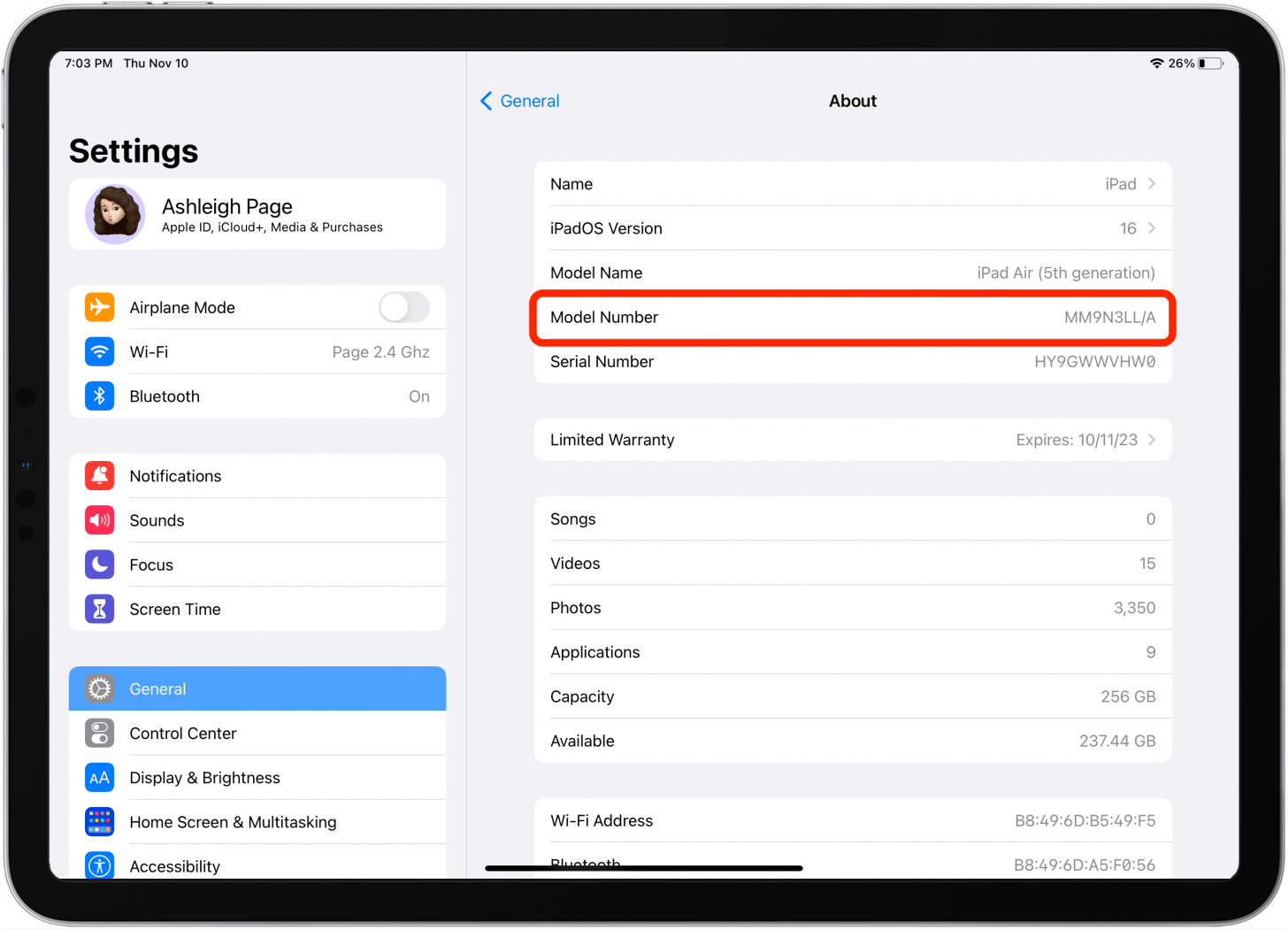
For any iPad that is functional and powered on, the “Settings” app is your primary resource. By navigating to Settings > General > About, you can find a wealth of information. The “Model Name” field will clearly state the marketing name of the device, such as “iPad Air (5th generation)” or “iPad Pro 12.9-inch (6th generation).”
However, the “Model Number” field is often more useful for technical troubleshooting. When you first look at this field, you might see a part number starting with “M” (e.g., MTXR2LL/A). This is the SKU (Stock Keeping Unit) which indicates the specific configuration, including storage capacity and color. By tapping on this number, it will toggle to show the actual model number, which starts with the letter “A” followed by four digits (e.g., A1876). This “A-series” number is the universal identifier for the hardware chassis and generation.
Understanding the Significance of Model Numbers
The “A” model number is the Rosetta Stone of Apple hardware. Unlike marketing names, which can be repetitive, the model number distinguishes between Wi-Fi only and Wi-Fi + Cellular versions. This is crucial for users who need to know if their device supports GPS (which is exclusive to cellular models) or specific LTE/5G bands. In the tech world, referencing the “A” number ensures you are looking at the correct technical specifications on Apple’s support site or third-party diagnostic tools.
Physical Identification and Hardware Cues
There are instances where an iPad may not power on, or the screen may be damaged, making it impossible to access the Settings menu. In these cases, you must rely on the physical characteristics of the hardware.
Decoding the Rear Casing
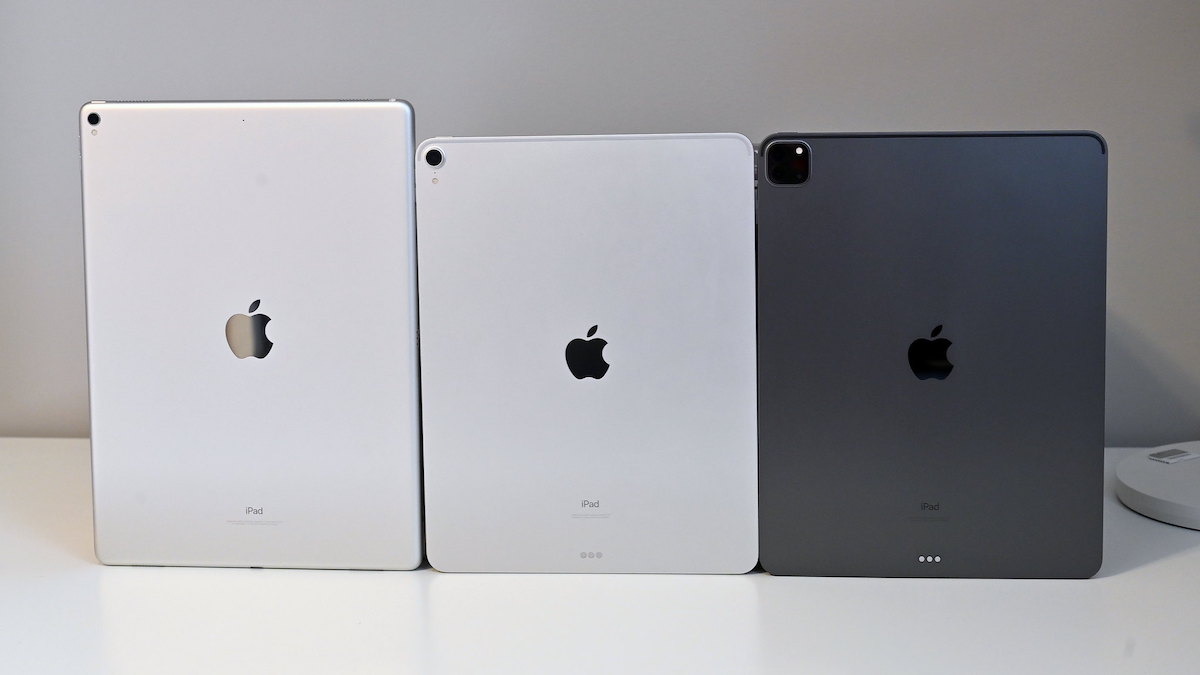
On older iPad models, the model number is laser-etched directly onto the aluminum back, near the bottom. You will see the word “Model” followed by the “AXXXX” identifier. On the most recent models (starting around 2020), Apple has moved away from printing this information on the chassis to maintain a minimalist aesthetic. If you have a newer iPad without text on the back, you will need to look at the packaging or use the software method mentioned above.
Distinguishing via Port Types and Biometrics
The evolution of iPad hardware can be tracked through its physical ports and biometric sensors.
- The Lightning vs. USB-C Divide: The transition from the proprietary Lightning port to the universal USB-C port is a major milestone. If your iPad uses USB-C, it is likely a Pro model (2018 or later), an Air (4th Gen or later), a Mini (6th Gen), or the 10th Gen standard iPad.
- Biometric Hardware: The presence of a physical Home Button with Touch ID indicates an older or entry-level model. iPads with slim, uniform bezels and no Home Button either utilize Face ID (iPad Pro) or have Touch ID integrated into the Top Power Button (iPad Air and Mini). Identifying these features helps narrow down the generation significantly.
Leveraging Serial Numbers and External Databases
If the physical model number is worn off and the device is locked, the Serial Number becomes the ultimate identifier.
Finding and Using the Serial Number
The serial number can be found in the same “About” menu as the model name, or it may be printed on the original packaging and the device’s back. For those in the tech-savvy community, Apple’s “Check Coverage” website is an invaluable tool. By entering the serial number, the site will return the official model name, the purchase date, and the remaining warranty status. This is the gold standard for verifying a device’s identity during a second-hand purchase.
Third-Party Diagnostic Tools
For power users and IT professionals managing a fleet of devices, software like iMazing or CoconutBattery (for Mac) can provide deep-level hardware insights. By connecting the iPad to a computer, these tools can extract the manufacture date, battery cycle count, and the specific SoC (System on a Chip) version, such as the M1, M2, or the A-series Bionic chips. Knowing the chip architecture is vital for developers and tech enthusiasts who want to know the device’s computational limits.
Why Identification is Critical in the Modern Tech Ecosystem
Identifying your iPad model is not just a technical exercise; it has real-world implications for how you interact with the Apple ecosystem.
Software Longevity and Security
Apple is known for long-term software support, but eventually, older hardware is cut off from the latest version of iPadOS. For example, knowing if you have an iPad (6th Gen) versus a (7th Gen) determines whether you can access the latest multitasking features or critical security patches. In an age of increasing digital threats, staying on supported hardware is a key component of personal digital security.
The Accessory Compatibility Matrix
Perhaps the most frustrating experience for a tablet user is purchasing an expensive accessory that doesn’t fit.
- Apple Pencil: There are now four different versions of the Apple Pencil (1st Gen, 2nd Gen, USB-C, and Pro). Each is compatible only with specific models. Using the wrong one is physically impossible or results in a lack of charging capabilities.
- Keyboards: The Magic Keyboard and Smart Keyboard Folio are precision-engineered for specific dimensions. A 12.9-inch iPad Pro from 2017 has completely different dimensions and connector pins (Smart Connector placement) than a 12.9-inch iPad Pro from 2022.
Assessing Performance Tiers: M-Series vs. A-Series
In recent years, Apple has migrated its iPad Pro and Air lines to the “M-series” silicon (the same chips found in MacBooks). This has created a massive performance gap between models. Identifying your model allows you to know if your device supports “Stage Manager”—Apple’s advanced windowed multitasking system—or “Apple Intelligence,” the upcoming suite of AI-driven features. If your iPad identifies as having an A-series chip, it may be relegated to more basic tasks, whereas an M-series iPad functions as a professional-grade workstation.
Conclusion: Technical Literacy and Device Management
The iPad has evolved from a simple media consumption device into a complex array of hardware tiers suited for students, artists, and engineers alike. Because the “iPad” name covers a decade of innovation, the ability to accurately identify your specific model is the foundation of effective device management.
Whether you are checking the “Settings” menu for an A-series model number, inspecting the charging port for USB-C compatibility, or running a serial number through Apple’s database, these steps empower you as a consumer. They ensure you buy the right accessories, receive the correct software updates, and understand the true value of the technology in your hands. In the modern tech landscape, knowing your hardware is the first step toward mastering it.
aViewFromTheCave is a participant in the Amazon Services LLC Associates Program, an affiliate advertising program designed to provide a means for sites to earn advertising fees by advertising and linking to Amazon.com. Amazon, the Amazon logo, AmazonSupply, and the AmazonSupply logo are trademarks of Amazon.com, Inc. or its affiliates. As an Amazon Associate we earn affiliate commissions from qualifying purchases.