
The phrase “tax season” often conjures images of complex forms, intimidating deadlines, and perhaps a touch of dread. For many, the instinct is to immediately seek out a professional accountant, assuming that navigating the intricacies of the tax code is beyond the capabilities of the average individual. However, with the right information, tools, and a structured approach, doing your own taxes can be a remarkably empowering and cost-effective endeavor. This guide aims to demystify the process, providing a clear roadmap for anyone looking to take control of their financial obligations and confidently file their own tax returns.
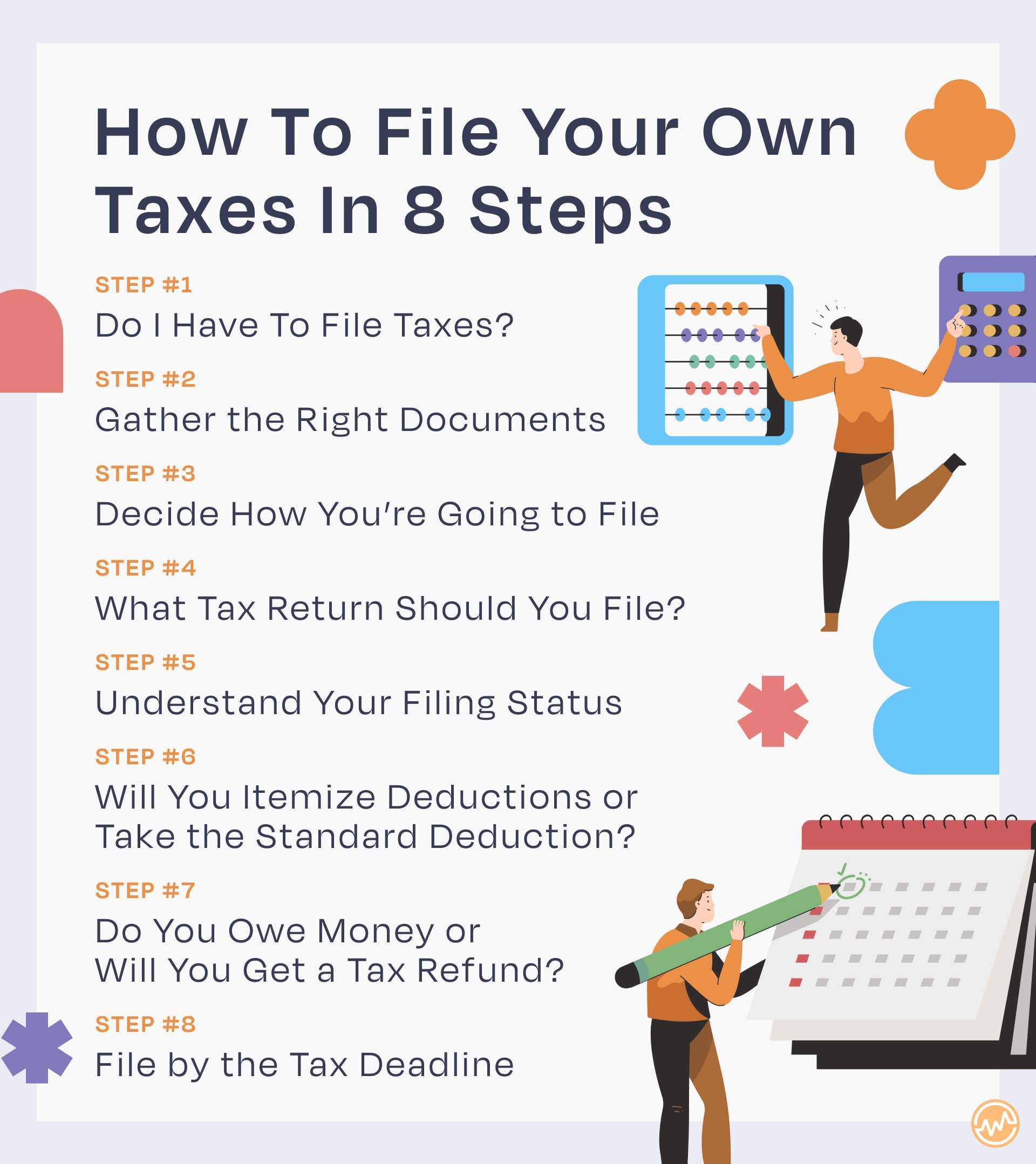
Taking on the responsibility of preparing your own taxes isn’t just about saving money on professional fees; it’s an opportunity to gain a deeper understanding of your financial landscape, identify potential savings, and ensure accuracy. Modern tax software and online resources have made DIY filing more accessible than ever, transforming what was once a daunting task into a manageable annual routine. By understanding the basics, choosing the right resources, and meticulously following the steps, you can successfully file your own taxes, often with greater insight into your personal finances.
1. Understanding the Basics: Why File Your Own Taxes?
Before diving into the mechanics, it’s crucial to grasp the fundamental reasons and advantages of preparing your own tax return. This foundational understanding will not only motivate you but also equip you with the initial knowledge needed to approach the task effectively.
The Benefits of DIY Tax Preparation
There are compelling reasons to consider filing your own taxes. The most obvious is cost savings. Professional tax preparers charge fees that can range from a few hundred to over a thousand dollars, depending on the complexity of your return. By doing it yourself, these savings go directly back into your pocket. Beyond the financial aspect, DIY tax filing offers an unparalleled opportunity for financial literacy. You become intimately familiar with your income sources, deductions, credits, and overall financial flow. This insight can lead to better financial planning throughout the year, identifying areas where you can save more, invest wisely, or reduce your tax liability in the future. Furthermore, it provides control and privacy. You are the sole custodian of your sensitive financial data, reducing the risk of data breaches associated with third-party handling. Finally, modern tax software simplifies the process considerably, often flagging potential errors and guiding you through complex sections with ease, making it a surprisingly efficient and straightforward process for many.
Key Information You’ll Need to Gather
Preparation is paramount when it comes to taxes. Before you even open a tax form or software, you need to collect all your relevant financial documents. This typically includes:
- Proof of Identity: Your Social Security number (SSN) or Individual Taxpayer Identification Number (ITIN) for yourself, your spouse, and any dependents.
- Income Statements: W-2 forms (from employers), 1099 forms (for freelance income, interest, dividends, retirement distributions, etc.), K-1 forms (from partnerships or S-corps).
- Deductions & Credits Documentation: Receipts for medical expenses, charitable contributions, student loan interest statements (1098-E), mortgage interest statements (1098), property tax records, child care expenses, education expenses (1098-T), and any other relevant documentation for itemized deductions or credits.
- Prior Year’s Tax Return: This is invaluable for reference, especially for carrying forward certain deductions or losses, and confirming your adjusted gross income (AGI).
Organizing these documents beforehand will streamline the entire filing process, preventing last-minute scrambles and ensuring you don’t miss out on any eligible deductions or credits.
Determining Your Filing Status
Your filing status is a critical first step as it determines your standard deduction amount, tax rates, and eligibility for certain credits. The IRS recognizes five main filing statuses:
- Single: Unmarried, divorced, or legally separated on December 31 of the tax year.
- Married Filing Jointly: Married and you and your spouse agree to file one return together.
- Married Filing Separately: Married but choose to file separate returns. This can sometimes be advantageous in specific situations.
- Head of Household: Unmarried and paid more than half the cost of keeping up a home for yourself and a qualifying person (usually a dependent) for more than half the year.
- Qualifying Widow(er) with Dependent Child: If your spouse died in one of the two previous tax years and you have a dependent child, you may be able to file as a qualifying widow(er) for those two years.
Choosing the correct filing status can significantly impact your tax liability, so it’s essential to select the one that accurately reflects your situation. Tax software will typically guide you through this determination with a series of questions.
2. Choosing the Right Tools for Self-Preparation
The landscape of DIY tax filing has evolved dramatically, offering a spectrum of tools designed to suit various needs and complexities. Selecting the right platform is key to a smooth and accurate filing experience.
Free vs. Paid Tax Software: What’s the Difference?
The primary distinction between free and paid tax software often boils down to complexity and support. Free tax software options are generally sufficient for individuals with straightforward tax situations – those with W-2 income, the standard deduction, and perhaps a few simple credits. These platforms aim to make basic filing accessible and usually cover federal and sometimes state returns at no cost. However, they may lack advanced features, comprehensive audit support, or the ability to handle more intricate financial scenarios like self-employment income, investments, or rental properties.
Paid tax software, on the other hand, is designed for individuals with more complex tax situations. It typically offers a broader range of forms, in-depth guidance for various income streams and deductions, year-round access to tax experts, and audit defense services. The tiered pricing structure often reflects the level of complexity and support offered. While they come with a fee, the investment can be worthwhile for ensuring accuracy and maximizing deductions in more elaborate financial circumstances.
Popular Online Tax Filing Platforms
Several robust online platforms dominate the DIY tax filing market, each with its strengths:
- TurboTax: Widely recognized for its user-friendly interface and step-by-step guidance, making it excellent for beginners. It offers various versions, from free for simple returns to premium versions for more complex situations, including self-employment and investments.
- H&R Block: Another industry leader, H&R Block provides comprehensive online software comparable to TurboTax, often with strong support options and a network of physical offices for in-person help if needed.
- FreeTaxUSA: As its name suggests, FreeTaxUSA offers free federal tax filing for all returns, regardless of complexity. It charges a modest fee for state returns. It’s an excellent value option for those comfortable with a slightly less polished interface than the top-tier paid options.
- TaxAct: Known for being more budget-friendly than TurboTax or H&R Block for similar features, TaxAct provides robust tools for various tax scenarios, including small businesses.
Each platform has unique advantages, so it’s wise to explore their offerings and pricing structures to find the best fit for your specific tax situation and comfort level.
The Role of IRS Free File
For eligible taxpayers, the IRS offers the IRS Free File program. This partnership between the IRS and leading tax software companies provides free federal tax preparation and e-filing for taxpayers whose Adjusted Gross Income (AGI) is below a certain threshold (which changes annually). Some Free File providers also offer free state tax filing. This program is an invaluable resource for millions of Americans, allowing them to use commercial software without charge. It’s important to access IRS Free File through the IRS website to ensure you are using the official program and not an offer from a commercial provider that might have hidden fees.
3. Navigating the Filing Process Step-by-Step
Once you’ve gathered your documents and chosen your software, the actual filing process becomes a guided journey. While specific software interfaces may differ, the general flow remains consistent.
Gathering Your Documentation (W-2s, 1099s, etc.)
As mentioned earlier, preparation is foundational. Before you even start clicking through the tax software, ensure all your critical documents are at hand. This includes:
- W-2 Forms: From your employer(s), showing wages, tips, and other compensation, along with withheld federal, state, and local taxes.
- 1099 Forms: These come in many varieties. Common ones include 1099-INT (interest income), 1099-DIV (dividend income), 1099-B (stock sales), 1099-G (unemployment compensation), 1099-R (retirement distributions), and 1099-NEC (nonemployee compensation for freelancers/contractors).
- Form 1095-A, B, or C: Health insurance coverage statements.
- Form 1098: Mortgage interest statement.
- Form 1098-E: Student loan interest statement.
- Form 1098-T: Tuition statement.
- Records of Charitable Contributions: For cash and non-cash donations.
- Records of Medical Expenses: If itemizing.
- Business Income/Expense Records: For self-employed individuals.
Having these documents neatly organized will prevent delays and ensure you accurately report all income and claim all eligible deductions.
Entering Income and Deductions
Most tax software employs a question-and-answer format to guide you through entering your financial data. You’ll typically start by inputting your personal information and filing status. Then, you’ll systematically enter your income details from your W-2s, 1099s, and any other sources. The software will prompt you for each type of income.
Following income, you’ll move on to deductions. You’ll generally be asked whether you want to take the standard deduction or itemize deductions. The software will calculate which option provides the greater tax benefit based on the information you provide. If itemizing, you’ll input details for things like medical expenses, state and local taxes, mortgage interest, and charitable contributions. It’s crucial to provide accurate figures, as these directly impact your taxable income.
Claiming Credits and Adjustments

Tax credits are particularly valuable because they directly reduce your tax liability dollar for dollar, unlike deductions which only reduce your taxable income. Common credits include:
- Child Tax Credit: For eligible children.
- Earned Income Tax Credit (EITC): For low to moderate-income individuals and families.
- Education Credits: Such as the American Opportunity Tax Credit or Lifetime Learning Credit.
- Child and Dependent Care Credit: For expenses paid for the care of a qualifying individual.
- Retirement Savings Contributions Credit (Saver’s Credit): For contributions to an IRA or employer-sponsored retirement plan.
The software will typically ask a series of questions to determine your eligibility for various credits. Similarly, it will guide you through any “adjustments to income” (sometimes called “above-the-line deductions”), such as contributions to a traditional IRA, student loan interest deduction, or self-employment tax deductions.
Reviewing for Accuracy and Avoiding Common Mistakes
Before you hit “file,” a thorough review is non-negotiable. Tax software is excellent at catching mathematical errors, but it can’t know if you’ve mistakenly entered a “0” instead of an “8” or missed an entire income statement.
- Cross-check: Compare the data entered into the software against your original documents (W-2s, 1099s, etc.).
- Review Summaries: Most software provides a summary of your return. Read through it carefully, paying attention to your income, deductions, credits, and the final tax liability or refund amount.
- Check Personal Information: Ensure your name, SSN, and filing status are correct for all individuals on the return.
- Bank Account Details: If you’re expecting a refund via direct deposit, double-check your bank account and routing numbers.
Common mistakes include incorrect Social Security numbers, math errors (less common with software but still possible with manual input), forgetting to report certain income, claiming ineligible deductions or credits, and selecting the wrong filing status. A careful review can prevent audits, delays, and potential penalties.
Electronic Filing vs. Mail
The vast majority of taxpayers now e-file their returns. Electronic filing is secure, faster, and reduces the chance of errors. You typically receive a confirmation from the IRS within 24-48 hours that your return has been accepted. Refunds for e-filed returns are also processed much more quickly, especially if you opt for direct deposit.
While less common, you can still mail a paper return. This method takes longer to process and poses a higher risk of delays or errors. If you choose to mail, ensure you sign the return, attach copies of all required forms (like W-2s), and send it to the correct IRS address, which varies by state. It’s always advisable to keep a copy of your mailed return for your records.
4. Beyond the Filing: What Happens Next?
Filing your return isn’t the absolute end of your tax journey. There are follow-up actions and responsibilities to keep in mind, whether you owe money or are due a refund.
Understanding Your Tax Refund or Amount Due
After submitting your return, the software will clearly indicate whether you are due a refund or if you owe additional taxes.
- Refunds: If you overpaid your taxes throughout the year (often through excessive withholding from your paycheck), the IRS will issue you a refund. E-filed returns with direct deposit typically see refunds processed within 21 days. You can track your refund status using the IRS’s “Where’s My Refund?” tool.
- Amount Due: If you underpaid your taxes, you will owe the IRS. It’s crucial to pay any amount due by the tax deadline (typically April 15th) to avoid penalties and interest.
Making Payments to the IRS
If you owe taxes, you have several options for payment:
- Direct Pay: The easiest and fastest way to pay directly from your checking or savings account. This can be done via the IRS website.
- Debit Card, Credit Card, or Digital Wallet: You can pay through third-party processors, though these usually involve a processing fee.
- Electronic Federal Tax Payment System (EFTPS): A free service from the Treasury Department. You must enroll in advance.
- Check or Money Order: Mailed with a payment voucher (Form 1040-V) to the IRS.
Even if you can’t pay the full amount due by the deadline, it’s essential to file your return on time. The “failure to file” penalty is often much higher than the “failure to pay” penalty. You can set up a payment plan or request an offer in compromise with the IRS if you’re experiencing financial hardship.
Record Keeping: How Long to Keep Your Tax Documents
Maintaining meticulous records is vital, even after you’ve filed. The IRS generally recommends keeping tax records for three years from the date you filed your original return or two years from the date you paid the tax, whichever is later. However, some situations warrant longer retention periods:
- Six Years: If you don’t report income that you should have, and it’s more than 25% of the gross income shown on your return.
- Seven Years: For worthless securities or bad debt deductions.
- Indefinitely: For records related to property (like purchase and sale agreements, improvement records) to calculate basis when you sell it. Also, keep copies of your filed tax returns indefinitely.
Store your records securely, whether digitally or physically. This ensures you’re prepared in case of an audit or if you need to reference past information for future financial planning.
5. When to Seek Professional Help
While DIY tax filing is accessible for many, there are scenarios where the complexity of your financial situation warrants the expertise of a tax professional. Recognizing these boundaries is a sign of financial prudence.
Complex Financial Situations
If your financial life involves intricate elements beyond basic W-2 income and standard deductions, a professional can be invaluable. This includes:
- Significant investment activity: Frequent stock trades, complex capital gains/losses, or foreign investments.
- Rental properties: Especially with multiple properties, depreciation, and passive activity rules.
- Foreign income or assets: Reporting requirements for international income can be complex and carry significant penalties for non-compliance.
- Estate or trust income: These often involve specialized tax rules.
- Major life changes: Such as marriage, divorce, or the death of a spouse, which can dramatically alter your tax situation and necessitate careful planning.
In these cases, a tax professional can ensure compliance, identify obscure deductions or credits, and help with long-term tax planning that software might not fully address.
Business Income and Expenses
If you are a freelancer, independent contractor, small business owner, or have significant self-employment income, your tax situation becomes considerably more complex. You’ll need to report all income and meticulously track and deduct business expenses, understand self-employment taxes, and potentially make estimated tax payments throughout the year.
- Sole Proprietorships/LLCs: Filing Schedule C (Profit or Loss From Business) can be detailed.
- Partnerships/S-Corps: These require separate business returns (Form 1065 or 1120-S), which then generate K-1s for the owners, making personal returns more complicated.
- Home Office Deductions, Vehicle Expenses, Depreciation: These areas have specific rules and calculations that can be challenging to navigate without professional guidance.
A professional can help ensure you’re claiming all legitimate business deductions, avoiding red flags with the IRS, and setting up appropriate accounting practices.
State Tax Considerations
While federal taxes are often the primary focus, state taxes can add another layer of complexity. If you’ve moved between states, worked in multiple states, or have income from different states, state tax filings can become intricate. Some states have income tax, others do not, and their rules for residency, deductions, and credits vary widely. A tax professional who understands multi-state tax laws can prevent errors and ensure you’re compliant in all relevant jurisdictions.

Understanding the Cost of Professional Services
When considering a tax professional, it’s important to understand the associated costs and weigh them against the benefits. Fees can vary based on the complexity of your return, the professional’s experience, and your geographic location.
- Enrolled Agents (EAs): Federally licensed tax practitioners who specialize in taxation and have unlimited practice rights before the IRS.
- Certified Public Accountants (CPAs): Licensed by individual states, CPAs offer a broad range of accounting services, including tax preparation.
- Tax Attorneys: Lawyers specializing in tax law, often engaged for complex tax planning, audits, or disputes.
When hiring a professional, ask about their fees upfront, their experience with situations similar to yours, and what support they offer (e.g., audit assistance). A good professional will not only prepare your taxes but also offer advice for optimizing your tax situation in the future.
In conclusion, doing your own taxes is a highly achievable goal for many, offering significant financial and educational benefits. By understanding the foundational principles, leveraging the right software, and diligently following each step, you can confidently navigate tax season. However, for those with complex financial lives, recognizing when to call in a professional ensures accuracy, compliance, and peace of mind, ultimately supporting your overall financial well-being.
aViewFromTheCave is a participant in the Amazon Services LLC Associates Program, an affiliate advertising program designed to provide a means for sites to earn advertising fees by advertising and linking to Amazon.com. Amazon, the Amazon logo, AmazonSupply, and the AmazonSupply logo are trademarks of Amazon.com, Inc. or its affiliates. As an Amazon Associate we earn affiliate commissions from qualifying purchases.