
The era of monolithic cable packages and rigid viewing schedules is rapidly fading. Today, a vast and vibrant ecosystem of technological solutions empowers consumers to watch live television content without the constraints and often prohibitive costs of traditional cable subscriptions. This guide delves into the core technologies and platforms that make cord-cutting not just a possibility, but a superior viewing experience for millions. From robust internet infrastructure to sophisticated streaming devices and innovative over-the-air solutions, understanding these technological underpinnings is key to unlocking a world of flexible, personalized live TV.
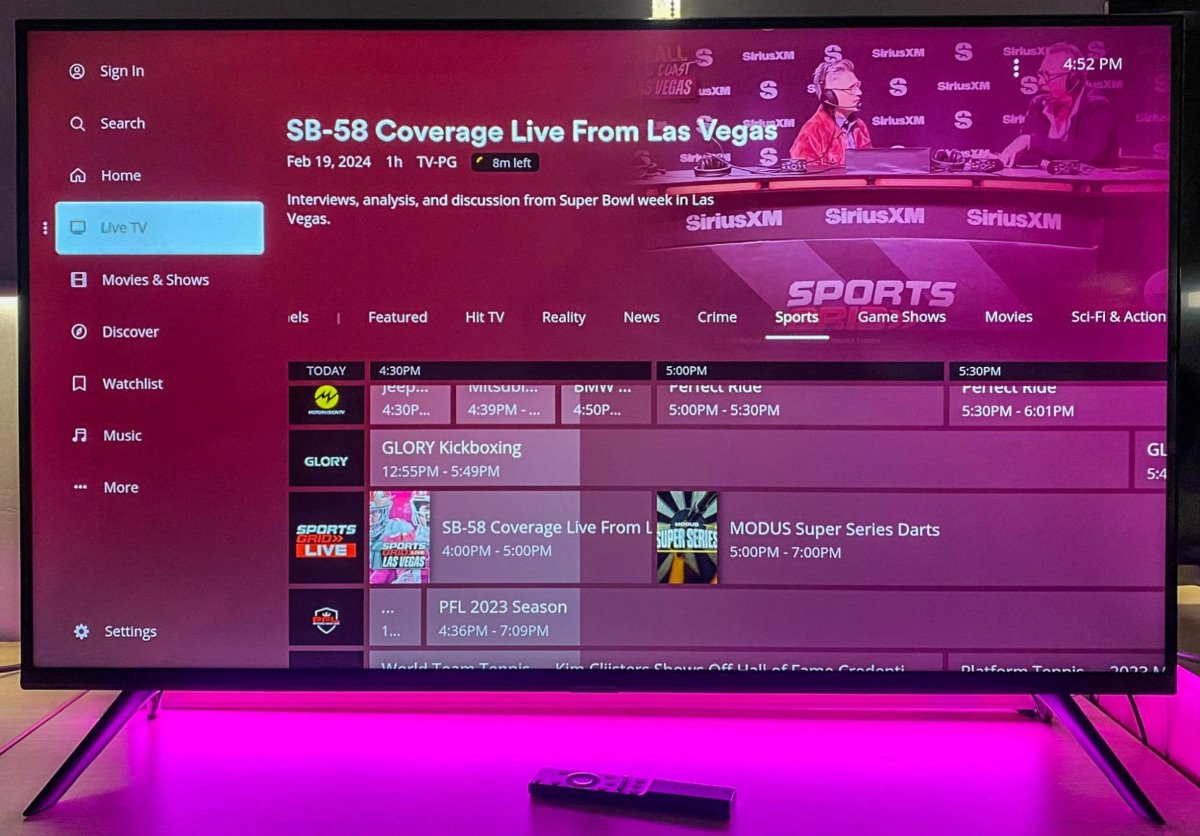
The Core Technologies Behind Cord-Cutting
At the heart of the cord-cutting revolution lies a confluence of technological advancements. Moving beyond traditional coaxial cables, modern live TV without cable relies heavily on digital data transmission, powerful processing devices, and intuitive software interfaces. Grasping these foundational elements is crucial for anyone looking to make a seamless transition.
Internet Connectivity: The Unsung Hero
The bedrock of virtually all non-cable live TV experiences is a robust and reliable internet connection. Unlike traditional cable, where content is delivered via dedicated TV lines, streaming relies entirely on your internet bandwidth to transport video data from a server to your device.
High-speed internet is paramount. For standard definition (SD) streaming, a minimum of 3-5 Mbps is generally sufficient, but for high-definition (HD) content, especially 1080p, 15-25 Mbps per stream is recommended. For ultra-high definition (UHD) or 4K content, which is becoming increasingly common, speeds of 25-50 Mbps or more are often required. These figures are per active stream, meaning if multiple family members are streaming concurrently, your total bandwidth needs will multiply.
Several types of internet connections can support cord-cutting. Fiber optic internet offers the fastest and most reliable speeds, making it ideal. Cable internet, typically delivered via the same coaxial lines once used for traditional TV, also provides excellent speeds for streaming. DSL, while generally slower, can still suffice for single-stream HD viewing if higher speeds aren’t available. Emerging technologies like 5G home internet are also becoming viable options, offering wireless broadband speeds competitive with wired solutions in many areas. Beyond raw speed, stability and low latency are critical to prevent buffering and ensure a smooth, uninterrupted viewing experience. A strong Wi-Fi network, often requiring a modern router, is equally important to distribute that bandwidth effectively to all your streaming devices.
Streaming Devices: Your Gateway to Content
Once you have a solid internet connection, a dedicated streaming device acts as your intermediary, translating internet data into watchable television on your display. While many modern smart TVs come with built-in streaming capabilities, dedicated devices often offer a more streamlined experience, faster processing, and broader app support.
Smart TVs: Many newer televisions from brands like Samsung, LG, Sony, and TCL come equipped with integrated smart platforms (e.g., Tizen, webOS, Android TV, Roku TV). These allow you to download streaming apps directly, often negating the need for an external device. However, their processing power and software updates might lag behind dedicated streamers over time.
Streaming Sticks & Boxes: These are the workhorses of the cord-cutting world.
- Roku devices (Express, Streaming Stick, Ultra) are renowned for their user-friendly interface and vast app ecosystem.
- Amazon Fire TV devices (Stick Lite, Fire TV Stick 4K, Fire TV Cube) integrate deeply with Amazon’s services and offer Alexa voice control.
- Google Chromecast devices (Chromecast with Google TV) excel at casting content from mobile devices and offer a robust Android TV interface.
- Apple TV (HD, 4K) provides a premium experience for those in the Apple ecosystem, with excellent performance and integration.
- NVIDIA Shield TV is a powerful Android TV box, favored by enthusiasts for its gaming capabilities, robust media server functions, and AI upscaling.
When choosing a device, consider factors such as 4K HDR support for future-proofing, voice control integration for convenience, the breadth of its app store, and overall user interface responsiveness. Many modern gaming consoles like the PlayStation 5 and Xbox Series X|S also double as capable streaming hubs, supporting most major live TV streaming apps.
Navigating the Landscape of Live TV Streaming Services
With the underlying technology in place, the next step is to choose the services that deliver the live content you desire. The market has evolved significantly, offering both comprehensive subscription packages and a growing array of free, ad-supported options.
Subscription-Based Live TV Streamers (vMVPDs)
Virtual Multichannel Video Programming Distributors (vMVPDs) are the closest analogues to traditional cable, offering bundles of live linear channels streamed over the internet. They typically include major network affiliates (ABC, CBS, NBC, FOX, PBS) and popular cable channels (ESPN, CNN, HGTV, AMC, etc.), though specific lineups vary by service and your geographic location.
- YouTube TV: Offers a robust channel lineup, unlimited cloud DVR storage (recordings kept for nine months), and an excellent user interface. It’s often praised for its sports coverage and family sharing options.
- Hulu + Live TV: Combines Hulu’s extensive on-demand library with a strong selection of live channels, including Disney+ and ESPN+ in many bundles. Its DVR capabilities are competitive, though often with storage limits unless upgraded.
- Sling TV: Known for its à la carte channel packages (Orange and Blue), Sling TV is a budget-friendly option for those seeking a more curated channel selection. Its DVR comes with limitations unless an add-on is purchased.
- FuboTV: Heavily focused on sports, FuboTV offers an extensive range of sports channels alongside general entertainment, news, and family programming. It also provides a generous cloud DVR and multiple simultaneous streams.
- DirecTV Stream: Offers various packages with a wide array of channels, including regional sports networks, which can be a key differentiator for some users. It also provides cloud DVR functionality.
When evaluating vMVPDs, compare channel lineups against your must-have channels, assess DVR capabilities and storage limits, check the number of simultaneous streams allowed, and scrutinize pricing models, which can include various tiers and add-ons. Most offer free trials, which are invaluable for testing the service’s interface, reliability, and channel selection on your specific devices.
Free Live TV Streaming Options (FAST Services)
For those looking to supplement their viewing or minimize costs, Free Ad-supported Streaming TV (FAST) services have emerged as a significant player. These platforms offer a wealth of live, linear channels (often curated around specific genres like news, movies, classic TV, or niche sports) and on-demand content, all supported by advertisements.
- Pluto TV: One of the pioneers in the FAST space, Pluto TV offers hundreds of channels ranging from news and movies to reality TV and specific genre channels. It has a traditional channel guide interface.
- Tubi: While primarily known for its on-demand library, Tubi also features a growing selection of live linear channels across various categories.
- The Roku Channel: Available on Roku devices and other platforms, it combines free on-demand movies and TV with a growing lineup of live channels.
- Plex (with live TV): While Plex is primarily a media server, its free tier includes access to a wide array of live TV channels. If paired with an antenna and tuner, it can also integrate your local over-the-air broadcasts.
FAST services are an excellent way to discover new content or catch up on news and entertainment without adding to your monthly subscription bills. While they might not offer the latest blockbusters or live sports from major leagues, their growing content libraries make them valuable components of a diversified cord-cutting strategy.
Over-the-Air (OTA) TV: The Original Cord-Cutting Method
Before the internet streaming boom, the original method for watching TV without cable was a simple antenna. In the digital age, this method remains incredibly relevant and, surprisingly, offers some of the highest quality broadcasts available.
Digital Antennas: A Local Treasure Trove
Digital Over-the-Air (OTA) television leverages the Advanced Television Systems Committee (ATSC) standard to broadcast free, high-definition signals directly to your home. With a simple digital antenna, you can receive major network channels like ABC, CBS, NBC, FOX, PBS, The CW, and Telemundo, often in crystal-clear HD, sometimes even in 1080i or 720p, depending on the broadcast. These signals often surpass the video quality offered by some cable or satellite providers, as they are uncompressed or less compressed than streamed versions.
Antennas come in various forms:
- Indoor Antennas: Often flat, thin designs that can be affixed to a window or wall, ideal for urban or suburban areas close to broadcast towers.
- Outdoor Antennas: Larger, more powerful antennas mounted on a roof or mast, necessary for rural areas or those further from broadcast signals.
- Amplified Antennas: Include a signal booster to help pull in weaker signals, useful in areas with moderate reception.
Setting up an antenna typically involves connecting it to your TV’s “Antenna In” port and then performing a channel scan in your TV’s settings. Websites like AntennaWeb.org or the FCC’s DTV Reception Maps can help you determine which channels are available in your area and what type of antenna you might need.
DVR Solutions for OTA Content
For those who want the flexibility to record live broadcasts, pause, or rewind, integrating a Digital Video Recorder (DVR) with your OTA antenna is a game-changer. These devices combine the free content of OTA with the convenience of modern TV watching.
- Standalone DVRs: Devices like TiVo offer robust DVR functionality for OTA channels, allowing you to record multiple shows simultaneously, create season passes, and even stream recordings to other devices in your home network.
- Network-Attached Tuners & DVRs: Products like Tablo and HDHomeRun Connect/Quatro attach to your home network rather than directly to your TV. They have built-in tuners that receive OTA signals, and then stream those live or recorded broadcasts to any compatible device on your network (smart TVs, phones, tablets, streaming boxes) via an app. Many also offer cloud DVR subscriptions for expanded storage and features.
These solutions bridge the gap between free OTA content and the expectation of time-shifted viewing, offering a truly modern cord-cutting experience without monthly channel fees.
Advanced Tech for Enhanced Live TV Without Cable
Beyond the core services and devices, several advanced technological tools can further enhance your live TV experience, offering greater flexibility, privacy, and control over your content.
VPNs for Geo-unblocking and Privacy
A Virtual Private Network (VPN) encrypts your internet connection and routes it through a server in a location of your choice. While primarily used for privacy and security, VPNs can also be employed to bypass geo-restrictions on streaming content. For example, if a specific live sports event is only available through a streaming service in another country, a VPN might allow you to access it by making it appear as if you are browsing from that region.
It’s important to note that using a VPN with streaming services often falls into a grey area regarding their terms of service, and many services actively try to block VPN usage. However, for personal privacy while streaming and accessing content lawfully available to you, a VPN is a powerful tool. When selecting a VPN for streaming, prioritize services with high speeds, a large number of server locations, and a strong track record of bypassing geo-restrictions, if that is your primary use case.
Home Media Servers & Plex
For the tech-savvy cord-cutter, setting up a home media server, often powered by software like Plex Media Server, can centralize all your entertainment. A Plex server runs on a computer (Windows, macOS, Linux, or a dedicated NAS device) and can organize your personal collection of movies, TV shows, music, and photos.
Where it becomes relevant for live TV without cable is its ability to integrate with OTA antennas and tuners. By combining a digital antenna with a compatible tuner (like an HDHomeRun) and a Plex Pass subscription, you can not only watch live OTA TV through your Plex interface but also record shows using Plex’s DVR functionality. This creates a unified platform where your personal media library and live TV content are accessible from any device running the Plex app, whether inside your home network or remotely over the internet. This setup offers unparalleled control and customization for your entire media consumption.
Setting Up Your Cord-Cutting Ecosystem: A Technical Walkthrough
Transitioning from cable to a fully digital, streaming-centric live TV experience requires a thoughtful approach to ensure all components work seamlessly. It’s not just about subscribing to a service; it’s about building a personalized tech ecosystem.
Assessing Your Needs and Current Setup
Before making any purchases or subscriptions, take stock of your requirements and existing tech.
- Internet Speed: Run speed tests (e.g., speedtest.net) to verify your actual download and upload speeds. Ensure they meet or exceed the recommendations for HD/4K streaming, especially if multiple users will be streaming simultaneously.
- Smart TV Capabilities: If you have a smart TV, check its operating system (Roku TV, Android TV, Tizen, webOS) and its ability to run the apps for the streaming services you’re considering. Older smart TVs might be sluggish or lack support for newer apps.
- Current Devices: Identify any existing streaming sticks, gaming consoles, or media players you already own that could be repurposed.
- Budget: Determine a realistic budget for any new hardware (streaming devices, antenna, DVR) and for ongoing monthly subscriptions. Remember that the goal is often to save money compared to cable.
- Must-Have Channels/Content: Make a list of the absolute must-have live channels, sports teams, or specific shows you cannot live without. This will guide your choice of vMVPDs and inform whether OTA is a viable option for local channels.
Step-by-Step Implementation
Once you’ve made your choices, the setup process is typically straightforward, focusing on connectivity and configuration.
- Optimize Internet and Wi-Fi: Ensure your router is up-to-date and strategically placed for optimal Wi-Fi coverage where your streaming devices are located. Consider using Ethernet cables for stationary devices like smart TVs or main streaming boxes for the most reliable connection.
- Connect Streaming Devices: Plug in your chosen streaming stick or box to an HDMI port on your TV. Power it on and follow the on-screen prompts for initial setup, including connecting to your Wi-Fi network and logging in with your chosen accounts (Google, Amazon, Roku, Apple).
- Install and Configure Streaming Apps: Navigate to the device’s app store and download the apps for your chosen vMVPDs (e.g., YouTube TV, Hulu + Live TV) and any free services (Pluto TV, Tubi). Log into each app using your subscription credentials.
- Antenna Installation and Channel Scanning (if applicable): If you’ve opted for OTA, connect your digital antenna to your TV’s antenna input. Go into your TV’s settings, find the “Channel Scan” or “Auto Program” option, and let it scan for available over-the-air channels. Experiment with antenna placement for the best reception.
- Integrate DVR Solutions (if applicable): If using an OTA DVR like Tablo or TiVo, follow its specific setup instructions, which usually involve connecting the antenna to the DVR, the DVR to your TV (or network), and then scanning for channels through the DVR’s interface.
- Test and Troubleshoot: Play content from various apps and channels. Check for buffering, picture quality, and audio synchronization. If issues arise, troubleshoot your internet connection, try restarting devices, or check for app updates.
By systematically approaching each component, you can build a robust and reliable cord-cutting ecosystem tailored precisely to your viewing habits and technical comfort level.

Conclusion
Watching live TV without cable is no longer a niche activity for tech enthusiasts; it’s a mainstream reality driven by powerful technological innovations. From the foundational requirement of high-speed internet to the diverse array of streaming devices that bring content to your screen, the possibilities are vast. Subscription-based vMVPDs offer comprehensive channel lineups, while free FAST services provide valuable supplementary content. Furthermore, the reliable and high-quality broadcasts of over-the-air digital television, enhanced by modern DVR solutions, remain a cornerstone of true cord-cutting freedom.
Embracing this technological shift grants unparalleled flexibility, allowing you to curate your channel lineup, enjoy content on your schedule, and potentially achieve significant cost savings. The key to a successful transition lies in understanding the available technologies, selecting the right mix of services and hardware, and confidently setting up your personalized live TV ecosystem. The future of television is here, and it’s entirely within your control, powered by the marvels of modern tech.
aViewFromTheCave is a participant in the Amazon Services LLC Associates Program, an affiliate advertising program designed to provide a means for sites to earn advertising fees by advertising and linking to Amazon.com. Amazon, the Amazon logo, AmazonSupply, and the AmazonSupply logo are trademarks of Amazon.com, Inc. or its affiliates. As an Amazon Associate we earn affiliate commissions from qualifying purchases.