
Chromebooks stand out in the laptop market as a distinct category, primarily defined by the unique operating system they run: Chrome OS. Unlike the ubiquitous Windows and macOS that power the vast majority of personal computers, Chrome OS offers a fundamentally different approach to computing, prioritizing simplicity, speed, security, and cloud integration. Understanding Chrome OS is key to grasping the essence and appeal of a Chromebook.
Chrome OS: The Heart of Every Chromebook
At its core, Chrome OS is Google’s Linux-based operating system, meticulously designed from the ground up to deliver a fast, secure, and user-friendly computing experience. It represents a departure from traditional desktop operating systems, focusing heavily on web applications and cloud services.

A Linux Foundation, Google’s Vision
Chrome OS is built upon a solid open-source foundation, utilizing the Linux kernel, specifically a customized version of Gentoo Linux. This choice provides the stability, security, and flexibility inherent to Linux, allowing Google to tailor the OS for its specific vision. However, unlike general-purpose Linux distributions, Chrome OS abstracts away much of the underlying complexity, presenting users with a highly simplified interface dominated by the Google Chrome web browser. This integration means that while powerful Linux underpinnings exist, the average user primarily interacts with a streamlined environment optimized for web-based tasks. The minimalist design ensures a small footprint, contributing significantly to Chrome OS’s renowned speed and efficiency, enabling it to run smoothly even on hardware that might struggle with more demanding operating systems.
Cloud-Centric Design Philosophy
The defining characteristic of Chrome OS is its cloud-centric philosophy. From the moment a user logs in with their Google account, the entire experience is geared towards leveraging Google’s extensive suite of web services. Applications are primarily web-based, data storage largely defaults to Google Drive, and synchronization across devices is seamless through the cloud. This approach means that a significant portion of the computing power and data storage resides remotely on Google’s servers, rather than solely on the local machine. This design has several profound implications: it enhances accessibility, allowing users to access their files and settings from any Chromebook; it simplifies device backup and restoration; and it inherently supports collaborative work through Google Workspace applications. The reliance on the cloud also plays a pivotal role in the OS’s security model and its ability to maintain high performance over time.
Key Features and User Experience
The unique architecture of Chrome OS translates into a distinct set of features and a particular user experience that differentiates it from other operating systems.
Simplicity and Speed
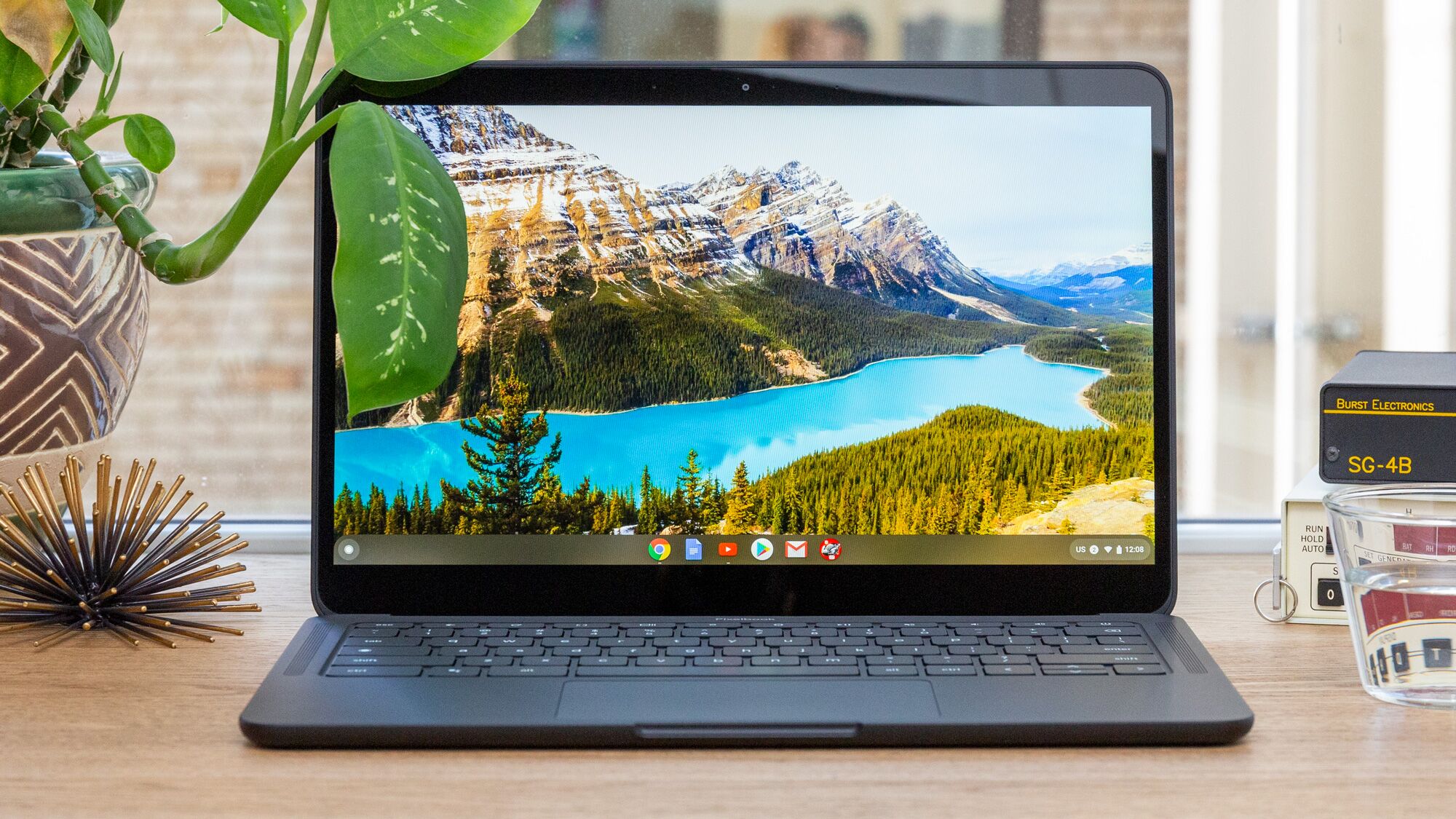
One of the most praised aspects of Chrome OS is its unparalleled simplicity and speed. Chromebooks are known for their incredibly fast boot times, often ready to use in a matter of seconds. This responsiveness is a direct result of the lightweight nature of the OS, which minimizes unnecessary background processes and focuses on quickly loading the core components. The user interface itself is minimalistic, centered around the Chrome browser, with a simple taskbar (called the Shelf) and an app launcher. This uncluttered design reduces cognitive load and makes the system incredibly intuitive, even for those new to computing. Tasks like browsing the web, checking email, or using word processors feel instantaneous, contributing to a fluid and frustration-free experience.
Robust Security Measures
Security is a cornerstone of the Chrome OS design, making it one of the most secure consumer operating systems available. Google has implemented a multi-layered security approach that proactively protects users from malware, viruses, and other online threats.
- Verified Boot: Every time a Chromebook starts, it performs a self-check (verified boot) to ensure that the operating system hasn’t been tampered with. If any unauthorized changes are detected, the system automatically repairs itself.
- Sandboxing: Each web page and application runs in its own isolated environment (sandbox). This prevents malicious code from one tab or app from affecting other parts of the system or accessing sensitive user data.
- Automatic Updates: Chrome OS automatically updates itself in the background, ensuring users always have the latest security patches and features without needing to manually intervene or restart the device at inconvenient times. This “always up-to-date” model significantly reduces vulnerability windows.
- Encryption: User data stored locally on a Chromebook is encrypted, providing an additional layer of protection in case the device is lost or stolen.
These features, combined with the OS’s inherent cloud reliance, mean that Chromebooks are largely immune to many of the traditional threats that plague Windows and macOS devices, offering users a significantly more secure computing environment.
App Ecosystem: Web, Android, and Linux
While initially focused solely on web applications, the Chrome OS app ecosystem has expanded dramatically, offering users a much broader range of software options.
- Web Applications: The core of the experience remains web apps, including Google Workspace (Docs, Sheets, Slides, Gmail, Calendar), streaming services (Netflix, Spotify), and countless other browser-based tools.
- Android Applications: A significant enhancement came with the integration of the Google Play Store, allowing Chromebooks to run millions of Android apps. This bridges the gap for many users, providing access to popular mobile games, productivity tools, and entertainment apps that might not have direct web equivalents.
- Linux Applications: For more advanced users and developers, Chrome OS also supports running full-fledged Linux applications through a feature called Crostini. This creates a secure, sandboxed Linux environment within Chrome OS, enabling access to powerful desktop software like GIMP, Visual Studio Code, or LibreOffice, significantly expanding the device’s utility beyond web and Android apps.

This hybrid approach makes Chromebooks incredibly versatile, capable of handling a wide array of tasks from simple web browsing and media consumption to more demanding productivity and development work.
Automatic Updates and Seamless Maintenance
One of the most user-friendly aspects of Chrome OS is its hands-off approach to system maintenance. Updates are downloaded and installed automatically in the background, typically requiring only a quick restart to apply them. This split update system downloads the new OS version to a hidden partition while the user continues working on the old one. Once downloaded, the user is prompted to restart, and the system switches to the new, updated partition almost instantly. This process ensures that Chromebooks always run the latest, most secure, and feature-rich version of the OS without any effort from the user. There’s no complex software to install, no defragmenting hard drives, and virtually no traditional “maintenance” required, allowing users to focus purely on their tasks.
Differentiating Chrome OS from Windows and macOS
Comparing Chrome OS with its more established counterparts, Windows and macOS, highlights the fundamental differences in their design philosophies and target audiences.
Resource Footprint and Hardware Requirements
Chrome OS is famously lightweight, designed to run efficiently on modest hardware specifications. This minimalist approach means Chromebooks can offer impressive performance with less powerful processors, smaller amounts of RAM, and often eMMC flash storage rather than traditional SSDs. The result is devices that are typically more affordable, have longer battery lives, and generate less heat. In contrast, Windows and macOS are robust operating systems built to support a vast array of legacy software and hardware configurations, demanding more powerful processors, ample RAM, and faster storage solutions to deliver optimal performance. This difference directly impacts the entry price point and the overall cost of ownership.
Software Availability and Compatibility
The primary distinction lies in software compatibility. Windows and macOS are the traditional homes for powerful, resource-intensive desktop applications like Adobe Creative Suite, AutoCAD, specialized engineering software, and high-end gaming. While Chrome OS has expanded its app ecosystem, it primarily excels with web-based, Android, and increasingly Linux applications. Users who absolutely require specific Windows or macOS-exclusive software for professional tasks may find Chromebooks limiting, even with Linux app support. However, for the vast majority of daily tasks—browsing, email, document creation, video conferencing, and even photo editing—Chrome OS offers more than sufficient tools, often through web alternatives or Android apps.
Cost-Effectiveness and Target Audience
Chromebooks typically represent a more cost-effective computing solution. Their lower hardware requirements translate into lower retail prices, making them highly accessible to students, schools, and individuals seeking an affordable, reliable device for everyday use. The simplified maintenance, robust security, and seamless integration with Google services also make them an ideal choice for educational institutions and businesses looking for easy-to-manage fleets of devices. Windows and macOS devices, while offering a broader software ecosystem and often more powerful hardware, generally command higher price points and cater to a broader spectrum of users, from casual consumers to creative professionals and enterprise power users requiring specialized software.
The Evolution and Future of Chrome OS
Chrome OS has come a long way since its debut, continually evolving beyond its initial perception as “just a browser.” Its future appears bright, with Google consistently investing in new features and capabilities.
Expanding Beyond Simple Browsing
Early Chromebooks were indeed glorified web browsers, perfectly suited for basic internet tasks. However, over the years, Chrome OS has matured significantly. The introduction of Android app support was a game-changer, transforming Chromebooks into versatile media consumption and productivity devices. The ability to run Linux applications further cemented its position as a legitimate alternative for a broader range of users, including developers and those needing more traditional desktop software. Features like virtual desktops, enhanced external display support, and improved file management have all contributed to a more robust, desktop-like experience, enabling users to tackle more complex workflows.
Enhanced Productivity and Enterprise Adoption
Google continues to refine Chrome OS for productivity and enterprise environments. The seamless integration with Google Workspace (formerly G Suite) makes Chromebooks powerful collaboration tools. Features like Phone Hub, which allows users to control aspects of their Android phone directly from their Chromebook, and improved clipboard sharing, enhance workflow efficiency. For businesses, Chrome Enterprise upgrades provide advanced management capabilities, security features, and dedicated support, making Chromebooks increasingly viable for corporate deployments. The focus on easy management, strong security, and low total cost of ownership resonates strongly with IT departments.
Integration with the Google Ecosystem
The true power and future direction of Chrome OS lie in its ever-deepening integration with the broader Google ecosystem. For users already invested in Google services—from Android phones and Google Photos to Google Maps and Google Home devices—a Chromebook offers an unparalleled level of synergy. This interconnectedness provides a cohesive and intuitive user experience, where data and settings flow effortlessly between devices, further enhancing convenience and productivity. As Google continues to build out its ecosystem, Chrome OS is poised to remain a central pillar, offering a secure, efficient, and cloud-first computing experience for millions.
aViewFromTheCave is a participant in the Amazon Services LLC Associates Program, an affiliate advertising program designed to provide a means for sites to earn advertising fees by advertising and linking to Amazon.com. Amazon, the Amazon logo, AmazonSupply, and the AmazonSupply logo are trademarks of Amazon.com, Inc. or its affiliates. As an Amazon Associate we earn affiliate commissions from qualifying purchases.