
In the intricate world of computer networking, countless protocols work tirelessly behind the scenes to ensure seamless communication. Among the most fundamental and ubiquitous of these is DHCP, or Dynamic Host Configuration Protocol. For anyone connecting a device to a network—whether it’s a smartphone to Wi-Fi, a laptop to an office LAN, or a smart appliance to a home router—DHCP is the unsung hero that makes it all possible without requiring manual configuration. Understanding DHCP is crucial for grasping how modern networks operate and for troubleshooting common connectivity issues.
Understanding DHCP: The Backbone of Network Connectivity
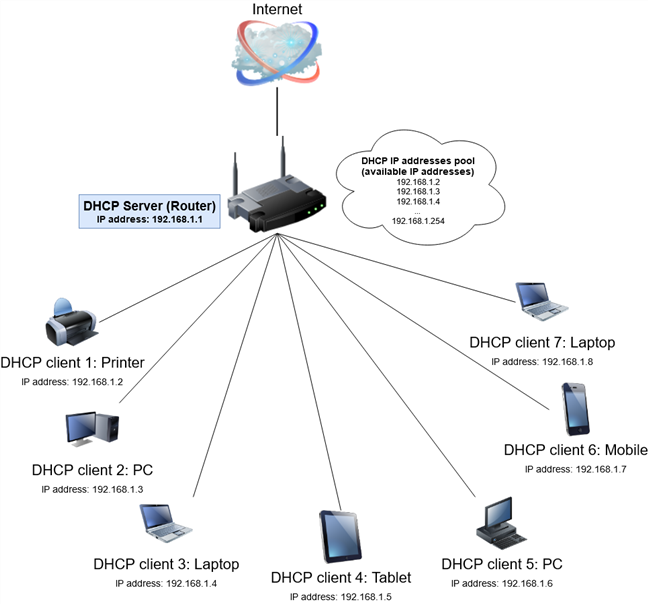
At its core, DHCP is a network management protocol used on Internet Protocol (IP) networks for dynamically distributing network configuration parameters, such as IP addresses, to devices connected to the network. Without DHCP, every device would require a static, manually assigned IP address and other critical network settings, leading to significant administrative overhead and potential errors. DHCP automates this critical process, allowing devices to obtain the necessary configuration automatically, thereby simplifying network administration and improving overall efficiency.
The Problem DHCP Solves: IP Address Management
Every device that connects to an IP network, from servers to laptops to IoT sensors, needs a unique identifier known as an IP address. An IP address serves a similar function to a street address, allowing data packets to be routed to the correct destination within a network or across the internet. There are two primary versions of IP addresses in use today: IPv4 (e.g., 192.168.1.1) and IPv6 (e.g., 2001:0db8:85a3:0000:0000:8a2e:0370:7334).
Before DHCP became widely adopted, network administrators had to manually assign and track IP addresses for every single device. In a small network with a handful of computers, this might be manageable. However, imagine an office building with hundreds or thousands of devices, including desktops, laptops, printers, IP phones, and guest devices. Manually configuring each device is not only incredibly time-consuming but also highly prone to errors. Typographical mistakes could lead to incorrect addresses, and accidentally assigning the same IP address to two different devices would cause an “IP address conflict,” making both devices unable to communicate effectively on the network. DHCP eliminates these manual headaches by providing an automated, centralized, and error-free method for managing IP addresses and other network parameters.
How DHCP Dynamically Assigns IP Addresses
The process by which DHCP assigns IP addresses and other configuration details to network devices is often referred to as the DORA process, an acronym for Discovery, Offer, Request, and Acknowledge. This four-step handshake ensures that a client device receives all the necessary information to join and operate on a network.
The DORA Process: Discover, Offer, Request, Acknowledge
-
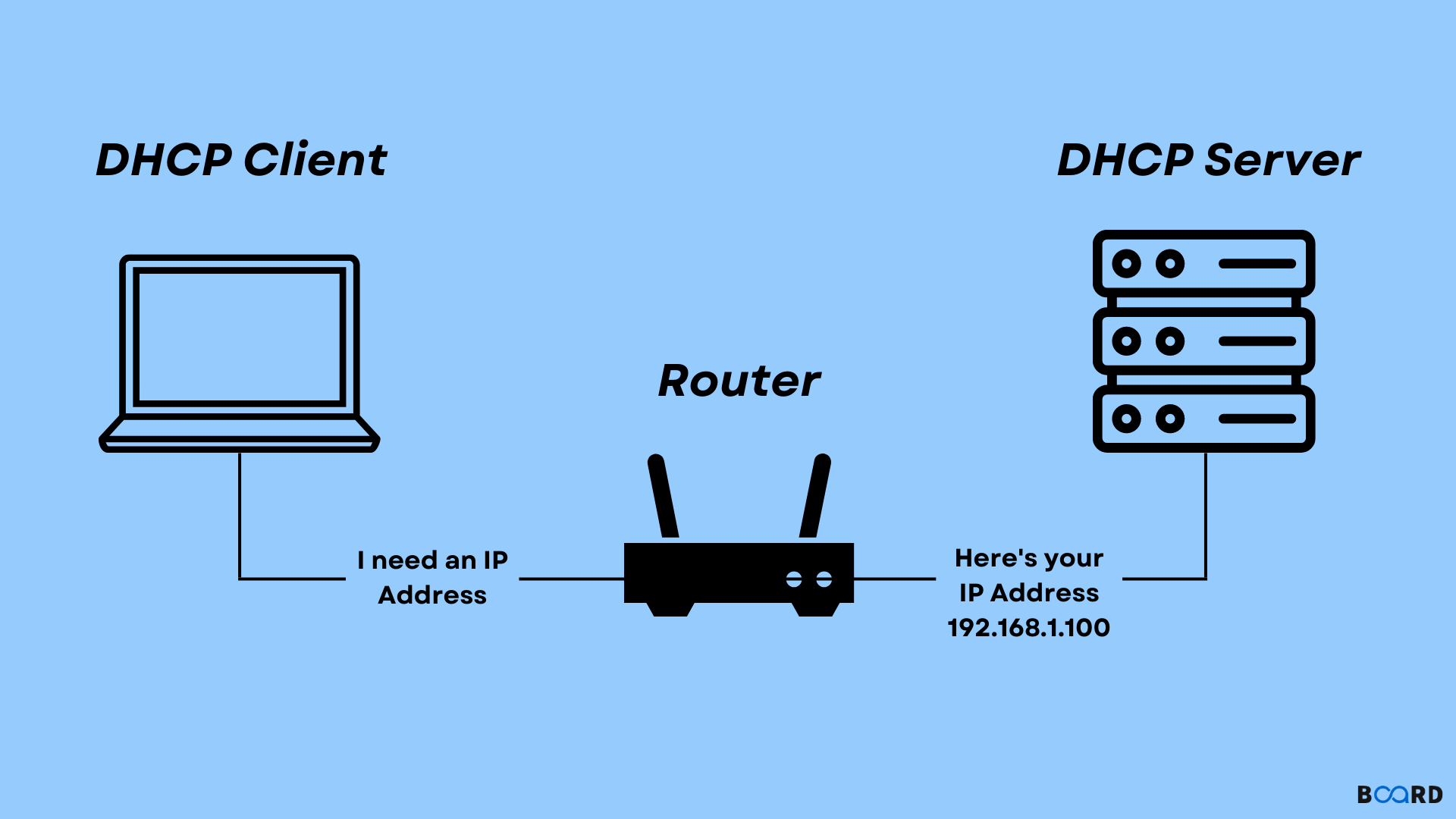
Discovery (DHCPDISCOVER): When a client device (e.g., your laptop) boots up or connects to a network, it doesn’t have an IP address. To obtain one, it broadcasts a “DHCPDISCOVER” message across the local network segment. This message is essentially a plea: “Is there a DHCP server out there? I need an IP address!” Since the client doesn’t know the server’s IP address, this message is sent as a broadcast, meaning all devices on the local network receive it.
-
Offer (DHCPOFFER): Any DHCP server that receives the DHCPDISCOVER message and has available IP addresses will respond with a “DHCPOFFER.” This offer message includes a proposed IP address for the client, along with other configuration details like the subnet mask, default gateway, DNS server addresses, and the lease duration. If multiple DHCP servers are present, the client might receive several offers.
-
Request (DHCPREQUEST): Upon receiving one or more DHCPOFFERs, the client selects one of the offers (usually the first one it receives) and broadcasts a “DHCPREQUEST” message. This message serves two purposes: it informs the selected DHCP server that the client has accepted its offer, and it implicitly declines offers from any other DHCP servers that might have responded.
-
Acknowledge (DHCPACK): The selected DHCP server, upon receiving the DHCPREQUEST, sends a final “DHCPACK” (acknowledgment) message to the client. This message confirms the IP address lease, finalizes the configuration parameters, and officially grants the client permission to use the assigned IP address and other settings for the specified lease duration. At this point, the client configures its network interface with the received settings and can begin communicating on the network.
IP Address Leasing and Renewal
One of the key concepts within DHCP is the “lease.” When a DHCP server assigns an IP address, it doesn’t permanently give it away. Instead, it “leases” it to the client for a specific period, known as the lease duration. This duration can range from a few minutes to several days or even permanently, depending on the network administrator’s configuration.
The leasing mechanism is crucial for efficient IP address management. If a device leaves the network (e.g., a laptop user goes home), its leased IP address will eventually expire. Before the lease expires (typically when 50% of the lease time has passed), the client will attempt to renew its lease with the DHCP server. If the server is available and the address is still free, the server will renew the lease, and the client can continue using the same IP address. If the server is unavailable, or the lease expires without renewal, the IP address is returned to the DHCP server’s pool of available addresses, making it available for other devices. This prevents IP addresses from being tied up indefinitely by devices that are no longer active on the network.
Essential Components of a DHCP System
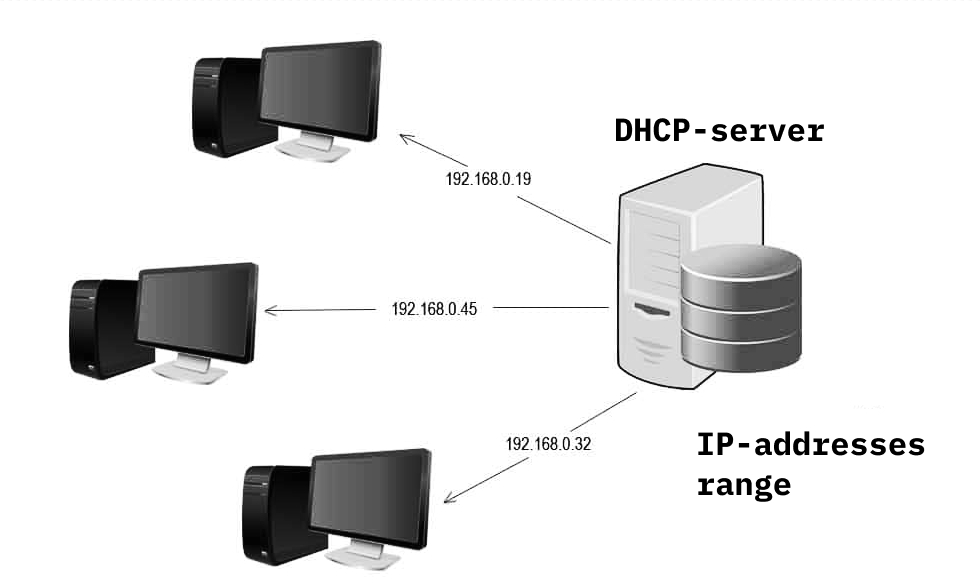
For DHCP to function effectively, several key components must be present and correctly configured within a network infrastructure.
DHCP Servers: The Allocators
A DHCP server is the central component responsible for managing and distributing IP addresses and other network configuration information. It stores a pool of available IP addresses, along with other settings such as subnet masks, default gateways, and DNS server addresses. When a client requests an IP address, the server consults its database, allocates an available address, records the lease information, and sends the configuration details back to the client. In a typical home network, the Wi-Fi router often acts as both a DHCP server and a default gateway. In larger enterprise networks, dedicated servers or network devices might perform this role, often with redundancy to ensure continuous service.
DHCP Clients: The Requestors
A DHCP client is any network-enabled device that requests and receives IP address information from a DHCP server. This includes virtually all modern devices capable of connecting to a network: desktop computers, laptops, smartphones, tablets, smart TVs, printers, network-attached storage (NAS) devices, IoT devices, and even virtual machines. Each client runs DHCP client software that initiates the DORA process and applies the received network configurations to its network interface.
DHCP Relay Agents: Extending Reach
DHCP is designed to operate within a single broadcast domain (a single network segment or VLAN). This means a DHCP client’s broadcast DISCOVER message will only reach DHCP servers on the same local network segment. In larger networks that are divided into multiple subnets (which is common practice for organizational and security reasons), a DHCP server might not be directly accessible to clients in a different subnet. This is where a DHCP relay agent comes into play. A DHCP relay agent is typically a router or a Layer 3 switch configured to forward DHCP broadcast messages from one subnet to a DHCP server located in another subnet. It converts the broadcast DHCPDISCOVER message into a unicast message and sends it directly to the DHCP server, acting as an intermediary to facilitate communication between clients and servers across different network segments.
The Indispensable Benefits of DHCP
The widespread adoption of DHCP in virtually all IP-based networks underscores its significant advantages and the indispensable role it plays in modern connectivity.
Simplifying Network Administration
Perhaps the most apparent benefit of DHCP is the drastic reduction in administrative overhead. Network administrators no longer need to manually assign, track, and reconfigure IP addresses for every device. This automation frees up valuable time and resources, allowing IT staff to focus on more strategic tasks rather than mundane, repetitive configuration work. For home users, it means simply plugging in a device or connecting to Wi-Fi, and it just works, without needing to understand IP addresses.
Preventing IP Address Conflicts
DHCP’s centralized management ensures that each assigned IP address is unique within its scope. This effectively eliminates IP address conflicts, which can render devices unusable on the network and cause frustrating troubleshooting challenges. The server keeps a record of all leased addresses, preventing accidental duplication.
Optimizing IP Address Utilization
With static IP assignment, administrators often have to allocate more IP addresses than are strictly necessary to account for future growth, leading to inefficient use of the limited IP address space (especially for IPv4). DHCP’s leasing mechanism allows for dynamic reclamation of unused IP addresses when devices disconnect or leases expire. This ensures that IP addresses are allocated only when needed and returned to the pool when no longer in use, maximizing the efficiency of the available IP address space.
Enhancing Network Scalability and Mobility
DHCP makes networks highly scalable. Adding new devices is a plug-and-play experience; they automatically receive the necessary configuration. This is crucial for environments with fluctuating numbers of users or devices, such as public Wi-Fi hotspots, educational institutions, or corporate guest networks. Furthermore, DHCP enhances mobility: users can move their devices between different network segments (e.g., from an office Wi-Fi to a wired connection in a meeting room) and seamlessly obtain a new, appropriate IP address without any manual intervention.
In summary, DHCP is a foundational technology that silently powers our connected world. From the simplest home network to the most complex enterprise infrastructure, its ability to dynamically manage and distribute network configuration parameters is essential for efficiency, scalability, and ease of use, making network connectivity effortless for end-users and manageable for administrators.
aViewFromTheCave is a participant in the Amazon Services LLC Associates Program, an affiliate advertising program designed to provide a means for sites to earn advertising fees by advertising and linking to Amazon.com. Amazon, the Amazon logo, AmazonSupply, and the AmazonSupply logo are trademarks of Amazon.com, Inc. or its affiliates. As an Amazon Associate we earn affiliate commissions from qualifying purchases.