
The sustain pedal, often recognized as the rightmost pedal on an acoustic piano, plays a crucial role in shaping the sonic texture of musical performances. In the realm of digital instruments and music technology, its function is meticulously replicated and often expanded upon, transforming it from a simple mechanical device into a vital digital interface. Fundamentally, a sustain pedal allows a player to prolong the sound of notes even after their fingers lift from the keys, creating a rich, resonant, and flowing soundscape. Its implementation across keyboards, synthesizers, and Digital Audio Workstations (DAWs) makes it an indispensable tool for musicians working with modern tech.

The Core Functionality: Extending Sound in Digital Instruments
While its physical manifestation might appear straightforward, the sustain pedal’s impact on musical expression is profound. On a traditional acoustic piano, the rightmost pedal (the “damper pedal”) lifts all the dampers from the strings, allowing them to vibrate freely until the pedal is released. This mechanical action creates a sustained, reverberant sound, blending notes together and enriching the harmonic content. Digital instruments emulate this effect, translating a physical foot press into an electronic signal that software then interprets.
The Digital Replication: MIDI and Beyond
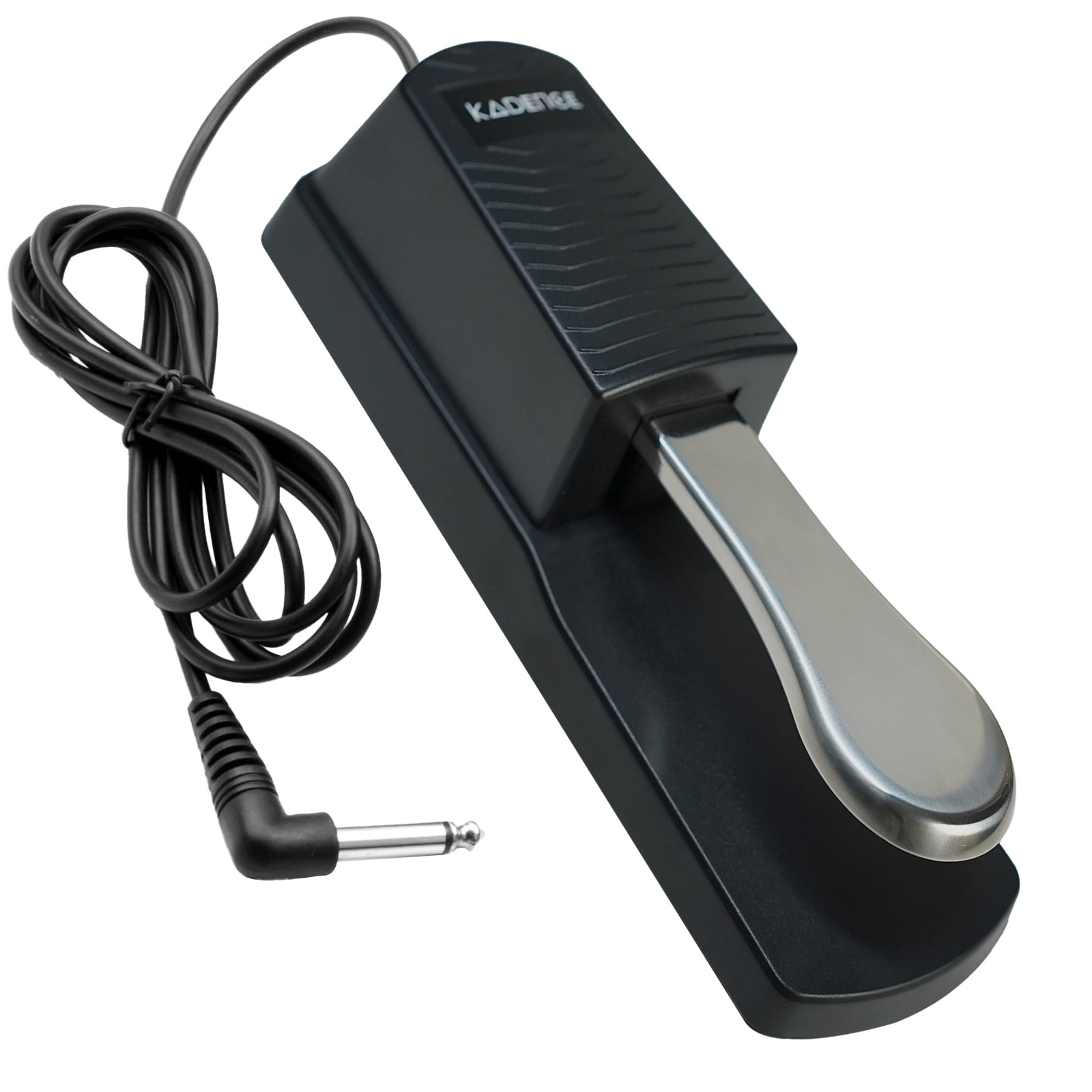
In the digital domain, a sustain pedal typically acts as a momentary switch or a continuous controller. For most digital pianos and keyboards, it connects via a dedicated jack, often a 1/4-inch TS (Tip/Sleeve) connector. When pressed, this pedal sends a MIDI (Musical Instrument Digital Interface) message – specifically, a CC (Control Change) message, usually CC 64 for sustain – to the instrument’s internal sound engine or to connected software.
This MIDI message instructs the digital instrument to keep the currently sounding notes active and to sustain any new notes played while the pedal is engaged. Unlike an acoustic piano where the resonance is physically generated, digital instruments achieve this through algorithms that simulate string resonance, sympathetic vibrations, and release samples, all triggered by the sustain pedal’s signal. The nuanced decay and overtone blending are sophisticated digital renditions of a complex acoustic phenomenon, often utilizing advanced sampling and synthesis techniques to achieve realistic results.
Beyond Just “Sustain”: Other Pedal Functions
While “sustain” is its primary role, the digital pedal ecosystem often supports more. High-end digital pianos and MIDI controllers sometimes feature multiple pedal inputs, replicating the full three-pedal setup of an acoustic grand:
- Sostenuto Pedal (Middle): This pedal sustains only the notes held down at the moment the pedal is pressed, allowing subsequent notes to remain unstained. Digitally, this requires the instrument’s processor to track specific MIDI note-on events and apply sustain only to them, a more complex algorithm than simple sustain.
- Una Corda/Soft Pedal (Left): On an acoustic piano, this shifts the hammers to strike fewer strings or a softer part of the hammer, reducing volume and altering timbre. Digitally, this is usually achieved by applying a velocity reduction or engaging a different set of samples with a softer attack and mellower tone. Some advanced virtual instruments allow for continuous control of this effect.
Understanding these distinctions is crucial for musicians aiming to leverage the full expressive potential of their digital instruments, as each pedal offers a unique layer of control over the instrument’s sonic output.
Types of Sustain Pedals and Their Compatibility
The market offers a variety of sustain pedals, each designed with different technologies and compatibility considerations. Selecting the correct type is paramount for seamless integration with your digital keyboard, MIDI controller, or DAW setup.
Foot Switches vs. Continuous Controller Pedals
The most common type is the simple foot switch (also known as an on/off switch pedal or damper pedal). These pedals act like a toggle: when pressed, they send an “on” signal (MIDI CC 64 value of 127); when released, they send an “off” signal (MIDI CC 64 value of 0). They are cost-effective and sufficient for basic sustain functionality.
More advanced are continuous controller pedals (also called half-damper or expression pedals). These pedals provide a range of values, typically from 0 to 127, depending on how far the pedal is pressed. This allows for “half-pedaling,” where the dampers are partially lifted on an acoustic piano, creating a partial sustain effect. Digitally, this translates to variable sustain length, nuanced release characteristics, or even controlling other parameters like filter cutoff or modulation depth in synthesizers. Continuous controller pedals connect via a TRS (Tip/Ring/Sleeve) jack and send a different type of MIDI CC message, often CC 11 (Expression) or other assignable controllers, which software can then interpret for varied effects.
Polarity Issues and Solutions
A common challenge encountered with foot switch sustain pedals is polarity. Different manufacturers implement their sustain pedal jacks with opposing polarities. Some pedals send an “on” signal when pressed and an “off” when released, while others do the opposite (they are “normally closed” instead of “normally open”). If a pedal with the wrong polarity is used, the sustain effect will be reversed: notes will sustain only when the pedal is not pressed.
Many modern digital keyboards and MIDI controllers feature a polarity switch (often a small slider or button near the pedal input) to accommodate both types of pedals. If your instrument lacks this switch, some third-party pedals offer a built-in polarity switch. Alternatively, some instruments allow you to reverse the pedal’s polarity in their global settings or software interface. Understanding and resolving polarity issues is a fundamental troubleshooting step for anyone using sustain pedals with digital tech.
USB and MIDI Connectivity for Software Instruments
For musicians working extensively with DAWs and virtual instruments on computers, sustain pedals can connect in several ways beyond the traditional 1/4-inch jack. Many MIDI keyboard controllers include a 1/4-inch pedal input which then converts the signal into MIDI data that is sent to the computer via USB.
However, dedicated USB sustain pedals also exist. These pedals plug directly into a computer’s USB port and act as a standalone MIDI controller. They are particularly useful for setups where a physical keyboard controller isn’t used, but software instruments still need sustain control. This direct USB connection bypasses potential compatibility issues with hardware controllers and streamlines the setup for purely software-based performances or productions, offering a plug-and-play solution for sustain functionality.
Integrating Sustain Pedals into Your Digital Workflow
The sustain pedal is not merely an accessory; it’s a powerful performance tool that deeply integrates into modern digital music production and live performance workflows. Its ability to add expressiveness and depth makes it invaluable for musicians across genres.

Enhancing Performance on Digital Pianos and Keyboards
For digital piano and keyboard players, the sustain pedal is fundamental. It allows for legato phrasing, expressive swells, and the creation of rich harmonic textures that would be impossible to achieve by hand alone. In educational settings, it’s taught as an extension of technique, enabling students to explore advanced repertoire. In live performance, it ensures smooth transitions between chords and melodic lines, providing a professional polish to performances. Digital pianos often feature highly responsive pedal mechanisms that aim to replicate the feel and half-pedaling capabilities of acoustic instruments, further blurring the lines between the two.
Creative Applications with DAWs and Virtual Instruments
The true power of the sustain pedal within a tech-driven setup shines through its integration with DAWs and virtual instruments (VSTs/AUs). Beyond simple sustain, the MIDI CC 64 message can be mapped to control virtually any parameter within a virtual instrument or effect plugin.
- Extended Reverb/Delay: Map the sustain pedal to increase the wetness of a reverb or feedback of a delay for ambient swells.
- Filter Sweeps: Use a continuous sustain pedal to control the cutoff frequency of a synthesizer filter, creating dynamic tonal shifts.
- Modulation Depth: Assign the pedal to control the intensity of an LFO (Low-Frequency Oscillator) affecting pitch, vibrato, or tremolo, adding expressive nuance.
- Layer Switching: In complex patches, the sustain pedal could trigger the activation of an additional sound layer, enriching the texture dynamically.
This flexibility transforms the sustain pedal into a versatile expression controller, empowering producers and performers to inject real-time, foot-controlled modulation into their digital sound designs, vastly expanding creative possibilities beyond traditional sustain.
Live Performance and Studio Considerations
In live performance, a reliable sustain pedal is non-negotiable. Its immediate response and robust build quality are critical. Performers often rely on its consistent action for seamless transitions and expressive dynamics. The ability to quickly engage and disengage sustain can drastically alter the energy and flow of a musical piece.
In the studio, the sustain pedal is equally important during the recording process. It enables musicians to capture nuanced performances with appropriate sustain, saving significant time in post-production. Furthermore, recorded MIDI sustain data can be edited in the DAW’s piano roll or event list, allowing for precise control over sustain points, half-pedaling effects, and even automation of other parameters using the sustain pedal’s MIDI data as a source. This blend of real-time control and post-performance editing flexibility underscores its central role in modern music technology workflows.
Troubleshooting Common Sustain Pedal Issues
Like any piece of electronic gear, sustain pedals can occasionally present challenges. Understanding common issues and their technical solutions can save valuable time and prevent frustration, especially in live or studio environments where reliability is paramount.
Connectivity Problems
The most frequent issue involves improper connection or faulty cables. Ensure the 1/4-inch jack is fully inserted into the designated “Sustain,” “Damper,” or “Pedal” input on your keyboard or MIDI controller. Loose connections can lead to intermittent sustain or no sustain at all. Always check the cable for physical damage, such as bends or frayed wires, which might necessitate replacement. For USB pedals, confirm the USB cable is securely connected to both the pedal and the computer, and that the computer recognizes the device. Checking device managers on Windows or System Information on macOS can confirm the pedal’s presence.
Inconsistent Sustain or Polarity Reversal
As discussed, polarity mismatch is a common culprit for reversed sustain (notes sustain when the pedal is up). Locate the polarity switch on your keyboard or pedal and toggle it. If no physical switch is present, consult your instrument’s manual for settings within the digital interface that allow polarity reversal. Inconsistent sustain might also indicate a worn-out pedal switch, especially with cheaper foot switch models. If the sustain cuts in and out, or only works when the pedal is pressed at a specific angle, the internal switch mechanism may be failing and require replacement.
Maintenance Tips for Longevity
Proper maintenance ensures the longevity and reliable performance of your sustain pedal.
- Keep it Clean: Dust and debris can interfere with the internal mechanisms. Regularly wipe the pedal down with a dry, soft cloth. Avoid using harsh chemicals.
- Cable Management: Prevent kinks, twists, and excessive tension on the cable. Use cable ties to secure it when transporting or storing the pedal to avoid internal wire damage.
- Proper Storage: When not in use, store the pedal in a safe place where it won’t be stepped on accidentally or have heavy objects placed on it.
- Check Connections: Periodically inspect the 1/4-inch or USB connector for corrosion or damage. A clean, secure connection is vital for reliable signal transmission.
Adhering to these simple maintenance practices can significantly extend the lifespan of your sustain pedal and maintain its consistent performance within your tech setup.
The Future of Sustain Pedals: Innovation and Integration
The sustain pedal, while a seemingly simple accessory, is not immune to technological advancements. Its evolution will continue to focus on enhanced control, deeper integration, and wireless convenience, mirroring broader trends in music technology.
Advanced Control and Customization
Future sustain pedals are likely to offer even more granular control and customization options. We may see pedals with built-in displays for direct parameter mapping, allowing users to assign MIDI CC messages or even specific DAW functions without needing to access software menus. Force-sensing resistors could replace traditional switches, providing even more nuanced continuous control than current half-damper pedals, enabling extremely subtle dynamic shifts. Haptic feedback could also be integrated, providing tactile responses that simulate the feel of various instrument types or offer performance cues.
Wireless Technologies and Smart Integration
The move towards wireless connectivity is an inevitable trend. Bluetooth Low Energy (BLE) MIDI pedals are already emerging, offering freedom from cables and simplified setups. These wireless pedals could integrate seamlessly with mobile devices, tablets, and computers, allowing for remote control of virtual instruments and apps. Furthermore, “smart” pedals could feature onboard processing and memory, allowing users to store custom presets, sequence pedal actions, or even respond intelligently to musical phrases through AI-driven pattern recognition, dynamically adjusting sustain based on performance context. Such integration would represent a significant leap from simple on/off switching to an intelligent, adaptive performance tool, deeply embedded in the digital music ecosystem.
aViewFromTheCave is a participant in the Amazon Services LLC Associates Program, an affiliate advertising program designed to provide a means for sites to earn advertising fees by advertising and linking to Amazon.com. Amazon, the Amazon logo, AmazonSupply, and the AmazonSupply logo are trademarks of Amazon.com, Inc. or its affiliates. As an Amazon Associate we earn affiliate commissions from qualifying purchases.