
The concept of a “picture size” in the digital age is far more nuanced than a simple measurement. It’s a multifaceted term encompassing pixel dimensions, file size, resolution, and even aspect ratio, all of which impact how an image looks, performs, and is stored across various digital platforms and physical prints. Understanding these technical elements is crucial for anyone interacting with digital media, from casual smartphone photographers to professional web developers and graphic designers.
Decoding Digital Image Size: Pixels, Resolution, and Dimensions
At its core, a digital picture is an array of tiny colored squares known as pixels. The “size” of an image begins with how many of these pixels it contains and how they are arranged.
Understanding Pixels: The Building Blocks
A pixel (short for “picture element”) is the smallest unit of a digital image or display. Each pixel contains color information, and when millions of them are arranged in a grid, they form a complete image. The more pixels an image has, the more detail it can potentially hold. For instance, a high-definition television might display an image that is 1920 pixels wide by 1080 pixels high, totaling over 2 million pixels. Your smartphone’s camera sensor, or the screen you view images on, operates on this fundamental pixel-based principle.
Dimensions vs. Resolution: Clarifying the Terms
While often used interchangeably, “dimensions” and “resolution” refer to distinct but related aspects of an image’s size.
- Dimensions refer to the absolute width and height of an image in pixels (e.g., 2000 pixels wide by 1500 pixels high). This directly indicates the total number of pixels available for the image.
- Resolution, when discussing digital images, typically refers to the density of pixels within a given physical area. For screens, this is often measured in Pixels Per Inch (PPI). A screen with 100 PPI will display fewer pixels in a one-inch square than a screen with 300 PPI, even if both screens display an image with the same pixel dimensions. For print, resolution is measured in Dots Per Inch (DPI), indicating how many ink dots a printer can place within a linear inch. A higher DPI is generally required for crisp, high-quality prints, typically 300 DPI, whereas 72-96 PPI is usually sufficient for screen display as monitors cannot display individual ‘dots’ like a printer.
A picture with larger pixel dimensions has a higher intrinsic resolution potential. For example, a photo taken with a 12-megapixel camera (where 12 million pixels are captured) will have significantly larger dimensions (e.g., 4000×3000 pixels) than a 2-megapixel image (e.g., 1600×1200 pixels). This higher pixel count means more detail and clarity, allowing for greater flexibility in cropping, editing, or printing at larger sizes without pixelation.
Common Digital Dimensions for Everyday Use
What constitutes a “regular” picture size largely depends on its intended use:
- Web Images: For fast loading and optimal display, web images are often optimized. A typical hero image on a website might be 1920×1080 pixels, while a thumbnail could be 150×150 pixels. Social media platforms have their own specific recommendations, ranging from 1080×1080 for Instagram posts to larger banner images for profiles.
- Smartphone Photos: Modern smartphones capture images with impressive pixel dimensions, often ranging from 4000×3000 pixels (12MP) to 6000×4500 pixels (27MP) or even higher. These dimensions provide ample detail for viewing on screens and moderate printing.
- Professional Camera Output: Digital Single-Lens Reflex (DSLR) and mirrorless cameras can produce images with significantly larger pixel dimensions, commonly exceeding 20-30 megapixels. These large files offer maximum flexibility for professional photographers who need to crop extensively or print very large formats.
The Impact of File Size: Storage, Performance, and Quality
Beyond pixel dimensions, the “size” of a picture also refers to its file size, measured in kilobytes (KB) or megabytes (MB). This dictates how much storage space the image consumes and how quickly it can be transmitted or loaded.
File Size vs. Pixel Dimensions: A Critical Distinction
While pixel dimensions relate to an image’s potential detail, file size is about its storage footprint. A high-resolution image (large pixel dimensions) will generally have a larger file size, but this isn’t always a direct correlation. File size is heavily influenced by the image’s content complexity, color depth, and critically, its compression method and file format. An image might have vast pixel dimensions but a relatively small file size if it’s heavily compressed using a “lossy” method.
Image File Formats and Their Role in Size
Different image file formats employ varying compression techniques, leading to significant differences in file size and quality:
- JPEG (Joint Photographic Experts Group): The most common format for photographs. It uses “lossy” compression, meaning some data is discarded during compression to achieve smaller file sizes. This loss is often imperceptible to the human eye, making JPEGs ideal for complex images with many colors, like photos, where file size is a priority (e.g., web images).
- PNG (Portable Network Graphics): A “lossless” compression format, meaning no data is lost during compression. PNGs support transparency, making them perfect for logos, icons, and graphics where sharp edges and exact colors are critical. They typically result in larger file sizes than JPEGs for the same image content.
- GIF (Graphics Interchange Format): Supports a limited palette of 256 colors and lossless compression. GIFs are primarily known for their ability to store simple animations, but they are not ideal for detailed photographs due to their color limitations and often larger file sizes compared to JPEGs for photo content.
- WebP: Developed by Google, WebP offers superior lossy and lossless compression for web images, often achieving significantly smaller file sizes than JPEGs or PNGs while maintaining comparable quality. It’s gaining widespread adoption for web optimization.
- RAW: Not an image format in the traditional sense, but rather unprocessed data directly from a camera’s sensor. RAW files contain maximum image data, offering unparalleled flexibility for post-processing but resulting in very large file sizes (often 20MB+ per image). They are typically used by professional photographers.
Optimizing File Size for Web and Mobile
Optimizing image file size is paramount for web and mobile performance. Large, unoptimized images can drastically slow down website load times, leading to poor user experience, higher bounce rates, and negative SEO impact.
Techniques for optimization include:
- Choosing the right format: JPEG for photos, PNG for graphics with transparency.
- Compressing images: Using online tools (like TinyPNG, Compressor.io) or built-in features in editing software to reduce file size while maintaining acceptable visual quality.
- Resizing dimensions: Ensuring images are no larger in pixel dimensions than they need to be for their display area. A 4000×3000 pixel image scaled down by a browser to fit a 500×375 pixel display still downloads the full, larger file.
Aspect Ratios and Their Significance
Beyond the raw pixel count and file size, the aspect ratio of an image also defines its visual “size” and shape. It’s a fundamental consideration in composition and display.
Understanding Aspect Ratio Basics
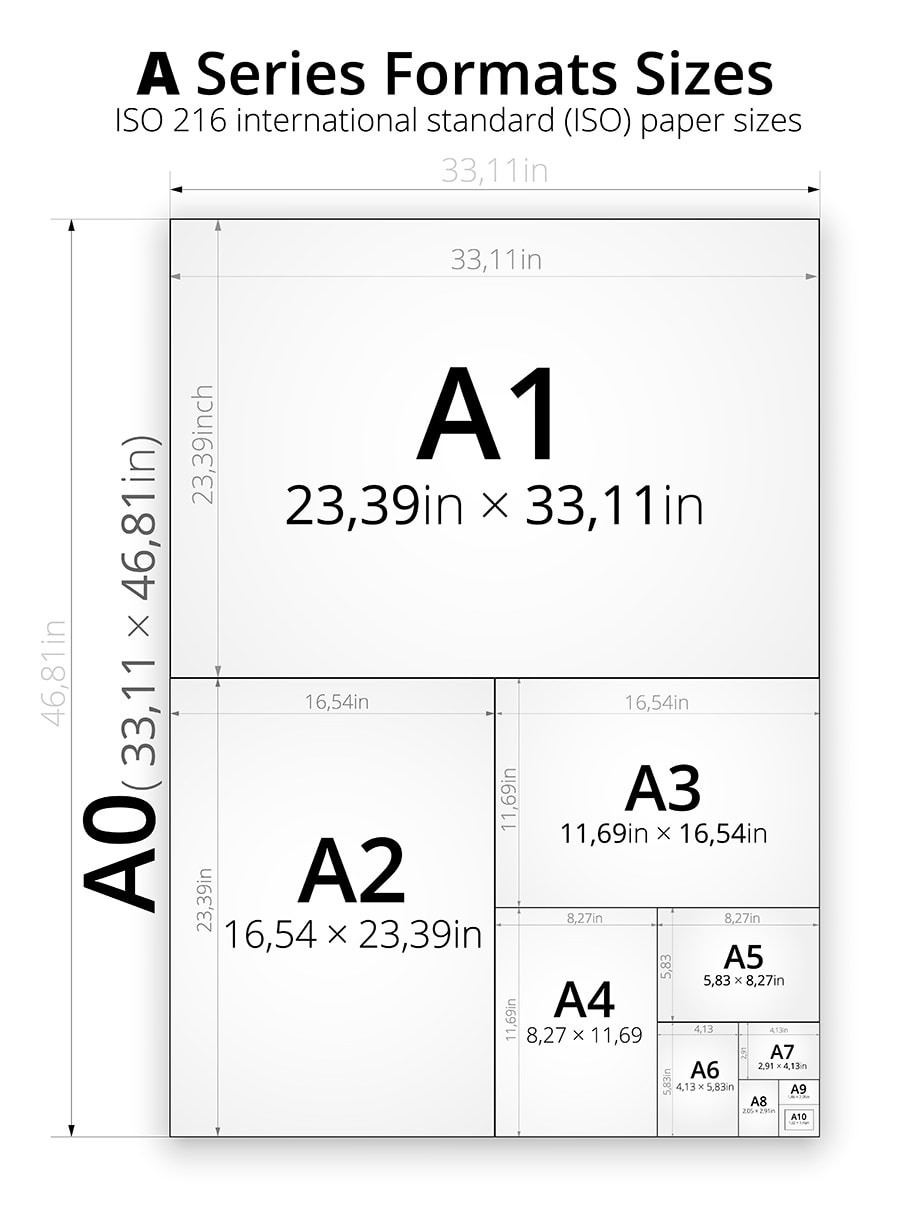
An aspect ratio is the proportional relationship between an image’s width and its height. It’s expressed as two numbers separated by a colon (e.g., 16:9, 4:3, 1:1). An image with an aspect ratio of 16:9, for instance, means that for every 16 units of width, there are 9 units of height. This ratio dictates the shape of the rectangle that contains the image.
Common Aspect Ratios in Photography and Digital Media
Different devices and platforms commonly use specific aspect ratios:
- 16:9: The standard for widescreen displays, modern televisions, and most video content (e.g., YouTube videos). Many modern smartphones capture photos and videos in this ratio.
- 4:3: Traditional television screens, older monitors, and many digital cameras (including some smartphone camera modes) historically used this more square-like ratio.
- 3:2: The native aspect ratio for most DSLR and mirrorless cameras, mirroring the 35mm film standard.
- 1:1: A perfect square, popularized by Instagram for its feed photos.
- 9:16: The inverse of 16:9, commonly used for vertical video content on platforms like TikTok, Instagram Stories, and YouTube Shorts.
Cropping and Resizing: Maintaining Integrity
When an image is displayed or printed in an aspect ratio different from its original, it typically requires cropping or letterboxing/pillarboxing.
- Cropping removes parts of the image from the edges to fit a new aspect ratio. This can significantly alter the composition and potentially remove important elements if not done carefully.
- Resizing changes the overall pixel dimensions of an image but preserves its aspect ratio. Scaling an image up or down without changing its ratio maintains its original shape.
Understanding aspect ratios helps content creators frame their shots correctly and anticipate how images will appear across various platforms, minimizing unintended cropping or distortion.
When “Regular” Isn’t Enough: Tailoring Image Size for Specific Needs
The “regular” size of a picture is highly contextual. An optimal image for one scenario might be entirely unsuitable for another.
Print vs. Digital: Different Resolution Requirements
The most significant distinction in image sizing comes from the medium:
- Print: Requires much higher resolution (DPI) to look sharp and clear. A common standard for high-quality prints is 300 DPI. For a 4×6 inch print, an image would ideally need to be at least 1200×1800 pixels (4×300 by 6×300). For larger prints, significantly higher pixel dimensions are necessary. Printing a low-resolution image will result in a pixelated or blurry output.
- Digital Screens: Generally require much lower resolution (PPI). While screens have varying pixel densities, an image displayed at 72-96 PPI is typically sufficient for good visual quality, as human eyesight generally cannot distinguish individual pixels on a screen at normal viewing distances beyond this point. What matters most for digital display is the image’s pixel dimensions matching the available screen real estate without over-sending data.
Social Media Platforms: The Ever-Changing Landscape of Optimal Sizes
Social media platforms are notoriously picky about image sizes. Each platform has specific recommendations for profile pictures, cover photos, feed images, and stories, often changing these guidelines periodically. Adhering to these specifications is crucial for:
- Avoiding unwanted cropping: Platforms often auto-crop images that don’t fit, potentially cutting off key subjects.
- Maintaining quality: Uploading images that are too small can lead to pixelation, while images that are too large might be heavily compressed by the platform, resulting in quality degradation.
- Ensuring proper display: Specific aspect ratios and dimensions are needed for thumbnails, preview images, and banners to display correctly across different devices and layouts.
E-commerce and Professional Portfolios: The Need for High Quality and Consistency
For e-commerce, high-quality product images are paramount. Customers need to see detail, often with zoom capabilities. This necessitates high pixel dimensions, robust detail, and consistent aspect ratios across all product shots. Similarly, professional portfolios (e.g., for photographers, designers) demand images with pristine quality, accurate colors, and sufficient resolution to showcase work effectively without excessive file sizes that hinder loading times.
Tools and Best Practices for Managing Image Size
Effectively managing image size involves a combination of understanding the technical aspects and utilizing the right tools.
Image Editing Software: From Basic to Advanced
- Built-in OS tools: Basic resizing and cropping functionalities are often available directly within operating systems (e.g., Windows Photos, macOS Preview).
- Online optimizers: Websites like TinyPNG, Compressor.io, and Squoosh offer quick and effective ways to compress images for web use without needing to download software.
- Professional software: Adobe Photoshop, GIMP (free open-source), Lightroom, and Affinity Photo provide comprehensive tools for precise resizing, cropping, resolution adjustment, format conversion, and advanced compression settings.
Automated Workflows and Plugins
For websites, particularly those built on content management systems (CMS) like WordPress, plugins (e.g., Smush, Imagify) can automate image optimization upon upload, ensuring all images are compressed and resized to appropriate dimensions for various uses (thumbnails, medium, large). This is vital for maintaining site performance and consistency.
Future Trends in Image Technology
The landscape of image technology is constantly evolving:
- AI-powered upscaling/compression: Artificial intelligence is being used to intelligently upscale low-resolution images without significant quality loss and to achieve even more efficient compression than traditional methods.
- Newer formats: Formats like AVIF (AV1 Image File Format) are emerging, promising even greater compression efficiency than WebP while maintaining high quality.
- Adaptive images for responsive design: Modern web development increasingly focuses on “responsive images,” where different image sizes are served to different devices based on screen size, resolution, and network conditions, optimizing performance without manual intervention for every image variant.
In conclusion, the “size of a regular picture” is a dynamic concept, not a fixed measurement. It’s a synthesis of pixel dimensions, file size, aspect ratio, and resolution, all influenced by the image’s purpose and the technology used to create, store, and display it. Mastering these technical nuances is essential for anyone navigating the visually driven digital world.
aViewFromTheCave is a participant in the Amazon Services LLC Associates Program, an affiliate advertising program designed to provide a means for sites to earn advertising fees by advertising and linking to Amazon.com. Amazon, the Amazon logo, AmazonSupply, and the AmazonSupply logo are trademarks of Amazon.com, Inc. or its affiliates. As an Amazon Associate we earn affiliate commissions from qualifying purchases.