
The term “rooting your phone” often surfaces in discussions among tech enthusiasts, developers, and those seeking to push the boundaries of their Android devices. At its core, rooting refers to the process of gaining “root” access to an Android operating system, which is analogous to obtaining administrator privileges on a Windows or macOS computer, or superuser access in a Linux environment. This deep level of access allows users to modify the device’s software at a fundamental level, bypassing the restrictions imposed by manufacturers and carriers.
Understanding the Core Concept of Rooting
Android, being built on the Linux kernel, inherently employs a robust security model that isolates user applications from critical system files. This design ensures stability and prevents malicious software from easily compromising the entire device. Each application runs with limited permissions, and typical users operate without “root” privileges to prevent accidental or intentional damage to the operating system.
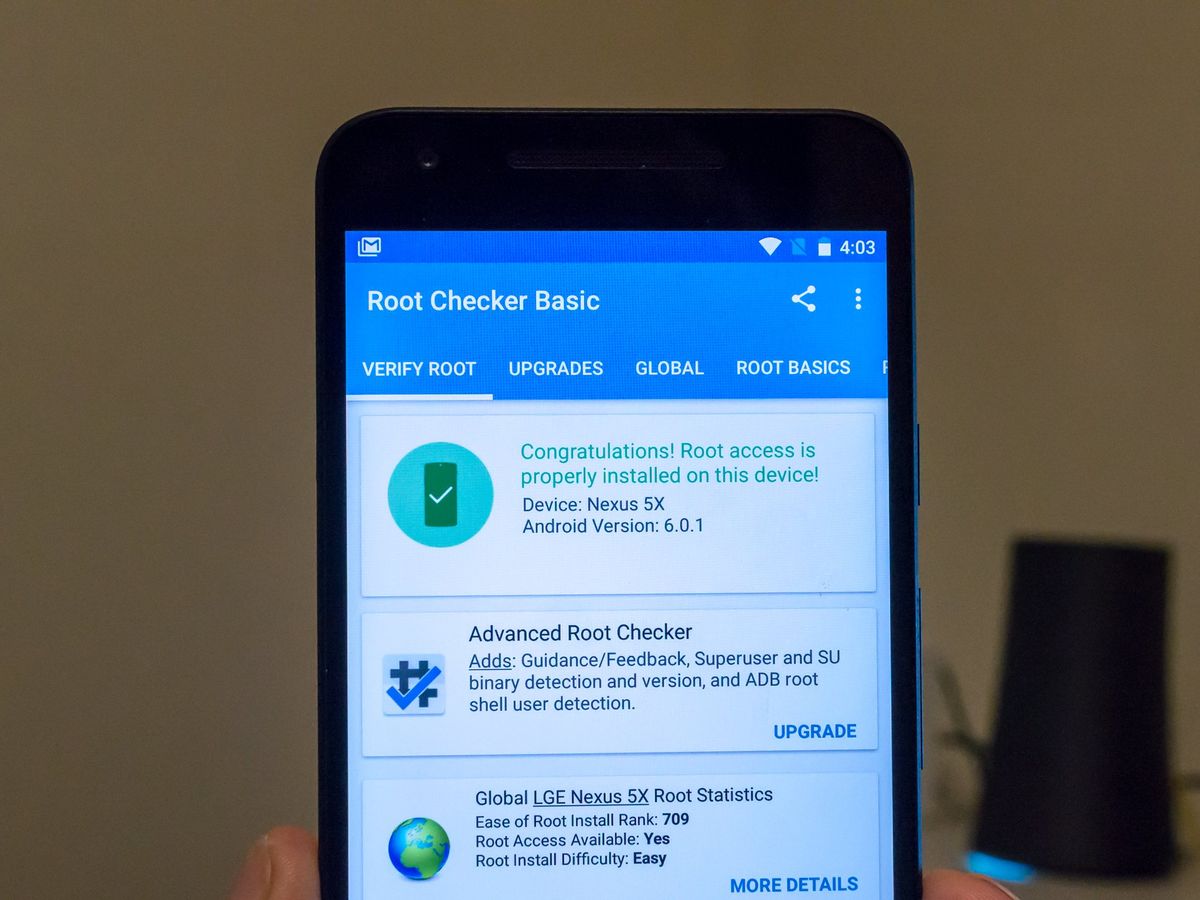
When you root your phone, you are essentially elevating your user permissions to the highest possible level: the “root” user. This grants unfettered access to all system files and directories, allowing for modifications that are otherwise impossible. Historically, rooting involved exploiting vulnerabilities in the Android operating system or the device’s bootloader to inject a superuser binary (often su) and a management application (like SuperSU or Magisk) that could grant or deny root access to other apps.
The evolution of Android’s security architecture has made rooting a more complex endeavor over time. Early Android versions were relatively easy to root, often requiring simple software tools. Modern Android, however, with its strengthened bootloader security, Verified Boot, and SafetyNet attestation, presents significant hurdles, turning rooting into a more technical process primarily for experienced users.
The Motivations Behind Rooting
The desire to root a phone stems from a fundamental drive among power users to reclaim full control over their devices. The benefits unlock a spectrum of possibilities that stock Android, even in its latest iterations, does not offer by default.
Unlocking Advanced Customization
One of the primary allurements of rooting is the ability to customize almost every aspect of the device’s user interface and system behavior. Beyond standard launcher changes or icon packs, rooting allows for system-level alterations:
- Deep UI Modifications: Installing custom themes that alter the entire system UI, including notification shades, settings menus, and system fonts, often through frameworks like Xposed.
- Boot Animations: Replacing the device’s default boot logo and animation with personalized versions.
- Status Bar Tweaks: Adding new indicators, rearranging elements, or hiding icons that Android typically prevents.
Enhanced Performance and Battery Management
Root access empowers users to fine-tune their device’s hardware and software for optimal performance or extended battery life:
- CPU/GPU Overclocking/Underclocking: Modifying processor frequencies to extract more performance for demanding tasks or reduce power consumption during idle periods. This requires flashing custom kernels that support such adjustments.
- Aggressive Battery Optimization: Apps like Greenify can “hibernate” background applications more aggressively when rooted, preventing them from waking up and consuming resources.
- Bloatware Removal: Manufacturers and carriers often pre-install non-removable applications (bloatware) that consume storage, RAM, and battery. Rooting allows these unwanted apps to be completely uninstalled, freeing up resources and improving overall responsiveness.
Access to Powerful Root-Only Applications
A specific class of applications leverages root privileges to perform tasks impossible for standard apps:
- System-Wide Ad Blockers: Unlike browser-specific ad blockers, root-enabled ad blockers can block advertisements across all applications, including games and social media feeds, by modifying the device’s host file.
- Comprehensive Device Backups: Tools like Titanium Backup can back up not just app data, but also individual apps themselves, along with system data, allowing for complete restoration even after flashing new ROMs.
- Advanced Firewalls: Granting granular control over network access for every app, enabling users to block specific apps from accessing the internet, even when not actively in use.
- Task Automation: Automating complex sequences of actions that involve system-level interactions, beyond what standard automation tools like Tasker can achieve without root.
Flashing Custom ROMs and Kernels
For many, rooting is a gateway to installing custom Android distributions (ROMs) or modified kernels.
- Custom ROMs: These are aftermarket firmware builds, often based on stock Android but with added features, performance enhancements, or a de-Googled experience. Examples include LineageOS, Pixel Experience, and crDroid, which can bring newer Android versions to older devices or provide unique features not found in stock firmware.
- Custom Kernels: These replace the device’s default kernel with one optimized for specific goals, such as improved battery life, better performance, or support for additional hardware features. Rooting is almost always a prerequisite for installing a custom kernel.
The Risks and Downsides of Rooting
While the benefits of rooting are appealing to a niche audience, the process is not without significant drawbacks and risks that potential users must carefully consider.
Voiding Warranty
Perhaps the most immediate consequence of rooting is the invalidation of the device’s manufacturer warranty. Most manufacturers consider rooting a modification of the original software, which falls outside their terms of service. Should hardware issues arise after rooting, the manufacturer may refuse to service or replace the device, leaving the user responsible for repair costs.
Security Vulnerabilities
Gaining root access fundamentally alters the device’s security posture.
- Increased Malware Risk: With root access, malicious applications, if they manage to gain root privileges themselves, can gain complete control over the device. This means they can access sensitive data, install other harmful software, or even remotely control the phone without any restrictions.
- Compromised Integrity: Many modern applications and services, particularly banking apps, payment systems (like Google Pay), secure streaming services (Netflix, Hulu), and certain online games, employ integrity checks (e.g., Google SafetyNet) to detect if a device has been rooted or tampered with. Upon detection, these apps may refuse to launch, crash, or limit functionality, citing security concerns. This can severely impact the usability of a rooted device for everyday tasks.
- Difficulty with OTA Updates: Official over-the-air (OTA) software updates from the manufacturer often fail on rooted devices because they detect system modifications. Users with rooted devices typically have to manually unroot, apply the update, and then re-root, or wait for custom ROM developers to release updated builds compatible with the new Android version.
Device Bricking Potential
The rooting process involves modifying critical system partitions. If any step is performed incorrectly, if the wrong files are flashed, or if there’s an interruption during the process, there’s a risk of “bricking” the device.
- Soft Brick: The device might get stuck in a boot loop or fail to boot into the operating system, but typically can be recovered through flashing official firmware or custom recovery.
- Hard Brick: In rare, severe cases, the device can become completely unresponsive, unable to power on or enter recovery mode, rendering it unusable. This usually requires specialized tools or professional repair.
Reduced Resale Value
A rooted or previously rooted device might have a diminished resale value. Potential buyers may be wary of devices that have had their software tampered with, especially due to concerns about warranty, security, or potential stability issues that might arise from non-standard configurations.
The Modern Landscape: Is Rooting Still Relevant?
The relevance of rooting has undeniably shifted over the past decade. While it was once a near-essential step for power users looking for specific functionalities, its necessity has waned considerably.
Android’s Evolution and Feature Parity
Google and device manufacturers have progressively integrated many features that previously necessitated rooting into stock Android. Better battery management, granular app permissions, comprehensive notification controls, system-wide dark modes, and enhanced customization options are now standard. This reduces the gap between a stock and a rooted experience for the average user.
Enhanced Security Measures
Google’s continued emphasis on security, particularly through initiatives like SafetyNet Attestation and the ongoing improvements to Android’s Verified Boot process, has made rooting more challenging and easier to detect. These measures are designed to ensure the integrity of the Android ecosystem, protecting users from malware and ensuring secure transactions. This constant cat-and-mouse game between root developers and Google means that maintaining a “systemless” root (like Magisk) that can bypass these checks requires continuous updates and might still break with future Android versions or security patches.
The Rise of Alternative Modding
While pure root access remains niche, other forms of device modification have emerged. Bootloader unlocking, for instance, is still common for installing custom ROMs, even if the user doesn’t necessarily seek “root” access for daily use. Solutions like Magisk have also evolved to provide “systemless” root, meaning it modifies the boot image without altering the system partition directly, making it harder for apps to detect root and allowing some services like Google Pay to function. However, even Magisk faces a continuous challenge in maintaining its undetectable status.
Target Audience Shift
Today, rooting is primarily the domain of advanced Android enthusiasts, developers, and users with very specific, highly technical needs that cannot be met by stock Android. It’s less about gaining basic customization or bloatware removal and more about specialized use cases, such as deep system analysis, running specific legacy apps, or contributing to the custom ROM development community. For the average smartphone user, the benefits often no longer outweigh the risks and complexities involved.
How Rooting is Generally Performed (Conceptual Overview)
While the exact steps vary significantly by device model, manufacturer, and Android version, the general process for rooting an Android phone typically involves a few key stages:
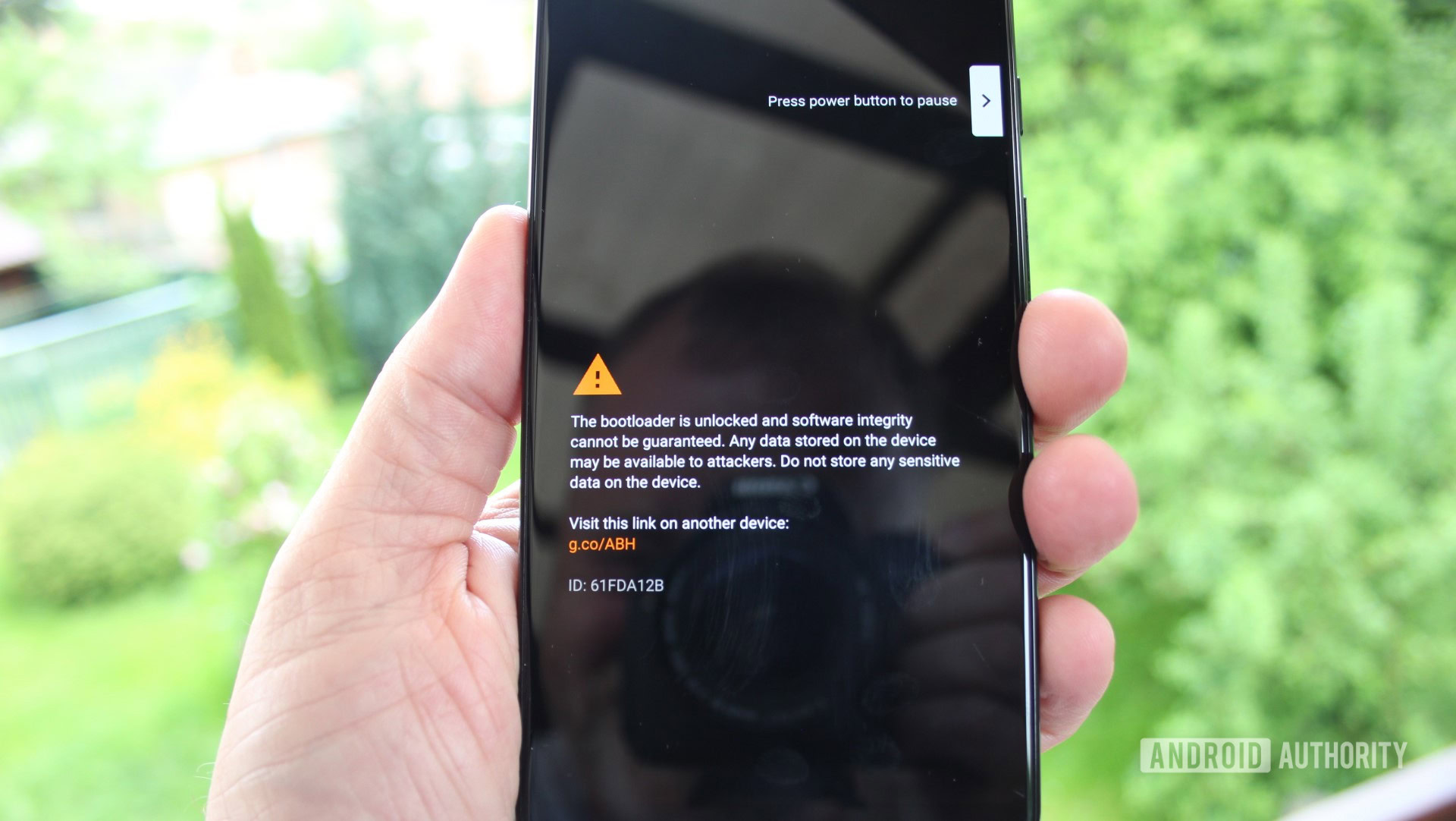
Unlocking the Bootloader
The bootloader is a piece of software that starts when you power on your device, instructing the operating system to load. Manufacturers typically lock the bootloader to prevent unauthorized modifications. The first step for almost any root method is to unlock this bootloader. This process usually involves enabling “OEM Unlocking” in developer options, connecting the phone to a computer, and using ADB (Android Debug Bridge) and Fastboot commands to send the unlock command. Warning: Unlocking the bootloader almost always factory resets your device, erasing all data.
Flashing a Custom Recovery
Once the bootloader is unlocked, the next common step is to flash a custom recovery image, most notably TWRP (Team Win Recovery Project). A custom recovery replaces the stock recovery environment and offers advanced features like flashing custom ZIP files (including custom ROMs, kernels, and root packages), creating full device backups (Nandroid backups), and performing factory resets. It acts as an essential intermediary for installing system-level modifications.
Installing a Root Solution
With a custom recovery in place, the final step involves installing a root management solution. In the modern Android landscape, Magisk is the dominant choice. Magisk achieves “systemless root,” meaning it modifies the boot image to provide root access without altering the /system partition itself. This approach makes it more robust against OTA updates and better at hiding its presence from integrity checks like SafetyNet. Users typically download the Magisk ZIP file, boot into TWRP, and “flash” the ZIP, which installs Magisk and its companion Manager app.
It is crucial to emphasize that these steps are generalized. Every device and Android version has its peculiarities, and following device-specific, up-to-date guides from reputable forums (like XDA Developers) is paramount to avoid bricking your device. Rooting is a powerful tool for those who understand its implications, but it requires careful execution and an awareness of the inherent risks.
aViewFromTheCave is a participant in the Amazon Services LLC Associates Program, an affiliate advertising program designed to provide a means for sites to earn advertising fees by advertising and linking to Amazon.com. Amazon, the Amazon logo, AmazonSupply, and the AmazonSupply logo are trademarks of Amazon.com, Inc. or its affiliates. As an Amazon Associate we earn affiliate commissions from qualifying purchases.