
In the vast, visually-driven landscape of Pinterest, a “board” stands as the fundamental organizational unit, a digital canvas where users curate and categorize their discovered content. At its core, a Pinterest board is a personalized collection of “Pins”—visual bookmarks representing ideas, products, articles, or services found either within Pinterest itself or across the broader internet. Think of it as a highly customizable, theme-specific bulletin board, but entirely digital, dynamic, and interconnected within a global network of inspiration.
Unlike a static photo album, a Pinterest board is designed for ongoing ideation, planning, and discovery. It serves as a personal repository for future aspirations, current projects, or simply a compilation of things a user finds aesthetically pleasing or useful. The technical architecture behind boards allows for a fluid, non-linear exploration of interests, enabling users to save, organize, and revisit visual information in a highly intuitive manner.
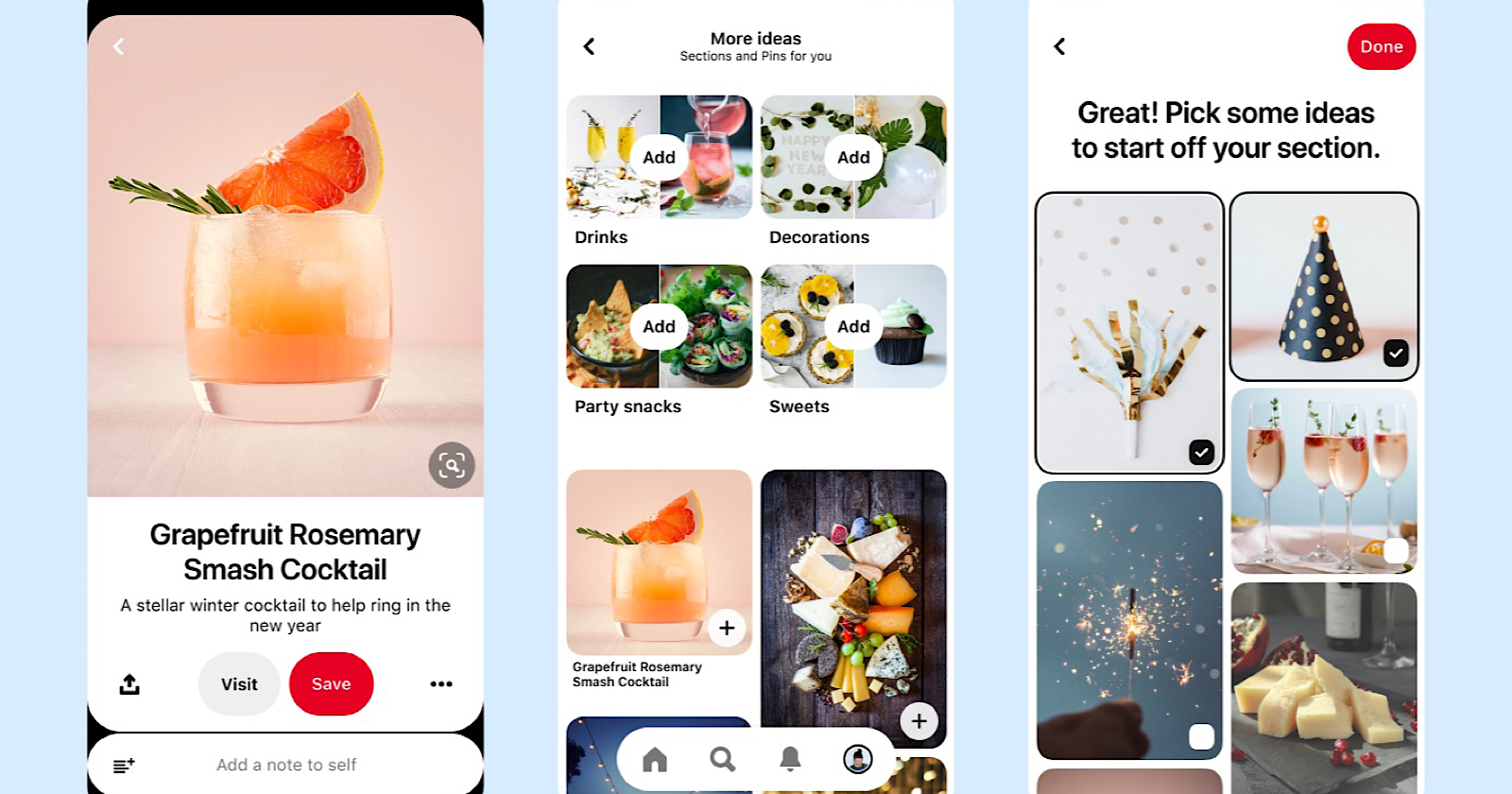
The Core Functionality: Organizing Visual Ideas
The primary purpose of a Pinterest board is to provide structure and context to the endless stream of visual content available on the platform. Without boards, Pinterest would merely be a chaotic feed of images; with them, it transforms into a powerful tool for personal curation and thematic exploration.
Pins and Boards: A Symbiotic Relationship
Pins are the individual content units on Pinterest. Each Pin is an image or video, often accompanied by a description and a link back to its original source. A board is the container for these Pins. This symbiotic relationship is crucial: a Pin gains context and discoverability when saved to a relevant board, while a board gains richness and utility from the variety and quality of the Pins it contains. When a user “saves” a Pin, they are essentially adding a bookmark to a specific board. This act not only stores the Pin for personal reference but also signals to Pinterest’s algorithms the user’s interests, thereby refining future content recommendations.
Technically, each Pin carries metadata—keywords, descriptions, source URLs—that Pinterest’s search and recommendation engines leverage. When a Pin is saved to a board, it inherits the board’s thematic context, further enhancing its algorithmic visibility and relevance for other users interested in similar topics. This layering of metadata from individual Pins and overarching boards creates a robust system for content categorization and retrieval.
Beyond Basic Saving: Thematic Curation
The power of a Pinterest board extends beyond simple bookmarking. It facilitates thematic curation, allowing users to build highly specific collections. For instance, instead of a generic “recipes” board, a user might create “Vegan Dinner Ideas,” “Gluten-Free Baking,” or “Summer Grilling Recipes.” This granular level of organization is supported by the platform’s ability to handle an immense volume of Pins per board and an unlimited number of boards per user.
This granular curation is crucial for Pinterest’s recommendation engine. The more specific and consistently themed a user’s boards are, the more accurately Pinterest can understand their preferences and serve relevant content. From a technical standpoint, each board acts as a data cluster, informing the user’s interest graph and contributing to the overall knowledge base that powers personalized content delivery. This means that a well-curated board is not just an aesthetic pleasure; it’s a critical input for the intelligent algorithms that shape the user experience.
Technical Features and User Experience
Pinterest boards come equipped with several technical features that enhance their utility and adapt to diverse user needs, from personal planning to collaborative projects.
Public, Secret, and Collaborative Boards
Pinterest offers distinct privacy settings for boards, empowering users to control visibility and collaboration:
- Public Boards: These are the default and most common type. Public boards are visible to anyone on Pinterest, appear in search results, and contribute to a user’s public profile. They are designed for sharing inspiration, building a public portfolio of interests, and contributing to the collective knowledge base of the platform. From an algorithmic perspective, public boards are prime data sources for trend identification and content distribution, as their Pins can be repinned by others, extending their reach.
- Secret Boards: Also known as private boards, these are visible only to the creator and any invited collaborators. Secret boards are ideal for personal planning, surprise gifts, confidential projects, or simply collecting ideas without public scrutiny. While their content is hidden from general search and feeds, they still influence the owner’s personalized recommendations, ensuring a consistent user experience. This feature highlights Pinterest’s commitment to user privacy while maintaining internal data integrity for individual user profiles.
- Collaborative Boards: These are public or secret boards to which multiple users have been invited to contribute. Collaborative boards are powerful tools for group projects, event planning, shared inspiration, or even family wish lists. Each collaborator can add Pins, move existing Pins, and manage board sections. The technical implementation of collaborative boards involves a shared permission model, ensuring that only invited users can access and modify content, while changes are synchronized in real-time across all participants. This feature demonstrates a sophisticated backend infrastructure for multi-user content management.
Dynamic Organization: Sections and Reordering
To manage boards that grow to contain hundreds or even thousands of Pins, Pinterest introduced “sections” within boards. Sections function as sub-folders, allowing users to further categorize Pins within a single board without needing to create entirely new boards. For example, a “Home Renovation” board could have sections for “Kitchen Ideas,” “Bathroom Designs,” and “Living Room Decor.” This nested organization significantly improves navigability and maintains thematic coherence even within very broad topics.
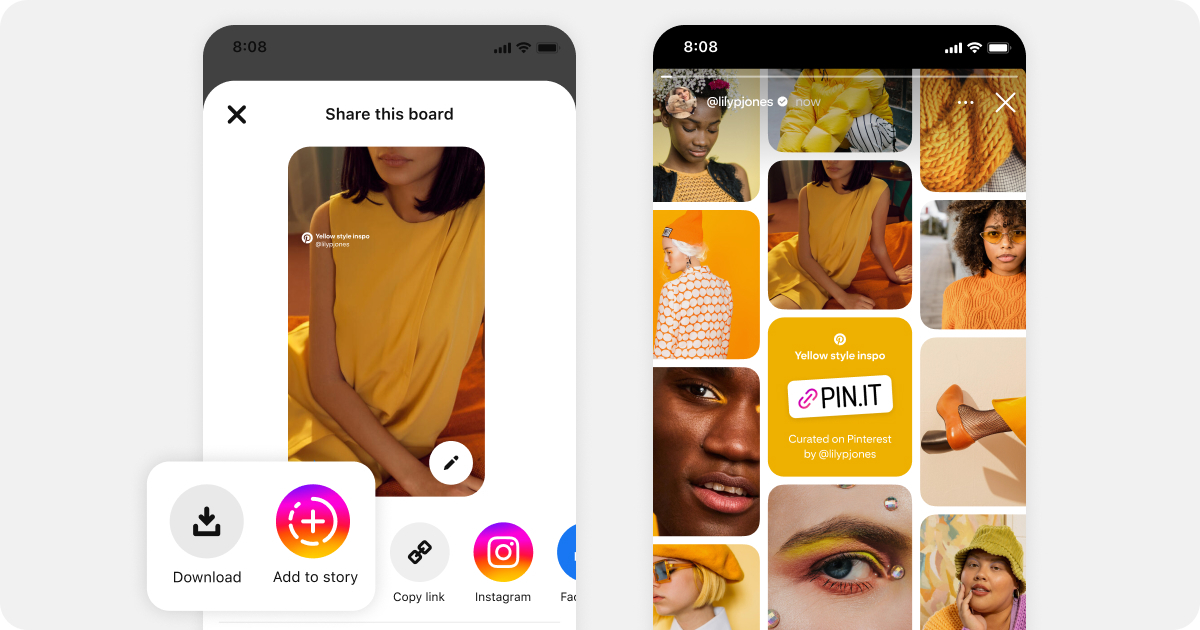
Users also have the ability to reorder Pins within a section or board, and reorder sections themselves. This drag-and-drop functionality provides a high degree of control over the visual presentation and logical flow of content, allowing users to prioritize certain ideas or create visual narratives. These dynamic organization features are crucial for maintaining a positive user experience, preventing information overload, and ensuring that boards remain functional and accessible as they expand.
Leveraging Board Data for Discovery
Beyond user-facing features, the structure and content of Pinterest boards play a critical role in the platform’s backend algorithms for content discovery. When a user saves a Pin to a board, this action provides a strong signal of interest. The combination of Pins on a board, the board’s title, description, and chosen category, all feed into an intricate graph database. This data helps Pinterest understand not just what a user likes, but the context in which they like it and its relation to other interests.
Pinterest’s algorithms use this rich board data to:
- Generate Recommendations: By analyzing the themes and Pins within a user’s boards, Pinterest can suggest new Pins, boards, and even accounts that align with their inferred interests.
- Enhance Search Results: Board titles and descriptions contribute to the semantic understanding of search queries, delivering more precise and relevant results.
- Identify Trends: Aggregated data from millions of public boards allows Pinterest to identify emerging trends and popular topics, which can then be highlighted across the platform.
- Power Visual Search: The content of boards helps train and refine Pinterest’s sophisticated visual search capabilities, allowing users to find similar items based purely on an image.
Creating and Managing Your Pinterest Boards
The process of creating and managing boards is designed to be straightforward, emphasizing ease of use to encourage continuous curation.
Step-by-Step Creation
Creating a new board is an intuitive process integrated into the user interface. Typically, a user can initiate board creation from their profile page or directly when attempting to save a new Pin. The steps involve:
- Naming the Board: Choosing a clear, descriptive title is crucial for both personal organization and algorithmic discoverability.
- Setting Privacy: Deciding whether the board should be Public or Secret.
- Adding a Description: A concise description further clarifies the board’s theme, aiding both user recall and search engine optimization within Pinterest.
- Choosing a Category: Selecting a pre-defined category helps Pinterest classify the board, improving its visibility to relevant audiences and refining recommendations.
- Adding Collaborators (Optional): For collaborative boards, users can invite others via email or Pinterest username.
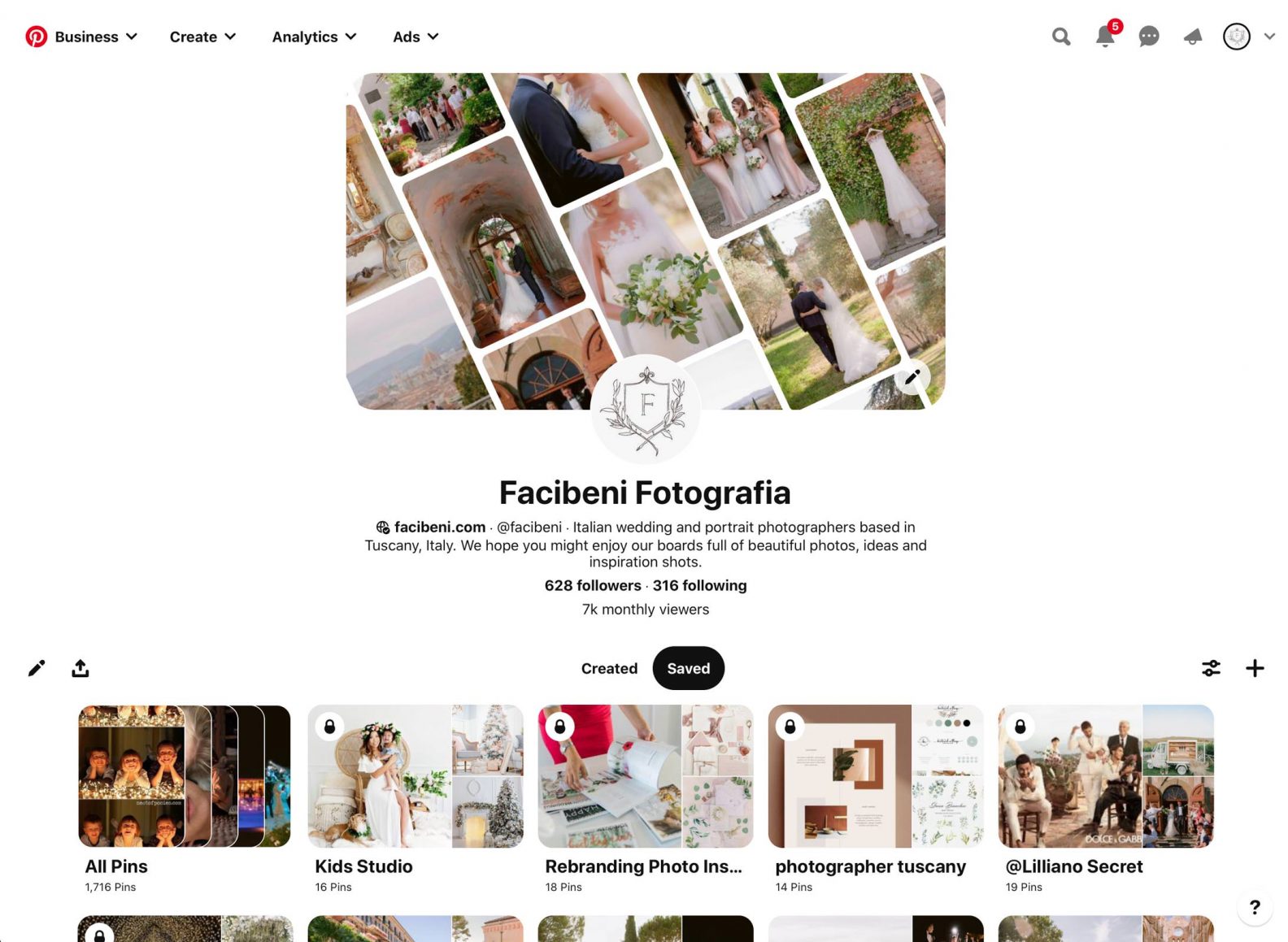
Once created, boards are displayed prominently on a user’s profile, typically organized by date or custom order.
Optimizing Boards for Discoverability
From a technical perspective, optimizing a board for discoverability within Pinterest involves leveraging available metadata fields. While not SEO in the traditional web sense, it follows similar principles for internal search and recommendation algorithms:
- Keyword-Rich Titles: Using relevant keywords in the board title increases its chances of appearing in Pinterest search results for those terms.
- Descriptive Descriptions: A detailed description provides more contextual clues for Pinterest’s algorithms about the board’s content, further enhancing its relevance for specific queries.
- Category Selection: Assigning the most accurate category ensures the board is classified correctly and shown to the appropriate audience segments.
- Consistent Pinning: Regularly adding high-quality, relevant Pins to a board signals its ongoing activity and relevance, which can positively influence its algorithmic standing.
- Rich Pins Integration: For businesses and content creators, using Rich Pins (which automatically pull additional data from the source website, such as product prices or recipe ingredients) can enhance the informational value of Pins on a board, making them more attractive and useful.
These optimization strategies, while seemingly simple, are deeply tied to how Pinterest’s backend processes and distributes content, making boards not just personal collections but also tools for digital discovery.
The Evolution and Impact of Pinterest Boards
Pinterest boards have evolved significantly since the platform’s inception. Initially conceived as simple virtual bulletin boards, they have grown into sophisticated content management systems that underpin much of the Pinterest experience. This evolution reflects advancements in data science, user interface design, and a deeper understanding of how people interact with visual information for inspiration and planning.
From Simple Collections to Powerful Tools
Early Pinterest boards were primarily static collections. Over time, features like sections, collaborative capabilities, enhanced search functionalities, and refined algorithmic intelligence transformed them into dynamic, interactive tools. They moved from being mere repositories to active instruments for planning weddings, decorating homes, developing brand strategies, or even learning new skills. The underlying technology continually adapts to process vast amounts of visual data, understand semantic relationships between images and keywords, and predict user intent based on board activity.
The impact of Pinterest boards extends beyond individual users. For content creators and businesses, boards serve as powerful digital storefronts and thematic showcases, allowing them to organize their offerings in a way that resonates with user interests. From a technological standpoint, this means Pinterest’s infrastructure must support not only personal curation but also large-scale content publishing and distribution, all mediated through the versatile board system. The continuous refinement of board features, driven by user feedback and data analysis, ensures that they remain at the forefront of visual content organization in the digital realm.
aViewFromTheCave is a participant in the Amazon Services LLC Associates Program, an affiliate advertising program designed to provide a means for sites to earn advertising fees by advertising and linking to Amazon.com. Amazon, the Amazon logo, AmazonSupply, and the AmazonSupply logo are trademarks of Amazon.com, Inc. or its affiliates. As an Amazon Associate we earn affiliate commissions from qualifying purchases.