
In an era where smartphone manufacturers release dozens of models annually, identifying a specific device can feel like navigating a labyrinth of glass, aluminum, and plastic. Whether you have inherited a secondary device, found a phone, or are simply curious about a sleek handset you spotted in a coffee shop, the process of identification is essential for troubleshooting, software updates, or resale. With the market saturated by hundreds of variants, knowing exactly what hardware is resting in your palm is the first step toward effective device management.
Cracking the Code: Physical Indicators and External Cues
Before turning to software or digital tools, the most reliable way to identify a phone is to examine its physical characteristics. Manufacturers often hide clues in plain sight, though these markers can be subtle to the untrained eye.

Inspecting the Exterior Chassis
Most modern smartphones feature a model number etched onto the back cover or engraved on the SIM card tray. If the device has a removable battery—a rarity in contemporary flagships—removing it will almost certainly reveal a sticker containing the model number, FCC ID, and regulatory information.
For unibody devices, the model number is frequently printed in microscopic text near the bottom edge of the rear glass or metal casing. Using a magnifying glass or taking a high-resolution macro photo with another camera can help you capture this string of characters. Once you have a string of numbers or an alphanumeric code like “A2484” or “SM-G991B,” a simple web search will instantly reveal the specific make and model.
Observing Unique Design Language
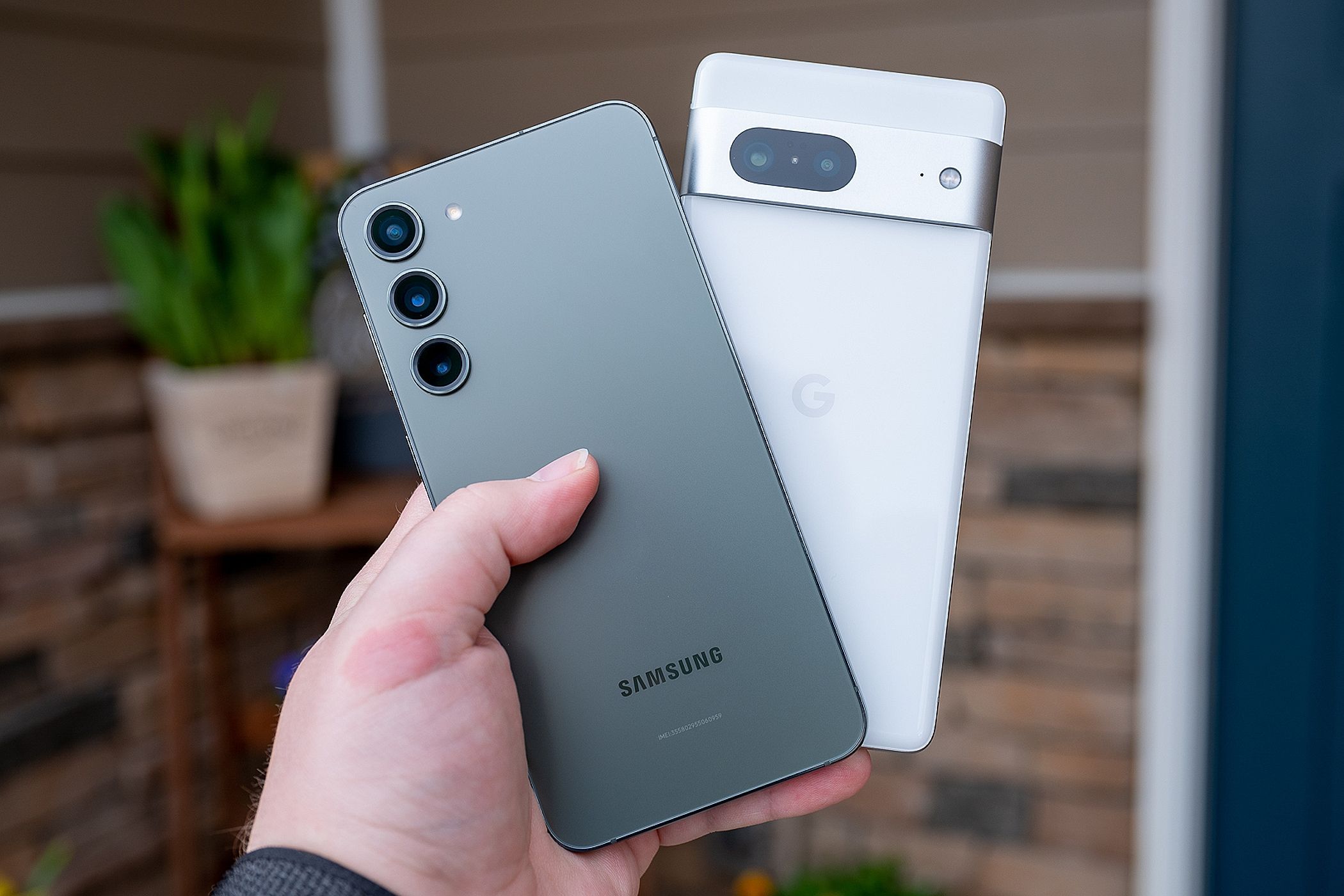
Beyond model numbers, design language is a dead giveaway. Every manufacturer has a signature aesthetic. For instance, the placement of camera modules—whether they are arranged in a vertical stack, a horizontal island, or a “quad-camera” square—often narrows the field down to a specific generation of devices. Pay attention to button placement, the presence or absence of a 3.5mm headphone jack, and the curvature of the display. These physical traits act as a biometric fingerprint for the device.
Unlocking System Information: The Software Path
If the device is functional and accessible, the software interface is the fastest way to confirm the identity of the phone. Because modern operating systems are deeply integrated with the hardware, the “About Phone” menu remains the gold standard for authentication.
Navigating the Settings Menu
On an Android device, the path is consistently found within the “Settings” application. Scroll to the very bottom to locate “About Phone” or “About Device.” Here, you will find the model name, the model number, the version of the operating system, and the specific build number. This information is vital if you need to download firmware, locate compatible cases, or find repair guides.
For iOS devices, the path is similarly intuitive. Navigate to “Settings,” then “General,” and select “About.” At the top of the list, you will find the “Model Name.” Tapping on the “Model Number” field will often toggle the view to show the specific A-series part number, which allows for granular identification, distinguishing between regional variants of the same device.
Utilizing Hidden Diagnostic Codes
In instances where the settings menu is inaccessible due to a locked screen or software glitch, you can often trigger diagnostic menus using USSD codes. By opening the emergency dialer on a locked screen and inputting specific sequences—such as *#06# to reveal the IMEI—you can gain critical data. The International Mobile Equipment Identity (IMEI) is a unique 15-digit number that identifies the specific device on a global cellular network. Typing this number into an online IMEI checker or a manufacturer’s database will return the exact make, model, storage capacity, and even the original manufacturing date.
Digital Forensic Techniques for Hardware Identification
When visual inspection and standard settings menus are not enough, technical utilities can bridge the gap. These tools are particularly useful for power users or those repairing refurbished hardware.
Using Device Information Apps
If you have access to an unlocked phone, third-party diagnostic applications such as “CPU-Z” or “AIDA64” provide an exhaustive breakdown of the internal components. These apps pull data directly from the system kernel. They reveal the exact processor (SoC), the display resolution, the amount of RAM, and the internal codenames used by the manufacturer during development. Often, a phone might be branded for a specific carrier, but these apps will reveal the internal “codename” (e.g., “star2” for a Galaxy S9+), allowing you to research the device’s true lineage.
Connecting to a Computer
Connecting your phone to a computer via USB can yield significant technical data. On a computer running ADB (Android Debug Bridge), executing the command adb shell getprop ro.product.model will return the manufacturer’s internal model designation. This is often the most accurate identification method because it bypasses any potential UI modifications or themes that might mask the true identity of the phone. For iPhones, connecting to iTunes or Apple Configurator on a Mac will immediately display the device type, capacity, and serial number in the sidebar, providing an undeniable confirmation of the hardware.
The Importance of Accurate Identification in the Lifecycle
Why does it matter if you know the name of your phone? Beyond the superficial satisfaction of knowledge, accurate identification is a pillar of digital sustainability and security.
Repairability and Sourcing Parts
The smartphone repair industry is highly fragmented. A single millimeter of difference in a ribbon cable or a battery connector can render a replacement part useless. By correctly identifying your model, you ensure that you are purchasing compatible components. Whether you are replacing a shattered screen or a degraded battery, knowing the specific sub-model variant—such as the difference between a Verizon-locked variant and an international unlocked variant—is the difference between a successful repair and a bricked device.
Software Support and Security
Smartphone manufacturers provide security patches and software updates based on specific hardware configurations. If you misidentify your phone, you might attempt to flash a custom ROM or install a firmware update intended for a different regional variant. This can cause boot loops, loss of cellular connectivity, or the permanent disabling of features like NFC or biometric sensors. Keeping track of the exact model name ensures that you stay within the supported ecosystem, keeping your data secure and your software running at peak efficiency.

Understanding Market Value
Finally, identification is key to personal finance within the tech space. Whether you are selling your old device or buying a used one, the market value can fluctuate wildly based on specific iterations. A phone that looks identical to its predecessor might have significantly less internal storage or a lower-tier camera sensor. By utilizing the identification methods outlined above—checking the model number, confirming the IMEI, and verifying the internal specs—you protect yourself against fraudulent listings and ensure that you receive the true value of the technology you are handling.
In the fast-paced world of technology, clarity is a form of power. By mastering the art of device identification, you regain control over your hardware, simplify your repair efforts, and ensure that your digital life remains secure and up-to-date. Take a moment to look closely at your device—the answer is always there, waiting to be discovered.
aViewFromTheCave is a participant in the Amazon Services LLC Associates Program, an affiliate advertising program designed to provide a means for sites to earn advertising fees by advertising and linking to Amazon.com. Amazon, the Amazon logo, AmazonSupply, and the AmazonSupply logo are trademarks of Amazon.com, Inc. or its affiliates. As an Amazon Associate we earn affiliate commissions from qualifying purchases.