
When building or maintaining a computer, hardware specifications like the processor speed (CPU) and graphics card (GPU) often steal the spotlight. Yet, beneath these high-profile components lies a silent, crucial bridge that ensures every part of your system communicates effectively: the chipset driver. While often overlooked by casual users, the chipset driver is the foundational software that dictates how the motherboard interacts with the rest of your hardware. Without it, even the most expensive CPU would be unable to perform its basic tasks efficiently.
Understanding the Chipset Architecture
At the heart of every motherboard is the chipset. Think of the chipset as the central nervous system or the “traffic controller” of your computer. It consists of a set of electronic components integrated into the motherboard that manages data flow between the processor, memory, storage devices, and all connected peripherals.

The Role of the Controller
The chipset is responsible for controlling the speed and efficiency of the data buses—the pathways through which information travels. It dictates how the processor talks to the RAM, how the USB ports handle data transfers, and how the PCI Express lanes—which connect your graphics card and high-speed NVMe drives—are allocated. Because the hardware on your motherboard is physical, it requires a “language” to communicate with the Operating System (OS). This is where the chipset driver comes in. It provides the necessary translation layer, allowing Windows or Linux to understand exactly what hardware is present and how to utilize its specific features.
Why Generic Drivers Fall Short
When you first install an operating system, it often includes a set of “generic” drivers. These are designed to provide basic functionality so that the system can boot up, connect to the internet, and display a desktop. However, generic drivers are “one-size-fits-all.” They lack the specific optimizations needed to harness the full potential of your motherboard’s unique architecture. Using generic drivers is akin to driving a high-performance sports car while keeping it in first gear; the car moves, but you aren’t experiencing the performance for which it was engineered.
The Critical Functions of Chipset Drivers
The primary purpose of a chipset driver is to facilitate communication between the OS and the hardware, but its impact extends far beyond simple connectivity. It is a critical component for system stability, power management, and performance optimization.
Power Management and Thermal Efficiency
One of the most essential tasks handled by modern chipset drivers is power management. The driver tells the processor and motherboard components how to scale their power consumption based on the workload. Without these drivers, your computer might not be able to enter sleep modes correctly, or it might consume significantly more electricity than necessary. Furthermore, the driver helps the OS monitor thermal sensors. If the system knows how to interpret these sensors correctly, it can adjust fan speeds or throttle clock frequencies to prevent overheating.
Stability and Bug Fixes
Motherboard manufacturers are constantly discovering edge-case bugs in how their hardware handles data. A chipset driver update often contains “microcode” updates or patches that fix these underlying issues. If you have ever experienced random “Blue Screens of Death” (BSOD) or unexplained system freezes, outdated chipset drivers are frequently the culprit. By keeping these drivers updated, you are effectively applying patches that refine the hardware’s behavior, making the system more resilient against errors.
Peripheral Support and Data Throughput
Consider the USB ports on your PC. When you plug in a high-speed external SSD or a capture card, the chipset is what manages that data throughput. If the chipset driver is outdated, the motherboard might struggle to maintain stable speeds for USB 3.0 or Thunderbolt connections. By installing the latest chipset driver, you ensure that the protocols for these connections are fully updated, leading to faster file transfer speeds and fewer connection drops.

When and How to Update Your Chipset Drivers
Knowing the importance of chipset drivers is only half the battle. Knowing how to maintain them is equally important for long-term system health. Many users fall into the “if it isn’t broken, don’t fix it” trap, but in the world of drivers, stagnation can lead to performance degradation over time.
Identifying Your Motherboard
Before you can update your driver, you must identify your hardware. You do not need to look for a “Chipset Driver” download from Microsoft; instead, you must go to the source. Identify your motherboard manufacturer (e.g., ASUS, MSI, Gigabyte, ASRock) or the chipset manufacturer (usually Intel or AMD).
The Source Matters: Intel vs. AMD vs. OEM
There are two primary ways to obtain these drivers:
- The OEM Route: Visiting the website of your motherboard manufacturer (e.g., the support page for your specific motherboard model) will provide drivers that have been vetted specifically for that board. This is usually the safest route for pre-built computers or proprietary motherboards.
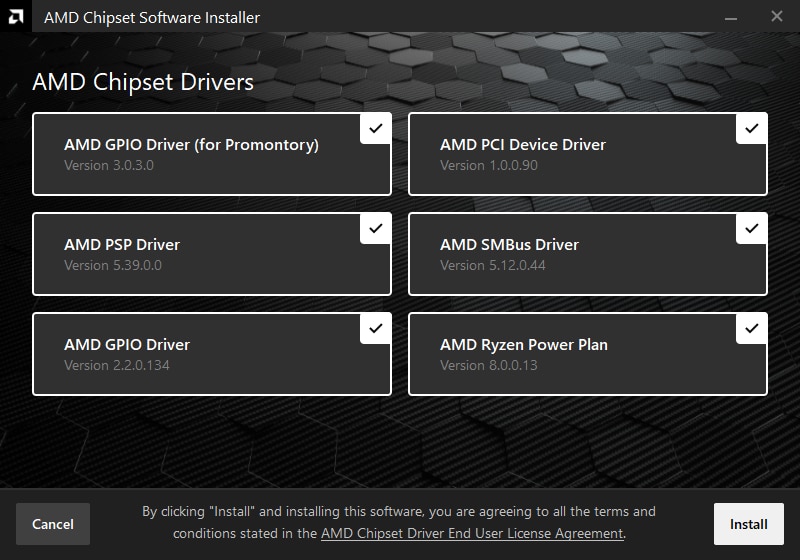
- The Chipset Manufacturer Route: Going directly to Intel or AMD’s websites often provides the “latest” version of the driver. These drivers are more generic than the OEM ones but are generally updated much more frequently. For DIY enthusiasts who want the most recent performance tweaks, this is typically the preferred method.
The Installation Process
Updating a chipset driver is a straightforward process, but it should be done with care.
- Download: Ensure you are downloading from the official manufacturer website. Avoid third-party “driver updater” software, as these are often bloated with unnecessary advertising or, worse, malware.
- Backup: It is a best practice to create a System Restore point before updating any low-level system software.
- Install and Reboot: Once the installer finishes, a reboot is almost always required. The chipset driver interacts with the system at such a low level that it cannot be fully initialized until the kernel reloads during the boot process.
Common Myths and Misconceptions
Despite their importance, chipset drivers are surrounded by confusion. Clearing up these myths helps users manage their expectations regarding PC performance.
“Will a new driver make my PC faster?”
A common misconception is that a chipset driver update will provide an immediate, massive boost to FPS in games. While chipset drivers can improve performance, it is usually in the form of improved efficiency and better resource allocation rather than raw processing power. You might notice fewer frame-rate dips or faster loading times from storage drives, but don’t expect a brand-new GPU’s worth of performance from a driver update alone.
“Does Windows Update handle this automatically?”
Windows Update has become significantly better at managing drivers over the years. It will often pull the “best” driver from its own repository to get your system running smoothly. However, Windows Update usually prioritizes stability over the absolute latest version. If you are a power user, a gamer, or a professional working with resource-intensive applications, you should not rely solely on Windows Update. Manually checking the manufacturer’s website every three to six months is a proactive way to ensure your hardware is running at its absolute peak.
“What if the installation fails?”
If an installation fails or causes instability, Windows’ “Roll Back Driver” feature (found in Device Manager) is your best friend. Because the chipset driver is so fundamental, the system will usually prevent the installation of a completely corrupt driver. If you encounter issues, reverting to the previous version is a quick and safe process that will return your system to its prior stable state.
Conclusion
The chipset driver is the unsung hero of the computing world. It serves as the vital link that allows the hardware you purchased to function as a cohesive, high-performance unit. While it may lack the marketing prestige of a high-end CPU or a liquid-cooled GPU, it performs the foundational work that makes all other components possible. By understanding what the chipset driver does—managing data flow, power, and stability—and by taking the time to keep it updated, you ensure that your computer remains fast, stable, and capable of handling the demands of modern software and hardware peripherals. Treat your chipset driver as a core part of your system maintenance, and your computer will reward you with reliability and peak performance for years to come.
aViewFromTheCave is a participant in the Amazon Services LLC Associates Program, an affiliate advertising program designed to provide a means for sites to earn advertising fees by advertising and linking to Amazon.com. Amazon, the Amazon logo, AmazonSupply, and the AmazonSupply logo are trademarks of Amazon.com, Inc. or its affiliates. As an Amazon Associate we earn affiliate commissions from qualifying purchases.