
When browsing the internet, few things are as frustrating as clicking a link and being met with an unhelpful, stark white page displaying the message: “502 Bad Gateway.” This error is one of the most common HTTP status codes encountered by web users, yet its cryptic nature often leaves people wondering if the problem lies with their internet connection, their browser, or the website itself. Understanding the 502 Bad Gateway error requires a brief dive into how the internet works behind the scenes—specifically, how servers communicate with one another to deliver the content you see on your screen.
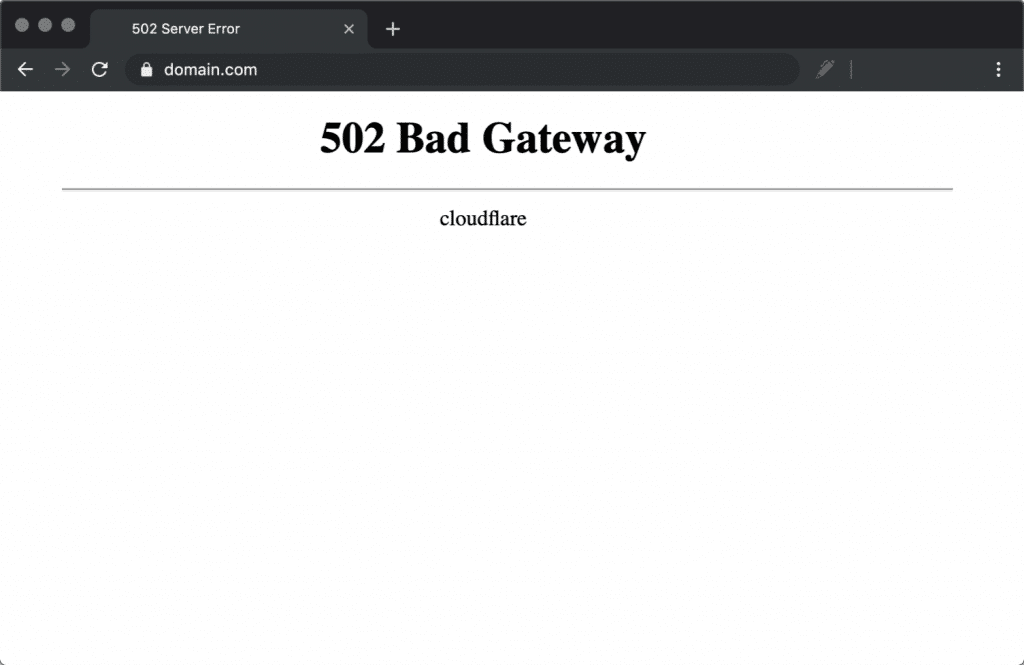
Understanding the HTTP Status Code 502
At its core, a 502 Bad Gateway error is a communication breakdown between servers. To understand why this happens, it is helpful to visualize the architecture of a modern website. Very few websites today are served by a single, monolithic machine. Instead, they rely on a complex network of servers, load balancers, and content delivery networks (CDNs).
The Role of the Proxy Server
When you enter a URL into your browser, you are sending a request to a server. In many professional website architectures, your request does not go directly to the primary server that holds the website’s data. Instead, it hits a “gateway” or “proxy” server first. Think of this proxy server as a receptionist at a large office building. Your browser (the visitor) tells the receptionist what you need, and the receptionist walks back to the inner offices to fetch the requested document.
The Breakdown in Communication
The 502 Bad Gateway error occurs when the proxy server (the receptionist) attempts to contact the upstream server (the office worker) to fulfill your request, but receives an invalid response in return. The proxy server is essentially reporting that the server further down the chain failed to behave as expected. It is important to note that the 502 error is a server-side error, not a client-side one. It confirms that both servers are talking to each other, but the communication is flawed or blocked, rendering the website inaccessible to the end user.
Common Causes of the 502 Error
Because the 502 Bad Gateway error is a generic status code, it does not point to a single root cause. Instead, it serves as a broad indicator that something went wrong during the handshake between servers. Identifying the cause often requires a systematic process of elimination.
Server Overload and High Traffic
One of the most frequent causes of a 502 error is server overload. If a website experiences a sudden, massive spike in traffic—often referred to as a “slashdotting” or a viral event—the upstream server may be unable to process all incoming requests. When the server is overwhelmed and cannot respond within the necessary time frame, the proxy server interprets the lack of data or the timed-out connection as a 502 error.
Misconfigured Firewalls or CDNs
Web security is a double-edged sword. Firewalls, such as those provided by services like Cloudflare or specialized web application firewalls (WAFs), act as gatekeepers, filtering out malicious traffic and DDoS attacks. Occasionally, a firewall may misidentify legitimate traffic as a threat and block the communication between the proxy server and the upstream server. If the firewall settings are too aggressive or incorrectly configured, the proxy server is blocked from “seeing” the data it needs, resulting in a gateway error.
Coding Errors and Faulty Plugins
In the context of Content Management Systems (CMS) like WordPress, faulty code is a frequent culprit. An improperly written plugin or a poorly coded update can cause the upstream server to crash or enter a loop. If the script is meant to execute a function but hits a dead end, the upstream server sends back a broken or empty response to the proxy, triggering the 502 status.
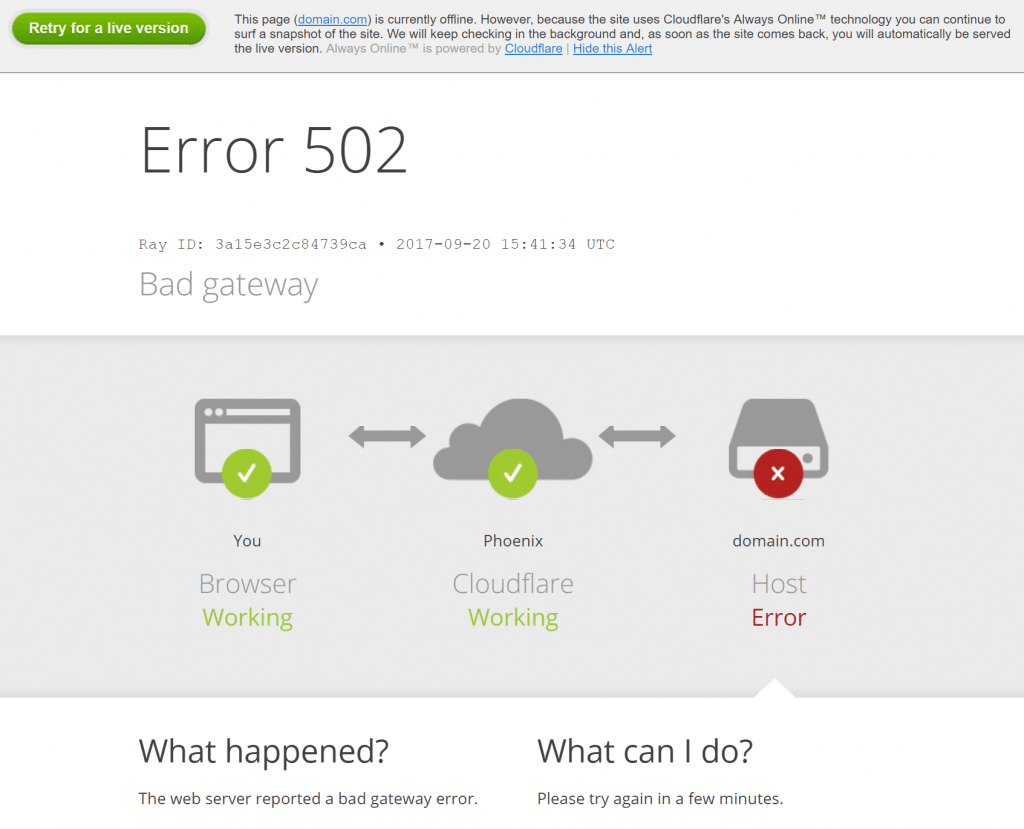
Scheduled Maintenance and Server Downtime
Sometimes, the error is intentional. During server maintenance, administrators may temporarily disconnect the upstream server to deploy updates or patch vulnerabilities. During this window, the proxy server, unaware that the upstream server is offline for updates, still attempts to route traffic to it. The resulting failure to establish a connection manifests as a 502 Bad Gateway.
Troubleshooting and Resolving 502 Errors
If you are a web visitor, there is very little you can do to “fix” a 502 error, as the issue resides on the host’s end. However, if you are a website owner or developer, understanding how to diagnose and resolve these errors is a critical technical skill.
For the Average User: Patience and Refreshing
If you are simply browsing and encounter a 502 error, your first step should be to refresh the page. Sometimes the issue is a temporary blip that resolves itself within seconds. If a refresh doesn’t work, wait a few minutes. You may also try clearing your browser’s cache; while rare, an outdated local version of a page can sometimes conflict with a new configuration on the server. If the issue persists across multiple devices and networks, the problem is definitely on the website owner’s side, and your only recourse is to check back later.
For Website Administrators: The Debugging Workflow
Administrators should begin their investigation by checking server logs. Error logs will often provide specific timestamps and clues regarding what the upstream server was doing when the failure occurred.
- Check Server Status: Verify if your hosting provider is performing maintenance. Many hosting dashboards offer status pages that indicate if a specific data center is experiencing outages.
- Inspect Plugins and Themes: If you are using a CMS, disable your plugins one by one to see if the error clears. A conflict between plugins is a classic cause of 502 errors.
- Review Firewall Logs: If you use a CDN or a third-party firewall, check their activity logs to see if they are actively dropping connections to your server.
- Analyze Database Performance: Sometimes, the server itself is fine, but the database connection is hanging. Slow queries that take too long to return results can cause the server to time out, which the proxy server perceives as a failure.
- Restart Services: In many cases, simply restarting the PHP-FPM or Nginx/Apache services on your server can flush out memory leaks or stalled processes that were causing the bottleneck.
Preventing Future Gateway Failures
While some 502 errors are unavoidable—such as unexpected hardware failures—most can be mitigated through proactive server management and robust infrastructure design.
Implementing Scalable Infrastructure
As websites grow, single-server setups become insufficient. Transitioning to a scalable architecture that utilizes load balancers helps distribute traffic across multiple upstream servers. If one server becomes overwhelmed, the load balancer can route requests to the next available machine, preventing a total site outage and reducing the likelihood of 502 errors.
Regular Performance Monitoring
Real-time monitoring tools are essential for the modern web environment. By setting up alerts for server response times, CPU usage, and memory consumption, administrators can address potential issues before they escalate into full-blown 502 errors. If you see that your server’s average response time is creeping upward, you can optimize your code or upgrade your resources before the gateway breaks.
Maintaining Clean Code
The importance of clean, efficient code cannot be overstated. Regularly auditing your application for “heavy” scripts, memory leaks, and inefficient database calls ensures that your server remains responsive even under load. By keeping plugins updated and removing unused assets, you reduce the surface area for potential server-side conflicts.
In conclusion, while the 502 Bad Gateway error is undoubtedly a nuisance, it is a predictable part of the internet’s infrastructure. By recognizing it as a communication timeout between servers, both users and administrators can better navigate the issue. For the user, it is a cue to exercise patience; for the developer, it is a roadmap to improving the reliability and efficiency of their digital presence. Consistent maintenance, intelligent monitoring, and a solid understanding of server architecture remain the best defense against this common yet manageable technical hurdle.
aViewFromTheCave is a participant in the Amazon Services LLC Associates Program, an affiliate advertising program designed to provide a means for sites to earn advertising fees by advertising and linking to Amazon.com. Amazon, the Amazon logo, AmazonSupply, and the AmazonSupply logo are trademarks of Amazon.com, Inc. or its affiliates. As an Amazon Associate we earn affiliate commissions from qualifying purchases.