
In the intricate ecosystem of professional graphic design and desktop publishing, Adobe InDesign stands as the industry standard. However, as designers collaborate across different versions of software, operating systems, and professional workflows, file compatibility often becomes a technical hurdle. This is where the IDML (InDesign Markup Language) file format becomes essential. Whether you are a seasoned print production specialist or a layout designer transitioning between creative suites, understanding the IDML format is critical to maintaining file integrity and ensuring seamless collaboration.
The Technical Architecture of an IDML File
At its core, an IDML file is a compressed archive that represents an InDesign document in an XML-based format. Introduced by Adobe with the release of InDesign CS4, the format was designed to solve the rigidity inherent in native binary .indd files. By converting a complex, proprietary document structure into human-readable and machine-parseable XML, Adobe created a bridge that allows different versions of InDesign—and even third-party software—to interpret layout data accurately.

XML Serialization and Structure
When you save a document as an IDML file, InDesign performs a process called serialization. It breaks down every element of your layout—text frames, image links, paragraph styles, character styles, color swatches, and master pages—into a collection of XML documents and support files. These components are then bundled into a single compressed package.
Because it is based on XML, the IDML format is highly resilient. If a native .indd file becomes corrupted, it is often impossible to salvage; the proprietary binary data is effectively locked. Conversely, because an IDML file is essentially a collection of tagged text files, developers can theoretically access, modify, or repair the internal data of the document without needing the original InDesign software.
The Role of Compression
While the internal structure is based on XML, the file itself is a “package.” Much like an ePub file, an IDML file uses a ZIP-based compression method. This makes the file size significantly smaller than its binary counterpart, which is particularly useful when transferring complex, image-heavy documents over email or cloud storage platforms.
When and Why to Use IDML Files
The primary purpose of an IDML file is not necessarily for day-to-day work, but for stability, cross-version compatibility, and file recovery. Professional designers treat the IDML format as a “safety net” and a “universal key.”
Ensuring Backward Compatibility
One of the most common challenges in professional design is the “version gap.” If a designer working in InDesign 2024 sends a native .indd file to a freelancer working in InDesign 2021, the file will fail to open. Adobe’s software is notoriously forward-compatible but not backward-compatible.
To overcome this, the user in the newer version must export their file as an IDML. This “down-saving” process allows the older version of the software to rebuild the layout. While the older version may lack the specific features introduced in later updates, the structural integrity of the layout remains intact, allowing for continued collaboration across disparate software versions.
The Ultimate Corruption Cure
Every designer has experienced the dreaded “File is damaged and cannot be opened” error message. This is often the result of minor glitches in the binary code of an .indd file, which can occur due to network interruptions during a save, power fluctuations, or software crashes.
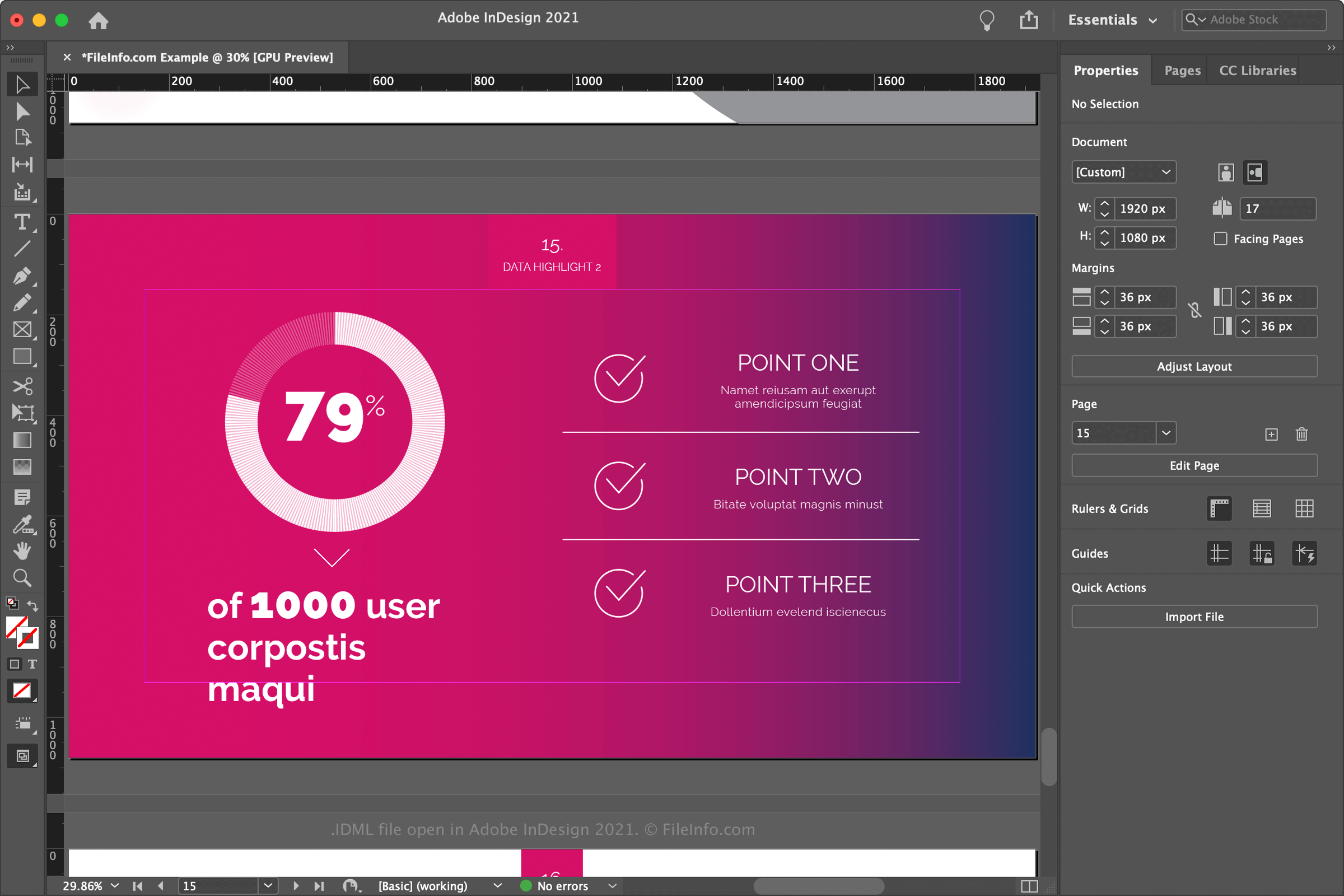
Exporting to IDML—and then re-opening and saving that file as a new .indd file—is the most effective way to “clean” a document. During the conversion process, InDesign strips away hidden metadata, temporary cache files, and minor structural errors that may have been causing the corruption. This “round-tripping” process is the standard troubleshooting procedure for unstable files in any professional print workflow.
Third-Party Tool Integration
Because IDML is an open, XML-based standard, it enables developers to create plugins and automation tools that interface with InDesign. Many translation services, for example, use the IDML format to extract text for localization. Since the text is stored as XML, translation software can easily identify content to be localized without disturbing the complex geometric positioning of images or decorative frames within the layout.
Best Practices for Managing IDML Workflows
Incorporating IDML files into your professional routine can prevent significant downtime and data loss. However, there are nuances to consider when working within this format to ensure that your design integrity remains uncompromised.
The Importance of “Round-Tripping”
As mentioned, the process of exporting to IDML and re-importing into the native format is highly recommended for long-term projects. Large, complex documents (like books, catalogs, or annual reports) that are edited over several months are prone to “bloat”—the accumulation of unnecessary metadata and temporary pointers.
Performing an IDML round-trip once a month keeps the document architecture lean. You will often find that after a round-trip, the file size of the native .indd file decreases, and the performance (scrolling speed, link updating, and font rendering) improves noticeably.
Awareness of Feature Loss
When you export a file to IDML for the purpose of opening it in an older version of InDesign, you must be aware of feature limitations. If your layout utilizes a specific effect, paragraph shading style, or variable font feature that was introduced in a version of InDesign released after the version you are opening it in, those elements will either be stripped or converted into static, non-editable graphics.
Always check your document for “missing features” or unexpected formatting changes immediately after opening an IDML file in an older software version. It is standard practice to compare a PDF of the original file with the output generated from the IDML version to ensure complete fidelity.
Automation and Scripting
For agencies handling high volumes of template-based work, the IDML format serves as a backbone for automation. Because the format is transparent, it is possible to use scripts to programmatically swap assets or text within an IDML file before it ever hits the InDesign interface. This is frequently used in personalized marketing campaigns where thousands of localized or personalized versions of a single document need to be generated automatically.

The Future of Design Formats
As the creative industry continues to move toward cloud-based collaboration, the role of IDML remains vital, but it is evolving. Adobe’s newer “Cloud Document” feature aims to streamline how files are shared and stored, yet the IDML format continues to serve as the industry’s reliable backup and compatibility standard.
While the software itself may change, the necessity of having an open, non-binary, and recoverable file format remains non-negotiable for professionals. Whether you are using it to salvage a corrupted book file, bridging the gap between a design team on different software releases, or automating a large-scale print production workflow, the IDML file is more than just a file extension. It is a fundamental component of resilient design infrastructure. By mastering the IDML format, you ensure that your work is not just beautiful, but durable, portable, and built to survive the technical demands of the modern creative landscape.
aViewFromTheCave is a participant in the Amazon Services LLC Associates Program, an affiliate advertising program designed to provide a means for sites to earn advertising fees by advertising and linking to Amazon.com. Amazon, the Amazon logo, AmazonSupply, and the AmazonSupply logo are trademarks of Amazon.com, Inc. or its affiliates. As an Amazon Associate we earn affiliate commissions from qualifying purchases.