
In the modern digital workplace, the relentless influx of email notifications is often the greatest enemy of deep work. As professionals navigate overflowing inboxes, the ability to manage time effectively has become a critical productivity skill. Among the suite of features designed to combat inbox clutter, the “Snooze” button stands out as a sophisticated tool for workflow management. But what does snoozing an email actually do, and how can it fundamentally change your relationship with your inbox?
The Mechanics of the Snooze Function
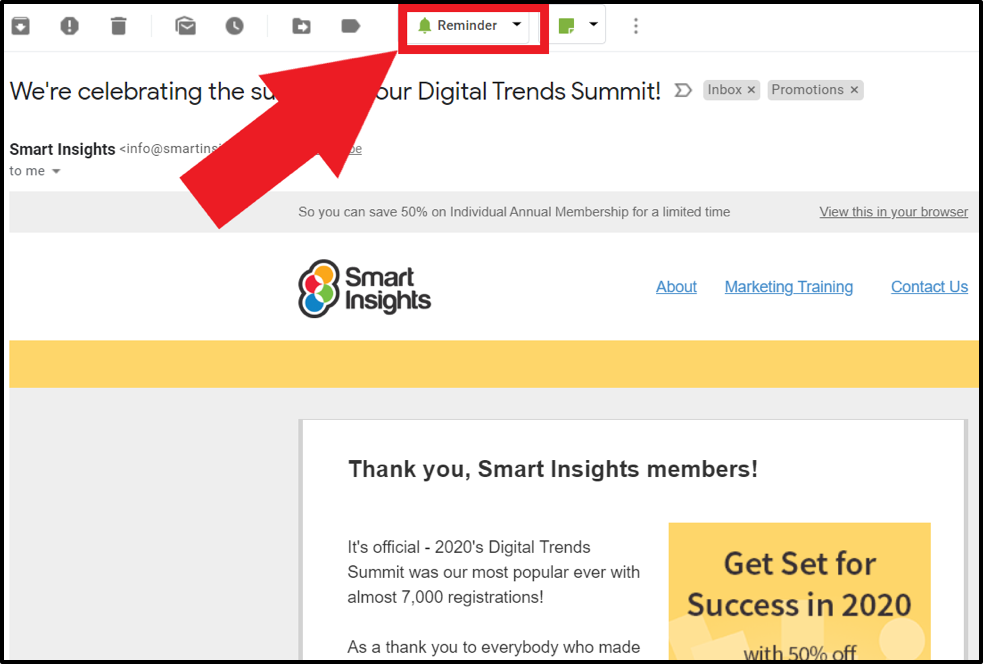
At its core, snoozing an email is an automated temporary archival process. When you select an email and hit the “Snooze” button, you are effectively instructing your email client to hide that specific message from your primary inbox view for a predetermined duration.
Temporarily Removing Inbox Clutter
When you snooze a message, the email is moved from your active inbox to a dedicated “Snoozed” folder. By doing this, you are clearing the mental friction caused by seeing messages you aren’t ready to address yet. This process removes the visual reminder of an unfinished task without deleting or marking the item as read, ensuring that you only see the emails that require immediate attention.
Scheduled Reappearance
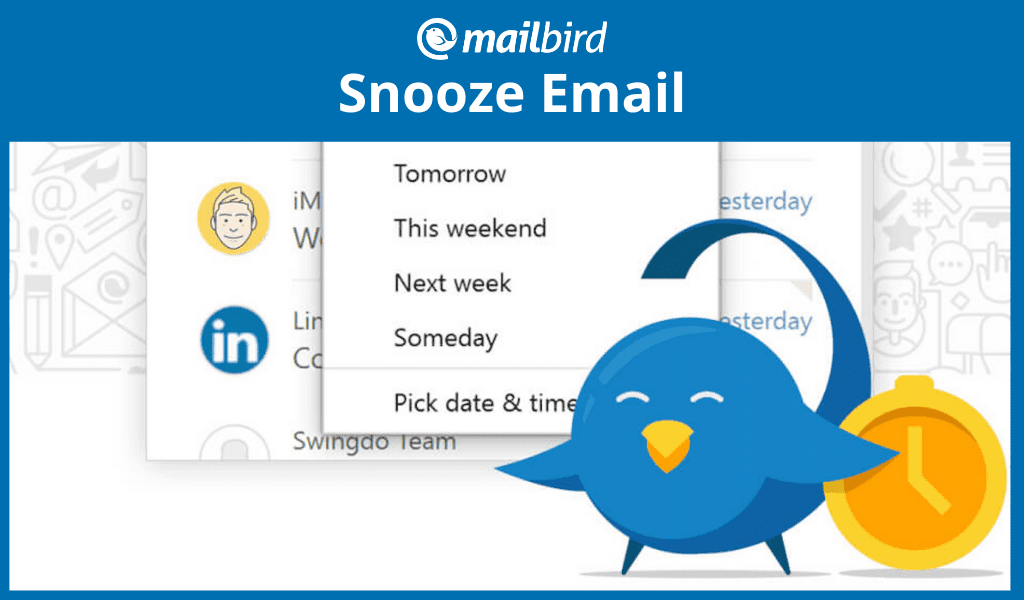
The primary utility of the snooze feature is the scheduling element. You choose a date and time for the email to reappear, and at that exact moment, the system triggers the email to move back to the top of your inbox, marked as unread. This turns your inbox into a dynamic workspace where items only appear when they are actually actionable, effectively shifting your email client from a storage bin into a task management system.
Psychological Benefits of Snoozing
The “Inbox Zero” philosophy has long been a goal for professionals, but the pressure to keep the inbox empty often leads to hurried, low-quality responses. Snoozing allows for a more strategic approach to communication by aligning your inbox management with your actual energy levels and priorities.
Reducing Cognitive Load
Every time you open your inbox and scroll past an email you aren’t ready to answer, your brain experiences a minor “open loop.” This is a cognitive burden where your mind registers a task as incomplete. By snoozing these emails, you close the loop temporarily. You tell yourself, “I have planned for this,” which frees up mental capacity to focus on the work currently in front of you.
Facilitating Intentional Batching
Task switching is a major productivity killer. If you receive an email that requires an hour of deep analysis, but you are currently in the middle of a different project, you have two choices: handle it poorly in five minutes, or ignore it and let it distract you. Snoozing allows you to batch your email replies into specific time slots. You can set non-urgent emails to reappear during a dedicated “admin hour” on Thursday morning, allowing you to handle them when you are mentally prepared for that specific type of work.
Integrating Snooze into Your Workflow

To derive maximum value from the snooze function, you must move beyond using it as a “save for later” button and treat it as a deliberate project management tool.
Defining Your Categories
Successful email management often involves categorizing emails based on urgency and the required effort.
- The Waiting Game: Use snooze for emails where you are waiting on a response from a third party. If you expect an answer in three days, snooze the thread for three days. If nothing arrives, you can follow up immediately when the email reappears.
- Context-Dependent Tasks: Some emails only make sense to address at specific times. For example, if you receive a request that you can only process when you are in the office, snooze the email until the morning you return.
- Low-Priority Monitoring: Newsletters or industry updates that you want to read, but not during high-productivity hours, can be snoozed until the end of the day or the weekend, keeping your inbox focused on professional communication.
Avoiding the “Snooze Loop”
The greatest risk of the snooze feature is the “snooze loop”—the act of continually hitting snooze on the same email because you are procrastinating on a difficult task. To avoid this, apply the “one-snooze rule.” If an email reappears and you find yourself wanting to snooze it again, you must force yourself to either archive it, delete it, or spend five minutes taking the first step toward completing it. Using snooze as a procrastination shield eventually leads to a bloated “Snoozed” folder that is just as daunting as an overflowing inbox.
Technical Considerations Across Platforms
While the concept is universal, different email providers implement the snooze feature with slight variations. Understanding these nuances can help you optimize your specific client.
Gmail and G Suite
Gmail was one of the early pioneers of the snooze button. It integrates seamlessly with Google Tasks and Calendar. When an email is snoozed in Gmail, it is essentially labeled under a system-hidden tag called “Snoozed.” Because this is cloud-based, your snoozed items follow you across devices. Whether you snooze on your desktop or your mobile app, the email will reappear on all platforms simultaneously.
Microsoft Outlook
Outlook has introduced similar functionality, often referred to as “Play My Emails” or via the “Snooze” button in the ribbon, depending on the version of the application. In Outlook, snoozed emails often interact with the “Focused Inbox” feature. If you use Outlook, it is worth exploring how your snoozed items correlate with your flagged tasks, as the two features can work in tandem to create a robust daily to-do list.
Third-Party Plugins
If your preferred email client lacks a native snooze feature, there are numerous third-party extensions—such as Boomerang or SaneBox—that provide enhanced snoozing capabilities. These tools often offer more granular control, such as “Snooze until I am back at my desk” or “Snooze until the recipient replies.” These advanced tools are ideal for power users who rely heavily on email as their primary project management interface.
Conclusion: Mastering the Inbox
The snooze function is more than a digital “do not disturb” sign; it is a tool for regaining control over your time. By moving away from the reactive nature of a traditional inbox, you transition into a proactive manager of your communications.
When you understand that snoozing an email is essentially a way to schedule your attention, you can begin to treat your inbox as a repository of planned actions rather than a chaotic stream of demands. Used correctly, it eliminates the anxiety of forgotten tasks and ensures that every email receives the focus it deserves—at the exact time you have chosen to give it. Start by auditing your current workflow: identify the emails that frequently distract you and move them to a time when they are actually useful. By doing so, you transform your email from a source of stress into a streamlined engine of productivity.
aViewFromTheCave is a participant in the Amazon Services LLC Associates Program, an affiliate advertising program designed to provide a means for sites to earn advertising fees by advertising and linking to Amazon.com. Amazon, the Amazon logo, AmazonSupply, and the AmazonSupply logo are trademarks of Amazon.com, Inc. or its affiliates. As an Amazon Associate we earn affiliate commissions from qualifying purchases.