
American Express gift cards offer a convenient and secure way to manage your spending, providing the flexibility of a traditional credit card without being linked to a bank account. For many, the appeal lies in their prepaid nature, making them excellent tools for budgeting, gifting, and securing online transactions. However, navigating the online payment landscape with an Amex gift card can sometimes present unique challenges compared to a standard debit or credit card. This article will meticulously guide you through the process, ensuring you can confidently and effectively use your American Express gift card for your online purchases, firmly situating this discussion within the realm of personal finance and financial tools.
Understanding Your American Express Gift Card
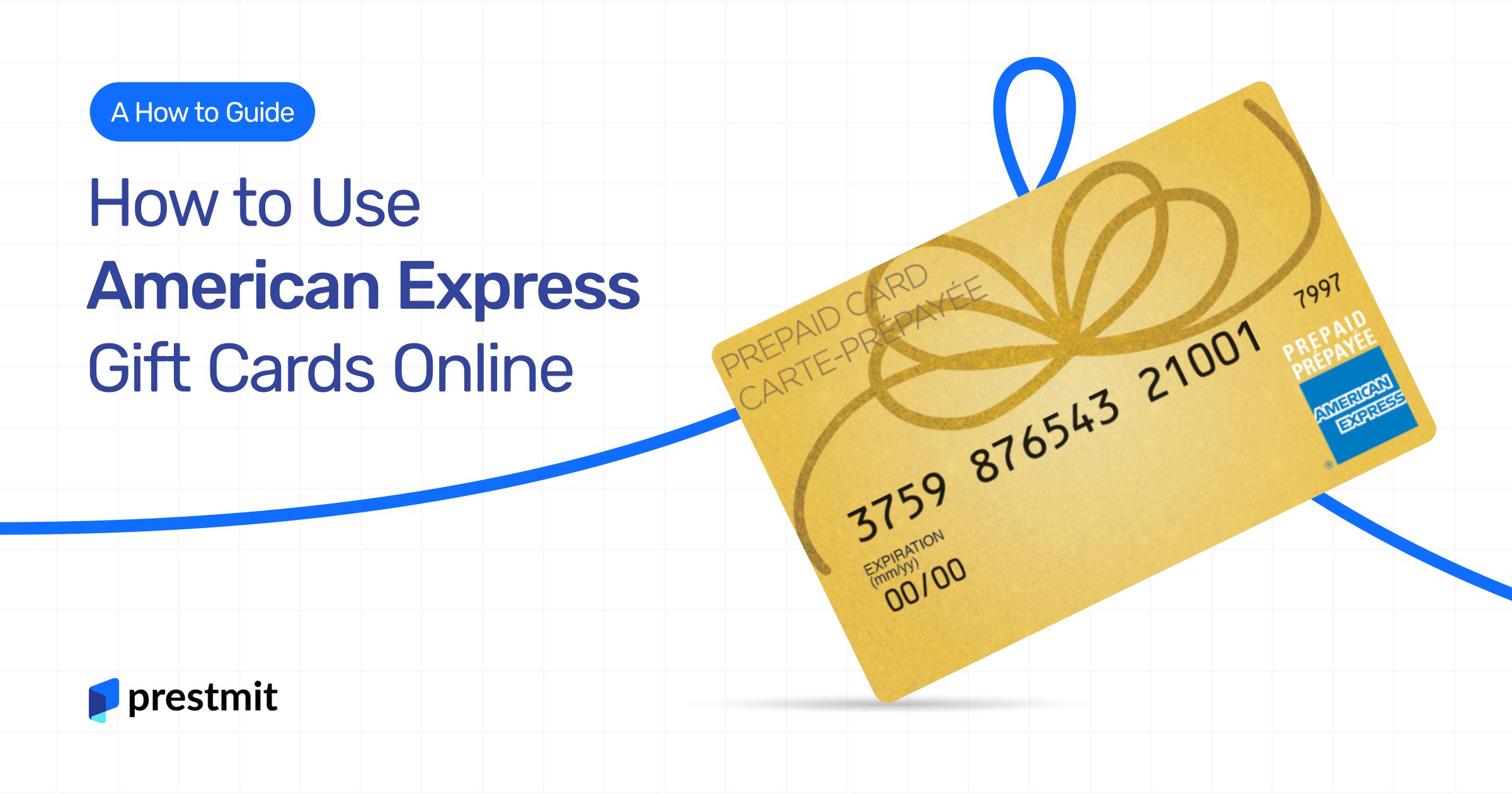
Before diving into the mechanics of online spending, it’s crucial to understand the fundamental nature of your American Express gift card. Unlike a credit card that draws from a line of credit, or a debit card that links directly to a bank account, an Amex gift card is a prepaid instrument. This distinction is vital for understanding its limitations and optimal usage, particularly in the digital sphere.
What Makes Amex Gift Cards Unique?
American Express gift cards operate on a prepaid system, meaning they are loaded with a specific amount of money upfront. Once that balance is depleted, the card is no longer usable until potentially reloaded (though most Amex gift cards are not reloadable). This characteristic makes them excellent for controlling spending, as you can only spend the amount preloaded onto the card. From a financial perspective, they function as a closed-loop system for a set amount, reducing the risk of overspending or incurring debt. They also offer a degree of anonymity compared to personal credit cards, as they aren’t tied to your credit history. However, this also means they typically don’t offer the same fraud protection or dispute resolution services as full-fledged credit cards, though Amex does provide some limited protections. Their acceptance is generally high wherever American Express is taken, both in physical stores and online, making them a versatile financial tool for various expenditures.
Key Information to Locate on Your Card
To successfully use your American Express gift card online, you’ll need specific pieces of information, just as you would with any other payment card. Familiarizing yourself with these details before you start shopping will streamline the checkout process and prevent potential frustrations.
Firstly, locate the 15-digit card number embossed on the front of the card. This is the primary identifier for your account. Secondly, find the expiration date, usually presented as a two-digit month and two-digit year (e.g., 08/25), also on the front. This indicates the period during which the card is valid. Lastly, and critically for online transactions, locate the 4-digit Card Security Code (CSC). Unlike most other card types that use a CVV on the back, the Amex CSC is usually found on the front of the card, above the card number, or sometimes on the back. This code acts as an extra layer of security, verifying that you are in possession of the physical card. Knowing where to find these three pieces of information is the absolute prerequisite for any online payment attempt.
Registering Your Gift Card: A Crucial First Step
Perhaps the most overlooked yet critical step for using an American Express gift card online is registration. While you might be able to use a gift card in a physical store without registering it, online merchants often require a billing address for verification purposes. Without a registered address linked to your gift card, online payment systems, particularly the Address Verification System (AVS), will likely decline your transaction.
Registration is typically a straightforward process. You’ll need to visit the American Express gift card website (usually a specific portal for gift cards, not the main Amex site for credit cards). There, you’ll enter your card number and other details, then associate a billing address with the card. This address must be the one you intend to use for online purchases. From a financial security standpoint, this step adds a layer of protection against unauthorized use, as it ensures that the person attempting to make a purchase online can verify their identity by providing a matching billing address. Failure to register can lead to repeated transaction declines, even if you have sufficient funds, making it an essential prerequisite for seamless online spending.
Preparing for Online Purchases with Your Amex Gift Card
Once you’ve understood the basics and registered your card, the next phase involves practical preparations to ensure a smooth online shopping experience. This includes knowing your available balance, understanding the quirks of address verification, and strategizing how to manage purchases that exceed your card’s balance.
Activating and Checking Your Balance
Before making any online purchase, it’s paramount to confirm that your American Express gift card is active and to know its exact available balance. While many cards are activated upon purchase, some may require an additional step, often by calling a toll-free number or visiting the issuer’s website. Crucially, knowing your exact balance prevents frustrating declines at checkout. You can typically check your balance by visiting the Amex gift card website and entering your card number. Some cards may also offer a phone number on the back for balance inquiries. From a personal finance perspective, this is a fundamental budgeting step. If your item costs more than your card’s balance, you’ll need to plan how to cover the difference, or risk the transaction being declined. Always verify your balance immediately before a significant purchase to account for any small previous transactions or potential merchant holds.
The Billing Address Conundrum
The billing address is often the primary reason why Amex gift card online transactions fail. As discussed, you must register your card with a specific billing address. When you make an online purchase, the merchant’s payment gateway will attempt to verify this billing address against the address associated with your card. If there’s a mismatch – even a slight discrepancy in spelling or formatting – the transaction is likely to be declined. This is an essential security measure, known as the Address Verification System (AVS), designed to prevent fraudulent activity.
To avoid this “conundrum,” ensure that the billing address you enter during checkout is identical to the address you registered with your Amex gift card. If you’ve moved or changed your address since registration, you’ll need to update it on the Amex gift card website before making a purchase. This financial security protocol, while sometimes inconvenient, is vital for protecting both consumers and merchants from unauthorized transactions.
Overcoming Common Online Purchase Hurdles
Using an Amex gift card online can present a few specific challenges that standard credit or debit cards typically don’t. The most common hurdle is dealing with purchases that exceed the card’s balance. Unlike a credit card where you might have an available line of credit, a gift card has a fixed, finite amount. If your purchase total (including shipping and taxes) is even one cent more than your card’s balance, the transaction will almost certainly be declined.
Many online retailers do not support “splitting payments” between a gift card and another payment method (like a credit card) directly within their standard checkout process. If the retailer does not explicitly offer this option, you may need to adjust your shopping cart to an amount equal to or less than your gift card balance. A common strategy is to purchase a digital gift card from the same retailer (if available) using your Amex gift card, then use that retailer-specific gift card to complete a larger purchase, splitting it with another payment method if necessary. This financial workaround requires a bit of planning but can be highly effective. Another hurdle can be merchant holds, where a temporary authorization for a slightly higher amount than your purchase might be placed on your card, reducing the immediately available balance. Be aware of these possibilities to manage your expectations and budget effectively.
Step-by-Step Guide to Online Spending
With your card understood, registered, and prepared, you’re ready to make your online purchase. Follow these steps to ensure a smooth checkout experience, leveraging the financial tool at your disposal efficiently.
Selecting Your Desired Retailer
The first step is always to choose where you want to shop. Most major online retailers and services that accept American Express credit cards will also accept American Express gift cards. Look for the American Express logo on the payment options page or during checkout. Be aware that some smaller or niche online merchants might not accept Amex due to higher processing fees compared to Visa or Mastercard, so it’s always good practice to confirm their accepted payment methods before filling your cart. From a financial planning perspective, knowing where you can use your specific payment method helps avoid wasted time and effort.
The Checkout Process: Entering Card Details
Once you’ve finalized your shopping cart, proceed to checkout. When prompted for payment information, select “Credit Card” or “American Express.” You will then enter the following details:
- Card Number: The 15-digit number on the front of your card.
- Expiration Date: The two-digit month and two-digit year (e.g., 08/25).
- Card Security Code (CSC): The 4-digit code on the front of your card.
- Cardholder Name: Enter “Gift Card Recipient” or your name, if you’ve registered it as such. Some systems may not require a name or auto-fill it.
- Billing Address: This is the critical step. Enter the billing address exactly as you registered it with your American Express gift card. This includes spelling, abbreviations, and postal codes.
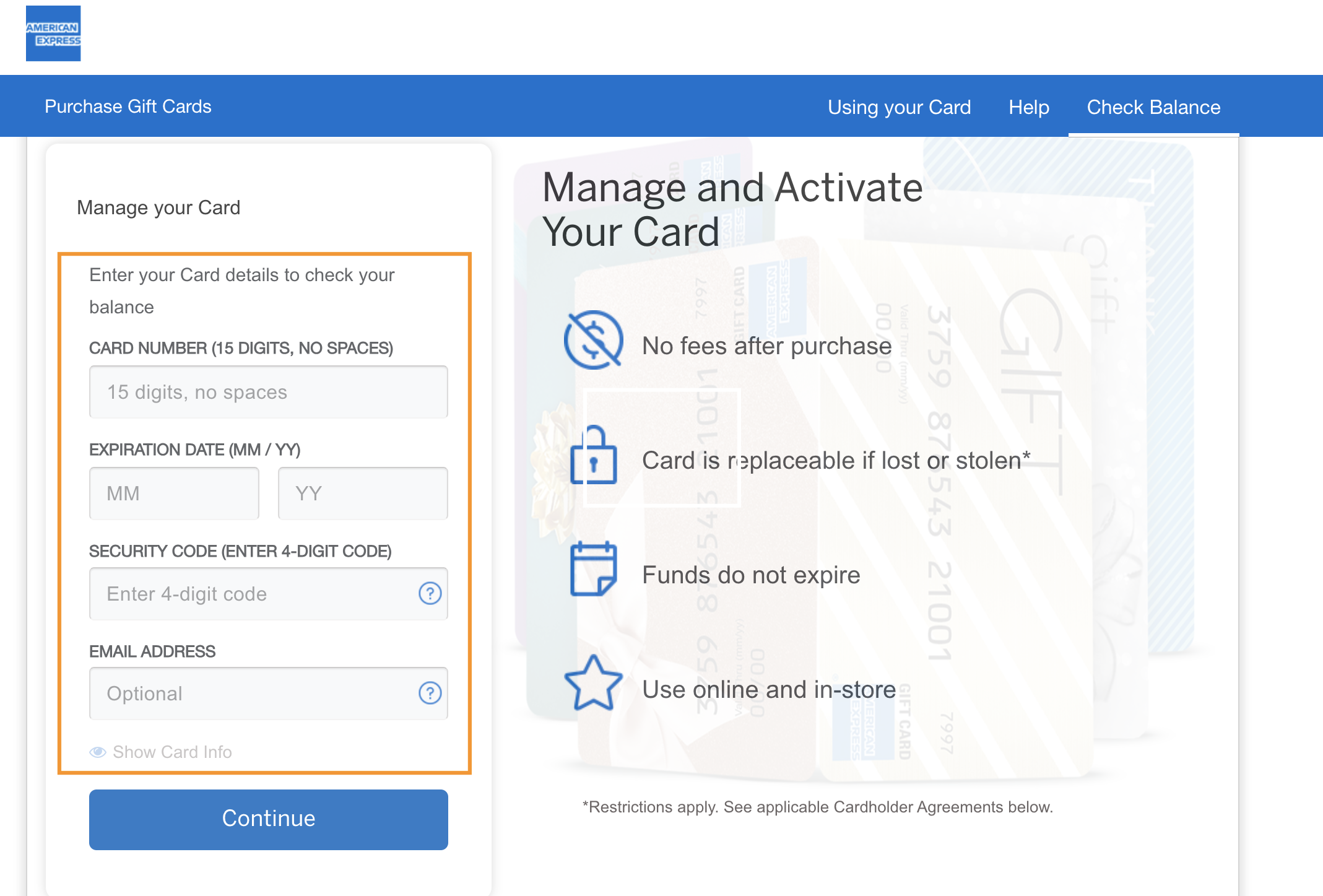
Double-checking these details before submitting your order is essential to prevent declines. Each piece of information acts as a validation point within the payment system.
Navigating Address Verification Systems (AVS)
The Address Verification System (AVS) is an automated fraud prevention tool used by online merchants and payment processors. It compares the billing address provided by the customer at checkout with the billing address on file with the card issuer. For American Express gift cards, this means the address you registered on the Amex gift card website. If there’s a discrepancy, even a minor one, the transaction will likely be flagged and declined, even if funds are available.
To successfully navigate AVS:
- Be Meticulous: Ensure the billing address entered matches the registered address precisely. This includes house numbers, street names, apartment/unit numbers, city, state, and zip code.
- Use the Same Address: Do not use your shipping address as the billing address unless they are genuinely identical and that is the address registered with the gift card.
- Avoid P.O. Boxes: If your registered address is a P.O. Box, ensure the merchant allows P.O. Boxes for billing. Many do not.
Understanding and adhering to AVS requirements is paramount for successful online gift card use, as it’s a common stumbling block for those new to this financial tool.
Dealing with Remaining Balances
After a successful online purchase, you might have a small, residual balance left on your American Express gift card. It’s financially savvy to utilize this balance rather than letting it go to waste. Small balances can be tricky to spend online because merchants usually require the full purchase amount to be covered by a single payment method (unless they support split payments).
Here are some strategies for spending small remaining balances:
- In-Store Purchases: Use the card for a small purchase at a physical store where you can easily see the exact total and tell the cashier the specific amount to charge to the gift card.
- Reloadable Retailer Gift Cards: Purchase a small-denomination digital gift card from a retailer you frequently use (e.g., Amazon, Starbucks) if it’s equal to or less than your remaining Amex balance.
- Donations: Many online charities accept small donations via credit card, which can be a meaningful way to use up a residual balance.
- Combine with Other Cards: If an online merchant supports it, you might be able to use the remaining balance as a partial payment and cover the rest with another card. However, this is less common for Amex gift cards directly.
The goal is to exhaust the card’s balance to maximize the value you initially paid for the gift card.
Maximizing Value and Avoiding Pitfalls
Using an Amex gift card online effectively involves more than just entering numbers; it also requires strategic thinking to maximize its value and avoid common pitfalls that can lead to frustration or loss of funds.
Tracking Your Spending and Remaining Balance
Just like with any other financial instrument, diligent tracking of your American Express gift card’s balance is crucial. Since the card’s balance decreases with each purchase, knowing the exact amount available prevents declines and helps you plan future spending.
- Online Portal: The most reliable method is to regularly visit the official American Express gift card website. You can usually log in or enter your card number to view your transaction history and current balance.
- Phone Number: Most cards have a customer service number on the back where you can inquire about your balance.
- Keep Receipts: Retain receipts for all purchases made with the gift card. This helps you reconcile your spending and verify the remaining balance, particularly if there are any discrepancies.
Proactive balance checking is a simple yet powerful personal finance habit that ensures you’re always aware of your available funds, preventing the embarrassment of a declined transaction due to insufficient balance.
Understanding Merchant Holds and Authorizations
A common source of confusion with prepaid cards, including American Express gift cards, is the concept of merchant holds or authorizations. When you initiate an online transaction, the merchant’s system often places a temporary “hold” on your card for an amount slightly higher than the actual purchase price. This is done to ensure funds are available and to account for potential tips (e.g., for food delivery) or incidental charges (e.g., at hotels for minibar usage).
For example, if you make a $50 purchase, the merchant might authorize your card for $55. While you will only be charged $50, the $55 authorization temporarily reduces your available balance. This hold typically falls off within a few business days, but during that period, your accessible balance is lower. This is an important financial nuance to understand, especially if your gift card has a low balance, as a hold could prevent subsequent purchases even if you believe you have enough funds for a smaller item. Always factor in potential holds, especially when making purchases that bring your balance close to zero.
What to Do If a Transaction Fails
Despite careful preparation, an online transaction with your American Express gift card might occasionally fail. Instead of panicking, follow a systematic approach to troubleshoot the issue:
- Check Balance: First, verify your current balance. You might have less than you thought, or a merchant hold might be active.
- Verify Billing Address: Reconfirm that the billing address entered during checkout exactly matches the address registered with your gift card.
- Check Card Details: Double-check the card number, expiration date, and CSC for any typos.
- Contact Merchant: If all card details and address are correct, contact the online merchant’s customer service to inquire if there’s an issue on their end or with their payment gateway.
- Contact American Express: If the merchant can’t help, reach out to American Express gift card customer service. Provide them with the transaction details, including the merchant’s name, amount, date, and any error messages you received. They can provide insights into why the transaction was declined from their system’s perspective.
Patience and methodical troubleshooting are key when encountering payment failures, protecting your financial resource.
Security Best Practices for Online Gift Card Use
While American Express gift cards offer a degree of security due to their prepaid nature (limited loss if compromised), it’s still crucial to adhere to online security best practices:
- Shop on Secure Websites: Always ensure the website you’re shopping on uses HTTPS (indicated by a padlock icon in your browser’s address bar) to protect your payment information.
- Avoid Phishing Scams: Be wary of suspicious emails or messages asking for your gift card details. American Express will never ask for your full card number via email.
- Keep Card Details Private: Do not share your gift card number, expiration date, or CSC with anyone unless you are actively making a purchase on a trusted site.
- Monitor Activity: Regularly check your gift card balance and transaction history for any unauthorized purchases. Report suspicious activity to American Express immediately.
- Don’t Store Card Details: While convenient, storing gift card details on merchant websites might expose them if the site experiences a data breach. Consider manually entering details for each purchase.
These practices are fundamental to protecting your financial assets and personal information in the digital world.
Beyond Basic Purchases: Advanced Tips and Considerations
For the savvy consumer, understanding the nuances of Amex gift cards extends beyond basic purchases to include situations like returns, using multiple cards, and being aware of expiration dates and fees.
Returns and Refunds with Gift Cards
What happens if you need to return an item purchased with an American Express gift card? Generally, refunds for items purchased with a gift card are credited back to the original gift card. This is an important financial consideration. If you no longer have the physical card or have discarded it, receiving your refund can become problematic.
- Keep Your Card: Always retain your American Express gift card, even if the balance is zero, until you are absolutely certain you won’t need to return any items purchased with it.
- Digital Cards: For digital gift cards, ensure you have easy access to the card details and can retrieve them when needed for a refund.
The refund process typically takes a few business days for the funds to reappear on your gift card, similar to a credit card refund. Be prepared for this potential delay in accessing your returned funds.
Using Multiple Gift Cards for a Single Purchase
While some online retailers allow you to split payments between a gift card and another credit/debit card, directly using multiple American Express gift cards for a single online purchase is less common. Each Amex gift card is treated as a distinct payment method by most systems.
- Retailer-Specific Cards: If you have multiple Amex gift cards and want to make a large purchase from a specific retailer, a workaround (as mentioned earlier) is to use your Amex gift cards to buy that retailer’s own e-gift cards. You can then typically combine multiple e-gift cards from the same retailer to make a single, larger purchase.
- Merchant Policy: Always check the specific merchant’s payment policies. Some larger retailers might have advanced checkout systems that accommodate multiple gift cards, but this is the exception rather than the rule for third-party gift cards like Amex.
Planning ahead is crucial if you intend to consolidate funds from several gift cards for a single item.

The Expiration Date and Dormancy Fees
American Express gift cards, unlike some other types of gift cards, generally do not expire, and funds do not decrease due to dormancy fees. This is a significant advantage from a consumer finance perspective. The “expiration date” printed on the card refers to the plastic card itself, meaning you might need a replacement card after that date if there’s still a balance. However, the funds themselves typically do not expire.
- Check Terms and Conditions: Always read the specific terms and conditions provided with your gift card, as regional regulations or specific promotions might introduce variations.
- Replacement Cards: If your card’s expiration date passes and you still have a balance, contact American Express gift card customer service to request a replacement card with the remaining funds.
This aspect of Amex gift cards offers long-term flexibility and peace of mind, ensuring your money remains accessible for when you’re ready to spend it online.
In conclusion, using an American Express gift card online is a straightforward process when approached with an understanding of its unique characteristics and the necessary preparatory steps. By registering your card, knowing your balance, meticulously entering your details, and adhering to financial best practices, you can leverage this versatile financial tool for secure and successful online shopping.
aViewFromTheCave is a participant in the Amazon Services LLC Associates Program, an affiliate advertising program designed to provide a means for sites to earn advertising fees by advertising and linking to Amazon.com. Amazon, the Amazon logo, AmazonSupply, and the AmazonSupply logo are trademarks of Amazon.com, Inc. or its affiliates. As an Amazon Associate we earn affiliate commissions from qualifying purchases.