
Paramount Plus has emerged as a formidable player in the streaming wars, offering a vast library of content from CBS, Showtime, MTV, Nickelodeon, Comedy Central, BET, and Paramount Pictures, alongside live sports and breaking news. For many tech-savvy consumers, unlocking this wealth of entertainment is a straightforward process, but understanding the underlying technicalities of access, device compatibility, and troubleshooting can significantly enhance the user experience. This comprehensive guide delves into the specifics of accessing Paramount Plus, ensuring a seamless entry into its digital ecosystem.
Understanding Paramount Plus: Your Gateway to Premium Streaming
Before diving into the mechanics of access, it’s crucial to grasp what Paramount Plus offers from a technological perspective. At its core, Paramount Plus is an over-the-top (OTT) streaming service, meaning it delivers content directly to viewers via the internet, bypassing traditional broadcast or cable infrastructure. This digital distribution model relies heavily on app development, server infrastructure, and robust content delivery networks (CDNs) to ensure high-quality streaming across a multitude of devices.

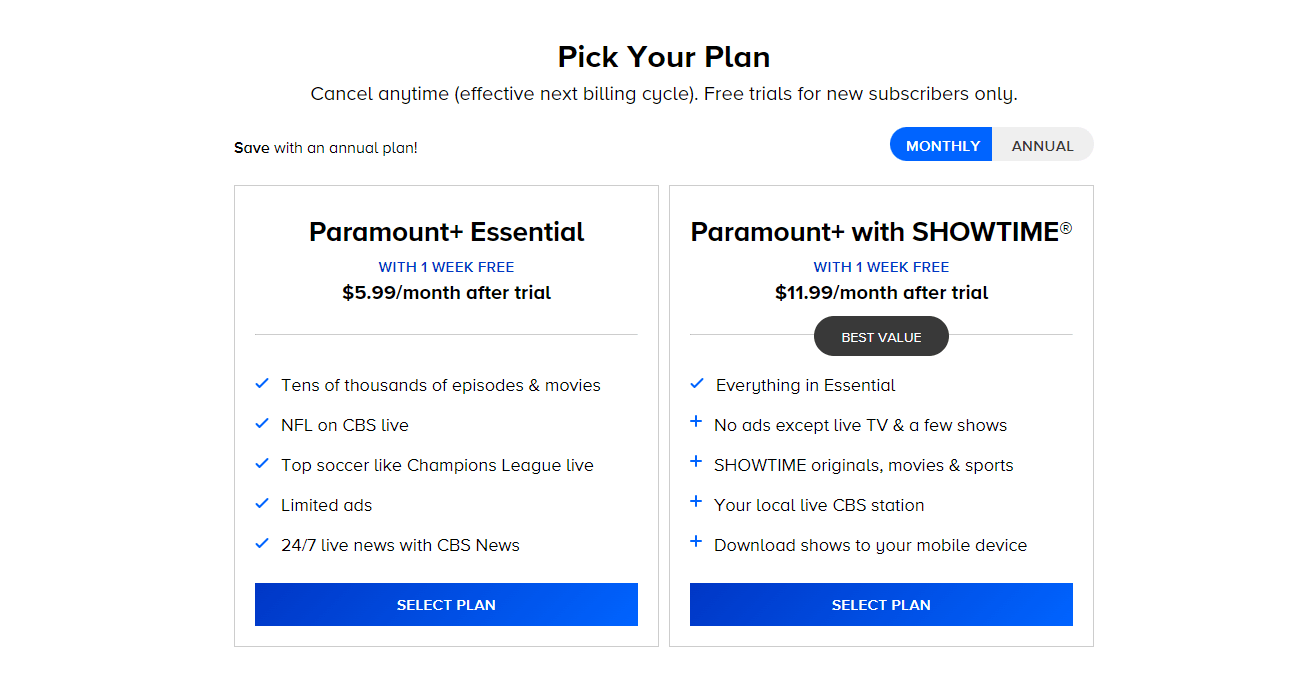
The service provides two primary subscription tiers, each with distinct technical implications:
- Essential Plan: This ad-supported tier offers extensive on-demand content, including movies and shows, along with live NFL on CBS and UEFA Champions League. From a technical standpoint, the integration of advertisements requires specific server-side ad insertion (SSAI) or client-side ad insertion (CSAI) technologies to seamlessly deliver personalized ads without disrupting the viewing experience.
- Premium Plan: This ad-free option includes everything in the Essential plan, adds local live CBS stations in many markets, and allows for downloading shows for offline viewing. The ad-free experience technically removes the ad-insertion complexity, leading to potentially smoother playback. Offline viewing functionality is a significant tech feature, requiring secure digital rights management (DRM) to protect downloaded content and robust file management within the app to store and play back encrypted media.
Understanding these tiers is the first step in optimizing your access strategy, as they dictate certain technical functionalities you might expect or require from the platform.
The Initial Setup: Subscribing and Account Creation
Accessing Paramount Plus begins with establishing a user account and subscription. This process is fundamentally the same across most digital platforms but involves specific steps for Paramount Plus that ensure secure and authenticated access.
- Navigate to the Official Paramount Plus Website: The most reliable starting point is paramountplus.com. Using the official site minimizes risks associated with phishing or unofficial portals, ensuring your personal and payment information remains secure.
- Initiate Subscription: Look for prompts like “Try it Free” or “Sign Up Now.” Paramount Plus frequently offers free trial periods, a common tech strategy to allow users to test the service before committing financially. During this phase, you will select your preferred subscription plan (Essential or Premium).
- Account Information: You’ll be prompted to provide an email address and create a password. It is critical to use a strong, unique password to protect your account from unauthorized access. Incorporate a mix of uppercase and lowercase letters, numbers, and symbols. Paramount Plus employs industry-standard encryption protocols (like SSL/TLS) to secure data transmission during this process.
- Payment Details: Even during a free trial, payment information (credit card or PayPal) is typically required. This authorizes Paramount Plus to automatically transition your account to a paid subscription once the trial concludes. Ensure your payment method is valid and up-to-date to prevent service interruptions.
- Confirm and Start Streaming: After reviewing and accepting the terms and conditions, your account will be created, and your subscription activated. You will usually receive a confirmation email. From this point, you can immediately begin streaming content via the web browser or proceed to download apps on other devices.
Some users may gain access through bundled cable or telecom packages. In such cases, the activation process usually involves visiting a specific URL (e.g., paramountplus.com/activate) and authenticating through your existing provider’s portal, linking your subscription directly to your cable account without needing separate payment details.
Seamless Access Across Your Digital Ecosystem
One of Paramount Plus’s strengths, from a technical perspective, is its broad device compatibility. This multi-platform availability ensures that users can access their content regardless of their preferred viewing method.
Web Browser Access
For desktop and laptop users, accessing Paramount Plus through a web browser is often the most direct method. The platform is optimized for major browsers:
- Google Chrome
- Mozilla Firefox
- Microsoft Edge
- Apple Safari
Simply navigate to paramountplus.com, log in with your credentials, and the user interface (UI) will adapt to your screen size. The web interface typically offers full functionality, including browsing, watching live TV, managing profiles, and adjusting settings. Ensure your browser is updated to its latest version for optimal performance and security.
Mobile Devices (iOS & Android)
Mobile access is facilitated through dedicated applications available on the respective app stores:
- iOS Devices (iPhone, iPad): Download the “Paramount+” app from the Apple App Store.
- Android Devices (Smartphones, Tablets): Download the “Paramount+ app” from the Google Play Store.
After installation, open the app, log in, and you’ll find a mobile-optimized UI. These apps often include features specific to mobile usage, such as push notifications for new content, a streamlined touch interface, and crucially, the ability to download content for offline viewing (available with the Premium plan), which stores encrypted media files directly on your device.
Smart TVs and Streaming Devices
This category represents the largest and most diverse array of access points. Paramount Plus has developed apps for numerous smart TV operating systems and dedicated streaming hardware:
- Smart TVs: Samsung Smart TVs (2017 models and newer), LG Smart TVs (2018 models and newer), Vizio SmartCast TVs.
- Streaming Devices: Roku devices, Amazon Fire TV devices, Apple TV (4th generation and newer), Chromecast (including Google TV), Android TV devices.
- Gaming Consoles: Xbox (One, Series X|S), PlayStation (4, 5).
The installation process generally involves:
- Searching the App Store: Navigate to the device’s app store or channel store (e.g., Roku Channel Store, Amazon Appstore, Google Play Store for Android TV, Xbox Store).
- Downloading and Installing: Search for “Paramount Plus” and select “Download” or “Install.”
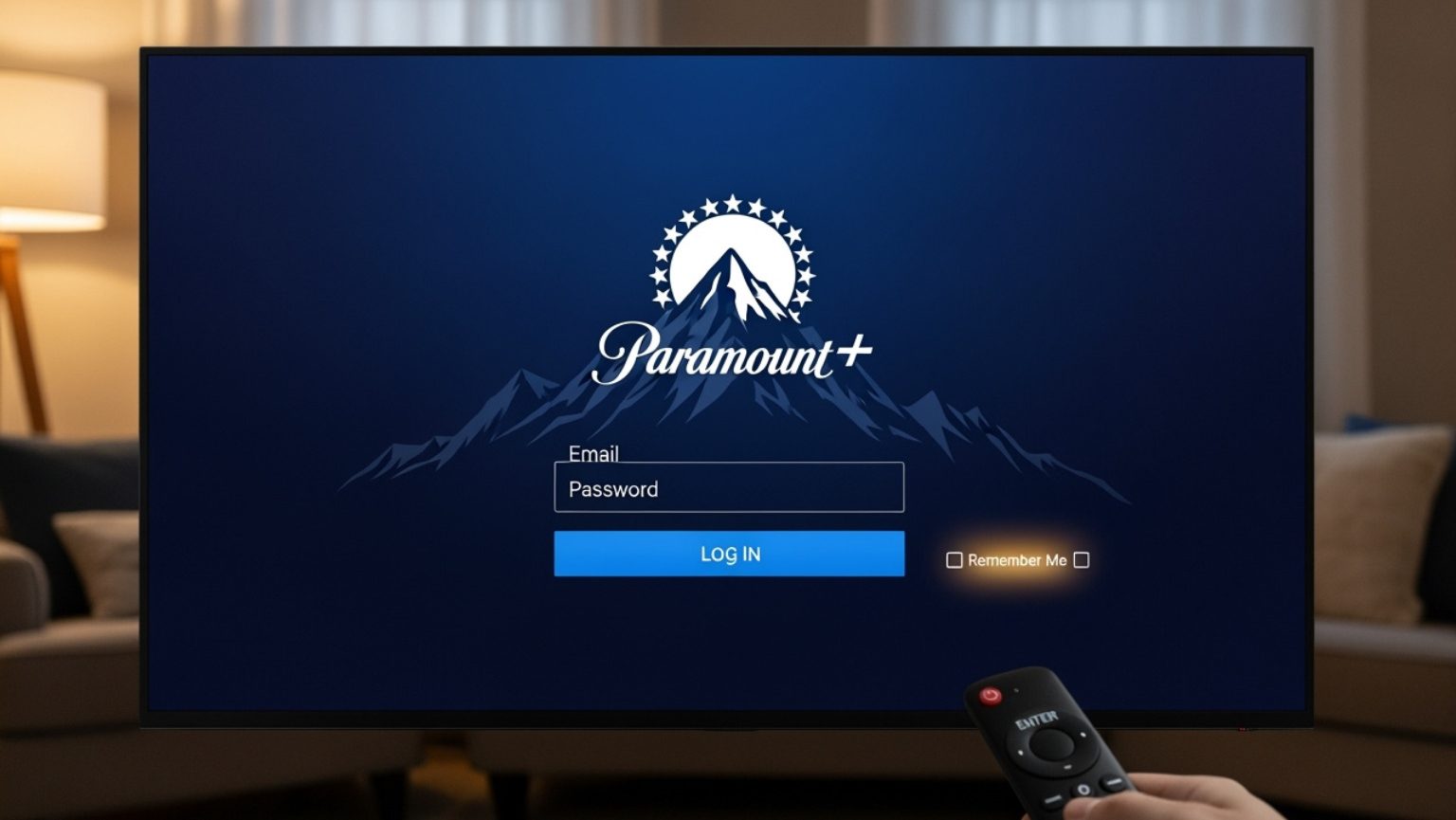
- Activating the Device: For many TV-connected devices, you’ll see an activation code on your screen after launching the app. You’ll then need to visit paramountplus.com/activate on a web browser (on a computer or phone), enter the displayed code, and log in to your Paramount Plus account. This links your device to your subscription securely. Some devices may allow direct login within the app.
Troubleshooting Common Access and Playback Issues
Even with robust technical infrastructure, users may encounter issues. Understanding how to diagnose and resolve these can prevent frustration.
Login Problems
- Incorrect Credentials: Double-check your email and password. Passwords are case-sensitive.
- Forgotten Password: Utilize the “Forgot Password” link on the login screen (web or app). This typically involves an email-based reset process.
- Account Lockout: Repeated failed login attempts may temporarily lock your account for security reasons. Wait a few minutes or contact support.
Streaming Quality and Buffering
These issues are often network-related or device-specific:
- Internet Connection: Paramount Plus requires a stable internet connection. For HD streaming, 5 Mbps is recommended, and 25 Mbps for 4K. Test your internet speed using an online speed test.
- Wi-Fi Signal: If on Wi-Fi, ensure you have a strong signal. Move closer to your router or consider using a Wi-Fi extender.
- Network Congestion: Too many devices using your network can slow it down.
- Router Restart: A simple router and modem restart can often resolve network glitches.
- App/Device Cache: Over time, accumulated cache data can hinder app performance. Clear the cache for the Paramount Plus app on your device or restart the device entirely.
- Server Issues: Occasionally, Paramount Plus’s servers may experience outages. Check their official social media channels or status pages for announcements.
App Crashes and Freezing
- Update App: Ensure the Paramount Plus app is updated to its latest version. Developers frequently release updates to fix bugs and improve stability.
- Update Device OS/Firmware: Outdated operating systems on your smartphone, tablet, or smart TV can cause compatibility issues.
- Reinstall App: As a last resort, uninstalling and then reinstalling the app can clear corrupted files and provide a fresh installation.
- Device Resources: Close other background applications on your device to free up memory and processing power.
Geo-restrictions and VPNs
Paramount Plus content availability varies by region due to licensing agreements. If you are traveling, you may find content unavailable or see a different library. While some users attempt to bypass these restrictions using Virtual Private Networks (VPNs), streaming services actively detect and block VPN usage. Technically, their systems identify common VPN IP addresses and deny access to prevent circumvention of geo-blocking. Using a VPN is generally not a reliable long-term solution for accessing region-locked content on Paramount Plus.
Enhancing Your Paramount Plus Experience with Advanced Features
Beyond basic access, Paramount Plus offers features designed to customize and optimize your viewing experience, all built on specific technical implementations.
User Profiles and Parental Controls
The platform allows for the creation of multiple user profiles, each with its own watch history and recommendations. This feature utilizes individual user IDs linked to content consumption patterns. For families, robust parental controls allow primary account holders to set content ratings restrictions (e.g., G, PG, TV-Y) for specific profiles, often secured with a PIN. This is implemented through content metadata tagging and profile-specific filtering algorithms.
Download for Offline Viewing
Exclusive to the Premium plan, the ability to download content to mobile devices is a critical tech feature. When you download a title, an encrypted version of the video file is stored on your device’s internal storage. This process involves DRM encryption, ensuring the content can only be played back within the Paramount Plus app and expires after a set period or upon subscription cancellation. Users can manage their downloads within the app, monitoring storage usage and deleting viewed content.
Watchlist and Recommendations
The “My List” or “Watchlist” feature allows users to save titles for later viewing. This is a simple database interaction, storing user-selected content IDs. More complex are the personalized recommendations, which leverage machine learning algorithms to analyze your viewing habits, genre preferences, and interactions (like thumbs up/down) to suggest new content. This recommendation engine constantly refines its suggestions, making content discovery more efficient.
Audio and Subtitle Settings
Accessibility features are key. Paramount Plus allows users to customize audio tracks (where multiple languages are available) and toggle subtitles or closed captions. These settings are stored per profile, ensuring a personalized viewing environment. Subtitles and captions are delivered as separate text tracks that are rendered dynamically over the video stream, often adhering to industry standards like TTML (Timed Text Markup Language).
By understanding not just how to access Paramount Plus but also the underlying technological principles that enable its operation, users can navigate the platform more effectively, troubleshoot issues confidently, and fully leverage its extensive suite of features.
aViewFromTheCave is a participant in the Amazon Services LLC Associates Program, an affiliate advertising program designed to provide a means for sites to earn advertising fees by advertising and linking to Amazon.com. Amazon, the Amazon logo, AmazonSupply, and the AmazonSupply logo are trademarks of Amazon.com, Inc. or its affiliates. As an Amazon Associate we earn affiliate commissions from qualifying purchases.