
In an increasingly digitized world, the ability to seamlessly manage online transactions is not just a convenience but a necessity. PayPal stands as a veritable cornerstone in this digital financial ecosystem, offering a robust and widely adopted platform for sending and receiving money, making online purchases, and facilitating business operations. For anyone looking to navigate the currents of e-commerce, digital freelancing, or simply secure online payments, setting up a PayPal account is a fundamental first step. This guide will walk you through the technical process of establishing your PayPal presence, ensuring you leverage this powerful software application safely and effectively.
PayPal: A Cornerstone of Digital Transactions
At its core, PayPal is a technology company that operates a worldwide online payment system. Launched in 1998, it revolutionized how individuals and businesses conduct transactions over the internet, essentially serving as a digital wallet that bridges traditional banking systems with the vastness of the web. Understanding PayPal from a technological perspective means appreciating its role as a secure intermediary, an application designed to simplify complex financial operations into user-friendly digital interactions.
The Ubiquity of a Digital Wallet
The concept of a “digital wallet” is central to PayPal’s functionality. Unlike a physical wallet, which holds tangible cash and cards, a digital wallet securely stores payment information, allowing users to make transactions without repeatedly entering sensitive data like credit card numbers or bank account details. PayPal’s robust encryption and fraud detection technologies underpin this convenience, making it a preferred choice for millions globally. Its ubiquity means that whether you’re shopping on an international e-commerce site, subscribing to a digital service, or sending money to a friend across continents, PayPal often emerges as a readily available and trusted payment option. This widespread integration across various platforms and applications solidifies its status as a universal digital payment protocol.
Bridging Traditional and Online Payments
One of PayPal’s most significant technological achievements is its ability to seamlessly bridge the gap between traditional banking infrastructure and the dynamic world of online commerce. It acts as a digital conduit, allowing users to link their existing bank accounts, debit cards, or credit cards directly to their PayPal profile. This eliminates the need for merchants or other individuals to directly access your sensitive financial information, instead routing payments through PayPal’s secure servers. This technological abstraction layer not only enhances security but also simplifies the user experience, transforming what could be a cumbersome and risky process into a few clicks or taps on an interface. Its algorithms handle currency conversions, international regulations, and transaction processing, making cross-border payments as straightforward as local ones—a testament to its sophisticated software architecture.
Navigating the Digital Onboarding: Step-by-Step Account Creation
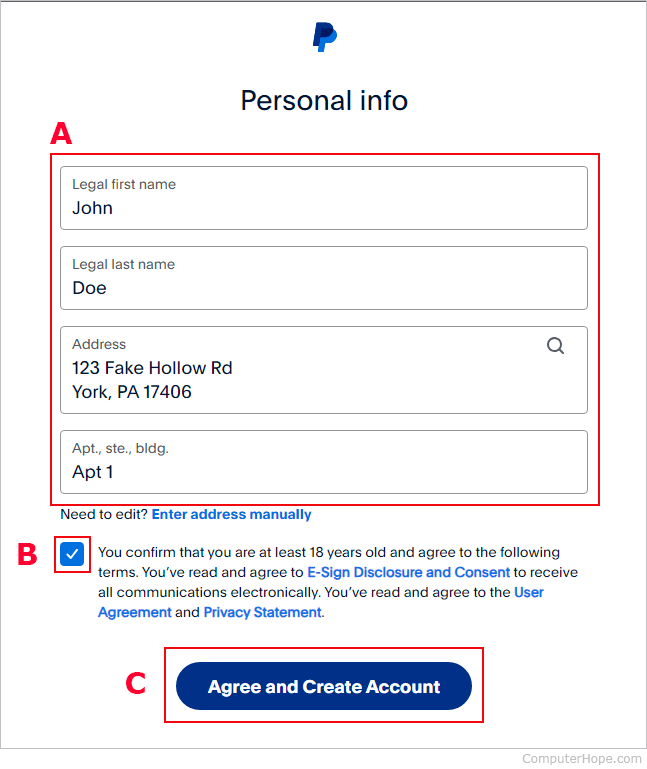
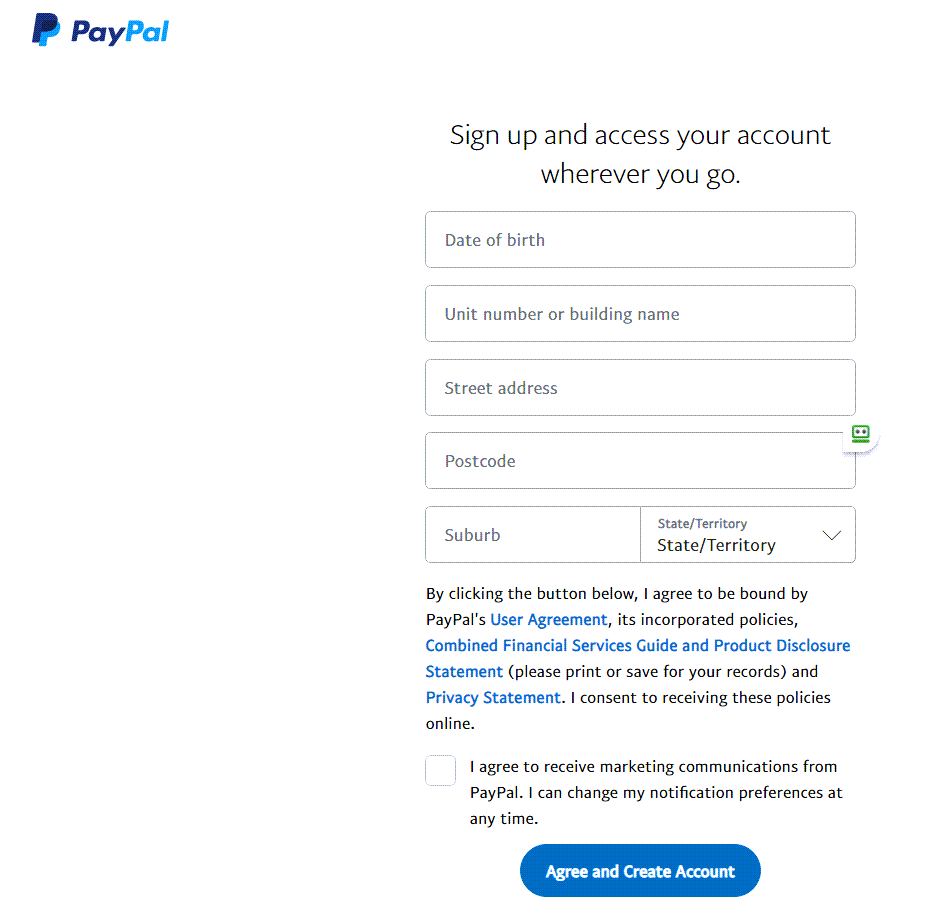
The process of signing up for a PayPal account is designed to be intuitive and user-friendly, guiding you through a series of digital prompts to establish your profile. This onboarding journey is crucial, as it lays the foundation for all your future digital transactions and security protocols within the platform.
Choosing Your Account Type: Personal vs. Business
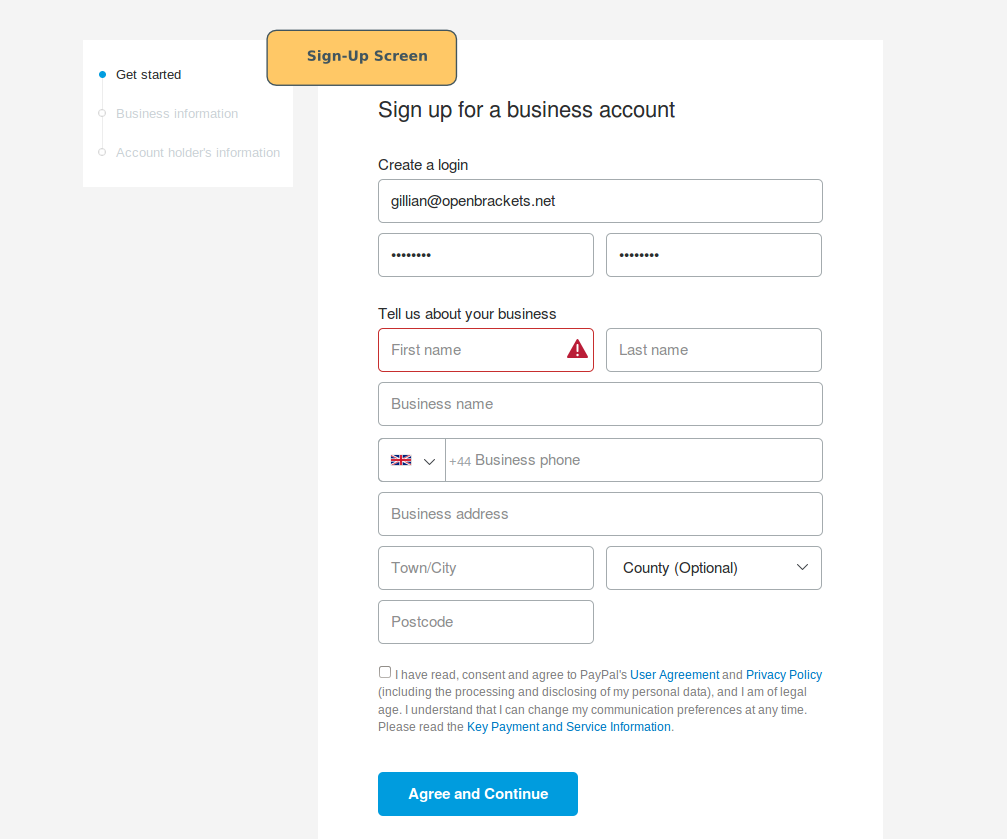
The initial decision in your sign-up journey is selecting the appropriate account type: Personal or Business. From a technical standpoint, these accounts differ in their feature sets, permissions, and integration capabilities. A Personal Account is primarily designed for individual users to send and receive money for personal use, shop online, or make payments to friends and family. It’s streamlined for casual, non-commercial transactions. In contrast, a Business Account offers a more expansive toolkit tailored for commercial operations. This includes features like accepting payments from customers via various channels (e.g., website checkouts, invoices), managing multiple users with different access levels, accessing detailed transaction reports, and integrating with e-commerce platforms using APIs. While a personal account might suffice for a freelancer receiving occasional payments, a business account provides the necessary technological infrastructure for a growing enterprise. You can always upgrade a personal account to a business account later if your needs evolve.
Essential Information and Verification Protocols
Regardless of the account type chosen, PayPal requires certain essential information to set up and verify your digital identity. This typically includes your legal name, address, phone number, and a valid email address. The email address, in particular, becomes your primary identifier for transactions and account access, so choosing a secure and frequently checked email is paramount. PayPal employs robust verification protocols, such as sending a verification link to your email address or a code to your phone number, to confirm ownership and enhance security. These steps are critical for preventing fraudulent account creation and ensuring that only the rightful owner can access and manage the account. Furthermore, depending on your region and the volume of transactions, PayPal may require additional identity verification, such as submitting a government-issued ID. These measures align with global financial regulations (e.g., KYC – Know Your Customer) and are integral to maintaining the platform’s integrity and security.
Linking Payment Methods: Securing Your Digital Flow
To fully utilize your PayPal account for sending money or making purchases, you’ll need to link a payment method. This is where your digital wallet truly connects to your existing financial resources. You can typically link a bank account, a debit card, or a credit card. The process involves entering the relevant account or card details into PayPal’s secure interface. For bank accounts, PayPal often uses a micro-deposit verification method, sending two small, random deposits to your bank account, which you then confirm on the PayPal site. This technical verification ensures you are the legitimate owner of the bank account. For cards, a temporary small charge might be made, which is then refunded. These linking processes are encrypted and designed to protect your sensitive financial information, ensuring that your digital flow of funds is both convenient and secure. Once linked, these payment methods allow you to fund your PayPal transactions directly, bypassing the need to re-enter details for every purchase.
Enhancing Security in Your Digital Wallet
While PayPal itself employs cutting-edge security technologies, the user also plays a crucial role in safeguarding their digital wallet. Understanding and implementing personal security best practices is paramount to protecting your account from unauthorized access and cyber threats.
The Importance of Strong Passwords and Two-Factor Authentication
Your password is the first line of defense for your PayPal account. A strong password should be unique, complex, and ideally, not reused across multiple services. It should combine uppercase and lowercase letters, numbers, and special characters, and be at least 12-16 characters long. Crucially, PayPal strongly recommends and facilitates the activation of Two-Factor Authentication (2FA). This critical security layer requires not only your password but also a second piece of verification, typically a code sent to your mobile phone via SMS or generated by an authenticator app. Even if a malicious actor somehow obtains your password, they would still need physical access to your phone to log in, significantly bolstering your account’s defense. Enabling 2FA is a simple yet powerful technical safeguard against phishing and credential stuffing attacks.
Recognizing and Avoiding Phishing Scams
Phishing is a prevalent cyber threat targeting online accounts, including PayPal. Phishing attempts involve deceptive communications (emails, text messages) designed to trick users into revealing their login credentials or other sensitive information. These often mimic legitimate PayPal communications, using similar branding and urgent language to create a sense of panic. Technically, phishing attacks often rely on spoofed email addresses and malicious links that redirect users to fake login pages. To avoid falling victim, always scrutinize the sender’s email address, hover over links before clicking to see the true URL, and never enter your PayPal credentials on a site you accessed via an unsolicited email. Always access PayPal directly by typing paypal.com into your browser or using the official PayPal app. PayPal will never ask for your password or sensitive financial information via email.
PayPal’s Built-in Security Features
Beyond user-level precautions, PayPal incorporates a sophisticated suite of built-in security features designed to protect its users and their transactions. This includes advanced encryption technologies (such as TLS/SSL protocols) that secure all data transmitted between your device and PayPal’s servers. They also employ continuous real-time fraud monitoring, leveraging artificial intelligence and machine learning algorithms to detect suspicious activity, unusual spending patterns, or potential security breaches. The platform offers “Buyer Protection” for eligible purchases, meaning if an item doesn’t arrive or isn’t as described, PayPal can help mediate and refund your money. Similarly, “Seller Protection” offers safeguards for merchants against fraudulent claims and chargebacks. These layered technological defenses work synergistically to create a secure environment for digital transactions, reinforcing PayPal’s reputation as a trustworthy intermediary.
Beyond Sign-Up: Exploring PayPal’s Ecosystem
Once your PayPal account is set up and secured, the true power of this digital platform unfolds. It’s not just a payment gateway; it’s a comprehensive ecosystem designed for various digital financial interactions, all accessible through its intuitive user interface.
The User Interface and Experience
PayPal’s user interface (UI) is meticulously designed for clarity and ease of navigation, whether you’re accessing it via a web browser or its dedicated mobile application. The dashboard provides an at-a-glance summary of your recent activity, available balance, and quick links to core functionalities like sending or requesting money, paying bills, or managing your wallet. The mobile app, in particular, offers an optimized experience with features like fingerprint or facial recognition for quick and secure logins, QR code payments for in-person transactions, and real-time notifications for account activity. This commitment to a seamless user experience (UX) makes managing your digital finances less daunting, even for those less technically inclined, showcasing how sophisticated technology can be made accessible.
Integrating PayPal with Other Apps and Services
One of PayPal’s significant technological strengths lies in its extensive integration capabilities. Developers and businesses can leverage PayPal’s Application Programming Interfaces (APIs) to seamlessly embed PayPal payment options directly into their websites, e-commerce platforms (like Shopify or WooCommerce), and custom applications. This means that once your PayPal account is active, you can use it across a vast network of online merchants and service providers without ever leaving their checkout process. Many cloud-based accounting software solutions also integrate with PayPal, allowing businesses to automatically sync transaction data for streamlined bookkeeping. This interoperability extends to various digital subscription services, crowdfunding platforms, and even peer-to-peer payment apps, solidifying PayPal’s role as a central hub for digital commerce and money transfer.
Managing Notifications and Account Settings
Effective management of your PayPal account extends to customizing its operational parameters and staying informed about activity. Within your account settings, you have granular control over various aspects of your digital wallet. This includes managing linked payment methods, updating personal information, setting preferred payment sources, and crucially, configuring your notification preferences. You can choose to receive email or push notifications for every transaction, payment received, security alert, or promotional offer. Adjusting these settings allows you to strike a balance between staying informed and avoiding notification fatigue. Regularly reviewing your account settings is a good technical practice, ensuring that your preferences are current, your security settings (like 2FA) remain active, and your digital footprint within PayPal aligns with your comfort level and operational needs.
In conclusion, signing up for a PayPal account is a straightforward technical process that opens the door to a world of secure and convenient digital transactions. By understanding the platform’s technological underpinnings, navigating the onboarding steps carefully, and actively managing your account’s security features, you can effectively leverage PayPal as an indispensable tool in your digital life. Its continuous evolution in features, security protocols, and integration capabilities ensures it remains a frontrunner in the ever-expanding landscape of online payment solutions.
aViewFromTheCave is a participant in the Amazon Services LLC Associates Program, an affiliate advertising program designed to provide a means for sites to earn advertising fees by advertising and linking to Amazon.com. Amazon, the Amazon logo, AmazonSupply, and the AmazonSupply logo are trademarks of Amazon.com, Inc. or its affiliates. As an Amazon Associate we earn affiliate commissions from qualifying purchases.