
In an increasingly digital world, financial transactions have evolved far beyond traditional banking. Platforms like PayPal have become indispensable tools for personal finance, enabling seamless online payments, money transfers, and even managing income from side hustles or e-commerce ventures. Knowing how to efficiently check your PayPal balance is not just a convenience; it’s a fundamental aspect of effective financial management in the digital age. This guide will walk you through the various methods to access your PayPal balance, delve into why regular monitoring is crucial, and offer insights into integrating PayPal into your broader financial strategy for optimal control over your funds.
The Essentials of Monitoring Your PayPal Account
Your PayPal balance isn’t just a number; it’s a dynamic reflection of your accessible funds, pending transactions, and even funds held for security purposes. Understanding these nuances and regularly monitoring your account is paramount for financial clarity and security.
Why Regular Balance Checks Matter
Regularly checking your PayPal balance serves several critical purposes that extend beyond simply knowing how much money you have. Firstly, it empowers you to stay on top of your spending. If you primarily use PayPal for online purchases or subscriptions, frequent checks help you track expenditures and ensure you remain within your budget. This proactive approach prevents overdrafts on linked bank accounts and helps maintain financial discipline.
Secondly, it’s a vital security measure. Unauthorized transactions, whether due to a compromised account or an honest error, can be swiftly identified and addressed if you’re regularly reviewing your balance and transaction history. Early detection significantly increases your chances of resolving fraudulent activity before it causes substantial financial damage. Think of it as an early warning system for potential financial vulnerabilities.
Lastly, for individuals who receive income via PayPal – be it from freelance work, selling goods, or online services – knowing your current balance is crucial for cash flow management. It informs you when funds are available for withdrawal, investment, or covering essential expenses, ensuring that your digital earnings contribute effectively to your overall financial health.
Understanding Your PayPal Balance Types
When you log into PayPal, you might see different figures or categories related to your money. It’s important to differentiate between them to accurately understand your financial standing within the platform.
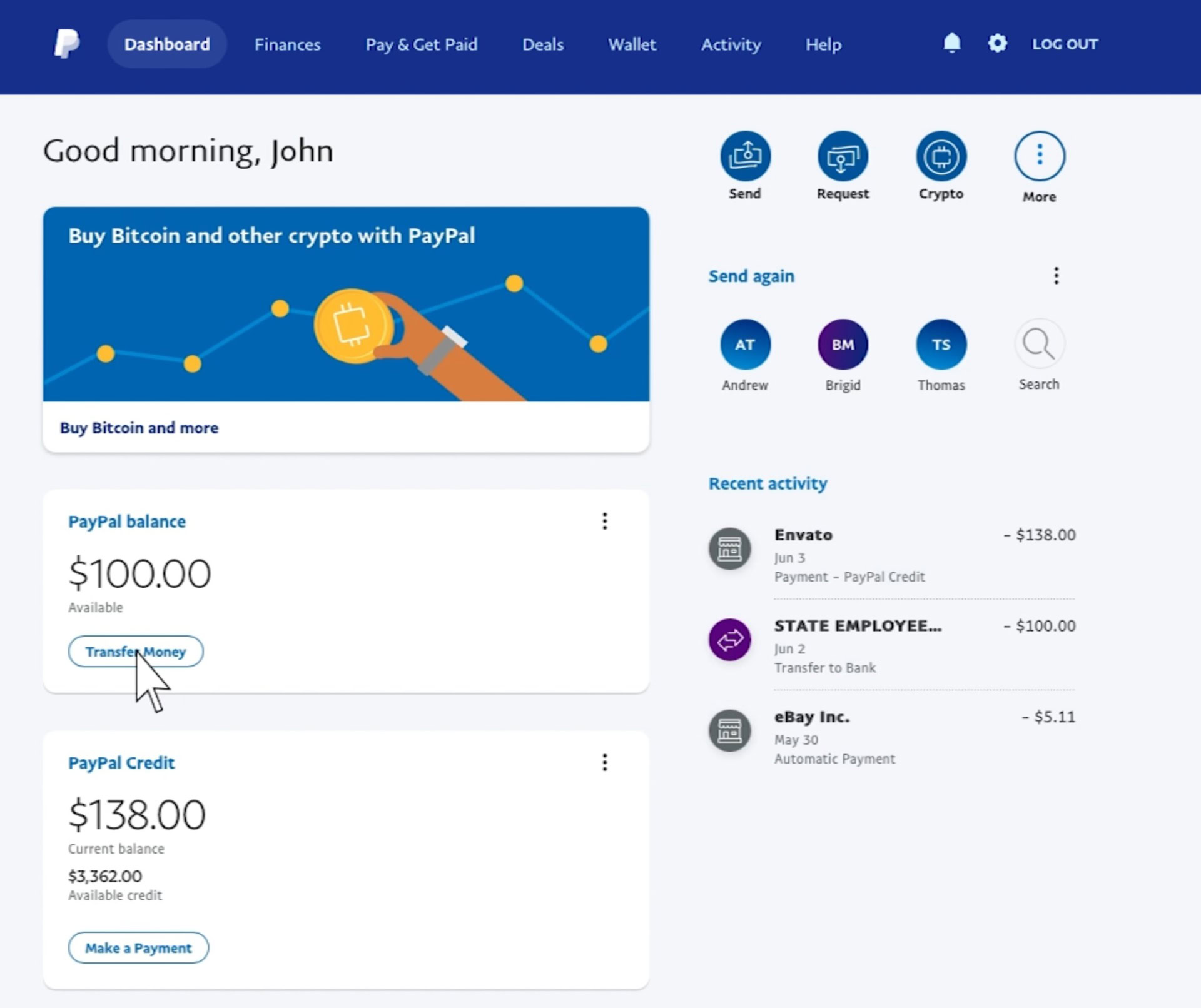
- Available Balance: This is the money you can immediately use for purchases, send to others, or withdraw to your linked bank account or debit card. It represents cleared funds that are not subject to any holds or pending actions. For most users, this is the primary balance they interact with.
- Pending Balance: This refers to funds that have been initiated but have not yet cleared or been fully processed. This could be due to a recent payment received that PayPal is still verifying, or it might be a payment you’ve sent that is awaiting the recipient to accept it. Pending funds are not immediately available for use. The duration of pending status can vary based on the transaction type, the sender’s funding source, and PayPal’s internal review processes.
- On Hold Balance: PayPal, like many financial institutions, employs security measures to protect both buyers and sellers. Funds might be placed “on hold” for various reasons, particularly for new sellers, transactions involving high-value items, or those flagged for review based on PayPal’s risk assessment. While on hold, these funds are not available for use. The hold is typically released after a specific period, upon delivery confirmation, or after the successful resolution of any disputes, depending on the reason for the hold. Understanding the reasons for holds and the steps to release them is crucial for effective fund management.
Security Best Practices for Account Access
Accessing your financial information, even within a secure platform like PayPal, requires diligence. Protecting your account is paramount to safeguarding your money.
- Strong, Unique Passwords: Always use a complex password that combines letters, numbers, and symbols. Avoid using easily guessable information like birthdates or common phrases. Crucially, use a unique password for PayPal – never reuse passwords from other online accounts.
- Two-Factor Authentication (2FA): Enable 2FA immediately. This adds an extra layer of security, requiring a code from your mobile device in addition to your password when logging in. Even if someone obtains your password, they won’t be able to access your account without your phone.
- Beware of Phishing Scams: Be vigilant against suspicious emails or messages purporting to be from PayPal. Legitimate PayPal communications will never ask for your password or sensitive personal information via email. Always log in directly to your PayPal account through the official website or app to check messages or verify information.
- Secure Internet Connection: Avoid accessing your PayPal account on public Wi-Fi networks, which can be vulnerable to eavesdropping. Always use a secure, private network or a Virtual Private Network (VPN) if you must access it remotely.
- Regular Software Updates: Keep your operating system, web browser, and the PayPal mobile app updated. These updates often include critical security patches that protect against new vulnerabilities.
Step-by-Step Guide to Checking Your PayPal Balance
Accessing your PayPal balance is straightforward, whether you prefer using a desktop computer or a mobile device. Here’s how to do it.
Via the PayPal Website (Desktop/Laptop)
This is the traditional and often most comprehensive way to view your account details.
- Open Your Web Browser: Go to your preferred web browser (Chrome, Firefox, Edge, Safari, etc.).
- Navigate to PayPal: Type
www.paypal.cominto the address bar and press Enter. Ensure you are on the official PayPal website. - Log In: Click the “Log In” button, usually located in the top right corner of the homepage.
- Enter Credentials: Input your email address or mobile number associated with your PayPal account and your password. If you have 2FA enabled, you’ll also need to enter the verification code sent to your phone.
- View Your Balance: Once logged in, your “PayPal Balance” will typically be prominently displayed on your account’s Summary page, often right at the top or in a dedicated section on the dashboard. This summary page provides an overview of your recent activity and available funds.
Using the PayPal Mobile App
The PayPal mobile app offers a convenient way to manage your account on the go, with a user-friendly interface optimized for smartphones and tablets.
- Download the App (if not already installed): Search for “PayPal” in your device’s app store (App Store for iOS, Google Play Store for Android) and download the official application.
- Open the App: Tap the PayPal icon on your device’s home screen.
- Log In: Enter your email address/mobile number and password. Again, if 2FA is enabled, provide the verification code. Some devices may also allow login via fingerprint or facial recognition after initial setup.
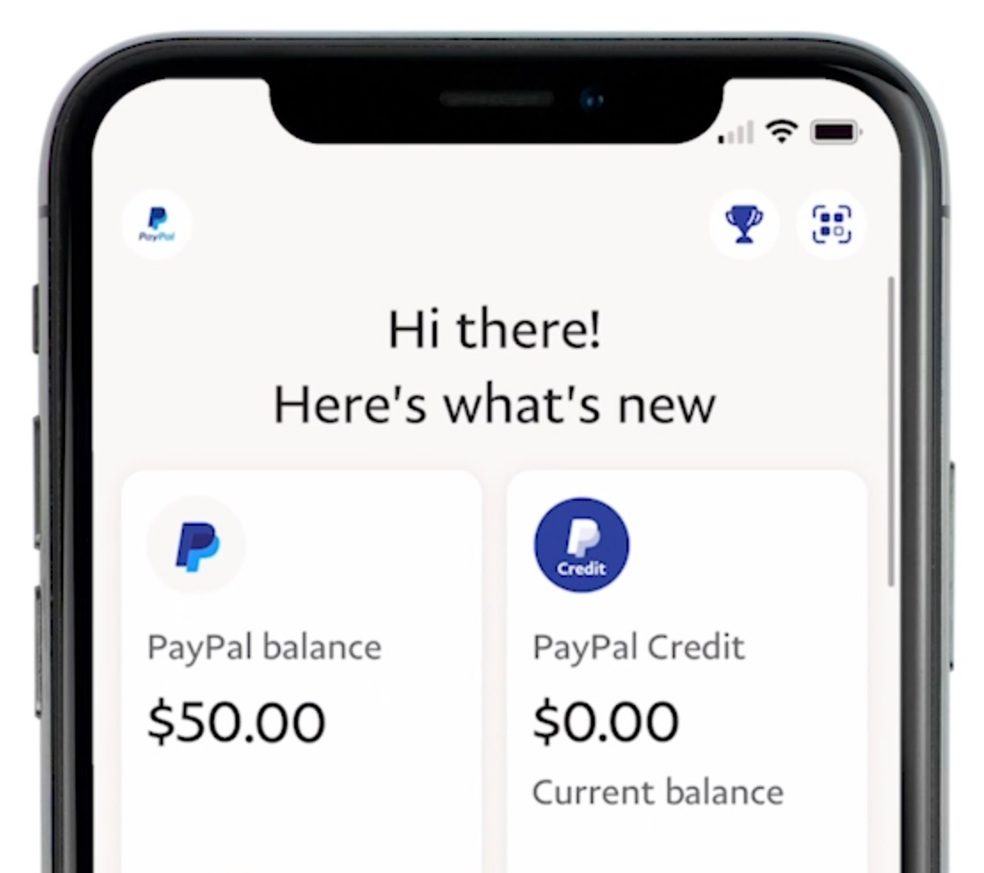
- View Your Balance: Similar to the website, your “PayPal Balance” is usually one of the first things you see upon logging in, prominently displayed on the app’s home screen or “Summary” tab. The app often provides quick links to recent transactions and options to send or request money.
Alternative Methods for Balance Inquiry
While the website and mobile app are the primary methods, there might be other less direct ways to infer your PayPal activity:
- Email Notifications: PayPal often sends email notifications for transactions, deposits, and withdrawals. While these emails don’t show your real-time balance, they help you keep track of movements into and out of your account, which can indirectly inform you about your fund levels.
- Linked Bank/Card Statements: If you frequently transfer funds from PayPal to a linked bank account or debit card, your bank or card statement will reflect these incoming transfers. This isn’t a direct PayPal balance check, but it confirms the movement of funds you initiated. However, it will not show your remaining PayPal balance.
For an accurate, real-time balance, always rely on logging directly into your PayPal account via their official website or mobile app.
Beyond Just Checking: Managing Your PayPal Funds Effectively
Simply knowing your balance is the first step. True financial mastery with PayPal involves understanding your transaction history, efficiently moving funds, and adeptly resolving any issues that may arise.
Interpreting Your Transaction History
Your transaction history is a treasure trove of financial data. Regularly reviewing it allows you to:
- Verify Transactions: Ensure all listed transactions are legitimate and accurate. This is crucial for detecting unauthorized activity.
- Track Spending Habits: Understand where your money is going. This information is invaluable for budgeting and identifying areas where you might cut back.
- Confirm Payments Received: For those earning through PayPal, the transaction history provides a clear record of incoming funds, their source, and status.
- Reconcile Accounts: Compare your PayPal activity with other financial records to ensure consistency, especially if you use PayPal for business.
To access your transaction history, simply click on the “Activity” or “History” tab/section after logging into your PayPal account on either the website or the app. You can often filter transactions by date, type, and status for easier review.
Transferring Funds: To Bank, Debit Card, or Another PayPal User
Once you have funds in your PayPal balance, you have several options for how to use them:
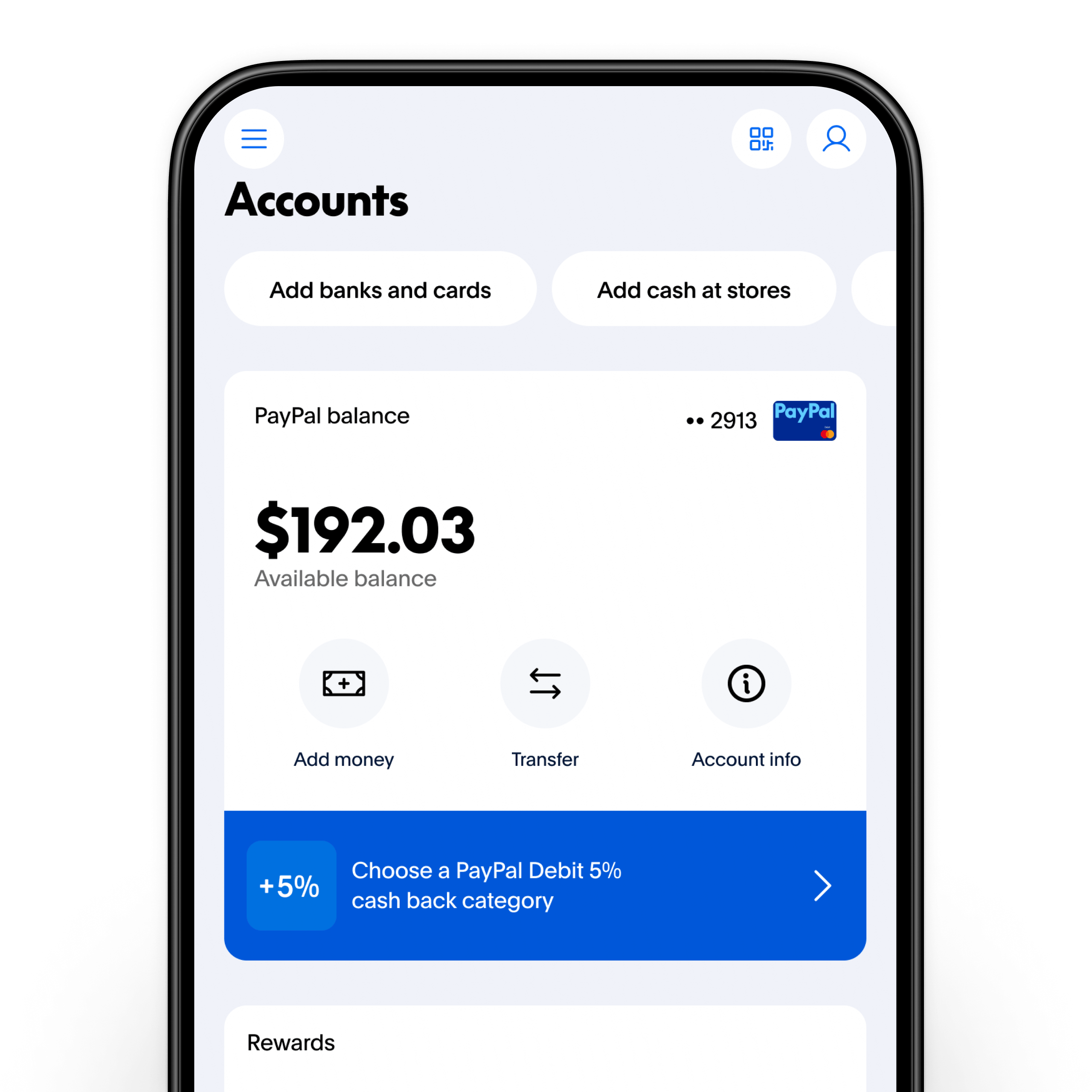
- Transfer to a Linked Bank Account: This is typically the most common method for withdrawing funds. Standard transfers to a linked bank account are usually free and take 1-3 business days to process.
- Process: On the Summary page, look for an option like “Transfer Money” or “Withdraw Funds.” Select your linked bank account, enter the amount, and confirm.
- Transfer to a Linked Debit Card: For a quicker withdrawal, you can often transfer funds to an eligible linked debit card. While faster (usually within minutes), this method typically incurs a small fee.
- Process: Similar to bank transfers, choose the debit card option and follow the prompts. Be aware of the stated fees before confirming.
- Send to Another PayPal User: You can easily send money from your PayPal balance to another individual’s PayPal account using their email address or mobile number. This is often used for splitting bills, sending gifts, or paying for services.
- Process: Select “Send & Request,” enter the recipient’s details, the amount, and choose your PayPal balance as the funding source.
Dealing with Holds and Disputes
Encountering a hold on funds or a dispute can be unsettling, but PayPal provides mechanisms to address these.
- Understanding Holds: If funds are on hold, PayPal will usually provide a reason, such as a new seller hold or a security review. The platform often outlines the steps required to release the funds, such as adding tracking information for a shipment. Proactively addressing these requirements can expedite the release process.
- Resolving Disputes: If you believe a transaction is incorrect or you haven’t received an item you paid for (as a buyer), or if a buyer opens a dispute against you (as a seller), PayPal offers a Resolution Center.
- For Buyers: You can open a dispute within 180 days of the transaction if you didn’t receive an item or if it was significantly not as described.
- For Sellers: Respond promptly to buyer disputes, providing evidence such as tracking information, proof of delivery, or communication logs.
- The Resolution Center guides both parties through the process, often facilitating direct communication to resolve the issue before PayPal steps in to mediate. Timely and thorough responses are key to successful resolution.
Integrating PayPal into Your Broader Financial Strategy
PayPal isn’t just a payment gateway; it can be a valuable component of your overall financial ecosystem, helping you manage money, track expenses, and even facilitate income generation.
PayPal as a Tool for Budgeting and Tracking Expenses
While not a full-fledged budgeting app, PayPal’s detailed transaction history can be exported and integrated into your personal budgeting tools. By categorizing your PayPal spending, you gain insights into specific areas like online shopping, digital subscriptions, or freelance expenditures. Many budgeting apps offer direct integration with PayPal, automatically pulling in transactions to give you a holistic view of your financial movements. This granular data helps in identifying spending patterns and adhering to financial goals.
Leveraging PayPal for Online Income and E-commerce
For entrepreneurs, freelancers, and small business owners, PayPal is a powerful platform for receiving payments.
- Freelancers: Easily send invoices and receive payments from clients globally. PayPal’s invoicing features simplify tracking outstanding payments and managing client relationships.
- E-commerce: Integrate PayPal into your online store as a trusted payment option, appealing to a broad customer base. PayPal’s seller protection policies offer a layer of security for both transactions.
- Side Hustles: Whether selling handmade goods, offering online services, or participating in gig economy platforms, PayPal provides a straightforward way to collect earnings and separate them from personal funds if desired, aiding in tracking income for tax purposes.
Understanding Fees and Exchange Rates
While convenient, it’s crucial to be aware of PayPal’s fee structure, especially for business transactions or international transfers.
- Transaction Fees: Selling goods or services typically incurs a fee, which can vary based on the transaction amount and the seller’s location. Personal payments sent within the same country, funded by a bank account or PayPal balance, are usually free.
- International Transfer Fees: Sending money internationally or converting currencies involves exchange rate markups and/or flat fees. These can add up, so it’s wise to compare PayPal’s rates with other services if frequent international transfers are part of your financial routine.
- Withdrawal Fees: While standard bank transfers are generally free, instant transfers to debit cards typically have a small fee.
Always review the fees associated with a transaction before confirming it to avoid unexpected costs and ensure you’re maximizing the value of your funds.
Troubleshooting Common Issues and Getting Support
Even with a user-friendly platform like PayPal, issues can arise. Knowing how to troubleshoot and where to find support is essential for maintaining seamless financial operations.
What to Do If Your Balance Looks Incorrect
If your PayPal balance appears incorrect or doesn’t match your expectations, take these steps:
- Review Recent Activity: Check your “Activity” or “History” tab for any pending transactions, recent purchases, or withdrawals that you might have forgotten about. Look for any “on hold” funds.
- Check for Unauthorized Activity: If you see transactions you don’t recognize, immediately secure your account by changing your password and enabling 2FA if you haven’t already.
- Contact the Sender/Recipient: If a specific payment is missing or incorrect, reach out to the other party involved in the transaction.
- Contact PayPal Support: If you’ve exhausted the above steps and still believe your balance is wrong or suspect fraud, contact PayPal’s customer service for assistance.
Resolving Account Access Problems
Locked out of your account or experiencing login issues?
- Password Reset: Use the “Forgot Password?” link on the login page. PayPal will guide you through a verification process to reset your password securely.
- 2FA Issues: If you’re having trouble with 2FA (e.g., not receiving codes, lost device), PayPal has specific recovery options that usually involve verifying your identity.
- Account Limitations: Sometimes PayPal might place limitations on an account for security reasons or policy violations. You’ll typically receive an email explaining the limitation and steps required to lift it. Follow these instructions carefully.
Contacting PayPal Customer Service
When self-service troubleshooting isn’t enough, reaching out to PayPal’s customer service is the next step.
- Help Center: PayPal’s website has an extensive “Help” or “Contact Us” section with FAQs, guides, and community forums that can often provide immediate answers.
- Message Center: You can often send a secure message directly through your PayPal account. This is ideal for non-urgent inquiries and provides a written record of communication.
- Phone Support: For urgent issues, calling PayPal directly is often the quickest route to resolution. Their phone numbers are typically listed in the “Contact Us” section of their website. Be prepared to verify your identity.
- Social Media: Some users find success reaching out to PayPal’s official social media channels, though this should be reserved for general inquiries and not sensitive account details.
Checking your PayPal balance is a simple action with significant financial implications. By mastering the methods of access, understanding the different fund statuses, and integrating PayPal into your broader financial management practices, you transform it from a mere payment tool into a powerful asset for achieving your personal and business financial goals. Regular vigilance and informed action are your best allies in navigating the digital financial landscape.
aViewFromTheCave is a participant in the Amazon Services LLC Associates Program, an affiliate advertising program designed to provide a means for sites to earn advertising fees by advertising and linking to Amazon.com. Amazon, the Amazon logo, AmazonSupply, and the AmazonSupply logo are trademarks of Amazon.com, Inc. or its affiliates. As an Amazon Associate we earn affiliate commissions from qualifying purchases.