
Paying your taxes is an unavoidable annual obligation for most individuals and businesses. While the process itself can sometimes feel daunting, the Internal Revenue Service (IRS) has significantly streamlined the payment experience, offering a variety of convenient and secure online options. Gone are the days when a check and an envelope were the only recourse; today, digital payment methods provide efficiency, immediacy, and peace of mind. This guide will walk you through the various online avenues available, ensuring you can meet your tax responsibilities accurately and on time, leveraging the digital tools designed for modern financial management.

Navigating the Digital Landscape of IRS Payments
The IRS provides several official online payment gateways, each designed to cater to different taxpayer needs and preferences. Understanding these options is the first step toward a smooth tax payment experience. Each method offers distinct advantages, and some may incur processing fees through third-party providers, which is an important consideration for your financial planning.
The IRS’s Official Online Payment Gateways
The IRS maintains a suite of secure platforms for taxpayers to remit their dues directly or through authorized partners. Choosing the right one often comes down to the type of tax being paid, the desired payment method, and personal convenience.
-
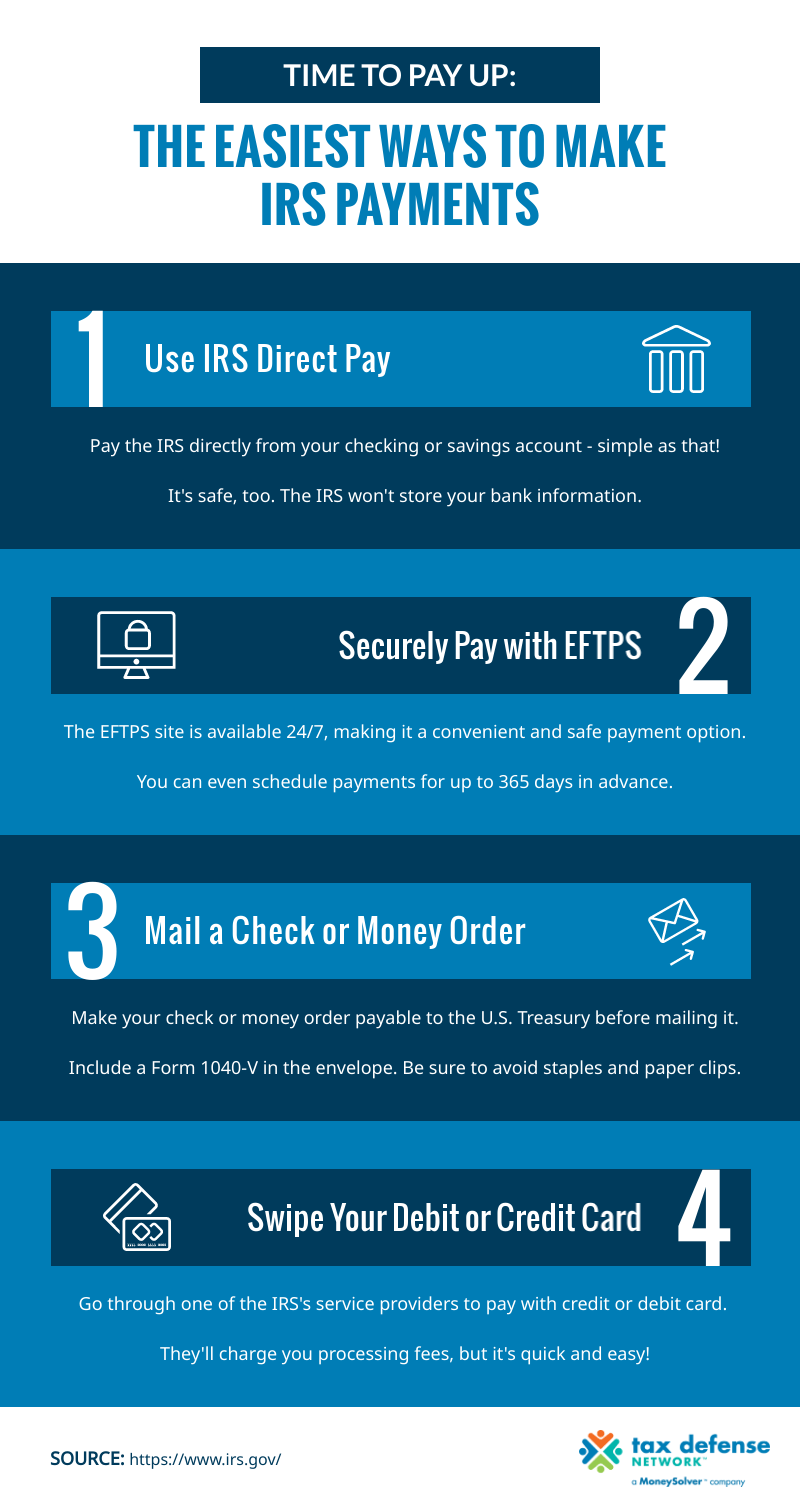
IRS Direct Pay: This is perhaps the most straightforward and popular method for individual taxpayers. IRS Direct Pay allows you to pay your income taxes directly from your checking or savings account, free of charge. You can schedule payments up to 365 days in advance, a feature particularly useful for proactive financial planning or for scheduling estimated tax payments. It’s ideal for Form 1040 series payments, estimated tax payments, and even payments for amended returns. The process is simple: select the reason for payment, the tax year, enter your bank account information, and verify your identity using details from a prior tax return. This method provides an immediate confirmation number, serving as proof of payment.
-
Debit Card, Credit Card, or Digital Wallet Options: For those who prefer the flexibility and potential rewards of using plastic or digital wallets, the IRS partners with several third-party payment processors. While these methods offer instant payment and the convenience of using your preferred card or digital service (like PayPal or Click to Pay), they do come with a processing fee charged by the third-party provider. These fees vary by processor and by the type of card used, typically ranging from 1.87% to 2.25% for credit cards, and a flat fee (e.g., $2.50-$3.95) for debit cards. While the fees might be a deterrent for some, others might find the immediate payment confirmation, potential credit card rewards, or the ability to manage cash flow more appealing, especially for larger tax liabilities. This option is available for various tax forms, including Forms 1040, 940, 941, 943, 944, 945, 1041, 1120, 2290, and more.
-
Electronic Federal Tax Payment System (EFTPS): EFTPS is a free service provided by the U.S. Department of the Treasury that allows individuals and businesses to make all federal tax payments electronically. While it requires a one-time enrollment process that can take a few days to complete (as a PIN is mailed to you), it’s an incredibly robust and versatile system. Once enrolled, you can schedule payments up to 365 days in advance and review your payment history for up to 15 months. EFTPS is particularly favored by businesses for payroll taxes, corporate income tax, and estimated taxes, but individuals can also use it for their personal income taxes. Its primary advantage is its comprehensive nature and the ability to schedule multiple payments well into the future, making it an excellent tool for systematic financial management.
Choosing the Right Online Payment Method for You
The decision of which online payment method to use should align with your personal financial situation and priorities. Consider these factors:
- Cost: IRS Direct Pay and EFTPS are free. Debit/credit card and digital wallet payments incur processing fees. If cost is your primary concern, direct bank transfers are the way to go.
- Convenience and Speed: All online methods offer speed, but Direct Pay and third-party card processors offer instant setup for first-time users. EFTPS requires prior enrollment.
- Payment Type: Some methods are better suited for specific tax types (e.g., EFTPS for business and estimated taxes, Direct Pay for individual income tax).
- Financial Management: If you prefer to earn credit card rewards, the fee might be worthwhile. If you need to manage your cash flow carefully, a scheduled payment via Direct Pay or EFTPS can be a powerful budgeting tool.
- Proof of Payment: All methods provide confirmation, but saving these details is crucial regardless of the platform used.
Essential Steps for a Smooth Online Tax Payment
Regardless of the method you choose, a few preparatory steps and best practices can ensure your online tax payment goes off without a hitch. Diligence in gathering information and verifying details can prevent common pitfalls and ensure your payment is accurately credited.
Before You Begin: Gathering Necessary Information
Preparation is key to avoiding errors and delays. Before you initiate any online payment, gather the following essential information:
- Your Social Security Number (SSN) or Individual Taxpayer Identification Number (ITIN). For businesses, this would be your Employer Identification Number (EIN).
- The exact amount of tax you intend to pay. Double-check your calculations to avoid underpayment or overpayment.
- The tax year for which the payment is being made. This is critically important, especially if you’re making payments for prior years or estimated taxes for the current year.
- Your bank account details (checking or savings account number and routing number) if using IRS Direct Pay or EFTPS.
- Your debit/credit card information or digital wallet credentials if using a third-party processor.
- Information from a prior tax return (e.g., Adjusted Gross Income) to verify your identity when using IRS Direct Pay.
Step-by-Step Walkthrough: Direct Pay Example
Let’s illustrate with a simplified guide for IRS Direct Pay, as it’s a popular choice for individuals:
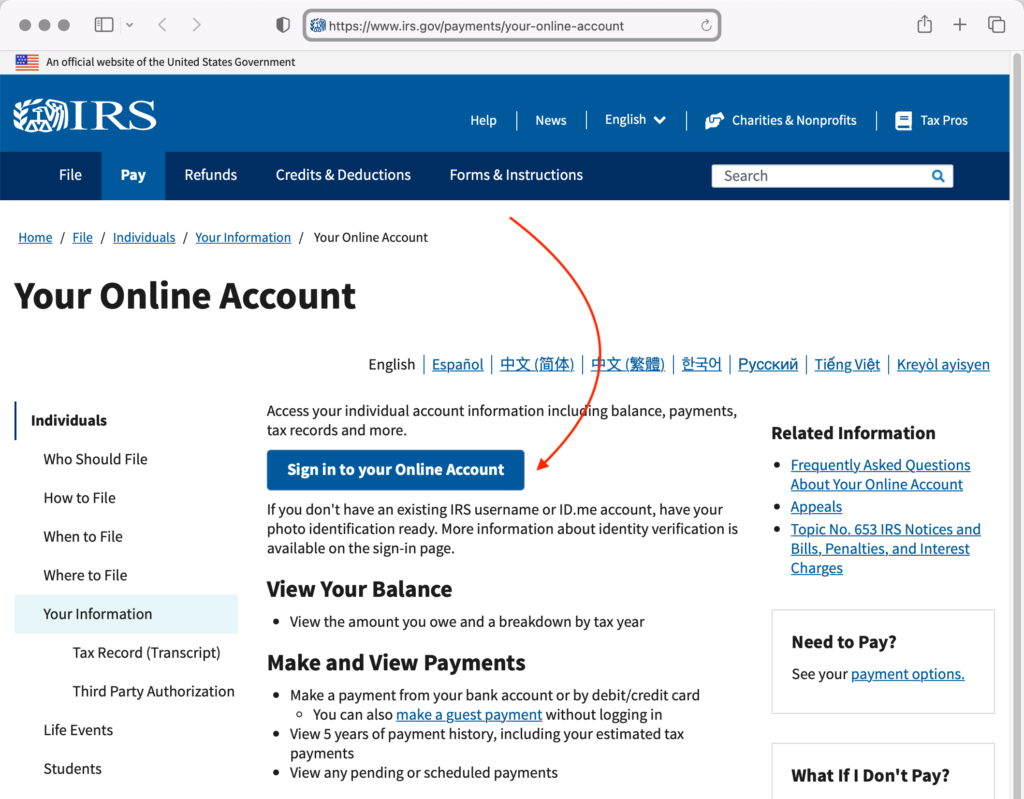
- Access the Official IRS Website: Navigate directly to IRS.gov. Do not use search engine results blindly, as malicious websites can mimic official ones. Look for the “Payments” section.
- Select IRS Direct Pay: Click on the link for IRS Direct Pay.
- Confirm Identity: The system will prompt you to confirm your identity using your SSN/ITIN, date of birth, filing status, and your Adjusted Gross Income (AGI) from a prior tax year. This is a crucial security step.
- Enter Payment Details:
- Reason for Payment: Select the appropriate reason (e.g., “Income Tax – Form 1040”).
- Apply Payment To: Choose the correct tax year (e.g., “2023”).
- Payment Type: Select “Balance Due” if paying what you owe, or “Estimated Tax” for quarterly payments.
- Enter Bank Account Information: Provide your bank routing number and account number.
- Enter Payment Amount: Input the precise amount you wish to pay.
- Review and Authorize: Carefully review all the information entered. Ensure the amount, tax year, and bank details are correct. Authorize the payment.
- Record Confirmation: Immediately after authorization, you will receive a confirmation number. Save this number! Print it, screenshot it, or write it down. This is your undeniable proof of payment.
Verifying Your Payment and Record Keeping
After making an online payment, your responsibility doesn’t end. It’s crucial to verify the transaction and maintain meticulous records:
- Save Confirmation Numbers: As mentioned, the confirmation number is vital. It’s your official receipt from the IRS or the third-party processor.
- Check Bank/Card Statements: Within a few business days, verify that the payment has cleared your bank account or posted to your card statement. Discrepancies should be addressed immediately.
- Maintain Records: Keep digital or physical copies of all payment confirmations, along with your tax return, for at least three years (or longer, as advised by your tax professional). This is invaluable if any questions or audits arise in the future.
Understanding Payment Deadlines and Penalties
Adherence to tax deadlines is a cornerstone of responsible financial management. The IRS imposes penalties for both late filing and late payment, which can significantly increase your tax burden.
Key Tax Payment Dates to Remember
While April 15th is the most widely known tax deadline, other dates are equally important, especially for those with income not subject to withholding:
- April 15th: The primary deadline for filing individual income tax returns (Form 1040) and paying any taxes owed for the previous year. It’s also the deadline for the first quarter estimated tax payment.
- June 15th: Deadline for the second quarter estimated tax payment.
- September 15th: Deadline for the third quarter estimated tax payment.
- January 15th (of the next year): Deadline for the fourth quarter estimated tax payment for the current tax year.
- October 15th: If you file for an extension, this is the extended deadline to file your tax return, but it is not an extension to pay your taxes. Any taxes owed from the April 15th deadline are still due by that date, even if you’ve filed an extension.
Consequences of Late Payments and Non-Payment
Failing to pay your taxes on time can result in penalties and interest charges.
- Failure to Pay Penalty: This penalty is 0.5% of the unpaid taxes for each month or part of a month that taxes remain unpaid, capped at 25% of your unpaid tax.
- Failure to File Penalty: If you don’t file your return on time, the penalty is generally 5% of the unpaid taxes for each month or part of a month that a return is late, capped at 25% of your unpaid tax. If both penalties apply, the failure to file penalty is reduced by the failure to pay penalty for any month they overlap.
- Interest: In addition to penalties, the IRS charges interest on underpayments, which can compound daily. The interest rate is determined quarterly and is typically the federal short-term rate plus 3 percentage points.
What to Do if You Can’t Pay on Time
If you find yourself unable to pay your full tax liability by the deadline, don’t ignore it. The IRS offers several options:
- Payment Plan (Installment Agreement): You can request a short-term payment plan (up to 180 days) or a long-term installment agreement (monthly payments for up to 72 months). While interest and penalties still apply, setting up a payment plan can prevent additional enforcement actions.
- Offer in Compromise (OIC): An OIC allows certain taxpayers to resolve their tax liability with the IRS for a lower amount than what they originally owe. This is typically an option when taxpayers are in severe financial difficulty and paying the full amount would cause significant hardship.
- Temporary Delay in Collection: In some cases of extreme financial hardship, the IRS may determine that you cannot pay any of your tax liability. They may temporarily delay collection until your financial condition improves.
It’s crucial to communicate with the IRS as soon as possible if you anticipate payment difficulties. Proactive engagement can mitigate penalties and help you navigate challenging financial periods.
Ensuring Security and Avoiding Scams in Online Tax Payments
While online tax payments offer unparalleled convenience, they also present opportunities for cybercriminals. Protecting your personal and financial information is paramount.
Identifying Legitimate IRS Communications and Websites
The IRS will never initiate contact with taxpayers via email, text messages, or social media to request personal or financial information. They typically communicate through physical mail. If you receive an unexpected email or text claiming to be from the IRS, it’s a scam.
- Official URL: Always ensure you are on the official IRS website, which is
www.irs.gov. Be wary of subtle misspellings or alternative domain extensions. - Secure Connection: Look for “https://” in the website address and a padlock icon in your browser’s address bar, indicating a secure, encrypted connection.
- Verify Information: If unsure about a communication, contact the IRS directly using the official phone numbers listed on IRS.gov, not numbers provided in suspicious messages.
Protecting Your Personal and Financial Information
Safeguarding your data during online transactions requires vigilance:
- Strong, Unique Passwords: Use complex passwords for all your online accounts, especially those related to finances. Consider a password manager.
- Two-Factor Authentication (2FA): Enable 2FA whenever possible, especially for your email and financial accounts. This adds an extra layer of security.
- Secure Internet Connection: Avoid making tax payments or accessing sensitive financial information on public Wi-Fi networks, which are often unsecured. Use a private, trusted network or a Virtual Private Network (VPN).
- Monitor Your Accounts: Regularly review your bank and credit card statements for any unauthorized transactions.
- Keep Software Updated: Ensure your operating system, web browser, and antivirus software are always up to date to protect against known vulnerabilities.
Reporting Suspicious Activity
If you suspect you’ve been targeted by a tax scam or identity theft:
- Report Phishing: Forward suspicious emails or website links to phishing@irs.gov.
- Report Scams: Call the Treasury Inspector General for Tax Administration (TIGTA) at 1-800-366-4484 or file a complaint with the Federal Trade Commission (FTC).
- If You’ve Paid a Scammer: Contact your bank or credit card company immediately to try and stop the payment.
Beyond the Basics: Advanced Considerations for Online Tax Payments
The flexibility of online payment options extends to more specific tax scenarios and integrations with financial tools.
Estimated Taxes for Self-Employed Individuals and Gig Workers
For those who are self-employed, work in the gig economy, or have significant income not subject to employer withholding, paying estimated taxes quarterly is crucial. Online platforms like IRS Direct Pay and EFTPS are invaluable tools for managing these regular payments, allowing for scheduling in advance to avoid penalties. Proactive budgeting and setting aside funds throughout the year become essential components of this financial responsibility.
Making Payments for Prior Tax Years or Amended Returns
Online payment systems are not just for current year balances. You can use IRS Direct Pay and EFTPS to pay taxes for prior tax years or to cover a balance due on an amended return (Form 1040-X). When using these methods, ensure you correctly select the specific tax year the payment applies to, which is a critical detail to prevent misapplication of funds.
Utilizing Tax Software for Integrated Payments
Many popular tax preparation software programs (e.g., TurboTax, H&R Block, TaxAct) offer integrated payment options. After you’ve prepared your return, these programs can directly link to the IRS’s payment portals or help you set up electronic payments through their own interfaces. This seamless integration can save time and reduce the chances of manual entry errors, making the entire tax compliance process more efficient. These tools often remind users of payment deadlines and provide step-by-step guidance.
In conclusion, paying your IRS taxes online is a secure, efficient, and increasingly diverse process designed to fit various financial situations. By understanding the available methods, adhering to best practices for security and record-keeping, and staying informed about deadlines, you can effectively manage your tax obligations. Embrace these digital financial tools to simplify your annual tax routine, ensuring compliance and peace of mind within your personal finance strategy.
aViewFromTheCave is a participant in the Amazon Services LLC Associates Program, an affiliate advertising program designed to provide a means for sites to earn advertising fees by advertising and linking to Amazon.com. Amazon, the Amazon logo, AmazonSupply, and the AmazonSupply logo are trademarks of Amazon.com, Inc. or its affiliates. As an Amazon Associate we earn affiliate commissions from qualifying purchases.