
The world of PC gaming is a dynamic and ever-evolving landscape, where performance, visual fidelity, and seamless interaction are paramount. At the heart of this experience for many lies a powerful companion application: NVIDIA GeForce Experience. Far more than just a driver updater, GeForce Experience is a comprehensive software suite designed by NVIDIA to optimize, enhance, and personalize the PC gaming journey for users of GeForce graphics processing units (GPUs). It acts as an intelligent bridge between a gamer’s hardware, their software, and the games they play, ensuring that every session is as smooth, visually stunning, and feature-rich as possible.
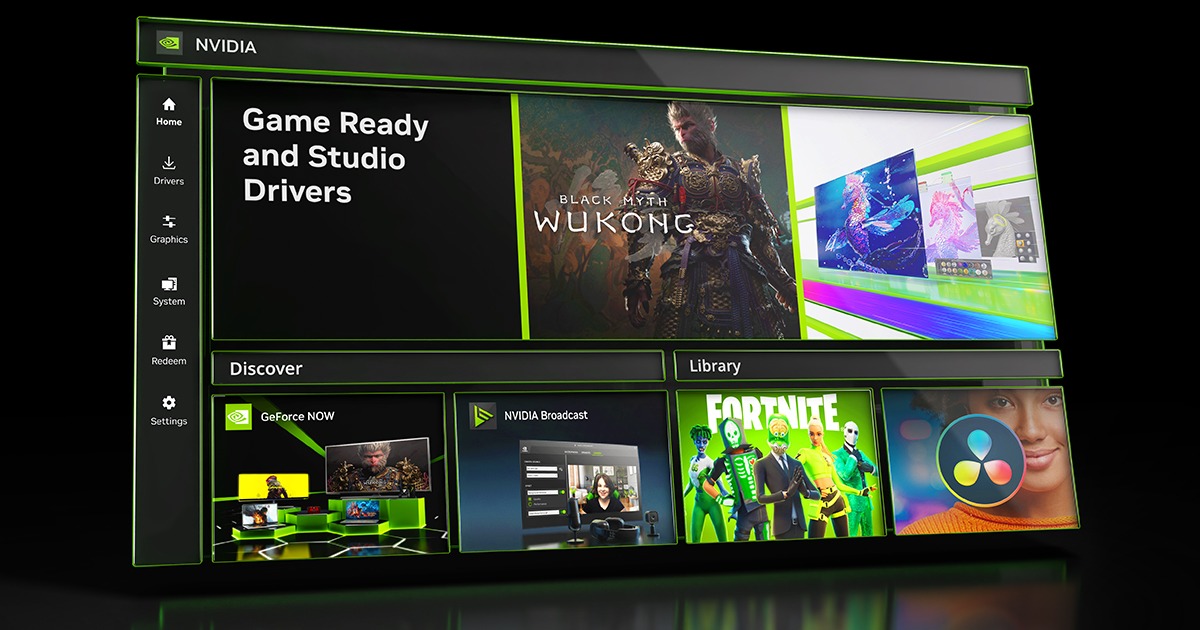
Developed as a direct extension of NVIDIA’s hardware capabilities, GeForce Experience leverages the inherent power of GeForce GPUs to unlock their full potential. From ensuring games run at optimal settings to facilitating effortless content creation and sharing, it streamlines many of the technical complexities that often accompany high-end PC gaming. For both seasoned enthusiasts and casual players, understanding and utilizing GeForce Experience can significantly elevate their engagement with their favorite titles, transforming a good gaming setup into a truly exceptional one.
The Core Pillars of GeForce Experience
GeForce Experience is built upon several fundamental features, each meticulously crafted to address a specific aspect of the PC gaming ecosystem. These core pillars work in tandem to deliver a holistic enhancement, focusing on performance, stability, and user convenience.
Optimal Game Settings
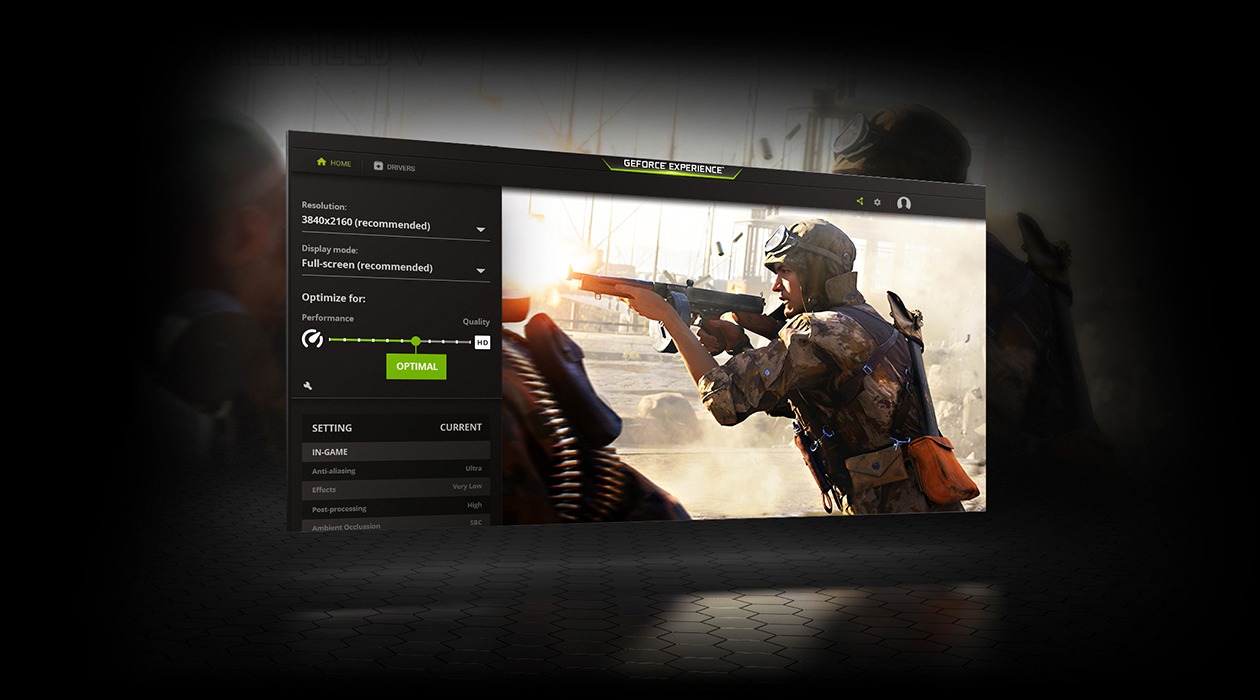
One of the most widely appreciated features of GeForce Experience is its ability to automatically optimize game settings for the user’s specific hardware configuration. Modern video games come with a bewildering array of graphical options, from texture quality and anti-aliasing to shadow details and post-processing effects. Manually fine-tuning these settings for each game, aiming for the perfect balance between visual fidelity and smooth frame rates, can be a time-consuming and often confusing process.
GeForce Experience simplifies this complexity by analyzing the user’s CPU, GPU, and monitor specifications, then downloading optimal settings profiles from NVIDIA’s cloud servers. These profiles are meticulously developed by NVIDIA’s engineers, who test thousands of hardware configurations to identify the best performance-to-quality ratio for popular games. With a single click, users can apply these recommended settings, confident that their games will run efficiently without sacrificing visual quality unnecessarily. This not only saves time but also ensures that gamers are getting the most out of their hardware without needing in-depth knowledge of each setting’s impact. The system is also dynamic, often receiving updates to its profiles as new game patches are released or new hardware becomes available, ensuring continued relevance and accuracy.
Driver Updates & Management
Keeping graphics drivers up to date is arguably the most critical maintenance task for any PC gamer. Drivers are the software interfaces that allow the operating system and games to communicate effectively with the GPU hardware. Outdated drivers can lead to performance bottlenecks, graphical glitches, compatibility issues, and even system instability. Conversely, the latest drivers often include significant performance optimizations for new game releases, bug fixes, and support for emerging technologies.
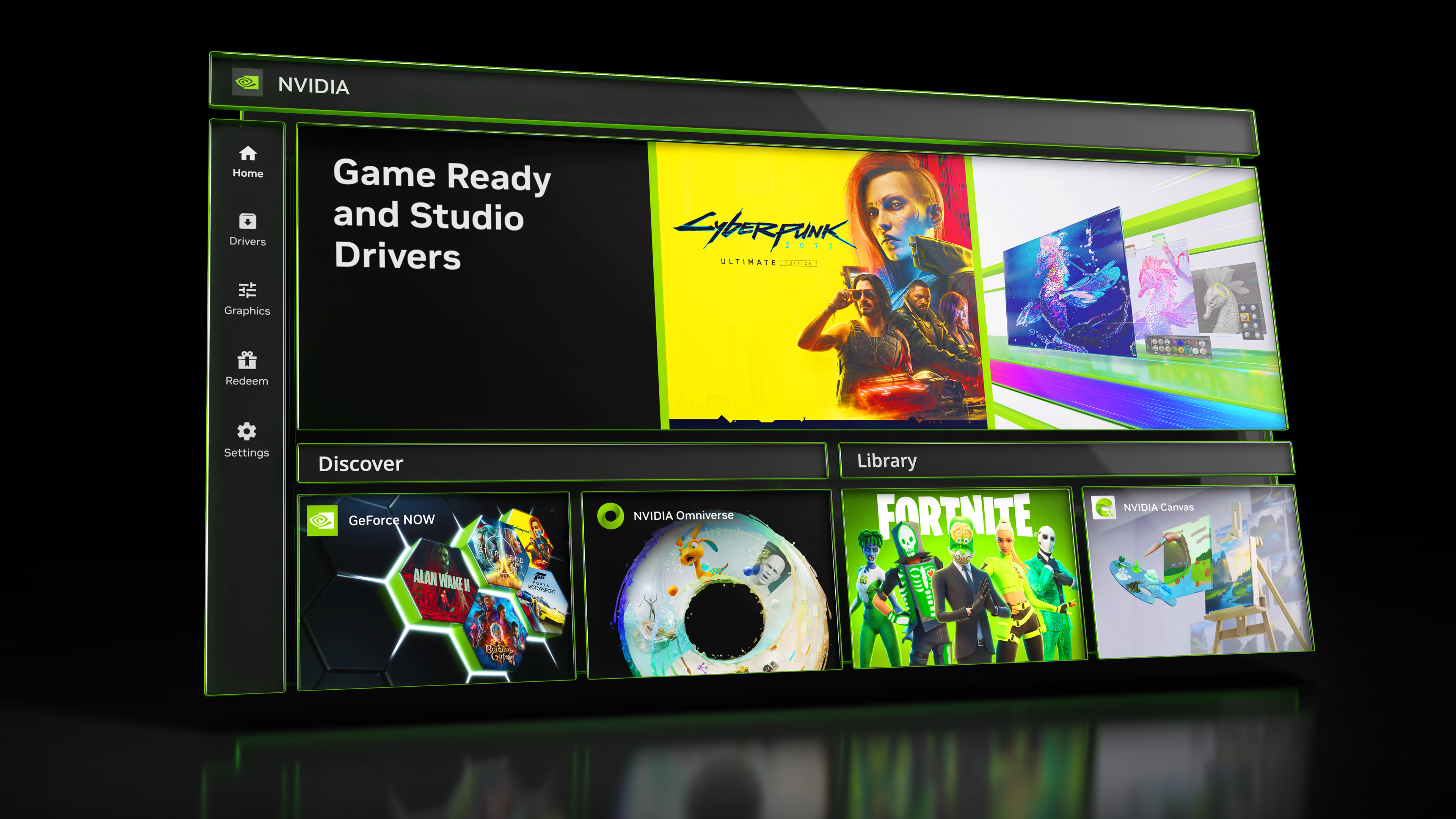
GeForce Experience streamlines the driver update process, making it virtually effortless. It automatically monitors for new “Game Ready Drivers” and “Studio Drivers” (for creative professionals). When a new driver is available, users receive a notification directly within the application. From there, they can download and install the driver with a few clicks, choosing between an “Express Installation” for a quick, automated update or a “Custom Installation” for more granular control. This proactive approach ensures that gamers always have access to the latest performance enhancements and stability improvements, minimizing downtime and maximizing gaming potential. NVIDIA’s Game Ready Drivers are particularly noteworthy, as they are released in conjunction with major game launches, providing day-one optimizations for the newest titles.
In-Game Overlay & Features (ShadowPlay/Share)
The in-game overlay, formerly known as ShadowPlay and now integrated under the broader “Share” functionality, transforms GeForce Experience into a powerful content creation and interaction hub. Accessible with a simple keyboard shortcut (Alt+Z by default), this overlay provides a suite of tools without ever leaving the game.
The most prominent features include:
- Instant Replay: This continuously records gameplay in a temporary buffer, allowing users to save the last few seconds or minutes of gameplay with a hotkey press. It’s perfect for capturing unexpected highlights, incredible plays, or humorous moments after they’ve occurred, without the need to constantly record.
- Record: For those who want to capture longer stretches of gameplay, the manual recording feature allows for high-quality video capture directly to local storage. Leveraging NVIDIA’s dedicated NVENC encoder on the GPU, recording has minimal impact on game performance, ensuring a smooth experience even while capturing.
- Broadcast: Gamers can stream their gameplay directly to popular platforms like Twitch, YouTube Live, and Facebook Live with customizable settings for resolution, bitrate, and audio. The NVENC encoder again plays a crucial role here, providing efficient, high-quality streaming without taxing the CPU.
- Highlights: In supported games, NVIDIA Highlights automatically detects and records “epic moments”—such as multi-kills, boss defeats, or match-winning plays—saving them as short video clips. This intelligent feature ensures that players never miss out on capturing their most impressive achievements.
- Performance Monitoring: The overlay includes a customizable performance monitor that can display real-time statistics like frame rate (FPS), GPU usage, CPU usage, and latency, helping players understand how their system is performing.
- Game Filters (Freestyle): This feature allows players to apply post-processing filters to their games in real-time, adjusting color, contrast, sharpening, and even adding artistic effects without affecting game performance. It enables personalized visual experiences, from enhancing visibility in dark areas to giving a game a unique artistic flair.
These overlay features empower gamers to not only optimize their play but also to become content creators, sharing their experiences with friends and the wider gaming community effortlessly.
Beyond the Basics: Advanced Features and Utilities
While the core pillars provide a solid foundation, GeForce Experience extends its utility with several advanced features that cater to specific creative and performance-oriented needs, further enriching the user experience.
NVIDIA Freestyle & Ansel
Building on the concept of real-time visual customization, NVIDIA Freestyle and Ansel represent the pinnacle of creative control offered by GeForce Experience.
NVIDIA Freestyle is a powerful set of post-processing filters that can be applied to over 600 supported games. Unlike traditional in-game settings, Freestyle filters are applied via the GeForce Experience overlay, allowing users to stack multiple filters for unique effects. Players can tweak color vibrancy, sharpen textures, add depth of field blur, apply sepia tones, or even introduce a distinct retro look. This level of customization allows for a highly personalized visual experience, whether it’s to improve readability, enhance immersion, or simply experiment with artistic styles. For content creators, it offers a way to subtly alter the mood or aesthetic of their gameplay footage before recording.
NVIDIA Ansel takes in-game photography to an entirely new level. Available in select titles, Ansel allows players to pause the action, freely re-position the camera, and capture stunning high-resolution screenshots. Beyond basic screenshots, Ansel boasts features like:
- Super Resolution: Capture screenshots at resolutions far exceeding your monitor’s native resolution, enabling incredible detail when zoomed in or downscaled.
- 360-degree Captures: Take panoramic or spherical screenshots that can be viewed in VR headsets or shared on interactive platforms.
- HDR Captures: Save images in high dynamic range formats, preserving a wider range of light and color information.
- Post-Process Filters: Apply a range of filters and adjustments directly within Ansel before capturing the final image, including effects like vignette, color enhancements, and depth of field.
Ansel transforms ordinary screenshots into works of art, providing a powerful tool for virtual photographers and enthusiasts who appreciate the intricate details of game worlds.
Broadcast & Live Streaming Enhancements
For the burgeoning community of streamers and content creators, GeForce Experience offers sophisticated tools designed for seamless live broadcasting. The integration with popular platforms like Twitch, YouTube Live, and Facebook Live means users can start streaming with minimal setup directly from their game.
The key advantage here is NVIDIA’s NVENC encoder. Unlike CPU-based encoders (like x264), NVENC is a dedicated hardware encoder on GeForce GPUs. This means that encoding video for streaming or recording is offloaded from the main CPU, significantly reducing the performance impact on the game itself. Gamers can maintain high frame rates and smooth gameplay while simultaneously broadcasting high-quality video, a crucial factor for competitive gaming and viewer engagement. GeForce Experience allows for easy configuration of stream quality, bitrate, resolution, and frame rate, catering to different internet speeds and audience preferences. Users can also add custom overlays, webcams, and microphones directly through the overlay, providing a complete streaming solution that is both powerful and user-friendly.
NVIDIA Highlights
NVIDIA Highlights is an intelligent feature designed to ensure gamers never miss capturing their most thrilling or significant in-game moments. Integrated into a growing list of popular titles, Highlights works by automatically detecting predefined “event triggers” within a game. These triggers can vary widely by game but typically include achievements like multi-kills, headshots, objective captures, boss defeats, or even dramatic player deaths.
When such an event occurs, NVIDIA Highlights automatically records a short video clip (the duration of which can often be customized by the user). These clips are then saved into a dedicated gallery within GeForce Experience, allowing players to review, edit, and easily share them to social media platforms like YouTube, Facebook, and Twitter. This feature removes the burden of manual recording, allowing players to stay immersed in the game without worrying about pressing a “record” button at the perfect moment. It’s an invaluable tool for creating shareable content and reliving personal bests, fostering a sense of accomplishment and community among gamers.
Why Use GeForce Experience? Benefits for Gamers
The aggregated functionality of GeForce Experience translates into tangible benefits that significantly improve the overall PC gaming experience for NVIDIA GPU owners.
Enhanced Performance and Visuals
The most immediate and impactful benefit of GeForce Experience is the assurance of optimal game performance and visuals. By applying expertly crafted game settings, users can be confident that their games are running at the best possible balance of frame rate and graphical fidelity for their specific hardware. This means smoother gameplay, more immersive environments, and a reduced likelihood of stuttering or low frame rates that can detract from the experience. For those less technically inclined, it eliminates the guesswork and frustration associated with manually tweaking dozens of in-game options. Even experienced users can benefit from the baseline optimization, which often outperforms general assumptions or provides a solid starting point for further personal refinement.
Convenience and Accessibility
GeForce Experience champions convenience. Driver updates, a critical but often overlooked aspect of PC maintenance, become a simple notification and a few clicks. The in-game overlay provides instant access to recording, streaming, and performance monitoring tools without ever having to Alt-Tab out of a game. This seamless integration ensures that essential functionalities are always within reach, minimizing disruption and maximizing immersion. The intuitive user interface makes advanced features accessible to everyone, democratizing aspects of PC optimization and content creation that might otherwise seem daunting. It transforms complex technical tasks into straightforward, user-friendly operations.
Content Creation & Sharing
In an era dominated by shared digital experiences, GeForce Experience empowers gamers to easily become content creators. The Instant Replay, Record, Broadcast, and Highlights features make capturing, producing, and sharing gaming moments incredibly straightforward. Whether it’s showcasing a clutch play, sharing a funny bug, or building a live streaming audience, GeForce Experience provides the tools needed to engage with friends and the wider community. The efficient NVENC encoder ensures that content creation doesn’t come at the cost of gaming performance, allowing users to fully enjoy their game while simultaneously producing high-quality video. This fosters a vibrant ecosystem of user-generated content, enriching the gaming community as a whole.
Installation, Compatibility, and Common Considerations
While designed for broad accessibility, understanding the technical requirements and considerations for GeForce Experience ensures a smooth and effective user experience.
System Requirements
GeForce Experience is primarily designed for systems equipped with an NVIDIA GeForce graphics card. Specifically, it generally supports:
- GeForce GPUs: NVIDIA GeForce GTX 600 series or higher desktop GPUs, or GTX 660M/GTX 670MX/GTX 675MX/GTX 680M/GTX 700M or higher notebook GPUs. More recent features often require newer GPU architectures (e.g., RTX series for certain AI-enhanced features or advanced NVENC capabilities).
- Operating System: Windows 7, 8, 8.1, or 10 (64-bit versions are generally recommended and required for optimal performance and modern features). Windows 11 is also fully supported.
- CPU: An Intel Pentium G Series, Core i3, i5, i7, or higher, or an AMD FX, Ryzen 3, 5, 7, 9, or higher processor. The specific CPU impacts overall system performance but GFE itself is relatively light.
- RAM: At least 4GB of system memory is typically recommended, though 8GB or more is standard for modern gaming.
It’s important to note that while the application itself has minimum requirements, optimal game settings and advanced features like NVENC streaming will naturally scale with more powerful hardware.
Installation Process
Installing GeForce Experience is typically straightforward. It is often bundled as an optional component during the installation of NVIDIA graphics drivers. Users can choose to include it during a fresh driver installation or update.
Alternatively, GeForce Experience can be downloaded as a standalone application directly from the NVIDIA website.
Upon initial launch, users are prompted to create or log in with an NVIDIA account. This account is essential for accessing cloud-based optimal settings, saving Highlights, and linking to streaming services. The account helps personalize the experience and provides access to NVIDIA’s online services. The setup process is guided, making it simple even for novice users to get started.
Performance Impact & Alternatives
While GeForce Experience is highly optimized, it is still a background application. In most modern systems, its performance impact is negligible during active gameplay, especially when not actively recording or streaming. NVIDIA’s use of dedicated hardware encoders (NVENC) significantly minimizes the load on the CPU for video capture. However, users with very low-end systems or those striving for every last frame per second might theoretically notice a minuscule overhead. For these users, manually adjusting game settings and using minimal background applications might be preferred.
For recording and streaming, while GeForce Experience is excellent for its integration and ease of use, dedicated third-party software like OBS Studio or Streamlabs Desktop offer more granular control, advanced customization options for overlays, and support for a wider range of encoding methods and sources. However, these often require more technical setup and can have a steeper learning curve compared to the plug-and-play nature of GeForce Experience. For the vast majority of NVIDIA GPU owners, GeForce Experience strikes an ideal balance between functionality, performance, and user-friendliness, serving as the definitive companion software for their gaming PCs.
Conclusion
The NVIDIA GeForce Experience stands as an indispensable tool for anyone utilizing a GeForce GPU to power their PC gaming endeavors. It transcends the basic function of a utility application, evolving into a holistic platform that optimizes, enhances, and simplifies nearly every aspect of the gaming experience. From intelligently tailoring game settings to harnessing the power of the GPU for seamless content creation and driver management, GeForce Experience empowers users to unlock the full potential of their hardware.
By making complex technical processes accessible and integrating crucial features into a single, user-friendly interface, it allows gamers to focus on what truly matters: enjoying their games. Whether it’s for achieving peak performance, capturing a legendary moment, or sharing their passion with the world, GeForce Experience reinforces NVIDIA’s commitment to delivering a comprehensive and superior PC gaming ecosystem. It is not just software; it is a gateway to a richer, more engaged, and ultimately more satisfying gaming journey.
aViewFromTheCave is a participant in the Amazon Services LLC Associates Program, an affiliate advertising program designed to provide a means for sites to earn advertising fees by advertising and linking to Amazon.com. Amazon, the Amazon logo, AmazonSupply, and the AmazonSupply logo are trademarks of Amazon.com, Inc. or its affiliates. As an Amazon Associate we earn affiliate commissions from qualifying purchases.