
In an increasingly digital world, managing personal affairs, from banking to travel, has largely migrated online. The convenience and efficiency offered by digital platforms have transformed how we interact with service providers. For those who’ve booked a Carnival cruise, understanding the online cancellation process is crucial, not just for financial implications but for navigating the digital ecosystem effectively. This guide provides a comprehensive, technically focused walkthrough of how to cancel your Carnival cruise online, ensuring a smooth and secure experience. We’ll delve into the specific digital tools, security protocols, and online procedures Carnival employs, empowering you to manage your travel plans with confidence through their digital interface.
Understanding Carnival’s Digital Cancellation Framework
Before diving into the mechanics of cancellation, it’s essential to grasp the digital architecture Carnival has in place for managing customer bookings. Their online portal is designed as a centralized hub for all cruise-related activities, including viewing itineraries, making payments, and, critically, initiating cancellations. This digital framework prioritizes user access and information management through a secure online environment.
Navigating the My Cruise Manager Portal
The cornerstone of your online interaction with Carnival is the “My Cruise Manager” portal, accessible via their official website. This proprietary software platform serves as your personalized dashboard. Upon successful login, you gain access to all details pertaining to your booked cruises. The interface is typically designed for intuitive navigation, featuring distinct sections for booking details, payment history, and modification options. It’s imperative to familiarize yourself with this portal’s layout, as it’s the primary digital tool you’ll use for any changes, including cancellation. Understanding its logic—how bookings are displayed, how options are presented, and where key functions are located—will streamline your cancellation efforts.
Key Features and Digital Accessibility
Carnival’s online platform is engineered with several features to facilitate user self-service. These include digital document access, online payment gateways, and direct links to support resources. For cancellations, the system is designed to allow guests to initiate the process without direct human intervention in most cases. Accessibility is often a consideration in platform design, ensuring compatibility across various devices (desktops, tablets, smartphones) and web browsers. This cross-platform functionality means you can typically manage your booking from wherever you have internet access, using your preferred digital device. The digital system often integrates real-time policy information, ensuring that cancellation terms displayed are current, which is a critical aspect when managing a time-sensitive process.
Pre-Cancellation Digital Checklist
Before initiating any cancellation online, a digital readiness check is advisable. This involves several steps to ensure you have all necessary information and that your digital environment is optimized:
- Booking Confirmation Details: Have your booking number, sailing date, and ship name readily available. These are digital identifiers used to locate your specific reservation within the system.
- Account Login Credentials: Ensure you have your correct username and password for your Carnival account. If you’ve forgotten them, utilize the “Forgot Password” function to reset them before attempting cancellation to avoid lockouts.
- Review Cancellation Policy: Access Carnival’s terms and conditions digitally, specifically the cancellation policy. This document, often available as a PDF or dedicated web page, outlines refund eligibility, deadlines, and potential fees. Understanding these digital guidelines is paramount to managing expectations.
- Internet Connectivity: Confirm you have a stable and secure internet connection to prevent interruptions during the cancellation process, which could lead to data loss or incomplete transactions.
The Online Cancellation Process: A Technical Walkthrough
Once you’re digitally prepared, the actual online cancellation process for a Carnival cruise involves a series of sequential steps within their platform. Each step is designed to ensure data integrity, user confirmation, and a clear audit trail.
Logging In and Locating Your Booking
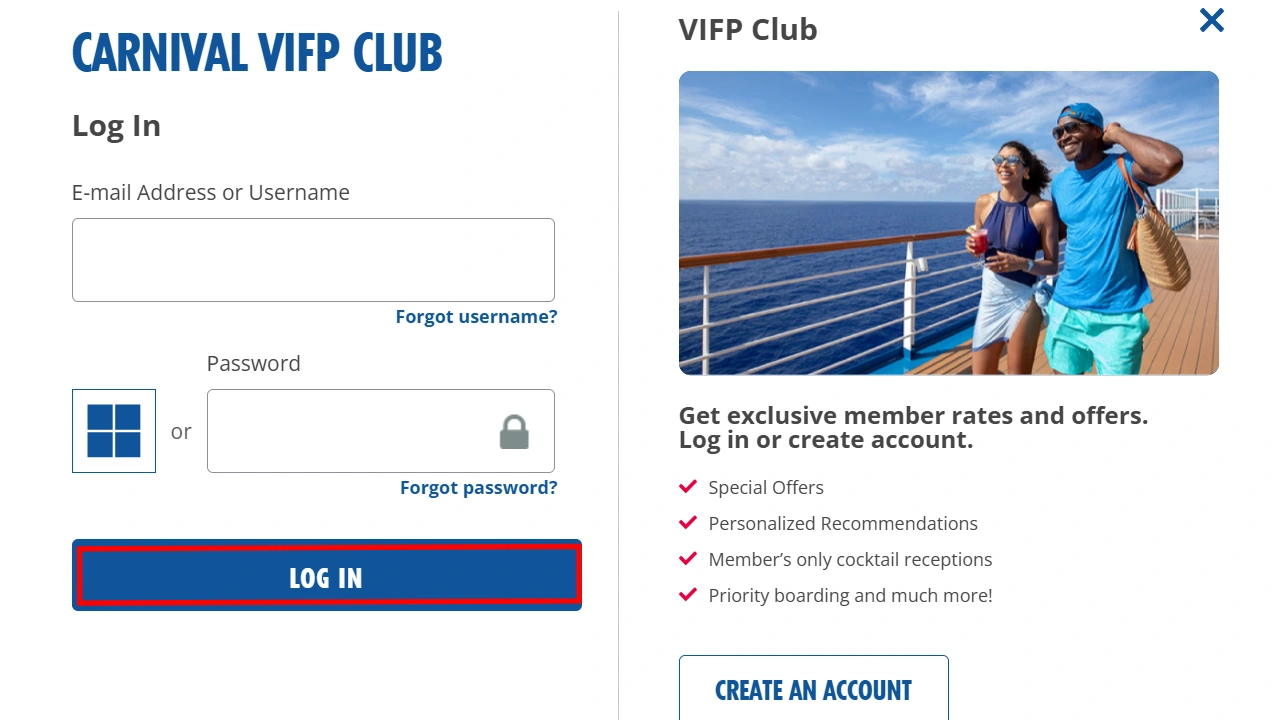
The first step is to navigate to the official Carnival Cruise Line website and log into your “My Cruise Manager” account. This typically involves inputting your registered email address or username and your password into the designated login fields. Once authenticated, the system will redirect you to your dashboard. Here, you should see a list of your upcoming cruises. Identify the specific booking you wish to cancel. The digital interface usually presents each booking with key identifiers like the ship’s name, sailing date, and booking number, making it easy to distinguish between multiple reservations. Click on the relevant booking to access its detailed management page.
Initiating the Cancellation Request Digitally
On the detailed booking page, look for an option or button related to “Manage Booking,” “Change Reservation,” or “Cancel Cruise.” The exact phrasing may vary based on Carnival’s website design updates, but it will generally be prominently displayed. Clicking this option will typically lead you to a sub-menu or a new page dedicated to modifications. Select the “Cancel” option.
At this point, the system will likely prompt you with a series of questions or confirmations. This is a critical juncture where the digital system validates your intent. You might be asked to:
- Confirm the specific guests being cancelled (if it’s not the entire party).
- Acknowledge the cancellation policy and associated fees/refunds that apply to your booking based on the current date relative to your sailing. This often involves a digital checkbox or “I Agree” button.
- Provide a reason for cancellation (often from a dropdown menu), which helps Carnival gather digital feedback for service improvement.
Carefully review all displayed information before proceeding. This step is where the system calculates and displays the financial implications based on its internal algorithms and pre-programmed policy rules.
Confirming and Documenting Your Online Cancellation
After reviewing and confirming all details, you will typically click a final “Confirm Cancellation” or similar button. The system will then process your request. Upon successful completion, Carnival’s platform should immediately generate a digital confirmation. This confirmation is vital for your records and typically includes:
- A unique cancellation confirmation number.
- Details of the cancelled booking.
- An itemized breakdown of any applicable refunds, future cruise credits, or cancellation fees.
- The date and time of the cancellation.
It is highly recommended to save this digital confirmation. You can usually do this by printing the page to a PDF, taking a screenshot, or noting down the confirmation number manually. Additionally, Carnival often sends an automated email confirmation to the email address registered with your account. Ensure you check your inbox (and spam folder) for this official digital communication, as it serves as primary proof of your cancellation. This digital paper trail is invaluable for any future inquiries or disputes.
Digital Security and Verification in Online Cancellations
The online environment, while convenient, presents inherent security challenges. When canceling a cruise online, ensuring the security of your personal and financial data is paramount. Carnival, like other reputable online service providers, employs various digital security measures to protect user information during transactions.
Safeguarding Your Account Information
Your Carnival account serves as the gateway to your personal data and booking details. Therefore, protecting your login credentials is the first line of defense. Always use a strong, unique password that combines letters, numbers, and symbols. Avoid using easily guessable information. Be wary of phishing attempts—emails or websites masquerading as Carnival that try to trick you into revealing your login information. Always ensure you are on the official Carnival Cruise Line website (check the URL in your browser) before entering your credentials. Using a secure browser and ensuring your operating system is up-to-date with the latest security patches further fortifies your digital environment.
Two-Factor Authentication (2FA) and Data Privacy
Many modern online platforms, including those in the travel industry, now incorporate Two-Factor Authentication (2FA) as an enhanced security layer. If Carnival offers 2FA for account access or critical transactions like cancellations, it is strongly advised to enable it. 2FA typically involves a secondary verification step, such as entering a code sent to your mobile phone or generated by an authenticator app, in addition to your password. This significantly reduces the risk of unauthorized access, even if your password is compromised. Furthermore, Carnival’s data privacy policies, often detailed in their website’s privacy section, outline how your personal data is collected, stored, and protected in compliance with regulations like GDPR or CCPA. Reviewing these policies can provide peace of mind regarding the digital handling of your information.
Verifying Cancellation Status Through Digital Channels
After completing the online cancellation, it’s crucial to verify its status through official digital channels. Beyond the immediate email confirmation, periodically logging back into your “My Cruise Manager” account is a good practice. The cancelled cruise should no longer appear under “Upcoming Cruises” or should be clearly marked as “Cancelled.” If there’s any discrepancy or if the cancellation doesn’t reflect accurately within a reasonable timeframe (e.g., 24-48 hours), you should proactively contact Carnival’s customer support. Utilize their official digital communication channels, such as online chat, email, or a dedicated support portal, ensuring your interactions are also digitally documented.
Post-Cancellation Digital Management and Follow-Up
The online process doesn’t necessarily end with the cancellation confirmation. There are often subsequent digital steps related to managing refunds, credits, and future plans that require ongoing interaction with Carnival’s digital infrastructure.
Tracking Refunds and Credit Balances Online
If your cancellation qualifies for a refund, the next digital step is to monitor its processing. Carnival’s “My Cruise Manager” portal may offer a section to view transaction history or refund statuses. Alternatively, your financial institution’s online banking portal will be your primary digital tool for tracking the incoming refund. Be aware of the typical processing times stated by Carnival, as digital transfers, while fast, still require backend processing. For future cruise credits, these are usually digital vouchers or codes tied to your online account, accessible within your “My Cruise Manager.” It’s essential to understand their expiration dates and terms of use, which are digitally displayed.
Managing Future Bookings and Digital Vouchers
For those who receive future cruise credits (FCCs), the Carnival online platform becomes vital for redeeming these digital assets. When making a new booking, there will typically be an option during the payment process to apply an FCC or digital voucher. The system is designed to recognize and apply these credits automatically once entered. Keep track of the digital codes or identifiers associated with your FCCs, as they are essentially digital currency within Carnival’s ecosystem. This ensures seamless integration of your credit into future travel plans made online.
Leveraging Customer Support Tech Channels (Chatbots, Email)
Should any issues arise post-cancellation, or if you have questions regarding your refund or credit, Carnival provides various tech-enabled customer support channels. Many queries can be resolved through their website’s FAQ section, an extensive digital knowledge base. For more personalized assistance, online chat services (often powered by AI chatbots initially, then escalating to live agents) offer real-time digital communication. Email support is another asynchronous digital channel for inquiries, providing a written record of your correspondence. Utilizing these digital tools for follow-up ensures your questions are addressed efficiently and creates a documented history of your interactions.
Troubleshooting Common Online Cancellation Issues
Despite the best efforts in digital design, users may occasionally encounter technical issues or challenges during the online cancellation process. Understanding how to troubleshoot these common problems is part of effective digital literacy.
Addressing Technical Glitches and System Errors
Website glitches, server errors, or temporary system outages can impede the cancellation process. If you encounter an error message or the page freezes, first try refreshing the page or clearing your browser’s cache and cookies. Switching to a different web browser (e.g., from Chrome to Firefox) or device can also resolve compatibility issues. If the problem persists, wait a short period and try again, as it might be a temporary system-wide issue. Document any error codes or messages you receive, as this information will be valuable if you need to contact technical support.
Overcoming Account Access and Password Recovery Challenges
Forgotten passwords are a common digital hurdle. Utilize the “Forgot Password” or “Reset Password” function available on the login page. This usually involves entering your registered email address, and the system will send a secure link or code to reset your password. If you’re unable to access your registered email or if the recovery process fails, you’ll need to contact Carnival’s customer support directly, as they have protocols for manual account verification to prevent unauthorized access. Ensure you have personal identification details ready for this verification.
When to Escalate to Live Technical Support
If you’ve exhausted all self-help troubleshooting options and are still unable to complete the online cancellation or access your account, it’s time to escalate to live technical support. Contact Carnival via their official customer service phone number or through their online live chat feature if available. When contacting support, be prepared to provide:
- Your booking number.
- Your account details.
- A clear description of the technical issue you’re facing.
- Any error messages or screenshots you’ve captured.
- The steps you’ve already taken to troubleshoot.
This detailed information will help the technical support team diagnose the problem more efficiently and guide you through a resolution, possibly by manually processing the cancellation or by assisting with digital access recovery.
In conclusion, canceling a Carnival cruise online is a process deeply rooted in digital interaction. By understanding the platform’s architecture, following a structured approach, prioritizing digital security, and knowing how to troubleshoot, you can navigate this process with confidence and efficiency, fully leveraging the convenience of modern online services.
aViewFromTheCave is a participant in the Amazon Services LLC Associates Program, an affiliate advertising program designed to provide a means for sites to earn advertising fees by advertising and linking to Amazon.com. Amazon, the Amazon logo, AmazonSupply, and the AmazonSupply logo are trademarks of Amazon.com, Inc. or its affiliates. As an Amazon Associate we earn affiliate commissions from qualifying purchases.