
SiriusXM has transformed the in-car audio experience for millions, offering an unparalleled selection of commercial-free music, live sports, news, talk radio, and exclusive entertainment channels. The allure of turning on your car and instantly accessing hundreds of channels without interruption, regardless of your location, is a significant draw. However, for many, the practical question remains: “How do I actually get this service into my car?” This comprehensive guide will navigate the various technological pathways available, from factory-installed systems to cutting-edge aftermarket solutions and app-based streaming, ensuring you can enjoy SiriusXM on every drive.
Understanding SiriusXM Compatibility and Service
Before diving into installation methods, it’s crucial to understand the foundational aspects of SiriusXM’s service and how it interfaces with different vehicle technologies. Not all cars are created equal when it comes to satellite radio readiness.
Is Your Car Already Equipped? (Factory-Installed Radios)
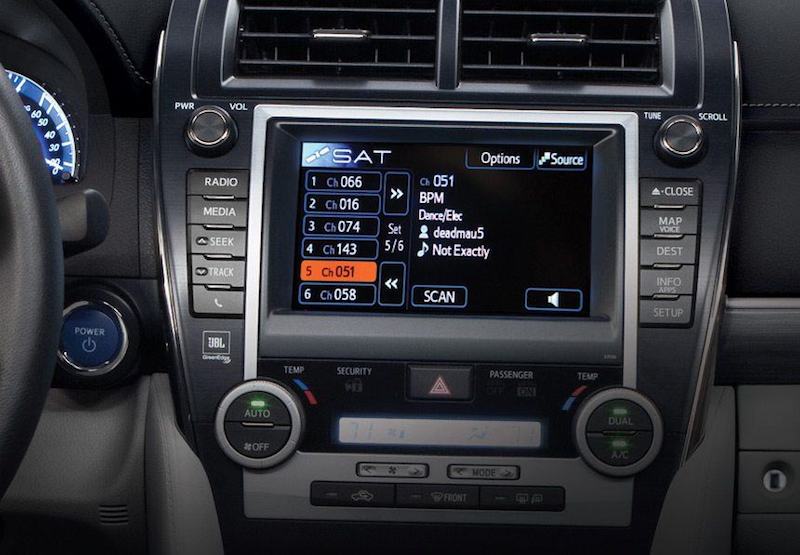
Many modern vehicles come pre-equipped with SiriusXM satellite radio tuners directly from the manufacturer. This is by far the most seamless way to access the service, as the hardware is integrated into your car’s existing infotainment system.
- How to Check for Factory Installation: The easiest way to determine if your car has a built-in SiriusXM tuner is to look for the SiriusXM logo on your radio or infotainment screen, often found when you scroll through audio sources (AM/FM/CD/AUX). Many vehicles also display a “SiriusXM” or “SAT” button on the dashboard.
- Locating Your Radio ID (ESN/RID): If your car is equipped, you’ll need your Radio ID (sometimes called an ESN or RID) to activate your subscription. To find this, tune your radio to Channel 0. The Radio ID, a 12-digit number, will typically display on your screen. You might also find it in your car’s owner’s manual or by checking the SiriusXM website with your VIN.
- Activating Your Service: Most new vehicles come with a complimentary trial period for SiriusXM. Once this trial expires, or if you’ve bought a used car with an inactive radio, you can subscribe by visiting the SiriusXM website or calling their customer service line. You’ll provide your Radio ID, choose a subscription plan, and your service should activate within minutes. This method offers the cleanest integration, with controls accessible directly through your car’s dashboard and steering wheel.
What If Your Car Doesn’t Have It? (Aftermarket Solutions)
For vehicles not factory-equipped, aftermarket solutions bridge the gap. These involve adding external hardware to your car, allowing it to receive the satellite signal and play SiriusXM audio.
- The Need for External Hardware: Unlike factory systems, these methods require a dedicated SiriusXM receiver and antenna. These devices capture the satellite signal and convert it into an audio format your car’s stereo can play.
- Types of Aftermarket Solutions: These generally fall into a few categories:
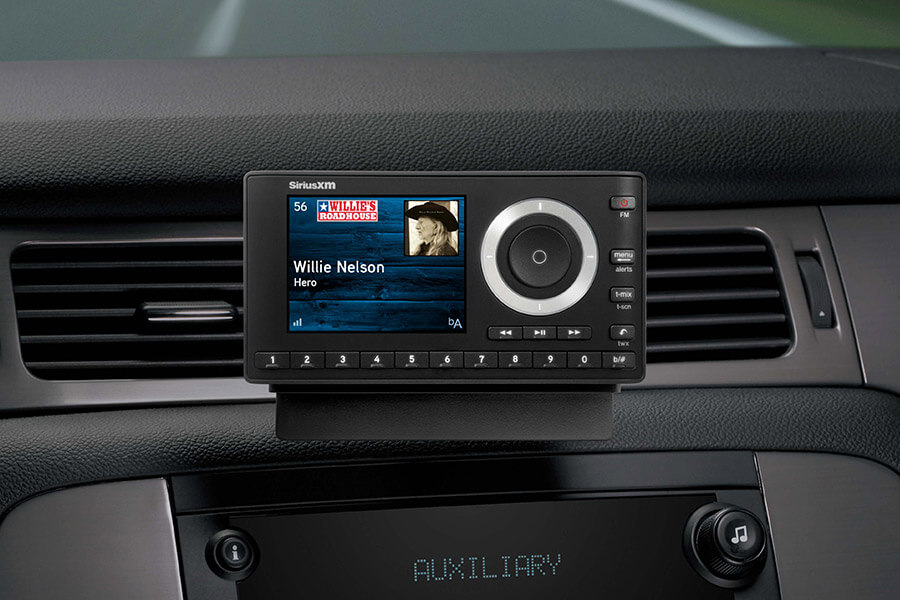
- Standalone Satellite Radios (e.g., SiriusXM Onyx, Tour, Commander Touch): These are self-contained units with their own screen and controls, requiring an antenna, power source, and an audio output connection to your car stereo.
- Vehicle Tuner Kits: These are more discreet units that integrate with specific car stereos or factory systems, often controlled through the car’s existing display.
- App-Based Streaming: While not requiring dedicated hardware in the traditional sense, this method leverages your smartphone and its data plan, connecting to your car’s stereo via Bluetooth, USB, Apple CarPlay, or Android Auto.
- Checking Vehicle Compatibility: For dedicated aftermarket kits, compatibility is less about your car’s make/model and more about how you intend to connect the audio (AUX, FM modulator, USB, Bluetooth). Ensure your car has the necessary inputs to facilitate the connection.
Decoding SiriusXM Subscription Tiers
Understanding the various subscription plans is essential, as they dictate what channels and features you’ll have access to across different devices, including your car. SiriusXM offers several tiers, typically including:
- Music & Entertainment: A broad selection of music, talk, news, and entertainment.
- Platinum: Includes all channels from Music & Entertainment plus Howard Stern, extra sports, and more streaming content.
- Streaming Platinum: Provides access to the full SiriusXM library through the app on smart devices, but does not include satellite radio reception for your car unless bundled with a car-specific plan.
Knowing which plan suits your listening habits and whether it includes both satellite and streaming access will help you choose the most cost-effective method for your car.
Diverse Methods for Bringing SiriusXM to Your Vehicle
Beyond just knowing your car’s readiness, understanding the various technological approaches to integrating SiriusXM is key. Each method offers a different balance of convenience, sound quality, and installation effort.
Utilizing Your Car’s Built-in Satellite Radio
As mentioned, this is the gold standard for integration. If your car is equipped, activation is straightforward.
- Detailed Steps for Activation:
- Turn on your car and tune to SiriusXM Channel 0. Note down the Radio ID (ESN/RID).
- Visit the SiriusXM activation website or call their customer service.
- Provide your Radio ID and choose your desired subscription plan.
- Once activated, ensure your car is outside with a clear view of the sky and the radio is on. The service should become active within minutes. If not, try refreshing the signal through your online account or by calling customer service.
Dedicated SiriusXM Car Kits and Standalone Tuners
These devices are designed for cars without factory-installed satellite radio. They come with everything you need to receive the signal and output audio to your existing stereo.
- Overview of Popular Kits: Models like the SiriusXM Onyx EZR, Onyx Plus, Tour, and Commander Touch are common choices. They typically include a receiver unit with a display, a magnetic antenna, a power adapter, and various audio output cables.
- Installation Methods and Audio Output:
- FM Modulator: The most common and easiest method. The receiver broadcasts the SiriusXM audio on a low-power FM frequency, which your car stereo picks up like a regular radio station. Sound quality can vary and may be susceptible to interference in urban areas.
- AUX Input: If your car has an auxiliary input jack (3.5mm), this offers a direct wired connection, providing significantly better sound quality than an FM modulator.
- Cassette Adapter: For older vehicles with a cassette player, an adapter can be used, though this is increasingly rare.
- Direct Connect (Hardwired FM Modulator): Some kits offer options for a hardwired FM modulator, which connects directly into your car’s antenna line, offering better clarity than wireless FM transmission.
- USB Audio: A few advanced kits or cars might support USB audio input, offering digital quality.
- Powering the Device: Most units are powered via a 12V DC car adapter (cigarette lighter port). Some users opt for hardwiring kits for a cleaner, permanent installation that hides cables.
- Antenna Placement Considerations: The magnetic antenna typically needs to be mounted on the exterior of your car, usually on the roof, with a clear line of sight to the sky. Proper antenna placement is critical for consistent signal reception.
Leveraging Your Smartphone and Car’s Infotainment System
For those who prefer a less hardware-intensive approach, the SiriusXM app on your smartphone offers a powerful streaming solution. This method requires a SiriusXM streaming-enabled subscription and relies on your phone’s data plan.
- SiriusXM App Functionality: The app provides access to all your subscribed channels, plus exclusive streaming-only content, on-demand shows, and personalized recommendations.
- Connecting Via Bluetooth: Pair your smartphone with your car’s Bluetooth system. Select Bluetooth as the audio source on your car stereo, and stream SiriusXM through the app. This is wireless and convenient.
- Apple CarPlay and Android Auto: If your car supports Apple CarPlay or Android Auto, simply connect your smartphone via USB, and the SiriusXM app will appear directly on your car’s infotainment screen. This provides a user-friendly interface with large icons, voice control, and integration with your car’s dashboard controls.
- USB Connection: Even without CarPlay/Android Auto, many cars allow audio playback via a USB connection. This charges your phone while providing digital audio, often with better quality than Bluetooth.
- Data Usage Considerations: Be mindful of your smartphone data plan. Streaming audio can consume a significant amount of data, especially on long trips. Check your plan limits to avoid overage charges.
- Benefits of This Method: No extra hardware to install, access to the full streaming library (including On Demand), and often better sound quality than FM modulators. The main drawback is reliance on cellular data and potential dead zones.
Installation and Setup: A Step-by-Step Guide for Aftermarket Solutions
For dedicated SiriusXM car kits, proper installation is key to optimal performance and aesthetics.
Choosing the Right Installation Method
- Professional Installation vs. DIY: While many kits are designed for DIY installation, some users prefer professional help from car audio shops for a cleaner, more integrated look, especially when hardwiring or routing cables discreetly.
- Tools Needed for DIY: For most basic installations, you’ll need basic tools like a screwdriver, cable ties, and potentially plastic trim removal tools to hide wires effectively.
Antenna Placement Best Practices
- Importance of Clear Line of Sight: The SiriusXM antenna needs an unobstructed view of the sky to receive signals from satellites. Placing it under metal or in areas with significant obstructions will lead to signal dropouts.
- Exterior Placement (Recommended): The magnetic antenna is typically placed on the exterior of the car, such as the roof (near the rear) or the trunk lid. Route the cable neatly through a rubber grommet, weather stripping, or under the trunk lining to bring it into the car.
- Interior Antenna Options (Less Reliable): Some compact antennas can be placed on the dashboard, but their performance is generally inferior to exterior antennas.
- Cable Routing: Plan your cable routing to hide the antenna wire under trim pieces, along door seals, and under the carpet to the location of your receiver. Use cable ties to secure excess wire.
Powering Your SiriusXM Device
- 12V Adapter (Cigarette Lighter): Most kits come with a power adapter that plugs into your car’s 12V accessory socket. This is the simplest option, but it leaves a visible wire.
- Hardwiring: For a cleaner installation, you can purchase a hardwiring kit that connects directly to your car’s fuse box, providing power without occupying the 12V socket. This usually requires some electrical knowledge or professional installation.
- Cable Management: Regardless of the power source, use cable ties and routing techniques to keep wires tidy and out of the way, preventing them from interfering with driving or looking messy.
Audio Output Integration
- FM Modulators (Wireless): Plug the modulator into the receiver, and tune your car stereo to a clear FM frequency specified by the modulator or found manually (usually between 88.1 and 90.0 MHz, or 107.9 MHz). Experiment to find the clearest frequency in your area.
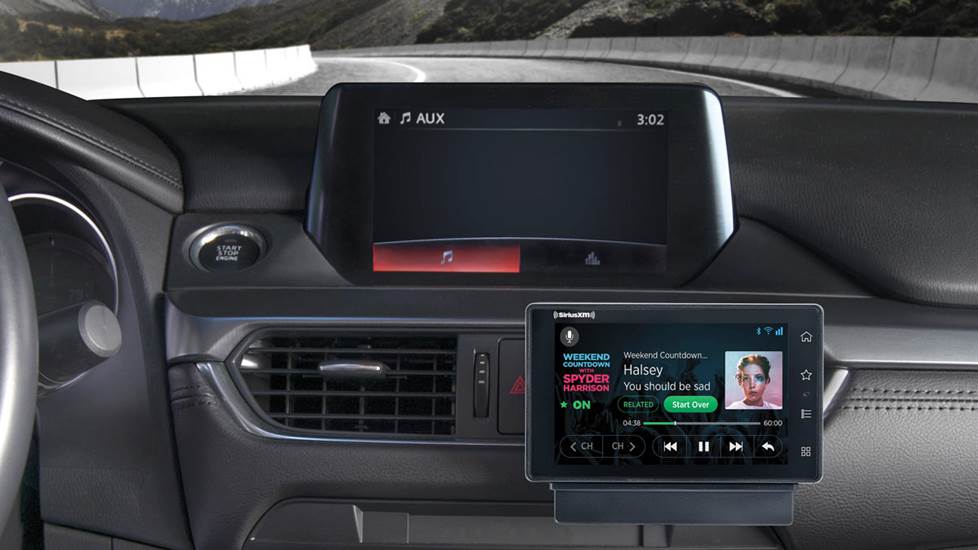
- AUX Input: Connect a 3.5mm audio cable from the receiver’s audio output to your car’s AUX input jack. Select “AUX” as the source on your car stereo for the best sound quality.
- Bluetooth Audio: If your SiriusXM receiver has Bluetooth output (like the SiriusXM Tour), pair it with your car’s Bluetooth system. Select the SiriusXM device as your car’s audio source.
- USB Audio: For receivers or cars that support it, connect the receiver via a USB cable. This often provides digital audio and can simplify power delivery.
Optimizing Your SiriusXM In-Car Experience
Once SiriusXM is up and running in your car, a few tips can help you get the most out of your listening experience.
Enhancing Audio Quality
- For FM Modulators:
- Find Clear Frequencies: Regularly scan for unused FM frequencies in your area. Static and interference are common where strong local stations are present.
- Wireless vs. Wired: A wired FM modulator (connecting directly into the antenna line) will always provide better audio quality than a wireless one.
- For AUX/Bluetooth/USB: These methods generally offer superior sound quality. Ensure good quality cables for AUX connections, and that your Bluetooth connection is stable.
Navigating the SiriusXM Interface
- Customizing Channels and Presets: Take advantage of saving your favorite channels as presets on your radio or receiver for quick access.
- Using Search and Discovery Features: Many dedicated units and the SiriusXM app offer search functions to find specific artists, songs, or shows. The app also has personalized recommendations.
- Understanding Channel Categories: Familiarize yourself with the channel categories (e.g., Pop, Rock, Talk, Sports) to quickly find genres that appeal to you.
Troubleshooting Common Issues
- “Acquiring Signal” Message: If your radio displays this, ensure your antenna has a clear line of sight to the sky. Move the car to an open area if parked in a garage or under heavy tree cover.
- Audio Dropouts: This often points to antenna issues or signal obstruction. Check antenna placement and cable connections.
- Power Issues: Ensure the power adapter is firmly seated, and check fuses if hardwired.
- Subscription Refresh: If channels you expect to receive aren’t playing, your subscription might need a refresh. This can be done online or by calling SiriusXM customer service.
Beyond the Basics: Advanced Considerations
As technology evolves, so do the ways we interact with in-car entertainment.
Multi-Car and Multi-Device Subscriptions
SiriusXM offers plans that allow you to add multiple radios to a single account, often at a reduced rate for additional radios. If you have several cars or want to use the app in conjunction with a car radio, inquire about multi-device or family plans.
Future Trends in In-Car Entertainment
The landscape of in-car tech is constantly changing. Expect even deeper integration with:
- Voice Assistants: More cars will natively support voice commands for SiriusXM channel selection and content search.
- Over-the-Air Updates: Vehicle infotainment systems will receive software updates that improve SiriusXM integration and add new features.
- The Evolving Connected Car: As cars become more integrated with the internet of things, SiriusXM will likely find new ways to deliver content and interact with other smart vehicle features.
In conclusion, getting SiriusXM radio in your car is a highly achievable goal, with multiple technological paths catering to different vehicles and user preferences. Whether your car comes factory-equipped, you opt for a dedicated aftermarket unit, or you leverage the power of your smartphone, the world of commercial-free music, talk, and entertainment is readily accessible. By understanding your options and following the appropriate setup steps, you can transform your daily commute or road trip into an engaging and enjoyable listening experience.
aViewFromTheCave is a participant in the Amazon Services LLC Associates Program, an affiliate advertising program designed to provide a means for sites to earn advertising fees by advertising and linking to Amazon.com. Amazon, the Amazon logo, AmazonSupply, and the AmazonSupply logo are trademarks of Amazon.com, Inc. or its affiliates. As an Amazon Associate we earn affiliate commissions from qualifying purchases.