
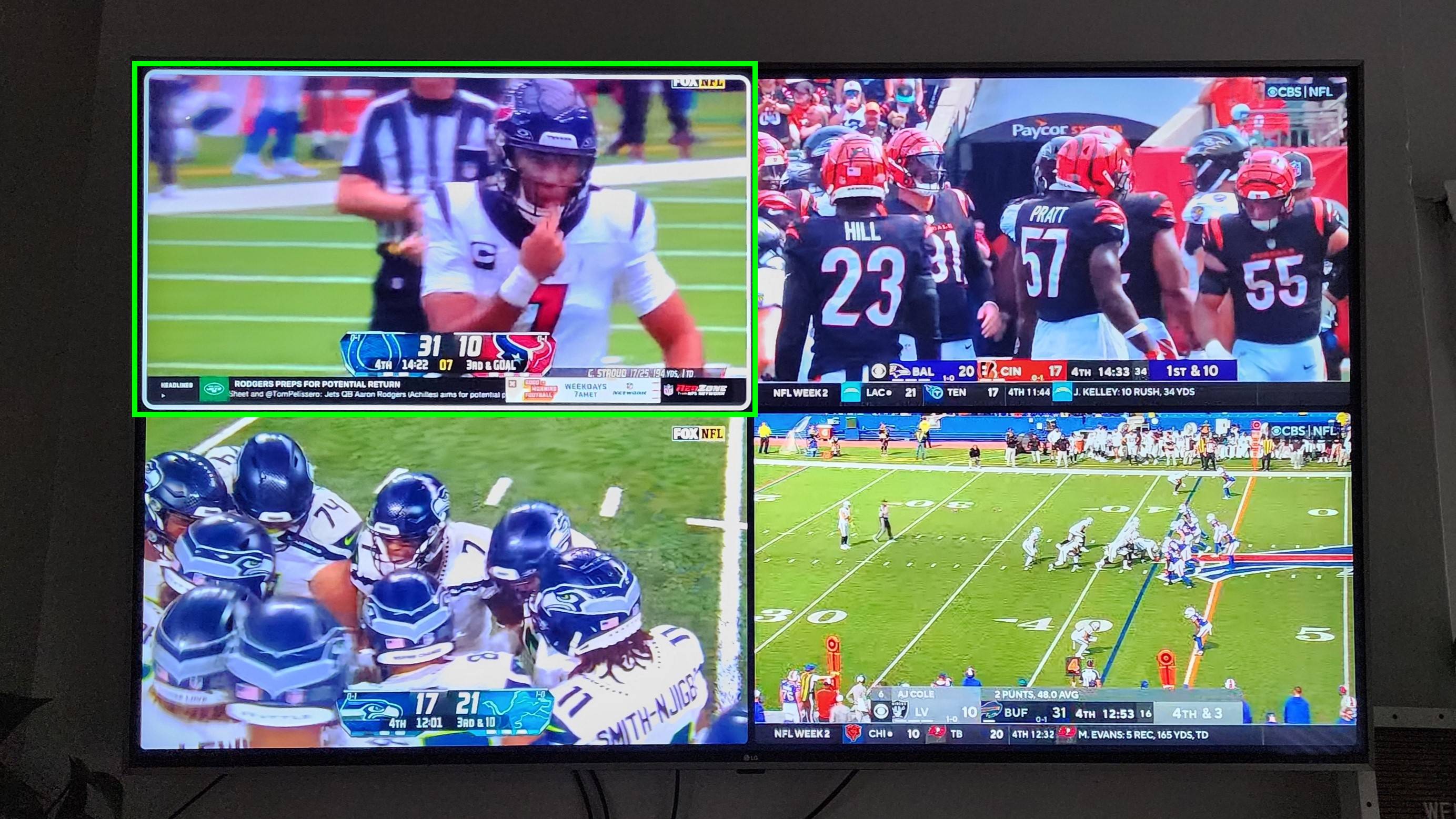
For millions of NFL fans, Sunday isn’t just a day; it’s a phenomenon. And at the heart of this phenomenon for many is NFL RedZone, the unparalleled broadcast that whips viewers around the league to every scoring play, critical moment, and fantasy football highlight without a single commercial break. As cord-cutting continues its relentless march, streaming services like YouTube TV have become the go-to solution for accessing live television, including premium sports content. If you’re looking to elevate your NFL Sundays by integrating the non-stop action of RedZone into your YouTube TV experience, you’ve come to the right place. This comprehensive guide will walk you through the technical process, ensuring you’re ready for kickoff with all the touchdowns you can handle.
Understanding RedZone and YouTube TV Integration
Before diving into the mechanics, it’s crucial to understand what NFL RedZone offers and how YouTube TV serves as its digital gateway. This foundational knowledge will contextualize the steps involved and highlight the technological underpinnings of modern sports broadcasting.
What is NFL RedZone?
NFL RedZone is a unique channel produced by NFL Network, broadcasting live on Sundays during the NFL regular season from 1 p.m. ET to 8 p.m. ET. Hosted by Scott Hanson, it masterfully navigates between simultaneous games, showing every touchdown from every game, live and in HD. Its appeal lies in its efficiency and excitement; viewers never miss a critical play, making it indispensable for fantasy football enthusiasts, bettors, or any fan who simply wants to experience the thrill of the entire league unfolding in real-time. From a technological standpoint, RedZone is a marvel of live production, leveraging advanced switching and communication systems to seamlessly jump between dozens of live feeds, delivering a curated, high-octane viewing experience that traditional single-game broadcasts cannot match. This on-the-fly content aggregation and delivery represent a sophisticated application of real-time video processing and broadcast automation.
Why YouTube TV?
YouTube TV, a Google product, stands out as one of the most popular live TV streaming services in the market. It offers a robust lineup of over 100 channels, including major broadcast networks (ABC, CBS, FOX, NBC) and popular cable channels, with unlimited cloud DVR storage and the flexibility to stream across various devices. Its appeal for sports fans is particularly strong due to its comprehensive coverage of national and regional sports networks. Technically, YouTube TV leverages Google’s vast cloud infrastructure to deliver high-quality video streams, manage user subscriptions, and provide personalized viewing experiences. Its user interface is designed for intuitive navigation, offering seamless transitions between live TV, DVR content, and on-demand programming. The platform’s multi-device compatibility — from smart TVs and streaming sticks to mobile phones and web browsers — underscores its technological versatility, allowing users to consume content wherever and whenever they choose.
How RedZone Fits into YouTube TV’s Ecosystem
Unlike many core channels, NFL RedZone is considered premium content, meaning it’s not typically included in YouTube TV’s standard base subscription. Instead, it’s offered as an add-on, usually bundled within a “Sports Plus” package. This modular subscription model is a common strategy in the streaming landscape, allowing providers to offer a customizable experience while catering to niche interests without burdening all subscribers with the cost of specialized content. For YouTube TV, integrating RedZone as an add-on means providing an additional digital entitlement. Once subscribed, the RedZone channel seamlessly appears within the user’s live guide and search results, just like any other channel. This integration demonstrates YouTube TV’s flexible backend system, capable of dynamically updating channel lineups based on individual subscriber add-ons, ensuring a consistent user experience regardless of the specific content bundle.
Step-by-Step Guide to Adding RedZone to Your YouTube TV Subscription
Adding NFL RedZone to your YouTube TV account is a straightforward process, typically managed through the service’s web interface for optimal control. Following these steps will ensure a smooth activation and immediate access to all the gridiron action.
Prerequisites and Account Access
Before you begin, ensure you have an active YouTube TV base subscription. RedZone is an enhancement, not a standalone service, so you must already be a YouTube TV subscriber. While you can watch YouTube TV on many devices, managing your subscription details is often best done via a web browser on a computer or a mobile device. This provides a more comprehensive view of your account settings and available add-ons.
- Open a Web Browser: Navigate to tv.youtube.com.
- Sign In: Use the Google account associated with your YouTube TV subscription. Ensure you’re logged into the correct account if you manage multiple Google profiles. This step is crucial for verifying your existing subscription and applying changes accurately. The secure login process authenticates your identity and encrypts your session, protecting your personal and payment information.
Navigating to the Add-on Section
Once logged in, you’ll need to access your account settings to view and manage your membership details, including available add-ons. The YouTube TV user interface is designed for intuitive navigation, but knowing the exact path saves time.
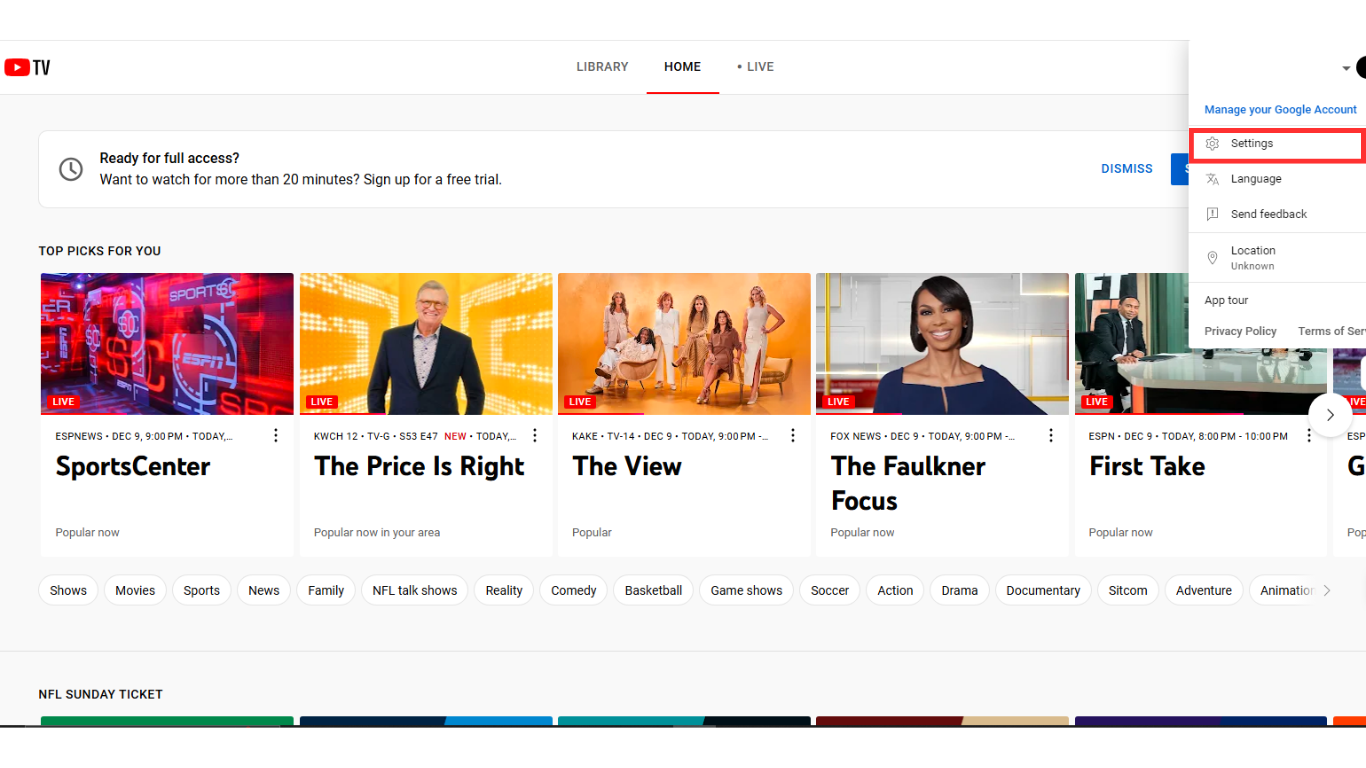
- Access Settings: In the top-right corner of the YouTube TV interface (or within the app menu on mobile), locate your profile icon (often your initial or profile picture). Click or tap on it.
- Select “Settings”: From the dropdown menu that appears, choose “Settings.” This will take you to your personal account management hub.
- Go to “Membership”: Within the Settings menu, you’ll see various options on the left-hand side (or a tabbed interface). Click on “Membership.” This section displays your current YouTube TV base plan, billing information, and available add-ons. The system dynamically loads your specific subscription details, leveraging database queries to present accurate, real-time information.
Selecting the Sports Plus Add-on
RedZone is typically part of a bundle designed for sports enthusiasts. On YouTube TV, this is usually called the “Sports Plus” add-on.
- Locate “Sports Plus”: Under your Membership details, you should see a section for “Add-ons.” Browse through the available add-ons until you find “Sports Plus.” You’ll usually see a brief description of what’s included and its monthly price.
- Review Package Details: The “Sports Plus” package doesn’t just include RedZone. It often comes with other valuable sports channels such as beIN SPORTS, FOX Soccer Plus, FanDuel TV, and sometimes regional sports networks depending on your location. Take a moment to review the full list to understand the complete value proposition. This demonstrates the bundling strategy of streaming services, offering a curated collection of channels to maximize perceived value for a specific demographic.
- Add the Package: Click on the “Add” or “Checkmark” button next to “Sports Plus” to select it. The system will then prepare to update your subscription. This action triggers an API call to YouTube TV’s backend, initiating the process of modifying your service entitlements.
Confirming Your Subscription
The final step involves confirming your selection and authorizing the additional charge.
- Review Order: After selecting the add-on, YouTube TV will present you with an order summary, detailing the new monthly total for your subscription. This summary helps ensure transparency regarding the updated billing.
- Confirm Payment: Verify your payment method. If you wish to use a different card or billing method, you’ll have the option to update it here.
- Purchase/Confirm: Click the “Purchase” or “Confirm” button to finalize the addition. Once confirmed, RedZone should become immediately available on your YouTube TV account. You might receive an email confirmation detailing your subscription change. The system processes the payment, updates your account database, and propagates the channel entitlement across its streaming infrastructure, making RedZone accessible on all your logged-in devices.
Optimizing Your RedZone Viewing Experience on YouTube TV
Adding RedZone is just the first step. To truly enjoy every touchdown and pivotal play, optimizing your viewing setup is essential. This involves understanding device compatibility, ensuring a stable internet connection, and knowing how to navigate the content once it’s live.
Device Compatibility and Best Practices
YouTube TV and RedZone are designed for broad accessibility, but some setups perform better than others.
- Compatible Devices: YouTube TV supports a wide array of devices, including:
- Smart TVs (Samsung, LG, Vizio, etc.)
- Streaming Sticks/Boxes (Roku, Amazon Fire TV, Apple TV, Chromecast with Google TV)
- Gaming Consoles (PlayStation, Xbox)
- Mobile Devices (iOS and Android phones/tablets)
- Web Browsers (Chrome, Firefox, Safari, Edge)
- Internet Connection: For seamless HD streaming, a stable and fast internet connection is paramount. YouTube TV recommends at least 7 Mbps for a single stream of 1080p content, and more for multiple streams or higher resolutions if available. A wired Ethernet connection is always preferable to Wi-Fi for stationary devices like smart TVs or streaming boxes, as it minimizes latency and interference. If using Wi-Fi, ensure your router is centrally located and your devices are not too far from it.
- Device Updates: Keep your YouTube TV app and device operating system updated. Software updates often include performance enhancements, bug fixes, and security patches that contribute to a smoother streaming experience.
- Minimize Network Congestion: If multiple devices in your household are simultaneously streaming high-bandwidth content, gaming online, or downloading large files, it can impact your RedZone stream. Consider limiting other internet activities during peak viewing times.
Navigating RedZone Content Once Added
Once RedZone is successfully added, finding and enjoying the content is simple.
- Live Guide: Open the YouTube TV app on your preferred device. Navigate to the “Live” tab, which displays the channel guide. RedZone will now appear in your channel lineup, just like any other channel. On NFL Sundays during the regular season, you’ll see it actively broadcasting during its scheduled hours.
- Search Function: If you prefer, you can use the search icon (magnifying glass) within the YouTube TV app. Type “NFL RedZone” or simply “RedZone,” and the channel will appear in the search results, allowing for quick access.
- “Home” Tab Recommendations: YouTube TV’s algorithm may also start recommending RedZone content or highlighting it on your “Home” tab, especially as NFL Sundays approach, tailoring the experience to your new subscription.
- No DVR for RedZone: It’s important to note that due to its unique live, “every touchdown” format, RedZone typically doesn’t offer DVR recording capabilities. It’s designed to be watched live as the action unfolds, making real-time viewing its primary mode.
Troubleshooting Common Issues
Even with the best setup, technical glitches can occur. Here are some common issues and their solutions:
- “Why can’t I see RedZone?”
- Check Membership: Double-check your YouTube TV “Membership” settings (as described in H3.2) to confirm the “Sports Plus” add-on is active.
- Refresh/Restart: Close and reopen the YouTube TV app, or restart your streaming device/browser. Sometimes, the new subscription takes a moment to propagate across all instances.
- Clear Cache: On some devices (especially mobile or streaming boxes), clearing the app’s cache can resolve display issues.
- Buffering or Poor Quality:
- Internet Speed Test: Perform an internet speed test on your device (e.g., fast.com or speedtest.net). If your speeds are significantly lower than recommended, contact your internet service provider.
- Router Reboot: Power cycle your Wi-Fi router and modem. Unplug them for 30 seconds, then plug them back in.
- Minimize Other Usage: Ensure no other high-bandwidth activities are occurring on your network.
- Device Performance: If using an older streaming device, consider if it’s struggling to process high-definition streams. Updating the device firmware or even upgrading to a newer model might be necessary.
Beyond RedZone: Exploring YouTube TV’s Sports Offerings and Future Trends
Adding RedZone significantly enhances your NFL viewing, but it’s also worth appreciating the broader sports ecosystem within YouTube TV and the evolving landscape of sports streaming technology.
Other Sports Content on YouTube TV
YouTube TV is a powerhouse for sports fans, offering a comprehensive suite of channels beyond just RedZone. The base package typically includes major sports broadcasters like ESPN, ESPN2, ESPNU, FS1, FS2, NBC Sports, CBS Sports Network, Big Ten Network, SEC Network, ACC Network, and various regional sports networks (RSNs) depending on your geographic location. This extensive lineup covers a vast array of sports, from college football and basketball to MLB, NBA, NHL, and international soccer. For sports fanatics, this centralized access to diverse content, coupled with unlimited cloud DVR, positions YouTube TV as a premier platform. The technological challenge of licensing, integrating, and distributing such a vast array of live sports content across different regions and devices is immense, highlighting YouTube TV’s sophisticated content delivery network (CDN) and rights management systems.
The Future of Sports Streaming
The way we consume sports is continually evolving, driven by technological advancements and shifting consumer preferences. Services like YouTube TV are at the forefront of these changes:
- Enhanced Interactivity: Expect more interactive features, such as integrated statistics, real-time polling, multiple camera angles, and personalized highlight reels. Technologies like augmented reality (AR) could overlay game stats directly onto your screen, enriching the viewing experience.
- Higher Fidelity and Immersive Experiences: 4K HDR streaming is becoming more common, offering unparalleled visual clarity. Beyond that, virtual reality (VR) experiences, allowing viewers to feel like they’re in the stadium, are on the horizon, though widespread adoption still faces technological and cost hurdles.
- Personalization and AI: Artificial intelligence will play an even greater role in curating content, suggesting games, and delivering personalized notifications for your favorite teams and players, optimizing engagement and discovery.
- Direct-to-Consumer Models: While aggregation services like YouTube TV remain popular, sports leagues and content owners are increasingly exploring direct-to-consumer (DTC) streaming options, potentially leading to more fragmented, but highly specialized, viewing choices in the future. YouTube TV, with its robust infrastructure, is well-positioned to adapt by integrating more of these DTC offerings or acting as a central hub for discoverability.
The integration of RedZone into YouTube TV is a testament to the power of modern streaming technology to deliver highly specialized, premium content directly to consumers. It’s more than just adding a channel; it’s about leveraging a sophisticated digital infrastructure to enhance your personal entertainment experience and connect you to the heart of the NFL action.
Adding NFL RedZone to your YouTube TV subscription is a simple yet powerful upgrade for any football enthusiast. By following these clear, technology-driven steps, you can ensure that you’re prepared to catch every touchdown, every pivotal play, and every thrilling moment of NFL Sundays. Embrace the future of sports streaming and get ready for an unparalleled viewing experience – your Sundays are about to get a whole lot more exciting.
aViewFromTheCave is a participant in the Amazon Services LLC Associates Program, an affiliate advertising program designed to provide a means for sites to earn advertising fees by advertising and linking to Amazon.com. Amazon, the Amazon logo, AmazonSupply, and the AmazonSupply logo are trademarks of Amazon.com, Inc. or its affiliates. As an Amazon Associate we earn affiliate commissions from qualifying purchases.