
Venmo has become an indispensable financial tool for millions, simplifying peer-to-peer payments and making digital transactions effortless. However, encountering issues when trying to add money to your Venmo balance can be a frustrating experience, often rooted in specific financial mechanisms and security protocols rather than simple technical glitches. Understanding the financial ecosystem surrounding Venmo and the common monetary roadblocks is key to resolving these challenges and ensuring smooth financial operations. This article explores the primary financial reasons why you might be unable to add money to your Venmo account and offers practical strategies for navigating these obstacles.
Understanding Venmo’s Funding Ecosystem
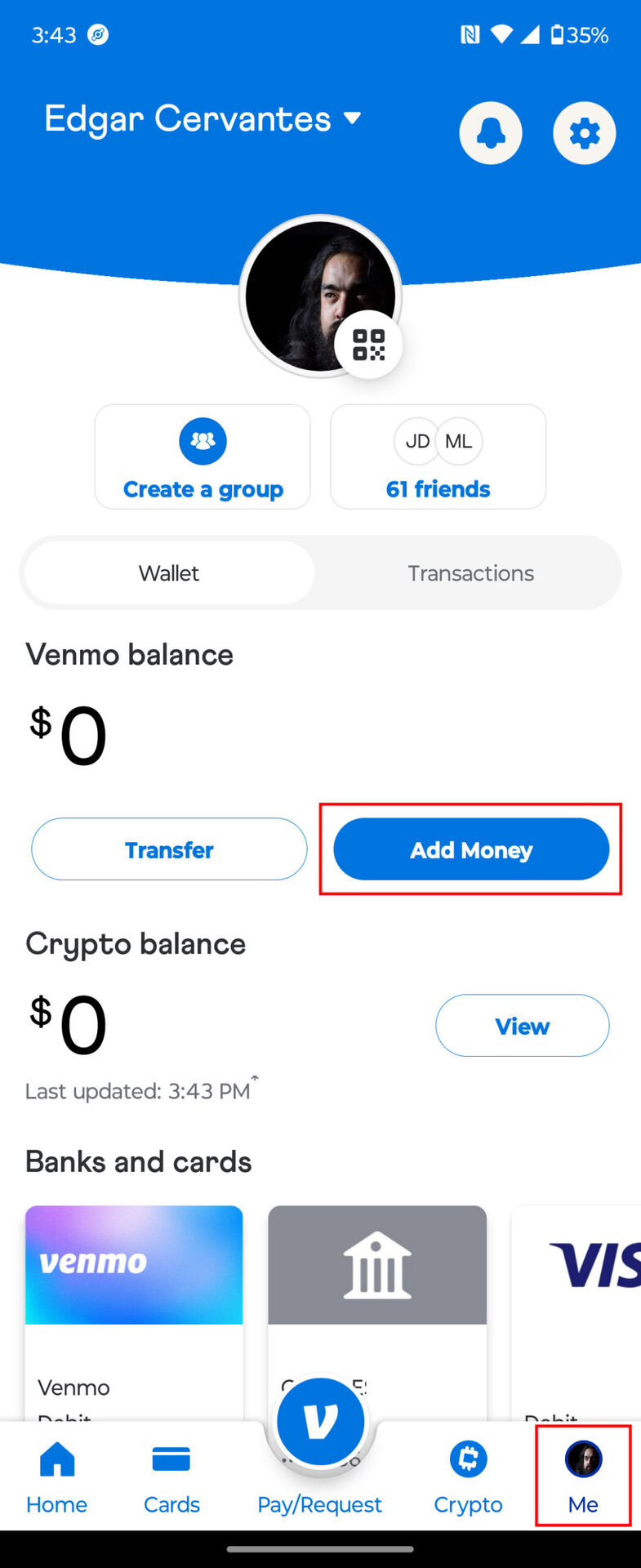
Before delving into troubleshooting, it’s crucial to grasp how Venmo typically processes funds. When you “add money” to Venmo, you’re essentially initiating a transfer from an external financial source – usually a linked bank account or debit card – to your Venmo balance. This isn’t merely a software function; it involves real money moving between financial institutions, governed by specific rules, limits, and security checks from both your bank and Venmo itself.
The Flow of Funds: Bank Accounts vs. Debit Cards
Most users link either a bank account (via Plaid or manual verification) or a debit card to their Venmo profile. While both serve as funding sources, they operate under different financial frameworks:
- Linked Bank Accounts: Funds typically transfer using ACH (Automated Clearing House) networks, which can take several business days to settle. While you might see the funds reflected in your Venmo balance sooner, the actual transfer is subject to bank processing times and verification. Banks often have specific daily or transactional limits for ACH transfers, which can impact your ability to add larger sums.
- Linked Debit Cards: Debit card transactions usually process faster, often appearing instantly on Venmo. However, debit cards are also subject to daily spending limits imposed by your issuing bank and can trigger fraud alerts more readily if unusual activity is detected. Credit cards generally cannot be used to add money to your Venmo balance directly; they are primarily for sending payments, often incurring a fee. This distinction is critical from a personal finance perspective, as using a debit card draws directly from your bank balance, while credit cards involve borrowing.
Venmo Balance: A Digital Wallet Overview
Your Venmo balance acts like a digital wallet. Money received from others or added from your linked financial sources resides here, available for sending payments or transferring out to your bank. Understanding that adding money is about transferring funds into this specific balance, rather than directly paying with a linked source, highlights the various checkpoints the money must pass through. These checkpoints are designed to protect both the user and the financial system from fraud and to comply with anti-money laundering (AML) regulations.
Common Financial Hurdles to Adding Money
When a transfer fails, the root cause is almost always financial in nature, stemming from issues with your linked payment method, your bank, or Venmo’s own compliance and risk management protocols.
Insufficient Funds and Bank-Imposed Limits
The most straightforward reason for a failed transfer is often the simplest: you don’t have enough money in your linked bank account to cover the amount you’re trying to add. While this seems obvious, it’s easy to overlook when managing multiple accounts or relying on automated payments.
Beyond insufficient funds, your bank imposes its own set of limits:
- Daily Transaction Limits: Banks often cap the total amount of money you can spend or transfer out of your account daily, especially for debit card transactions or external transfers.
- Per-Transaction Limits: There might be a maximum amount allowed for a single transaction initiated through platforms like Venmo.
- ATM Withdrawal Limits: While not directly related to Venmo, these illustrate your bank’s general approach to limiting immediate access to funds for security.
Exceeding these bank-set limits, even if you have sufficient funds, will result in a declined transaction from your bank’s end.
Expired, Invalid, or Unverified Payment Methods
Your financial tools, like debit cards and bank accounts, need to be current and accurately linked:
- Expired Debit Cards: An expired card is a common culprit. Even if your bank has sent a new one, you must update the details within the Venmo app.
- Incorrect Card Details: A single wrong digit in the card number, CVV, or expiration date will lead to a declined transaction.
- Unverified Bank Accounts: Venmo often requires verification of linked bank accounts, typically through small deposits or a login process. If your account isn’t fully verified, adding money may be restricted or outright blocked. This is a critical step for financial security and compliance.
Bank Security Flags and Fraud Prevention Holds
Banks are vigilant about fraud, and sometimes their security systems can inadvertently block legitimate transactions:
- Unusual Activity Detection: If your bank detects a large or unusual transfer to Venmo, especially if it’s outside your typical spending patterns, they might flag it as suspicious. This often results in a temporary hold on the transaction until you verify it with them.
- Regional Restrictions: Some banks have restrictions on transactions originating from certain locations or through specific online platforms if they perceive a higher risk.
- Temporary Security Freezes: In cases of suspected identity theft or unauthorized access, your bank might temporarily freeze your account, preventing any outgoing transfers, including to Venmo. This is a protective measure that impacts your financial liquidity.
Exceeding Venmo’s Transaction Limits
Just like your bank, Venmo implements its own transaction limits, which are crucial for risk management and regulatory compliance. These limits can vary based on your account’s verification status:
- Unverified Accounts: New or unverified Venmo accounts typically have much lower weekly limits for adding money, sending payments, and transferring out funds. This is a standard anti-money laundering (AML) and Know Your Customer (KYC) practice.
- Verified Accounts: Once your identity is verified by linking your bank account, SSN, and date of birth, your limits generally increase significantly. However, even verified accounts have maximum weekly limits for adding funds, which can be in the thousands of dollars.
Attempting to add money beyond these limits, even if your bank approves the transaction, will be rejected by Venmo’s system.
Navigating Solutions and Proactive Financial Management
When faced with funding issues, a systematic approach focused on financial verification and communication is most effective.
Verifying Your Financial Details
Start by meticulously checking all linked payment information within your Venmo app. Ensure:
- The debit card number, expiration date, and CVV are accurate.
- Your bank account details (routing and account numbers) are correct and that the account is fully verified by Venmo. If you’ve recently changed banks or accounts, you’ll need to update this information.
- Your personal information on Venmo (name, address, date of birth) matches the records your bank has for you, as discrepancies can trigger verification failures.
Communicating with Your Bank and Venmo Support
If details appear correct, the next step involves direct communication:
- Contact Your Bank: This is often the quickest way to resolve issues related to insufficient funds, bank-imposed limits, or security flags. Explain that you’re trying to add money to Venmo and ask if there are any holds, limits, or flags on your account for this type of transaction. They can often lift temporary holds or clarify specific reasons for declines.
- Contact Venmo Support: If your bank confirms no issues on their end, reach out to Venmo’s customer support. They can review your account activity, check for any internal restrictions, and provide specific reasons for the transaction failure. Be prepared to provide transaction details and any error messages you received.
Exploring Alternative Funding Strategies
If a specific payment method consistently fails, consider alternatives:
- Use a Different Linked Account/Card: If you have multiple bank accounts or debit cards, try linking and using another one that is fully verified and has sufficient funds.
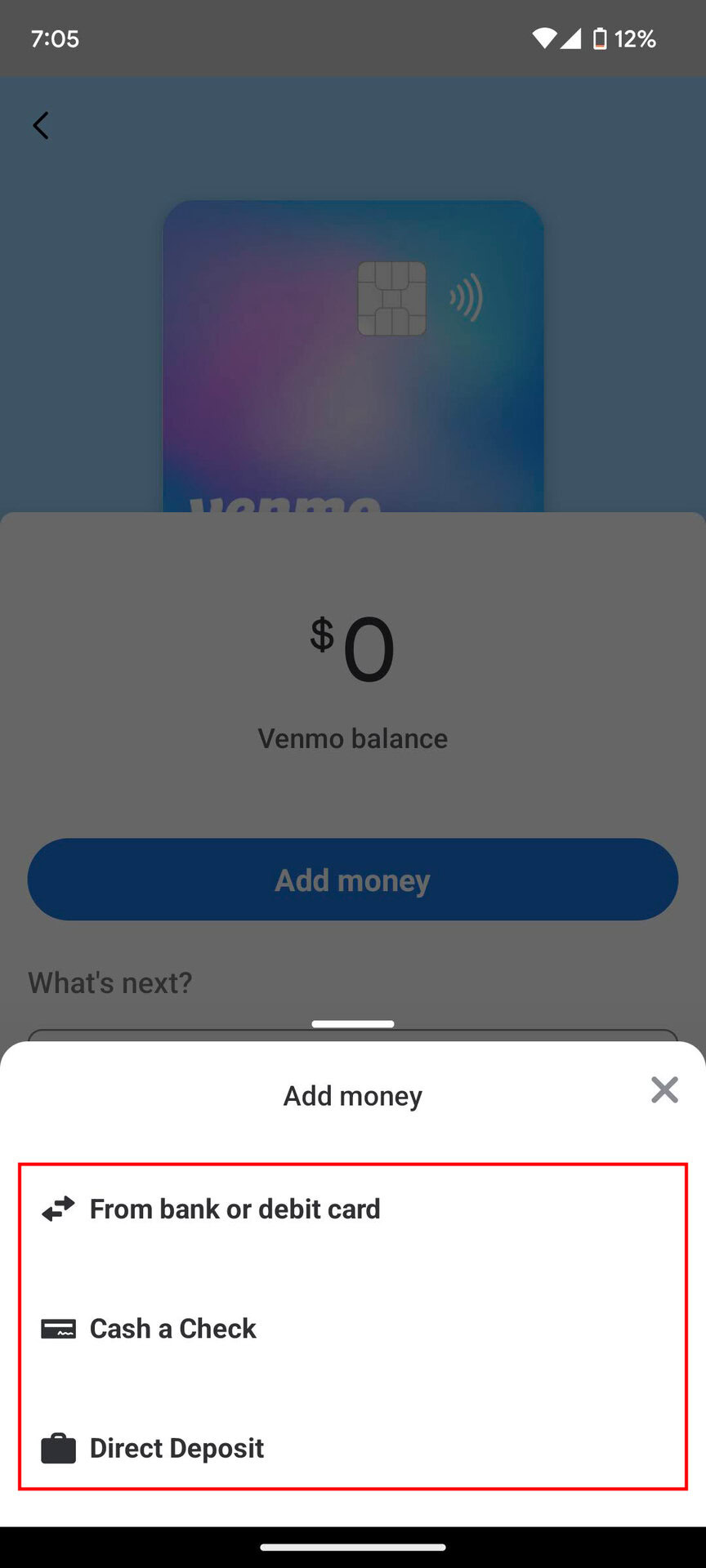
- Direct Deposit: If you frequently receive funds into your Venmo account, consider setting up direct deposit from your employer or other sources. This bypasses the “add money” function entirely, as funds flow directly into your Venmo balance, provided you meet Venmo’s eligibility requirements. This can be a strategic move for managing regular income within Venmo.
- Request Funds from Another Venmo User: While not adding money from an external source, if you need funds urgently, you could ask a trusted contact to send you money on Venmo, which would then appear in your balance.
Best Practices for Seamless Venmo Financial Transactions
Proactive financial management can prevent future issues when adding money to Venmo.
Linking Diverse and Verified Payment Sources
Having multiple verified payment methods linked to your Venmo account provides flexibility. If one card or bank account encounters a temporary issue, you have backups. Ensure all linked accounts are fully verified to unlock higher transaction limits and smoother processing.
Monitoring Your Account Balances
Regularly check the balances of your linked bank accounts and debit cards before attempting to add money to Venmo. This helps prevent insufficient fund declines and allows you to anticipate and manage your bank’s daily spending limits. Integrate Venmo into your broader personal finance tracking to ensure your digital wallet aligns with your overall budget.

Understanding Venmo’s Terms and Conditions
Take the time to review Venmo’s official help documentation regarding transaction limits, account verification requirements, and prohibited activities. These terms are dynamic and can change, impacting your ability to add money. A clear understanding of these financial rules helps you operate within the system effectively and avoid unexpected restrictions.
By understanding the financial underpinnings of Venmo transactions and proactively managing your linked financial accounts, you can largely avoid or quickly resolve issues when trying to add money, ensuring Venmo remains a convenient and reliable tool for your personal finance needs.
aViewFromTheCave is a participant in the Amazon Services LLC Associates Program, an affiliate advertising program designed to provide a means for sites to earn advertising fees by advertising and linking to Amazon.com. Amazon, the Amazon logo, AmazonSupply, and the AmazonSupply logo are trademarks of Amazon.com, Inc. or its affiliates. As an Amazon Associate we earn affiliate commissions from qualifying purchases.