
In an increasingly digitized world, the days of wrestling with paper forms, endless calculations, and physical mail are rapidly becoming relics of the past. Filing taxes, once a cumbersome annual chore, has been revolutionized by technology, transforming into a streamlined, online process accessible to millions. Understanding how to leverage these digital tools is no longer a luxury but a fundamental skill for modern financial management. This guide delves deep into the technological underpinnings and practical applications of online tax filing, empowering users to navigate this essential process with confidence and efficiency.

The Evolution of Digital Tax Filing: A Technological Leap
The shift from manual, paper-based tax submission to sophisticated online platforms represents one of the most significant administrative tech transformations of the last few decades. This evolution wasn’t accidental; it was driven by relentless innovation in software development, internet infrastructure, and data security.
From Paper Forms to Cloud Platforms: The Paradigm Shift
Historically, tax preparation was a physically demanding task. Taxpayers would receive thick packets of forms, manually input figures, perform intricate calculations, and then mail their returns to the appropriate government agency. Errors were common, corrections were arduous, and the entire process was fraught with anxiety. The advent of personal computing introduced early desktop software, which automated calculations but still largely mimicked the paper process digitally.
The true paradigm shift occurred with the rise of the internet and cloud computing. This enabled the development of web-based applications that could be accessed from anywhere, allowing users to enter data directly into a secure online portal. These platforms eliminated the need for software installation, facilitated instant updates, and ushered in the era of true “e-filing,” where returns are transmitted electronically directly to tax authorities. This shift not only enhanced convenience but also drastically improved accuracy through built-in validation checks and real-time guidance. The transition from physical documents to digital data streams stored and processed in the cloud fundamentally reshaped how individuals and businesses interact with tax systems.
Key Technological Advancements Driving Online Filing
Several core technological advancements have underpinned and continue to propel the efficiency and security of online tax filing systems:
- Secure Socket Layer (SSL)/Transport Layer Security (TLS) Encryption: This fundamental technology ensures that all data transmitted between your device and the tax filing platform is encrypted, safeguarding sensitive financial and personal information from interception. Modern platforms often use 256-bit encryption, equivalent to banking-level security.
- Cloud Computing Infrastructure: By hosting applications and data on remote servers, cloud computing offers unparalleled scalability, reliability, and accessibility. This allows tax software providers to handle peak traffic during tax season without performance degradation and provides robust data backup and recovery mechanisms.
- Application Programming Interfaces (APIs): APIs facilitate seamless data exchange between different systems. For online tax filing, APIs allow platforms to securely import financial data directly from banks, investment firms, and payroll providers (like W-2 data), significantly reducing manual entry and the potential for errors. They also enable direct submission of returns to government tax agencies.
- User Experience (UX) and User Interface (UI) Design: While often overlooked as a “tech” advancement, sophisticated UI/UX design principles are crucial. Intuitive interfaces, guided workflows, drag-and-drop functionality, and mobile responsiveness make complex tax processes manageable for non-experts. AI-powered chatbots and contextual help systems further enhance the user experience.
- Data Validation and Error Checking Algorithms: These sophisticated algorithms are the unsung heroes of online tax filing. They instantly flag inconsistent data, missing information, or potential calculation errors, prompting users to correct issues before submission. This proactive error prevention dramatically reduces the chances of rejected returns or audit triggers.
- Multi-Factor Authentication (MFA): To combat unauthorized access, most reputable online tax services implement MFA, requiring users to verify their identity through a secondary method (e.g., a code sent to a mobile phone) in addition to a password. This adds a critical layer of security.
Choosing the Right Online Tax Filing Software: Tech Considerations
With numerous online tax software options available, selecting the right one can seem daunting. However, focusing on specific technological features and capabilities will help you make an informed decision tailored to your needs.
User Interface and User Experience (UI/UX)
A well-designed UI/UX is paramount for a smooth filing experience. Look for software that offers:
- Intuitive Navigation: Can you easily find what you need without extensive searching?
- Clear Language: Is the tax jargon explained in understandable terms?
- Guided Workflows: Does the software walk you step-by-step through the process, prompting you for relevant information?
- Visual Clarity: Is the layout clean, uncluttered, and easy on the eyes?
- Mobile Responsiveness: Can you comfortably use the software on various devices, including smartphones and tablets, if you prefer?
Poor UI/UX can lead to frustration, errors, and an unnecessarily prolonged filing process, even if the underlying calculations are accurate.
Integration Capabilities and Data Import
The ability to seamlessly integrate with other financial platforms is a significant technological advantage. Modern tax software should offer:
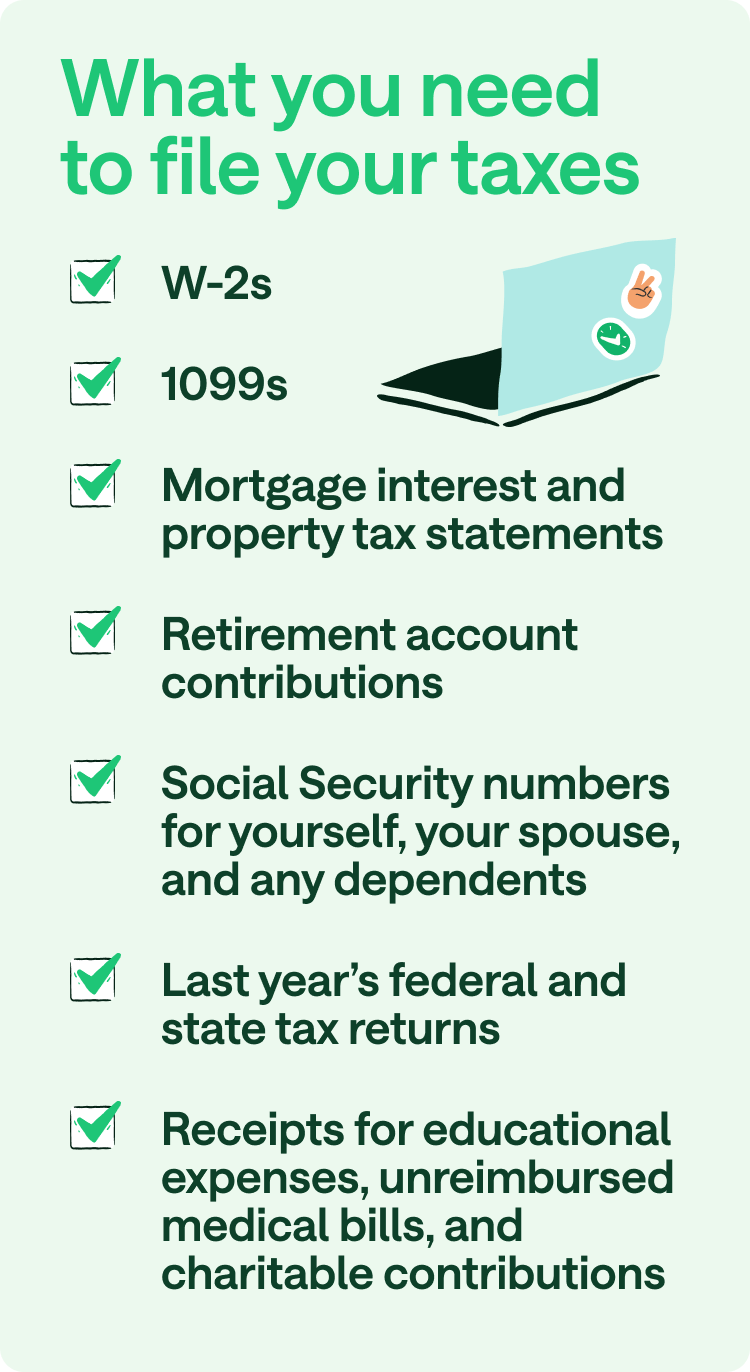
- Direct Import of Financial Documents: Look for features that allow you to import W-2s, 1099s, and other income statements directly from payroll providers, banks, and investment platforms. This saves time and minimizes data entry errors.
- Bank and Credit Card Account Linking: Some advanced tools can connect to your bank and credit card accounts to categorize transactions, which is particularly useful for self-employed individuals tracking expenses.
- Prior Year Data Import: The best software allows you to import data from your previous year’s return, pre-filling many fields and making subsequent filings much faster.
- Integration with Accounting Software: For small businesses, integration with popular accounting platforms like QuickBooks or Xero can be a game-changer for streamlined financial data transfer.
Security Protocols and Data Encryption
Given the highly sensitive nature of tax data, robust security is non-negotiable. Scrutinize the security features of any platform you consider:
- Encryption Standards: Verify that the platform uses industry-standard encryption (e.g., 256-bit AES) for data in transit and at rest.
- Multi-Factor Authentication (MFA): Ensure MFA is available and preferably mandatory for account access.
- Regular Security Audits: Reputable providers undergo regular third-party security audits to identify and fix vulnerabilities. Look for transparency regarding these practices.
- Data Privacy Policies: Read the privacy policy carefully to understand how your data is collected, stored, used, and shared (or not shared) with third parties.
- Firewall and Intrusion Detection Systems: Behind the scenes, robust network security measures are essential to protect the provider’s servers from cyber threats.
Support Features and AI-Powered Assistance
While largely a “service” aspect, the underlying technology enabling support is crucial.
- AI-Powered Chatbots: Many platforms now employ AI chatbots that can instantly answer common questions, guide users to relevant sections, or troubleshoot minor issues, providing immediate assistance outside of traditional business hours.
- Contextual Help Systems: Integrated help bubbles or sidebars that provide explanations for specific tax forms or fields as you fill them out can be invaluable.
- Screen Sharing/Remote Access (with consent): For advanced support, some providers offer the ability for their support agents to securely view your screen (with your explicit permission) to help resolve complex problems.
- Knowledge Bases and FAQs: A well-organized, searchable digital knowledge base empowers users to find answers independently.
A Step-by-Step Technical Walkthrough for Online Filing
Filing your taxes online, from a technical perspective, is a structured process involving several distinct stages, each relying on specific digital functionalities.
Account Setup and Multi-Factor Authentication
The journey begins with creating a secure user account. This typically involves:
- Email Verification: Entering your email address, receiving a verification link, and clicking it to confirm ownership. This prevents unauthorized account creation.
- Strong Password Creation: Enforcing requirements for complex passwords (mix of uppercase, lowercase, numbers, symbols) and often flagging weak passwords.
- Multi-Factor Authentication (MFA) Setup: Prompting you to link a mobile device or authenticator app. This involves generating a unique time-based one-time password (TOTP) or receiving SMS codes for subsequent logins, drastically enhancing security beyond just a password. Recovery codes are often provided as a backup.
Navigating Data Entry: Smart Forms and Auto-Fill

Once logged in, the software guides you through data entry, leveraging “smart form” technology:
- Question-and-Answer Interface: Instead of raw forms, the software presents questions in plain language, dynamically adapting based on your previous answers. For example, if you indicate you own a home, it will then prompt you for mortgage interest details.
- Auto-Fill Functionality: Leveraging APIs, the software can pull data from imported W-2s, 1099s, and prior-year returns, pre-filling relevant fields. This minimizes manual typing and the associated errors.
- Real-time Calculations: As you input figures, the software’s underlying algorithms instantly update your tax liability or refund estimate, providing immediate feedback.
- Contextual Help: Hovering over or clicking specific fields often triggers pop-up explanations or links to detailed IRS/state guidance.
Reviewing Your Return: Error Checking Algorithms
Before submission, a crucial technical step is the comprehensive review phase, powered by sophisticated error-checking algorithms:
- Dependency Checks: The system verifies that all required forms and schedules are included based on your input.
- Consistency Validations: It flags discrepancies, such as reporting income on one form but not another, or claiming deductions that don’t align with reported income levels.
- Mathematical Accuracy: Every calculation is verified, ensuring no arithmetic errors.
- Audit Risk Flags: Some advanced software uses predictive analytics to identify entries that might potentially trigger an audit, prompting users to double-check or provide additional documentation.
- Missing Information Prompts: The system checks for any unanswered mandatory questions or unverified data points, preventing incomplete submissions.
E-Filing Submission and Confirmation Protocols
The final technical act is the electronic transmission of your return:
- Digital Signature: You’ll typically agree to a digital consent form or provide your prior-year Adjusted Gross Income (AGI) as a form of electronic signature, verifying your identity for the IRS/state.
- Encrypted Transmission: Your completed return is then encrypted and securely transmitted via API or a secure file transfer protocol (SFTP) directly to the IRS and relevant state tax agencies.
- Confirmation Numbers: Upon successful transmission, the software provides an immediate confirmation number from the tax software provider.
- Official Acceptance Notification: Crucially, within 24-48 hours, you’ll receive an email notification (often with another unique confirmation number) directly from the IRS and/or state, confirming that your return has been officially accepted by their systems. This is the definitive proof of successful e-filing.
Leveraging Digital Tools for Tax Optimization and Future Planning
Online tax filing isn’t just about submitting forms; it’s an entry point into a broader ecosystem of digital tools that can optimize your tax situation year-round and aid in future financial planning.
Automated Record Keeping and Expense Trackers
The most proactive approach to tax management involves continuous digital record-keeping:
- Expense Tracking Apps: Mobile apps (often integrated with or separate from tax software) allow you to photograph receipts, categorize expenses, and track mileage in real-time. These apps often leverage OCR (Optical Character Recognition) technology to extract data from receipts automatically.
- Cloud Document Storage: Services like Google Drive, Dropbox, or dedicated tax software vaults provide secure, accessible cloud storage for all tax-related documents, from W-2s to investment statements, eliminating the need for physical filing cabinets.
- Financial Aggregation Tools: Platforms that consolidate all your bank, credit card, and investment accounts in one place can make it easier to identify deductible expenses and income sources throughout the year.
Predictive Analytics for Tax Scenarios
Advanced online tax platforms are starting to incorporate predictive analytics:
- “What-If” Scenarios: Some tools allow you to model different financial decisions (e.g., contributing more to a retirement account, selling an asset) to see their immediate impact on your projected tax liability. This uses algorithms to simulate outcomes based on current tax law.
- Estimated Tax Calculations: For the self-employed, these tools can use your current income and expense data to forecast your quarterly estimated tax payments, helping you avoid underpayment penalties.
- Tax Planning Dashboards: These dashboards provide a year-round view of your financial situation relevant to taxes, allowing for proactive adjustments rather than reactive filing.
Cloud Storage for Tax Documents
Beyond just current year’s documents, secure cloud storage is vital for long-term tax compliance:
- Digital Audit Trail: Maintaining digital copies of all supporting documents (receipts, statements, communication with tax authorities) in a securely accessible cloud repository creates an invaluable audit trail.
- Easy Retrieval: In case of an audit or needing to reference past returns, digital storage allows for instant retrieval, avoiding the stress of searching through physical archives.
- Version Control: Some cloud services offer version control, ensuring you can always revert to previous iterations of documents if necessary, though for tax forms, the final submitted version is usually static.
Addressing Common Tech Challenges and Ensuring a Smooth Experience
While online tax filing is generally smooth, understanding potential tech hurdles and how to navigate them is key to a stress-free experience.
Troubleshooting Connectivity and Software Glitches
Internet connectivity issues or minor software glitches can sometimes interrupt the process:
- Internet Connection: Ensure a stable internet connection. If experiencing intermittent issues, try restarting your router or switching to a mobile hotspot.
- Browser Compatibility: Use a modern, updated web browser (Chrome, Firefox, Edge, Safari). Clear your browser’s cache and cookies if you encounter display issues or slow loading times.
- Software Updates: Tax software is frequently updated. Ensure your browser-based platform is automatically leveraging the latest version. If using desktop software, manually check for updates.
- Ad Blockers/Firewalls: Temporarily disable ad blockers or overly aggressive firewall settings if they interfere with the website’s functionality, remembering to re-enable them afterwards.
Data Privacy Concerns and Best Practices
The digital nature of online tax filing raises valid concerns about data privacy. Adhering to best practices can mitigate risks:
- Strong, Unique Passwords: Never reuse passwords across different online services. Use a password manager to generate and store complex, unique passwords.
- Enable MFA Everywhere: Always activate Multi-Factor Authentication for your tax software account and any linked financial accounts.
- Beware of Phishing: Be extremely cautious of emails, texts, or calls claiming to be from the IRS, your tax software provider, or financial institutions, especially if they ask for personal information or direct you to suspicious links. The IRS will never initiate contact via email, text message, or social media to request personal or financial information.
- Secure Wi-Fi: Only file your taxes using a secure, private Wi-Fi network. Avoid public Wi-Fi hotspots, which are often unencrypted and vulnerable to eavesdropping.
- Regular Software/OS Updates: Keep your computer’s operating system, web browser, and antivirus software up to date. These updates often contain critical security patches.
- Review Privacy Policies: Understand what data the tax software collects, how it uses it, and its sharing practices.
Accessibility Features for Diverse Users
Inclusive design is a growing focus in technology, and tax software is no exception. Look for features that enhance accessibility:
- Screen Reader Compatibility: For visually impaired users, ensure the software is compatible with screen reader technologies.
- Keyboard Navigation: The ability to navigate and interact with the software entirely via keyboard is crucial for users who cannot use a mouse.
- High Contrast Modes/Font Sizing: Options for adjusting visual elements to improve readability for users with various visual impairments.
- Language Options: While taxes are often specific to a country’s language, some platforms offer multi-language support for easier navigation.
By understanding and leveraging the technological advancements behind online tax filing, users can transform an often-dreaded annual task into an efficient, secure, and even empowering digital experience. The future of tax management is undeniably digital, and embracing these tools is essential for modern financial literacy.
aViewFromTheCave is a participant in the Amazon Services LLC Associates Program, an affiliate advertising program designed to provide a means for sites to earn advertising fees by advertising and linking to Amazon.com. Amazon, the Amazon logo, AmazonSupply, and the AmazonSupply logo are trademarks of Amazon.com, Inc. or its affiliates. As an Amazon Associate we earn affiliate commissions from qualifying purchases.