
In an increasingly digital financial landscape, managing personal finances often revolves around the convenience and security offered by banking applications. The Chase Mobile app stands as a primary financial tool for millions, providing a comprehensive portal to accounts, transactions, and card management. While many everyday financial tasks are easily accomplished within the app, there are specific instances where accessing your full debit card number becomes necessary. This might be for setting up a recurring payment, linking to a new digital service, or making an online purchase when your physical card isn’t readily available. Understanding how to navigate the Chase app for this sensitive information, while also appreciating the inherent security protocols, is crucial for effective personal finance management.

Understanding Debit Card Details and Their Importance
Your debit card is more than just a piece of plastic; it’s a direct gateway to your checking account, facilitating both in-person and online transactions. Knowing the specific components of your debit card and why you might need them is fundamental to managing your finances effectively and securely.
Key Components of Your Debit Card
A standard debit card typically features several critical pieces of information, each serving a distinct purpose in financial transactions:
- 16-Digit Card Number: This is the primary identifier for your account, unique to your specific card. It’s essential for online purchases, bill payments, and linking to various financial services.
- Expiration Date (MM/YY): This indicates when your card becomes invalid and needs to be replaced. It’s a security measure and ensures that cards in circulation are regularly updated with new security features.
- Card Verification Value (CVV/CVC/Security Code): A 3 or 4-digit code usually found on the back of the card (for Visa/Mastercard) or front (for American Express). This is a crucial security feature for online and phone transactions, proving that the person using the card physically possesses it.
- Cardholder Name: Your name as it appears on the card, verifying your identity as the legitimate cardholder.
These details, especially the 16-digit number and CVV, are highly sensitive and, if compromised, can lead to unauthorized access to your funds. Therefore, banks like Chase implement robust security measures to protect this information, particularly within digital platforms.
Scenarios Requiring Your Card Number
There are numerous legitimate personal finance scenarios where you might need to reference your debit card number:
- Online Purchases: The most common reason, requiring the full card number, expiration date, and CVV to complete transactions securely.
- Setting Up Recurring Payments: Subscriptions, utility bills, or gym memberships often require these details for automatic deductions.
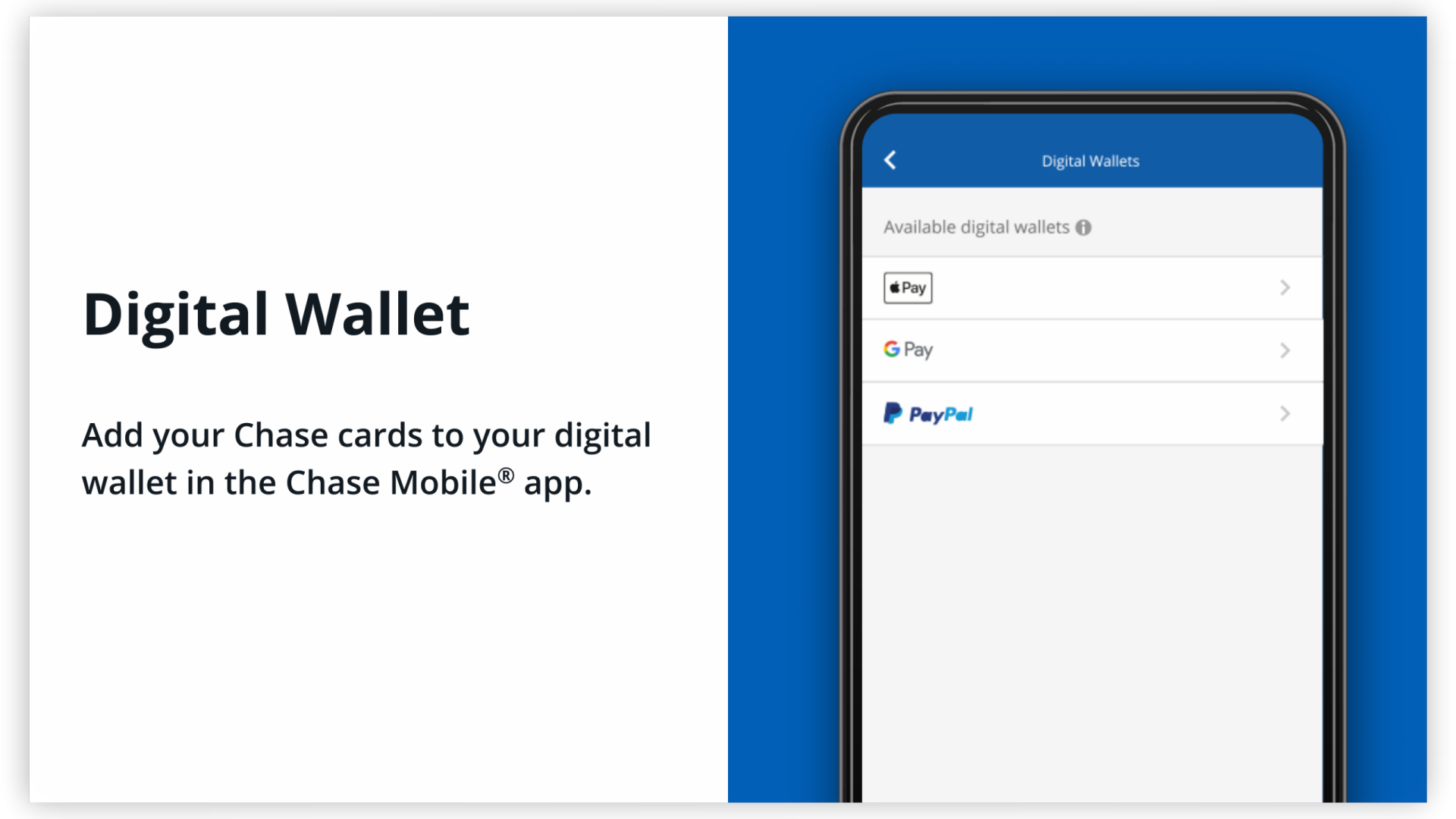
- Linking to Digital Wallets or Payment Apps: Adding your card to services like PayPal, Apple Pay, Google Pay, or Venmo typically necessitates entering the full card details during the initial setup.
- Verifying Identity: Some financial institutions or online services may ask for card details as a form of identity verification, especially during customer service interactions or account recovery processes.
- Booking Travel or Accommodation: Many travel sites and hotel booking platforms require a debit card number to secure reservations.
In all these instances, the convenience of quickly accessing your card number via a mobile app can be invaluable, provided it’s done securely.
Navigating the Chase App for Card Information
The Chase Mobile app is designed to be user-friendly, offering quick access to your financial accounts. However, due to stringent security protocols, directly viewing your entire 16-digit debit card number in plain text within the app is often restricted. Chase prioritizes the security of your financial data, especially sensitive information like your full card number.
Initial Steps: Logging In and Locating Your Account
To begin, ensure you have the official Chase Mobile app downloaded from a trusted source (Apple App Store or Google Play Store) and that your device’s operating system is up to date for optimal security.
- Log In Securely: Open the Chase Mobile app and log in using your Chase User ID and password. If enabled, use biometric authentication (fingerprint or facial recognition) for an added layer of security and convenience.
- Select the Relevant Account: Once logged in, you’ll typically see a dashboard displaying your various Chase accounts. Tap on the checking account associated with the debit card whose details you wish to view.
Accessing Card Details: What to Expect
Within the selected checking account, you’ll find options related to your debit card. The exact pathway might vary slightly with app updates, but generally, you’ll look for sections such as “Card Services,” “Manage Card,” or directly tap on an image of your card if available.
Upon navigating to the card management section, you might find features like:
- Lock/Unlock Card: A crucial security feature allowing you to instantly disable or enable your card.
- Report Lost/Stolen Card: For immediate action in case of loss or theft.
- Order a New Card: To replace an expired, damaged, lost, or stolen card.
- Set Travel Notifications: To prevent fraud alerts when using your card abroad.
- View Card Details (Partial): This is where you might find limited information. Typically, you will see the last four digits of your debit card number, along with the expiration date and, in some cases, the CVV. Some advanced features might allow you to temporarily view the full card number, often after an additional layer of authentication. For instance, Chase’s “Show Card Details” feature (if available for your specific card type and region) often requires re-entering your password or using biometrics to display the full number for a limited time, usually masked initially.
Limitations and Security Protocols
It is a deliberate design choice for financial apps, including Chase, to not prominently display your full 16-digit debit card number. This is a critical security protocol aimed at protecting your financial assets. If your phone were lost or stolen, or if unauthorized access were gained to your app, having your full card number readily visible would pose a significant risk of fraud and identity theft. By requiring additional authentication or only showing partial information, Chase mitigates these risks, ensuring that even if someone gains access to your logged-in app session, they cannot immediately steal all your card details. This layered security is a cornerstone of protecting personal finances in the digital age.
Why the Full Number Might Not Be Displayed
The restricted visibility of your full debit card number within banking apps is a direct manifestation of modern digital security strategies. Banks constantly balance user convenience with the imperative of safeguarding sensitive financial data.

Prioritizing Your Financial Security
The primary reason you won’t always find your full debit card number plainly visible in the Chase app is to protect you from financial fraud. Every piece of information about your card—the 16-digit number, expiration date, and CVV—is a key to accessing your funds. If all these details were easily accessible within an app that might be left open or accessed on an unsecured device, the risk of a breach would be substantially higher.
Banks design their apps with a “need-to-know” principle for sensitive data. You need to know your balance, recent transactions, and where your money is going, but the full card number is typically only required at the point of transaction or initial setup, not for routine account management. This approach minimizes the potential attack surface for cybercriminals.
Preventing Fraud and Unauthorized Access
Fraud prevention is a continuous battle for financial institutions. By limiting the exposure of your full debit card number:
- Reduces Risk from Device Compromise: If your smartphone is lost, stolen, or compromised by malware, attackers cannot immediately extract your full card details just by accessing the banking app.
- Deters “Shoulder Surfing”: It prevents others from casually glancing at your screen and memorizing your card number.
- Protects Against Unauthorized App Access: Even if an unauthorized user manages to log into your account, they are still limited in the financial fraud they can commit without the full card number.
- Encourages Secure Practices: It subtly nudges users towards more secure payment methods like digital wallets or physically retrieving their card for transactions, which often have their own layers of security (e.g., tokenization, biometrics).
This security posture is a standard industry practice across major financial institutions, reflecting a commitment to protecting customers’ hard-earned money.
Alternatives When the App Doesn’t Show the Full Number
If you find that the Chase app does not display your full 16-digit debit card number and you need it for a transaction, several secure alternatives are available.
Referring to Your Physical Card
The most straightforward and often most secure method is to simply retrieve your physical debit card. All the necessary details—the 16-digit number, expiration date, cardholder name, and CVV—are printed directly on it. For online transactions, having the card in front of you ensures accuracy and reduces the risk of entering incorrect information. Make sure to keep your physical card in a secure place when not in use.
Contacting Chase Customer Service
If you absolutely cannot access your physical card and need the full number for an urgent, legitimate reason, contacting Chase customer service is an option. Be prepared for a robust identity verification process. Chase representatives will ask a series of security questions to confirm your identity before they can provide any sensitive information. This process is designed to prevent fraudulent access to your account information. You can typically find their contact number on the back of your card or on the official Chase website.
Utilizing Digital Wallets for Transactions
For many online and in-person transactions, you don’t necessarily need your full 16-digit debit card number. Digital wallets like Apple Pay, Google Pay, or Samsung Pay store a tokenized version of your card details, meaning your actual card number is never transmitted to the merchant during a transaction.
If your card is already linked to one of these digital wallets:
- Online Transactions: Many websites and apps now offer “Pay with Apple Pay” or “Pay with Google Pay” options, allowing you to complete purchases with a few taps or clicks, using biometric authentication, without ever entering your card number.
- In-Store Purchases: You can typically use your smartphone or smartwatch at contactless payment terminals.
This method not only offers convenience but also significantly enhances security by adding layers of encryption and tokenization, making it a highly recommended alternative for everyday spending.
Best Practices for Debit Card Security
Managing your debit card information securely, whether through a banking app or with your physical card, is paramount to protecting your personal finances. Adopting best practices can significantly reduce your risk of fraud and unauthorized account access.
Safeguarding Your Physical Card
- Keep it Secure: Treat your debit card like cash. Store it in a secure wallet or purse and avoid leaving it unattended.
- Memorize Your PIN: Never write your Personal Identification Number (PIN) down or share it with anyone. When entering your PIN at an ATM or POS terminal, shield the keypad to prevent “shoulder surfing.”
- Inspect ATMs/POS Terminals: Before using, quickly check for any suspicious attachments or devices on card readers or PIN pads, which could be skimmers.
- Shred Old Cards: When you receive a new card, cut up your old one, ensuring the magnetic strip, chip, and card number are thoroughly destroyed before discarding.
Online Transaction Security Tips
- Use Secure Websites: Only enter your debit card details on websites that use “https://” in their URL and display a padlock icon, indicating a secure, encrypted connection.
- Avoid Public Wi-Fi for Transactions: Public Wi-Fi networks are often unsecured and susceptible to eavesdropping. Opt for a secure home network or cellular data when making online purchases or accessing your banking app.
- Beware of Phishing: Be extremely cautious of unsolicited emails, texts, or calls asking for your card details or directing you to suspicious links. Chase will never ask for your full card number, PIN, or CVV via email or text.
- Enable Two-Factor Authentication (2FA): Where available, enable 2FA for your banking app and other financial accounts. This adds an extra layer of security, requiring a code from your phone in addition to your password.
- Use Digital Wallets: As mentioned, digital wallets tokenizing your card number offer enhanced security for online and in-store transactions.
Monitoring Your Accounts Regularly
Proactive monitoring is your last line of defense against financial fraud.
- Review Statements Frequently: Regularly check your Chase bank statements and transaction history through the app or online banking. Look for any unfamiliar charges, no matter how small.
- Set Up Alerts: Utilize Chase’s alert features within the app. You can set up notifications for large transactions, international purchases, or any activity above a certain threshold, allowing you to quickly identify and report suspicious activity.
- Report Suspicious Activity Immediately: If you notice any unauthorized transactions or suspicious activity, contact Chase immediately to report it and initiate an investigation. Timely reporting can limit your liability for fraudulent charges.
By understanding the security measures implemented by financial institutions like Chase and adhering to these personal finance best practices, you can confidently manage your debit card and protect your financial well-being in the digital age. While the Chase app provides immense convenience, remember that the true power lies in using its features wisely and securely.
aViewFromTheCave is a participant in the Amazon Services LLC Associates Program, an affiliate advertising program designed to provide a means for sites to earn advertising fees by advertising and linking to Amazon.com. Amazon, the Amazon logo, AmazonSupply, and the AmazonSupply logo are trademarks of Amazon.com, Inc. or its affiliates. As an Amazon Associate we earn affiliate commissions from qualifying purchases.