
In the rapidly evolving landscape of digital finance, platforms like Cash App have democratized access to various financial services, including the buying, selling, and transferring of Bitcoin. While often perceived primarily as a peer-to-peer payment service, Cash App has seamlessly integrated cryptocurrency functionalities, allowing users to engage with Bitcoin directly from their mobile devices. For many, the ability to acquire Bitcoin on Cash App is just the first step; the subsequent need to move these assets to a different, potentially more secure or specialized, external wallet is a critical piece of the cryptocurrency management puzzle.
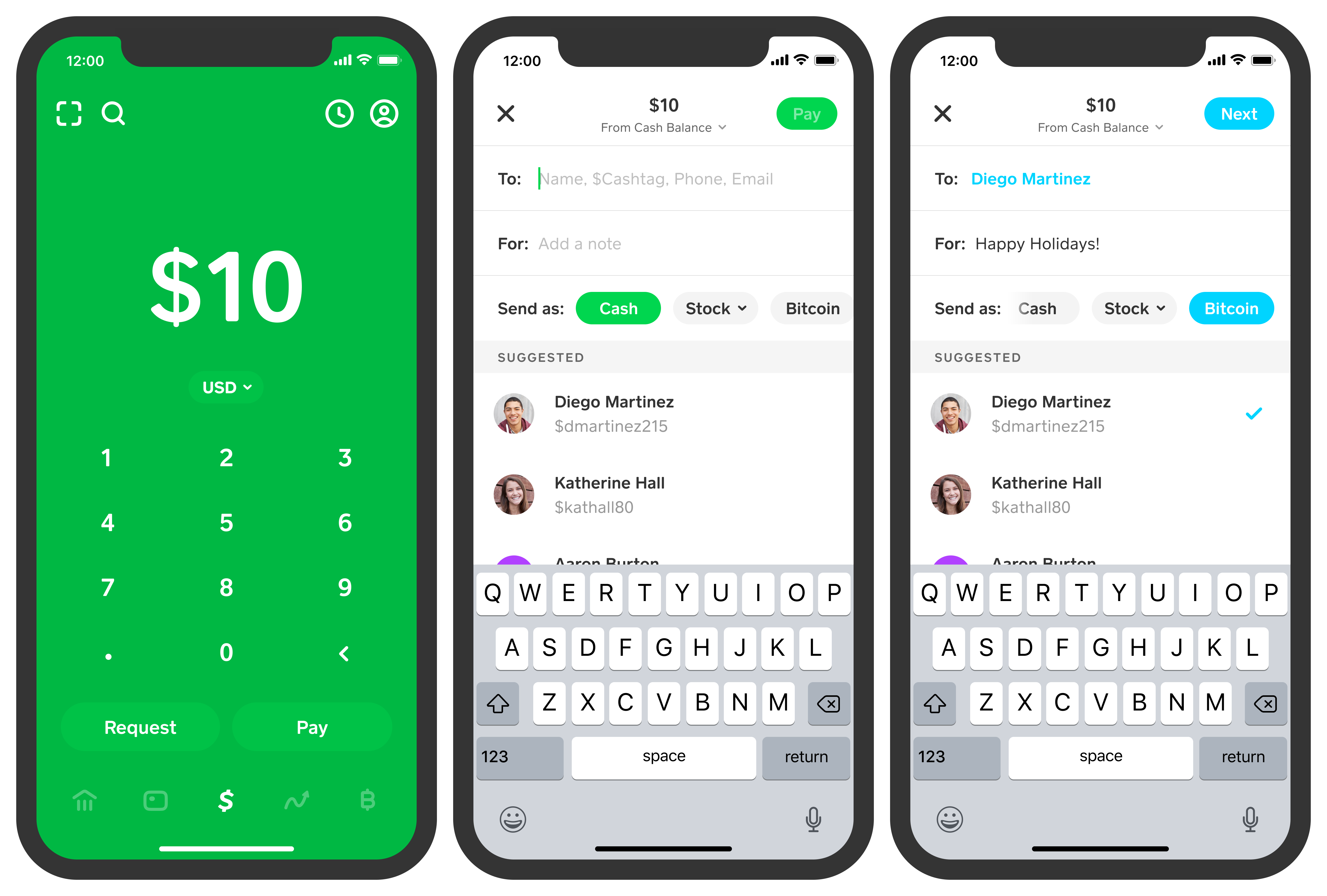
This guide delves into the technical intricacies and practical steps involved in transferring your Bitcoin from Cash App to another external wallet. It’s a process that, while straightforward once understood, demands careful attention to detail and a robust understanding of digital security protocols to ensure your assets reach their intended destination safely. We will navigate Cash App’s interface, outline the precise steps for initiating a transfer, detail essential security best practices, and offer insights into troubleshooting common issues, all within the context of leveraging technology for secure digital asset management.
Navigating Cash App for Bitcoin Management
Cash App’s design aims for user-friendliness, extending this philosophy to its Bitcoin features. However, understanding the underlying mechanics and security layers is paramount before initiating any transfer. This section lays the groundwork for safe and successful Bitcoin transactions.
Overview of Cash App’s Integrated Bitcoin Wallet
Cash App offers a custodial Bitcoin wallet, meaning that while you own the Bitcoin, Cash App manages the private keys on your behalf. This simplifies the user experience, abstracting away some of the complexities of self-custody. Users can purchase Bitcoin directly within the app, view their balance, and initiate send or receive operations. The integration is designed to be intuitive, allowing even novice users to interact with cryptocurrency with relative ease. However, for those seeking full control over their private keys, transferring Bitcoin to a non-custodial wallet (an external wallet) becomes a necessary step, emphasizing the importance of understanding the transfer process.
Essential Security Features for Crypto Transactions
Digital asset security is non-negotiable, and Cash App incorporates several features to protect user funds. These typically include:
- Two-Factor Authentication (2FA): This critical security layer requires a second form of verification (e.g., a code sent to your phone or generated by an authenticator app) in addition to your password or PIN, significantly reducing the risk of unauthorized access.
- PIN/Fingerprint/Face ID: For quick and secure access within the app, users are prompted to set up a PIN or utilize biometric authentication. This ensures that even if your device is compromised, accessing your Cash App account requires an additional layer of verification.
- Encryption: All data exchanged between your device and Cash App’s servers, including transaction details, is encrypted to prevent interception and unauthorized viewing.
- Security Notifications: Cash App typically sends notifications for significant account activities, such as login attempts from new devices or large transactions, alerting users to potential suspicious activity.
Familiarizing yourself with and activating all available security features is the first and most crucial step in safeguarding your Bitcoin holdings, particularly when preparing for external transfers.
Meeting Prerequisites for Bitcoin Transfers
Before you can send Bitcoin from Cash App, there are a few prerequisites that must be met to ensure compliance and security:
- Identity Verification: Cash App requires users to complete identity verification (KYC – Know Your Customer) to unlock Bitcoin features. This typically involves providing your full name, date of birth, and the last four digits of your Social Security Number. For higher limits or specific functionalities, a photo ID might be required. This process is crucial for preventing fraud and complying with financial regulations.
- Sufficient Bitcoin Balance: Naturally, you must have enough Bitcoin in your Cash App wallet to cover the amount you wish to send, plus any associated network fees.
- Active Internet Connection: A stable internet connection is necessary for the app to communicate with Cash App’s servers and the Bitcoin network.
Ensuring these conditions are met will streamline the transfer process and prevent unnecessary delays.
The Step-by-Step Process of Sending Bitcoin
Once you’re familiar with Cash App’s Bitcoin functionality and have met all the prerequisites, you can proceed with initiating a transfer. This section provides a detailed, step-by-step guide to executing a Bitcoin send operation.
Accessing the Bitcoin Section and Initiating a Send
- Open Cash App: Launch the Cash App on your mobile device.
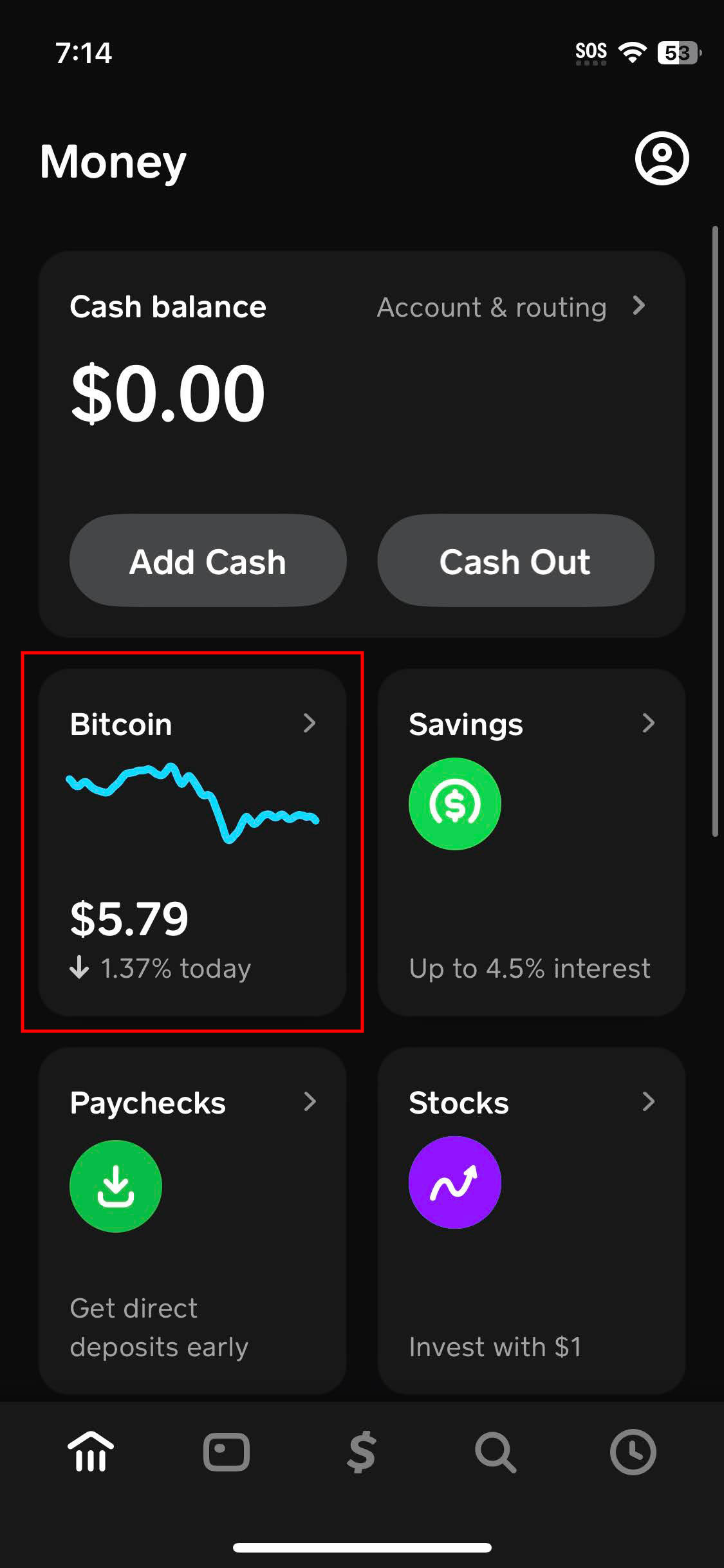
- Navigate to the Bitcoin Tab: From the main screen, tap the Bitcoin icon (usually a stylized ‘B’ within a circle or located on the banking tab if you scroll down). This will take you to your Bitcoin dashboard, showing your current balance and options to buy, sell, send, or receive.
- Select “Send Bitcoin”: Tap the “Send Bitcoin” button. You might need to scroll down slightly to find this option.
Inputting Destination Wallet Address and Amount
- Enter the Amount: Input the amount of Bitcoin you wish to send. You can enter it in BTC (e.g., 0.001 BTC) or its equivalent USD value. Cash App will typically display both values.
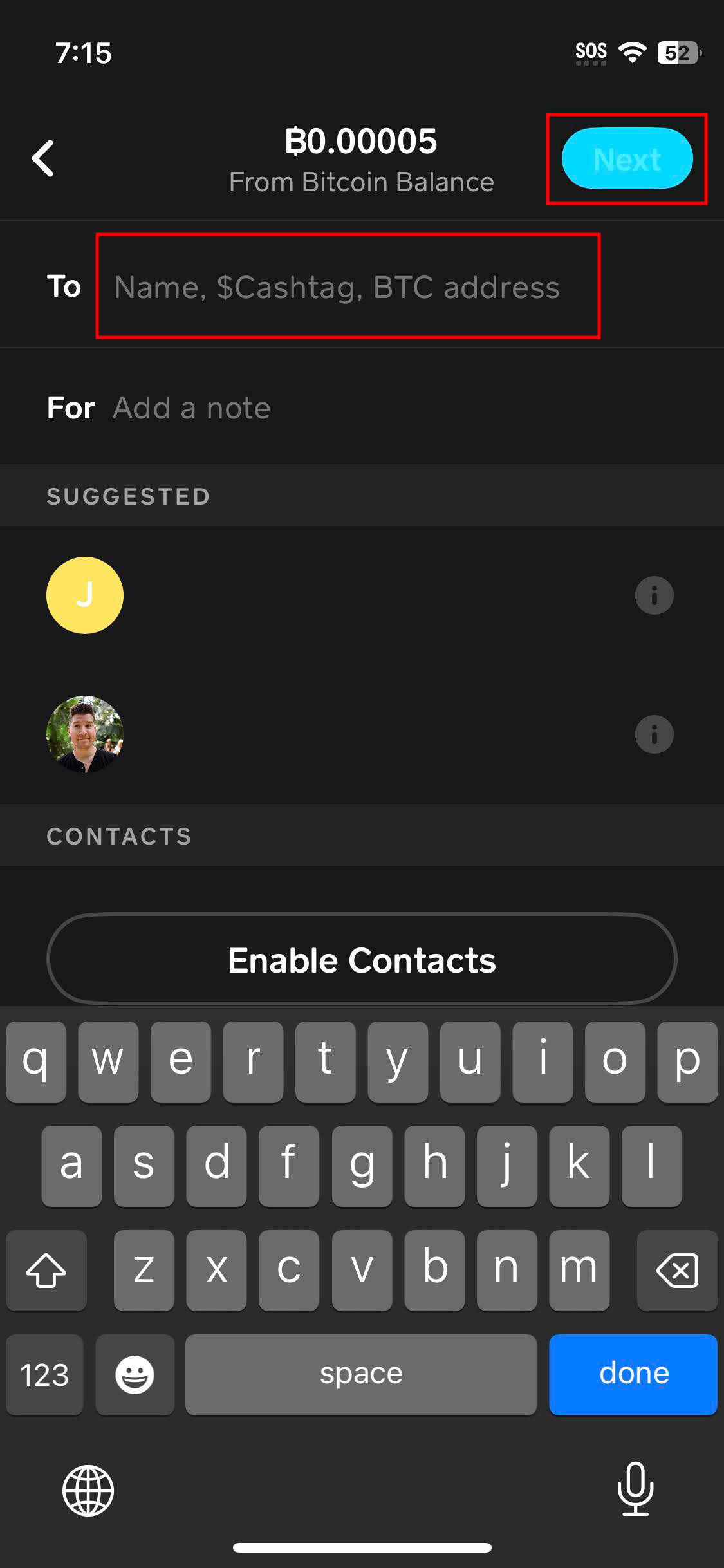
- Enter the External Wallet Address: This is the most critical step. You will be prompted to enter the recipient’s Bitcoin wallet address.
- Copy and Paste: Always, always copy and paste the wallet address directly from the recipient’s wallet application or website. Manually typing an address is highly prone to errors, and a single incorrect character can result in irreversible loss of funds.
- QR Code Scan: If the recipient’s wallet provides a QR code, Cash App offers a scanner feature. Tap the QR code icon next to the address input field to open your device’s camera and scan the code. This is the safest and most efficient method to ensure accuracy.
- Verify the Network: Ensure the address you are sending to is a Bitcoin (BTC) address. Sending Bitcoin to an address for a different cryptocurrency (e.g., Ethereum or Bitcoin Cash) will almost certainly result in permanent loss. While Cash App is generally smart about flagging incompatible formats, an extra check on your part is always prudent.
Reviewing Transaction Details and Confirming Transfer
- Review All Details: Before hitting confirm, meticulously review all transaction details displayed on the confirmation screen.
- Recipient Address: Double-check the wallet address character by character, especially the first and last few characters if you copied it.
- Amount: Confirm the Bitcoin amount and its USD equivalent.
- Fees: Note any associated network fees. Cash App typically displays an estimated fee, which can fluctuate based on network congestion. You might also have options to choose a different send speed, impacting the fee.
- Total: Confirm the total amount that will be debited from your Cash App balance.
- Confirm the Transaction: If all details are correct, tap the “Confirm” button. You will likely be prompted to enter your PIN or use biometric authentication to authorize the transfer.
Understanding Transaction Confirmation and Tracking
Once confirmed, your Bitcoin transfer is broadcast to the Bitcoin network. It doesn’t appear in the recipient’s wallet instantly. The transaction must be included in a block by miners and subsequently receive multiple confirmations.
- Network Confirmation: Each confirmation signifies that a new block has been added to the blockchain after the block containing your transaction. Generally, 3-6 confirmations are considered sufficient for a transaction to be deemed final and irreversible, though this can vary by exchange or wallet policy.
- Transaction ID (TXID): Cash App will provide a transaction ID (also known as a transaction hash). This unique identifier allows you to track the status of your transaction on a public blockchain explorer (e.g., Blockchain.com). Inputting your TXID into an explorer will show you the number of confirmations and the current status of your transfer, offering transparency into the network process.
- Timing: Bitcoin transaction times can vary significantly, ranging from a few minutes to several hours, depending on network congestion and the fee paid. Be patient and use the TXID to monitor progress.
Best Practices for Secure and Efficient Transfers
Moving cryptocurrency involves inherent risks, but adhering to best practices can significantly mitigate them. These guidelines are crucial for ensuring both the security and efficiency of your Bitcoin transfers.
Mitigating Risks: Double-Checking Every Detail
The adage “measure twice, cut once” is incredibly pertinent in cryptocurrency. As previously emphasized, always double-check the recipient’s wallet address. A single mistake can send your Bitcoin to an irrecoverable address, as blockchain transactions are irreversible. It is also wise to perform a small test transaction with a minimal amount of Bitcoin if you are sending a large sum to a new or unfamiliar address. Once confirmed, you can proceed with the larger transfer, knowing the address is correct.
Protecting Your Account: Enhanced Digital Security
Beyond Cash App’s built-in features, your personal digital habits play a massive role in security:
- Strong, Unique Passwords: Use a complex password for your Cash App account that is different from passwords used for other services.
- Enable 2FA: Always keep Two-Factor Authentication enabled. An authenticator app (like Google Authenticator or Authy) generally offers stronger protection than SMS-based 2FA.
- Secure Your Device: Ensure your mobile device is protected with a strong passcode or biometric lock. Keep your operating system and Cash App updated to benefit from the latest security patches.
- Public Wi-Fi Caution: Avoid conducting financial transactions, especially crypto transfers, on unsecured public Wi-Fi networks, which can be vulnerable to eavesdropping.
Navigating Network Dynamics: Fees and Confirmation Times
Bitcoin network fees and confirmation times are dynamic. When the network is busy (high transaction volume), fees tend to rise, and confirmation times can increase. Conversely, during off-peak hours, fees may be lower, and transactions quicker.
- Understanding Fee Options: Cash App may offer different transaction speeds, which correspond to different fee levels. A higher fee typically means faster confirmation, as miners prioritize transactions with higher rewards. If your transfer isn’t urgent, opting for a standard or lower fee can save you money, though it might take longer to confirm.
- Consulting a Blockchain Explorer: Before initiating a transfer, you can check the current average Bitcoin network fees and confirmation times on various blockchain analysis websites. This can help you make an informed decision about the fee to pay and set realistic expectations for the transfer duration.
Avoiding Common Pitfalls and Scams
The cryptocurrency space, unfortunately, attracts scammers. Be vigilant and aware of common tactics:
- Phishing Attempts: Never click on suspicious links in emails or texts purporting to be from Cash App. Always verify the sender’s authenticity. If in doubt, go directly to the official Cash App website or app.
- Fake Support: Cash App support will never ask for your password, PIN, or private keys. Be wary of individuals claiming to be support staff asking for sensitive information or remote access to your device.
- Social Engineering: Be skeptical of unsolicited offers or requests for Bitcoin, especially those promising exorbitant returns or from individuals you do not know well. Always verify requests for funds through independent channels.
- Malware: Ensure your device has robust antivirus/anti-malware protection to prevent keyloggers or other malicious software from capturing your sensitive information.
Troubleshooting Common Issues and Ensuring Smooth Operations
Even with careful planning, technical glitches or unexpected delays can occur. Knowing how to troubleshoot common issues and when to seek assistance is vital for a smooth Bitcoin management experience.
Addressing Delayed or Pending Transactions
A common concern for users is a Bitcoin transfer taking longer than expected.
- Check TXID: Use the transaction ID (TXID) provided by Cash App on a blockchain explorer to check its status. This will show you how many confirmations it has received and if it’s even been broadcast to the network.
- Network Congestion: If the transaction has few confirmations, it might be due to high network congestion and a relatively low fee paid. In such cases, waiting is often the only option. Bitcoin transactions cannot be “sped up” once broadcast by Cash App; they are subject to network dynamics.
- Cash App Internal Delays: Occasionally, Cash App itself might experience internal processing delays before broadcasting a transaction. If your TXID isn’t even showing on a blockchain explorer after a reasonable amount of time (e.g., an hour), contact Cash App support.
Resolving Incorrect Wallet Address Concerns
If you realize you sent Bitcoin to an incorrect wallet address, the unfortunate reality for blockchain transactions is that they are irreversible.
- Immediate Action: If the address is invalid (malformed or nonexistent), the transaction might fail to broadcast or never receive confirmations, and the Bitcoin might eventually be returned to your Cash App account (though this is not guaranteed and can take time).
- Valid but Wrong Address: If the address is valid but belongs to someone else or an unrecoverable wallet, the funds are likely lost permanently. This underscores the paramount importance of double-checking addresses.
- Contact Recipient (If Possible): In extremely rare cases, if you know the owner of the incorrect address, you might be able to contact them and request a return, but there is no technical enforcement for this.
Dealing with Account Restrictions or Freezes
Cash App may place restrictions on your account or freeze Bitcoin sending capabilities for various reasons, often related to security or compliance:
- Unusual Activity: Large or frequent transactions, especially to new addresses, can trigger automated security flags.
- Incomplete Verification: If there are issues with your identity verification or if Cash App requests additional information, your ability to send Bitcoin might be temporarily suspended.
- Terms of Service Violations: Engaging in activities deemed to violate Cash App’s terms of service could lead to account restrictions.
- Resolution: If your account is restricted, you will typically receive a notification from Cash App. Follow the instructions provided to resolve the issue, which usually involves providing additional verification documents or clarifying transaction details.
Leveraging Cash App Support for Technical Assistance
When encountering persistent technical issues that you cannot resolve yourself, or if you suspect an error on Cash App’s side, contacting their official support channel is essential.
- In-App Support: The most efficient way to contact Cash App support is usually directly through the app. Navigate to your profile icon, then select “Support” or “Cash Support.”
- Official Channels Only: Only communicate with support through official channels. Be wary of phone numbers or websites found through generic internet searches, as these can often lead to scam operations.
- Provide Details: When contacting support, be prepared to provide all relevant details, including transaction IDs, timestamps, and screenshots of any error messages. This will help them diagnose and resolve your issue more quickly.
By understanding the technical nuances of Cash App’s Bitcoin functionality, diligently following security best practices, and knowing how to navigate potential issues, users can confidently and securely send Bitcoin to another wallet, fully leveraging the technological capabilities of digital finance. The power to manage your digital assets rests in your hands, guided by informed choices and meticulous execution.
aViewFromTheCave is a participant in the Amazon Services LLC Associates Program, an affiliate advertising program designed to provide a means for sites to earn advertising fees by advertising and linking to Amazon.com. Amazon, the Amazon logo, AmazonSupply, and the AmazonSupply logo are trademarks of Amazon.com, Inc. or its affiliates. As an Amazon Associate we earn affiliate commissions from qualifying purchases.