
Cash App, like many peer-to-peer payment platforms, has revolutionized how individuals send and receive money, offering unparalleled speed and convenience. However, this very immediacy often presents a challenge when a transaction is made in error or to the wrong recipient. Understanding the mechanisms for canceling a transaction on Cash App is crucial for any user, though it’s important to recognize that direct cancellation is not always possible once a payment has been processed. This guide delves into the specifics of managing transactions, outlining the steps for reversal, alternative solutions, and best practices to prevent errors.
Understanding Cash App Transactions and Reversals
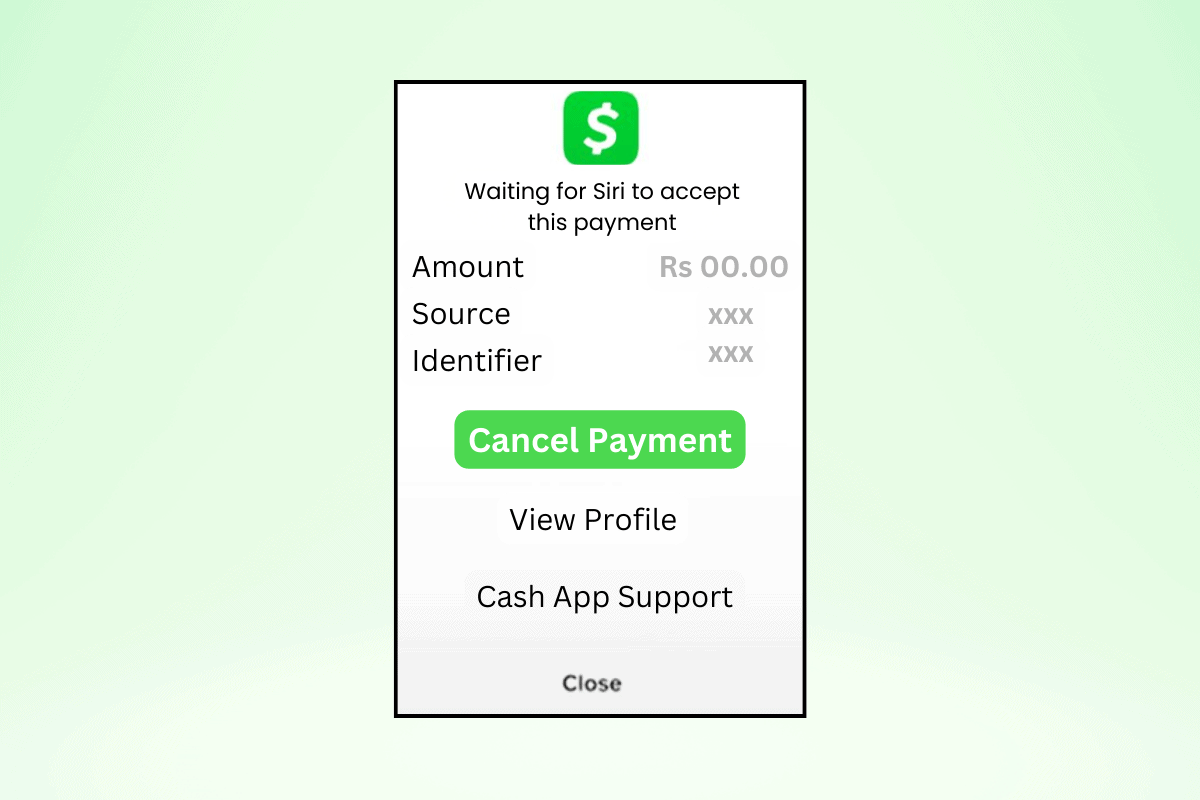
Cash App transactions are designed for instant processing, reflecting the platform’s core appeal. When you send money through Cash App, it typically moves from your account to the recipient’s almost immediately. This characteristic is why the window for direct cancellation is extremely narrow, primarily limited to payments that are still in a “pending” status. The moment funds are fully transferred and confirmed, they are generally considered final.
A “pending” status indicates that the transaction has been initiated but not yet fully completed or settled. This could be due to various reasons, such as network delays, recipient account verification issues, or specific security protocols temporarily holding the payment. It is exclusively during this pending phase that a user has the ability to manually intervene and cancel the payment from their end. Once a payment moves beyond pending to “completed” or “successful,” the option for direct user cancellation typically disappears. This immediacy underscores the importance of vigilance and careful verification before initiating any transfer.
Step-by-Step Guide to Canceling a Pending Payment
For those fortunate instances where a payment is still pending, Cash App provides a straightforward method for cancellation. This process relies on quick action, as pending statuses can resolve rapidly.
- Open the Cash App: Launch the Cash App on your mobile device and log into your account using your PIN, Touch ID, or Face ID.
- Navigate to the Activity Tab: At the bottom right corner of the Cash App home screen, you’ll find an icon that looks like a clock or a speech bubble, often labeled “Activity.” Tap this icon to view your transaction history.
- Locate the Transaction: Scroll through your recent transactions to find the specific payment you wish to cancel. Payments are typically listed in chronological order. Look for the transaction that shows an error or was sent to the wrong person.
- Check the Transaction Status: Tap on the transaction to view its details. On the transaction detail screen, look for the status indicator. If the payment is still pending, you should see a “Pending” label. Crucially, if the payment has already completed, the option to cancel will not be present.
- Initiate Cancellation: If the transaction is indeed pending, you should see a button or option that says “Cancel Payment” or “Cancel.” Tap this option.
- Confirm Cancellation: Cash App will usually ask you to confirm your decision to cancel the payment. Review the details one last time to ensure you are canceling the correct transaction, then confirm.
Upon successful cancellation, the funds should be immediately returned to your Cash App balance or the linked bank account/debit card from which they were sent. You will also receive a notification confirming the cancellation, and the transaction status in your activity feed will update to reflect that it was canceled.
What to Do When Direct Cancellation Isn’t Possible
When a payment has already gone through and is no longer pending, direct cancellation via the app is impossible. In such scenarios, alternative approaches are necessary, often requiring cooperation from the recipient or intervention from Cash App Support.
Contacting the Recipient Directly
The most efficient and often most successful method for reversing an erroneous payment is to contact the recipient directly and politely request they return the funds.
- Prompt Action: Time is of the essence. Reach out to the recipient as soon as you realize the error.
- Utilize Cash App’s Chat Feature: If you sent money to a known Cashtag, you might be able to use Cash App’s in-app chat function to send a message to the recipient. Clearly explain the situation, stating the amount and the reason for the error.
- Other Communication Channels: If you know the recipient personally, use other means of communication (text, phone call, email) to explain the mistake and request a refund.
- Polite Request: Always maintain a polite and understanding tone. People are generally more inclined to help if approached respectfully.
- Limitations: This method relies entirely on the recipient’s willingness to cooperate. If they are uncooperative or unknown, recovering funds can become significantly more challenging.
Reaching Out to Cash App Support
If you cannot reach the recipient, or if they refuse to return the funds, your next step is to contact Cash App Support. While support cannot always force a refund for an authorized transaction, they can provide guidance and potentially mediate in certain situations.
- When to Contact Support: This is particularly important if you suspect unauthorized activity, if you were a victim of a scam, or if the recipient is unresponsive after your direct attempts.
- Methods of Contact:
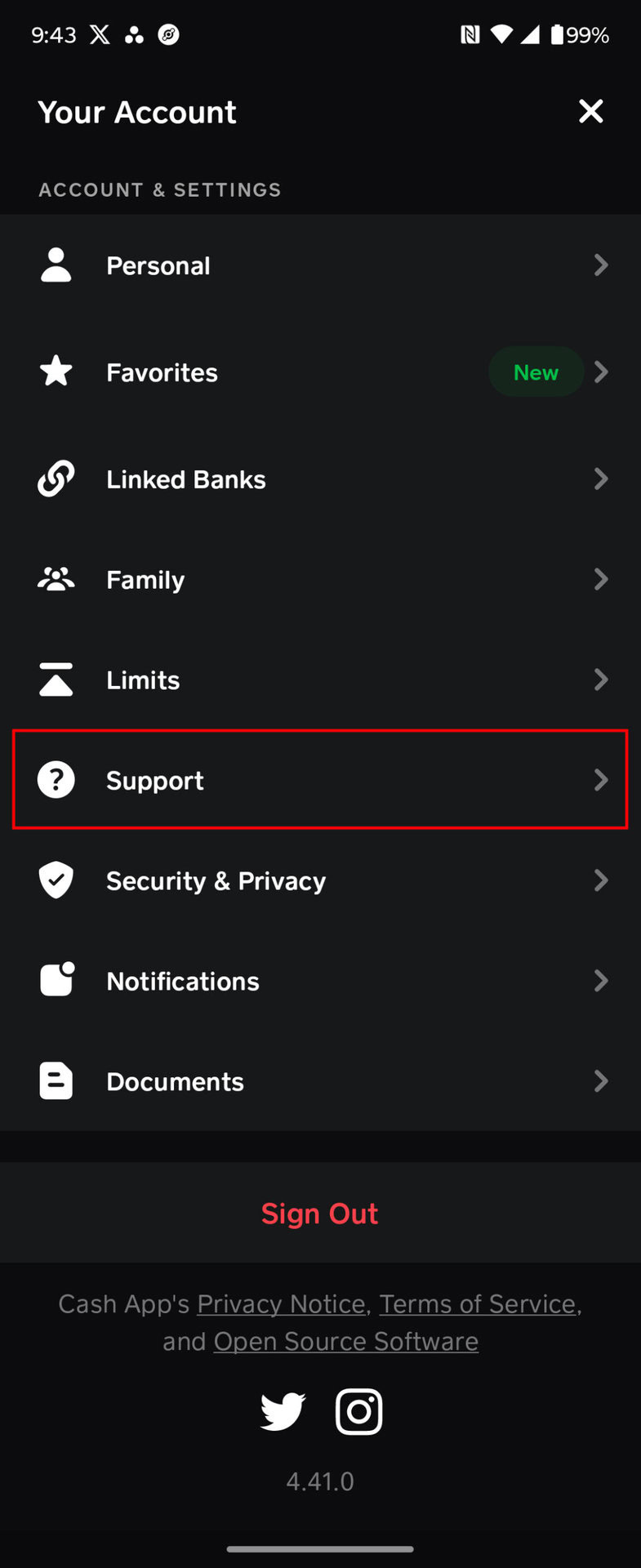
- In-App Support: This is often the quickest way to get help. Tap the profile icon on your Cash App home screen, scroll down, and select “Support” or “Cash App Support.” From there, you can browse topics or initiate a chat.
- Cash App Website: Visit the official Cash App support page and look for options to contact them via email or phone.
- Phone Support: For critical issues, calling Cash App’s dedicated support line might be necessary, though be prepared for potentially longer wait times.
- Information to Provide: Have all relevant transaction details ready, including the amount, date, recipient’s Cashtag (if known), and any screenshots of the transaction or your attempts to contact the recipient. Clearly explain the situation.
- Setting Expectations: Understand that Cash App Support’s ability to reverse payments for user errors is limited. Their primary role in such cases is often to assist with disputes for unauthorized transactions or to provide steps for reporting scams. They may initiate an investigation but cannot guarantee fund recovery.
Disputing an Unauthorized Transaction
There’s a critical distinction between sending money in error and an unauthorized transaction (e.g., fraud where someone accessed your account without permission).
- Unauthorized Transactions: If you believe your Cash App account was compromised and a transaction was made without your consent, immediately report it as unauthorized. This falls under a different category than an accidental payment.
- Filing a Dispute: Cash App has a process for disputing unauthorized transactions. Navigate to the activity tab, select the suspicious transaction, and look for an option to “Report a Problem” or “Dispute This Transaction.” Follow the prompts, providing all requested information.
- Role of Linked Bank/Card: If your Cash App is linked to a debit card or bank account, and Cash App’s internal dispute process doesn’t yield a resolution for an unauthorized charge, you might, as a last resort, consider contacting your bank or card issuer to explore chargeback options. Be aware that chargebacks are complex and can sometimes lead to your Cash App account being suspended or closed.
Preventing Future Transaction Errors: Best Practices for Cash App Users
The best defense against erroneous transactions is prevention. Adopting meticulous habits and utilizing Cash App’s security features can significantly reduce the risk of sending money to the wrong person or for the wrong amount.
Double-Checking Recipient Details
- Cashtag Verification: Always verify the recipient’s $Cashtag. Unlike phone numbers or email addresses, Cashtags are unique identifiers on Cash App. Confirming the exact Cashtag is paramount.
- Phone Number/Email Confirmation: If sending via phone number or email, verbally confirm the exact digits or address with the recipient before initiating the transfer. Even a single digit error can send money to a stranger.
- Small Test Payments: For first-time recipients or significant transfers, consider sending a very small amount (e.g., $1) as a test payment. Once confirmed that the correct person received it, you can then send the larger amount.
Confirming Amounts
- Visual Check: Always visually review the amount entered multiple times before hitting the “Pay” or “Send” button.
- Beware of Decimal Errors: A misplaced decimal point can change $10.00 to $100.00 or $1000.00 instantly. Double-check the number of zeros.
- Scam Awareness: Be wary of requests to send money if you’re unsure of the sender or purpose. Scammers often pressure users into quick, unverified payments.
Enhancing App Security
- PIN/Touch ID/Face ID: Ensure your Cash App is secured with a strong PIN and enable biometric authentication (Touch ID or Face ID) for an extra layer of protection. This prevents unauthorized access to your account if your phone is lost or stolen.
- Two-Factor Authentication (2FA): Enable 2FA for your Cash App account. This requires a second form of verification (like a code sent to your phone) in addition to your password, significantly enhancing security.
- Regular Password Changes: If you use a password, change it regularly and ensure it is complex, combining letters, numbers, and symbols.
- Beware of Phishing Scams: Never click on suspicious links or provide your Cash App login credentials or personal information to unofficial sources claiming to be Cash App Support. Cash App will never ask for your PIN or sign-in code outside the app.

Digital Security and Transaction Integrity on Cash App
Cash App employs robust security measures, including encryption and fraud detection systems, to protect user data and transactions. However, the integrity of your transactions ultimately depends on a combination of these technological safeguards and your own vigilant practices. Users bear significant responsibility in maintaining their account security and exercising caution with every transaction.
Understanding the “finality” of digital payments is key. Unlike traditional bank transfers that might have longer processing times, peer-to-peer apps like Cash App are designed for speed, making transactions difficult to reverse once completed. Therefore, treating every payment initiation with the utmost care is non-negotiable. If you ever notice suspicious activity on your account, report it immediately to Cash App Support. Furthermore, always ensure you are using Cash App over a secure and private internet connection, avoiding public Wi-Fi networks when handling financial transactions, to prevent potential data interception. By integrating these best practices into your routine, you can maximize your security and minimize the risks associated with digital payments.
aViewFromTheCave is a participant in the Amazon Services LLC Associates Program, an affiliate advertising program designed to provide a means for sites to earn advertising fees by advertising and linking to Amazon.com. Amazon, the Amazon logo, AmazonSupply, and the AmazonSupply logo are trademarks of Amazon.com, Inc. or its affiliates. As an Amazon Associate we earn affiliate commissions from qualifying purchases.