
In the rapidly evolving landscape of digital finance, applications like Cash App have become indispensable tools for managing everyday transactions, sending money to friends, and even investing in stocks or Bitcoin. However, to unlock the full potential of these powerful FinTech platforms and ensure the highest level of security for your digital assets, account verification is not just a recommendation—it’s a critical technical prerequisite. This article delves into the precise technical process of verifying your Cash App account, exploring why it’s essential for both functionality and digital security, how to navigate the steps, and what to do if you encounter common issues. Think of verification as the digital key that fully enables your Cash App experience, built upon robust security protocols and compliance frameworks inherent to modern financial technology.
Understanding the Importance of Cash App Verification from a Tech Perspective
The request to verify your Cash App account isn’t arbitrary; it’s a fundamental aspect of operating a secure and fully functional financial application in today’s digital age. From a technological standpoint, verification serves multiple critical roles, safeguarding users and ensuring the integrity of the platform.
Enhancing Digital Security and Fraud Prevention
At its core, verification is a sophisticated digital security measure designed to protect users from fraud and identity theft. When you verify your Cash App account, you’re essentially confirming your identity to the platform. This process leverages “Know Your Customer” (KYC) principles, a standard practice in the financial technology sector, but interpreted through the lens of data verification and digital authentication. Cash App, like any responsible financial app, employs various technological safeguards. Verification adds a crucial layer by linking a real-world identity to the digital account. This makes it significantly harder for malicious actors to open fraudulent accounts, conduct illicit transactions, or impersonate legitimate users. The tech architecture behind this involves secure data encryption, identity cross-referencing against official databases, and real-time fraud detection algorithms that are more effective when linked to verified identities. It creates a deterrent, ensuring that if a fraudulent activity were to occur, there’s a traceable digital footprint linked to a verified individual, thus protecting both the user and the broader Cash App ecosystem.
Unlocking Full App Functionality and Advanced Features
An unverified Cash App account operates under significant technical limitations, akin to a demo version of a powerful software application. These restrictions are purposefully implemented to manage risk when user identities are not fully confirmed. For instance, basic unverified accounts typically face strict limits on how much money can be sent or received within a specific timeframe. These limits are hard-coded into the app’s operational logic. Verification removes these software-imposed constraints, opening up the full suite of Cash App’s capabilities. This includes enabling higher transaction limits, initiating direct deposits of paychecks, facilitating seamless Bitcoin purchases and sales, and allowing participation in stock investing directly through the app. Each of these features relies on a robust backend infrastructure that demands verified user identities to comply with financial regulations and minimize system vulnerabilities. Without verification, these advanced functionalities remain inaccessible, fundamentally limiting your interaction with the app’s complete feature set.
Meeting Regulatory Compliance in FinTech
While the focus of this article is tech, it’s impossible to discuss verification without briefly acknowledging its foundational role in regulatory compliance. Financial technology companies, including Cash App, operate within a strict regulatory environment designed to combat money laundering (AML) and terrorist financing. From a tech perspective, meeting these compliance requirements means building and implementing identity verification mechanisms directly into the app’s architecture. This ensures that the platform is not inadvertently used for illicit activities. The collection and secure processing of personal identifying information (PII), such as your Social Security Number (SSN), are integral parts of this compliance framework. Cash App’s systems are designed to securely capture, store, and verify this data against official records, often through encrypted communication channels and secure APIs, demonstrating the sophisticated technical infrastructure required to balance user experience with stringent legal obligations in the FinTech space.
The Step-by-Step Technical Process of Verification
Navigating the verification process within Cash App is designed to be straightforward, guiding users through a series of prompts to securely collect the necessary information. Understanding each step ensures a smooth journey towards a fully functional account.
Initial Account Setup and Basic Information Entry
When you first download and install the Cash App, the initial setup phase requires you to provide basic identifying information. This typically includes your full legal name, email address, and phone number. While these details establish a preliminary account, they are generally insufficient for full verification. This initial data collection serves as the foundation upon which more robust identity verification will be built. The app’s user interface is designed to make this initial entry intuitive, often prompting for confirmation via SMS or email to ensure access to the associated contact methods, which themselves are a form of basic digital identity verification.
Accessing the Verification Prompt within the App
To initiate the full verification process, you’ll need to navigate to the appropriate section within the Cash App interface. Typically, this is done by tapping on your profile icon (often represented by a circle with your photo or initials) on the Cash App home screen. This action opens your profile dashboard, which houses various settings and account management options. Look for sections related to “Personal” information, “Privacy & Security,” or specific prompts indicating a need for “Verification” or “Identity Confirmation.” Sometimes, the app will proactively prompt you to verify if you attempt to exceed transaction limits or access features requiring verification. The app’s design guides you through these menus to the precise point where you can begin submitting the more detailed information.
Providing Personal Identifying Information (PII) for Digital Cross-Verification
This is the most critical stage of the verification process, where Cash App collects the data necessary to confirm your identity against external, authoritative databases.
- Full Legal Name and Date of Birth: You will be asked to re-confirm your full legal name and provide your date of birth. It’s paramount that this information exactly matches what appears on your official government-issued identification documents. Discrepancies, even minor ones, can lead to verification failure due to the precision required by digital identity matching algorithms.
- The Crucial Step: Social Security Number (SSN): For full verification, Cash App will request your Social Security Number (SSN). This is not an optional field for unlocking higher limits and advanced features. The SSN serves as a primary identifier for financial institutions in the United States, allowing Cash App to perform comprehensive identity checks. When you enter your SSN, the app’s backend systems securely transmit and cross-reference this information with credit bureaus and other public and private databases. This process, often facilitated through encrypted APIs, confirms your identity, verifies your age, and assesses your eligibility for certain financial services without necessarily impacting your credit score (as it’s usually a “soft” inquiry for identity verification purposes, not a credit check for lending). Emphasize that Cash App uses bank-level security and encryption to protect this highly sensitive data. It’s processed through secure servers, mitigating the risk of exposure.
Potential Additional Verification Steps
In some instances, the initial SSN verification might not be sufficient, or the system might require further confirmation. This could happen if there are inconsistencies in the data, if your SSN is very new, or if the initial checks yield inconclusive results.
- Photo ID Upload: You might be prompted to upload clear photos of a government-issued photo ID, such as a driver’s license or passport. The app often uses optical character recognition (OCR) technology to extract information from these documents and perform a visual match against your submitted data. Ensure the images are well-lit, in focus, and show all four corners of the document for successful processing by the image recognition algorithms.
- Address Verification: Less commonly, you might be asked to verify your residential address, possibly through a utility bill upload or by confirming details already linked to your SSN. These additional steps are part of a multi-layered verification strategy, enhancing the robustness of the identity confirmation process.
Troubleshooting Common Verification Issues
While the Cash App verification process is designed for efficiency, users can occasionally encounter roadblocks. Understanding common issues and their technical remedies can save time and frustration.
Data Mismatch Errors

One of the most frequent reasons for failed verification is a data mismatch. This occurs when the information you entered (name, date of birth, SSN) does not exactly correspond with the records held by the databases Cash App uses for identity verification. The app’s backend systems are configured to look for precise matches. Even minor discrepancies—a misspelled middle name, a transposed digit in an SSN, or an abbreviation that differs from official records—can trigger a rejection.
- Solution: Double-check every piece of information you’ve entered against your official documents (driver’s license, Social Security card). Ensure there are no typos, and the format matches exactly. Sometimes, simply re-entering the information carefully can resolve the issue. If the problem persists, consider if you’ve recently changed your name or address and if official records have been updated accordingly.
Technical Glitches and App Updates
Like any complex software application, Cash App can occasionally experience temporary technical glitches or require specific software versions to function optimally. An outdated app version might not have the latest security patches or communication protocols necessary for successful verification.
- Solution: First, ensure your internet connection is stable and strong. A weak Wi-Fi signal or fluctuating mobile data can interrupt the data submission process. Second, check your device’s app store (Google Play Store or Apple App Store) for any pending Cash App updates. Updating the app to its latest version often resolves minor bugs and ensures compatibility with Cash App’s current backend systems. If the issue seems widespread or persistent, check Cash App’s official social media channels or status page for any reported outages.
Identity Document Upload Problems
If you’re prompted to upload a photo ID, issues can arise from the quality or type of the image. The app’s image processing algorithms require clear, legible images to accurately extract information and perform facial or document comparisons.
- Solution:
- Lighting: Ensure the document is evenly lit, without glare or shadows obscuring any details.
- Clarity: The image must be sharp and in focus. Avoid blurry photos.
- Completeness: All four corners of the ID must be visible in the frame. Do not crop out edges.
- File Type/Size: While the app usually handles this automatically, ensure your device’s camera settings aren’t producing excessively large files or unusual formats that the app might struggle to process. Use the camera directly within the Cash App if prompted, as it’s optimized for their upload requirements.
What to Do if Verification Fails Repeatedly
If you’ve exhausted the common troubleshooting steps and your verification attempts continue to fail, it’s time to escalate the issue.
- Contact Cash App Support: The most effective next step is to contact Cash App’s customer support. Within the app, navigate to your profile, then select “Support” or “Cash App Support.” Choose the option to contact support directly, often through a chat interface. Clearly explain that you are trying to verify your account and have encountered repeated failures, detailing any error messages you received. Be prepared to provide the same personal information again. The support team has access to more detailed diagnostic tools and can often identify specific technical reasons for the rejection, guiding you through alternative verification pathways if available.
Maximizing Your Verified Cash App Experience (Tech Perspective)
Once your Cash App account is successfully verified, a new realm of digital financial possibilities opens up. This verification isn’t just about removing limits; it’s about enabling a secure, feature-rich experience that fully leverages the platform’s technological capabilities.
Leveraging Advanced Features Post-Verification
With verification complete, you can now tap into the full power of Cash App’s FinTech toolkit.
- Higher Transaction Limits: The immediate and most apparent benefit is the significant increase in sending and receiving limits, allowing for larger personal and business transactions without hitting artificial ceilings. This is a direct software modification enabled by your verified status.
- Direct Deposit: You can now set up direct deposit for your paycheck or government benefits, turning Cash App into a primary banking interface. The app provides unique account and routing numbers, integrating seamlessly with your employer’s payroll systems.
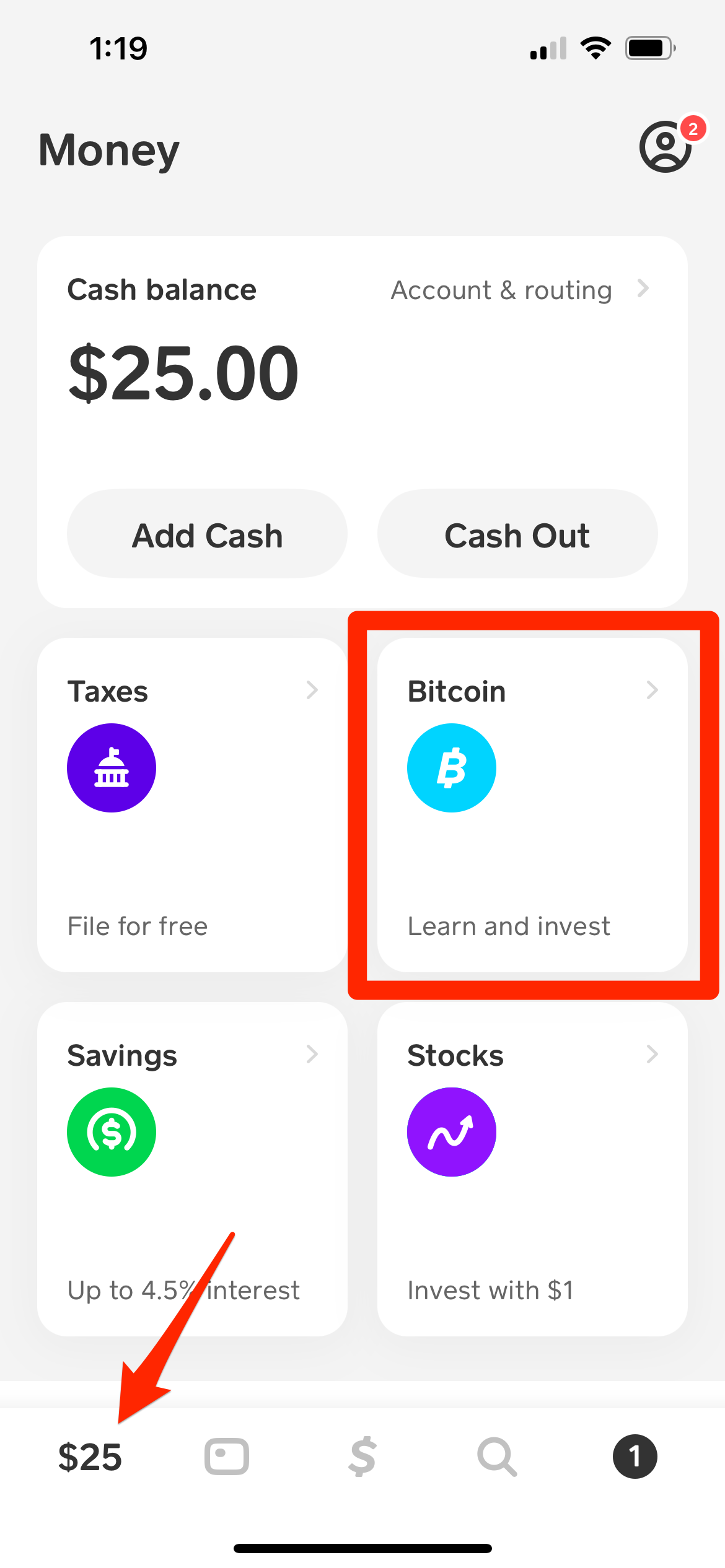
- Bitcoin Trading: Access the integrated Bitcoin buying and selling features. This involves Cash App’s secure crypto wallet functionality, which requires verification due to the volatile nature and regulatory scrutiny of digital currencies.
- Stock Investing: Invest in fractions of stocks with as little as $1. This feature connects your Cash App account to brokerage services, a heavily regulated activity that absolutely necessitates verified user identities for compliance and security.
Each of these features represents a sophisticated module within the Cash App ecosystem, designed to interact securely with external financial systems, and all are gate-kept by the verification status.
Integrating with Other Digital Services
A verified Cash App account enhances its interoperability with other digital services and apps. For instance, being verified can streamline processes when linking Cash App to other payment platforms, e-commerce sites, or even P2P lending applications (where applicable). The underlying trust established by verification makes your Cash App account a more robust and accepted payment method across the broader digital economy. This seamless integration showcases the platform’s design as a central hub for various digital financial activities, where a strong, verified identity underpins reliable transactions.
Ongoing Security Best Practices for Your Account
Even with a verified account, maintaining vigilance over your digital security is paramount. Cash App provides several tech-based security features that, when actively utilized, further protect your funds and personal information.
- Strong, Unique Passwords: Always use a complex password that is unique to your Cash App account. Avoid using easily guessable information or reusing passwords from other online services.
- Two-Factor Authentication (2FA): Enable 2FA (also known as login verification) if you haven’t already. This adds an extra layer of security, requiring a code sent to your phone or email in addition to your password for logins. It’s a critical defense against unauthorized access, even if your password is compromised.
- Monitor Transaction History: Regularly review your transaction history within the app. Report any suspicious or unrecognized activity immediately to Cash App support. The app’s activity log is a powerful tool for self-monitoring your account’s financial integrity.
- Be Wary of Phishing Attempts: Never share your login credentials, SSN, or verification codes via unsolicited emails, texts, or phone calls. Cash App will never ask for your PIN or full SSN outside of the secure app interface.
By embracing these best practices, you ensure that your fully verified Cash App account remains a secure and efficient tool for managing your digital finance needs.

Conclusion
Verifying your Cash App account is more than just ticking a box; it’s a fundamental step in fully engaging with modern financial technology. From a tech perspective, it’s about establishing a secure digital identity, unlocking the app’s complete feature set, and ensuring compliance within a complex regulatory landscape. The process, while requiring sensitive personal information, is safeguarded by bank-level encryption and robust security protocols. By understanding the importance, following the step-by-step tutorial, and being prepared to troubleshoot common issues, you empower yourself to leverage Cash App to its fullest potential. A verified account isn’t just a convenience; it’s a gateway to a secure, expansive, and efficient digital financial experience, making your interaction with this powerful app both reliable and comprehensive.
aViewFromTheCave is a participant in the Amazon Services LLC Associates Program, an affiliate advertising program designed to provide a means for sites to earn advertising fees by advertising and linking to Amazon.com. Amazon, the Amazon logo, AmazonSupply, and the AmazonSupply logo are trademarks of Amazon.com, Inc. or its affiliates. As an Amazon Associate we earn affiliate commissions from qualifying purchases.