
Understanding the Cash App Card and Its Benefits
The Cash App Card, officially known as the Cash Card, is a free, customizable debit card issued by Sutton Bank and powered by Visa. It provides users with a tangible way to spend the funds held in their Cash App balance, bridging the gap between digital currency and everyday physical transactions. For many, it serves as a critical tool in managing personal finances, offering flexibility and control over spending. Unlike traditional bank debit cards, the Cash Card is directly linked to your Cash App balance, making it an accessible option for those who primarily use the platform for sending, receiving, and storing money.

What is the Cash App Card?
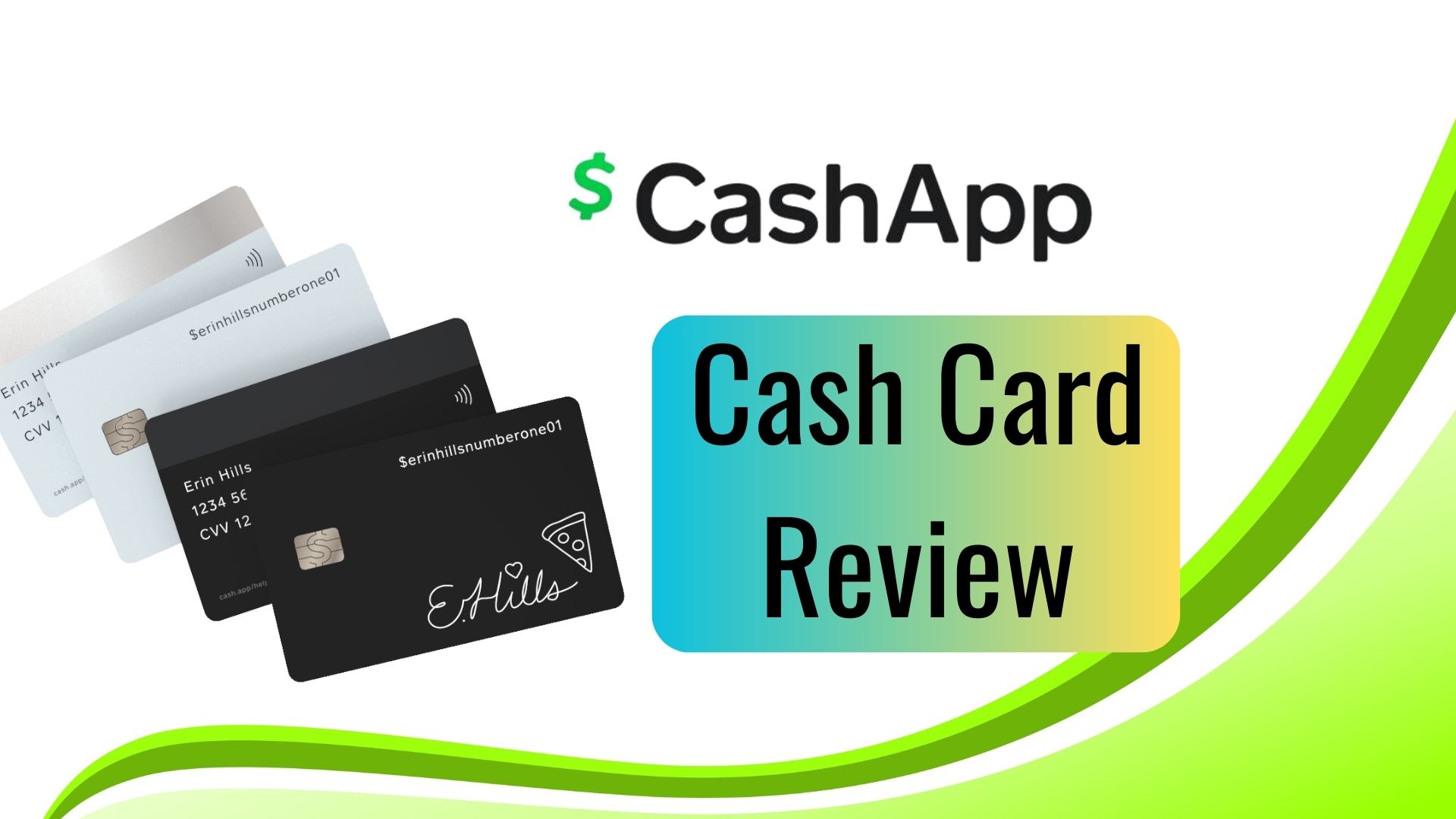
At its core, the Cash Card functions much like any standard debit card. It allows you to make purchases in stores, online, and withdraw cash from ATMs wherever Visa is accepted. The key difference lies in its direct integration with your Cash App account. This means that any money deposited into your Cash App balance—whether through direct deposit, transfers from other users, or linked bank accounts—is immediately available for use with your Cash Card. It offers a convenient solution for individuals who may not have a traditional bank account or prefer to manage a separate budget for specific spending categories directly within the app. The card comes in various designs, including personalized laser-etched options, adding a unique touch to a functional financial instrument.
Advantages for Personal Finance Management
Integrating the Cash App Card into your personal finance strategy offers several distinct advantages. Firstly, it provides a clear separation of funds if used as a dedicated spending card. This can be particularly useful for budgeting, allowing you to allocate a specific amount of money to your Cash App for discretionary spending, thereby preventing overspending from your primary bank account. Secondly, the Cash Card offers access to “Boosts,” an innovative feature that provides instant discounts at various merchants. These Boosts can be activated within the app and automatically apply savings when you use your Cash Card at participating retailers, effectively reducing your expenditure on everyday purchases. This feature alone can lead to tangible savings over time, contributing positively to your financial well-being. Furthermore, for those who rely on Cash App for receiving payments, such as freelancers or gig economy workers, the Cash Card offers immediate access to earned income without waiting for bank transfers, streamlining cash flow management.
Step-by-Step Guide to Ordering Your New Cash App Card
Ordering a new Cash App Card is a straightforward process designed to be user-friendly, accessible directly through the Cash App mobile application. Whether you are a first-time user looking to get your initial card or an existing user requiring a replacement, the steps are largely similar. It’s important to ensure your Cash App account is fully verified to avoid any delays in the ordering process.
Eligibility Requirements
Before you can order a Cash App Card, there are a few fundamental eligibility requirements you must meet. Primarily, you must be at least 18 years old. Cash App requires users to verify their identity to comply with financial regulations and to ensure the security of your account. This verification process typically involves providing your full legal name, date of birth, and the last four digits of your Social Security Number (SSN). In some cases, you may be asked for additional information or a photo of a government-issued ID. While you can use Cash App for basic transactions without full verification, ordering a Cash Card explicitly requires this step, as it links your identity to a financial instrument. Ensuring your account is fully verified beforehand will prevent any hiccups in the ordering process.
The Ordering Process
Once you’ve confirmed your eligibility and verified your account, ordering your Cash App Card is simple:
- Open the Cash App: Launch the Cash App on your smartphone.
- Navigate to the Cash Card Tab: Tap on the “Cash Card” icon, which looks like a debit card, usually located on the bottom navigation bar of the app.
- Initiate Order: If you haven’t ordered a card before, you’ll see an option like “Get a Free Cash Card” or “Order Card.” Tap on this option. If you’re replacing a card, you’ll typically find a “Replace Card” or “Get New Card” option within the card management section.
- Customize Your Card (Optional): This is where Cash App allows for a degree of personalization. You can choose a design, add a unique “draw” to your card, or even select a specific color. This aesthetic choice doesn’t affect the card’s functionality but adds a personal touch.
- Enter Shipping Information: You will be prompted to enter your current mailing address. It is crucial to ensure this address is accurate and complete to guarantee successful delivery of your card. Cash App will not ship to P.O. boxes.
- Confirm Order: Review all the details, including your design choice and shipping address. Once satisfied, confirm your order.
- Track Delivery: After placing your order, Cash App will provide an estimated delivery timeframe, usually within 5-10 business days. You might receive updates within the app regarding your card’s shipping status.
Customization Options
One of the unique features of the Cash Card is the ability to personalize its appearance. Beyond choosing from a range of standard designs, users can often “draw” directly onto the card’s digital representation within the app, and this design will be laser-etched onto the physical card. This feature allows for a degree of self-expression rarely seen in traditional financial products. While purely cosmetic, this customization can make the card feel more personal and distinct, aligning it more closely with your individual identity. It’s a small detail that enhances the user experience, transforming a utilitarian financial tool into something with a unique personal touch.
Activating and Using Your New Card Responsibly
Receiving your new Cash App Card is an exciting step towards better financial management, but it’s essential to activate it correctly and understand how to use it responsibly. Proper activation ensures your card is secure and ready for transactions, while responsible usage protects your funds and financial information.
Card Activation Steps
Once your new Cash App Card arrives in the mail, it cannot be used until it is activated. The activation process is quick and can be done entirely within the Cash App:
- Open Cash App: Launch the application on your mobile device.
- Navigate to the Cash Card Tab: Tap on the “Cash Card” icon on the home screen.
- Activate Card: You should see a prompt or an option to “Activate Card.” Tap on this.
- Scan QR Code: The app will instruct you to scan the QR code located on the packaging that your new card came in. Position your phone’s camera over the QR code until it registers.
- Enter CVV (If no QR code): In some cases, if the QR code method fails or isn’t available, you might be asked to manually enter the CVV number and the expiration date found on the back of your card.
- Confirmation: Once successfully scanned or entered, the app will confirm that your Cash Card is activated and ready for use.

Your card is now linked to your Cash App balance and can be used for purchases and ATM withdrawals.
Integrating with Your Financial Habits
The Cash App Card can be a powerful tool for streamlining your financial habits, especially if you integrate it thoughtfully. Consider using it for specific budgeting categories. For instance, you might load a fixed amount onto your Cash App balance each month solely for entertainment or dining out. This creates a psychological barrier against overspending, as once that allocated fund is depleted, you know it’s time to stop. Similarly, if you receive regular payments via Cash App, the card provides immediate access to those funds, allowing for quicker bill payments or transfers to savings. For online purchases, using the Cash Card can add an extra layer of security, as it isolates your primary bank account information from various online merchants. This approach can simplify tracking spending within a particular budget, as all transactions will be consolidated on your Cash App statement.
Security Best Practices
Security is paramount when dealing with any financial instrument, and the Cash App Card is no exception. Adhering to best practices can significantly reduce your risk of fraud or unauthorized use:
- Treat it like a credit card: Never share your card number, CVV, or PIN with anyone. Be wary of phishing attempts via email or text messages that ask for this information. Cash App will never ask for your PIN.
- Monitor transactions regularly: Periodically review your Cash App transaction history to identify any unfamiliar charges immediately. The sooner you report suspicious activity, the better your chances of resolving it.
- Enable notifications: Set up push notifications within Cash App to receive alerts for every transaction. This real-time monitoring helps you spot unauthorized use instantly.
- Lock your card if misplaced: If you misplace your Cash Card, immediately lock it from within the app. Go to the Cash Card tab and tap “Lock Card.” This prevents any new transactions until you find it or order a replacement.
- Report lost/stolen cards promptly: If your card is lost or stolen, report it to Cash App customer support immediately after locking it. They can assist with further security measures and ordering a replacement.
- Use strong, unique passwords: Ensure your Cash App account is protected by a strong, unique password and consider enabling two-factor authentication for an added layer of security.
Common Scenarios for Getting a New Card
There are several common situations that necessitate ordering a new Cash App Card. Understanding these scenarios and the corresponding steps ensures you maintain uninterrupted access to your funds. Whether it’s due to physical damage or a security concern, Cash App provides clear pathways for obtaining a replacement.
Lost, Stolen, or Damaged Cards
One of the most frequent reasons for needing a new card is physical loss, theft, or damage. If your Cash Card is lost or stolen, the immediate priority is to secure your funds.
- Lock Your Card Instantly: Go to the Cash Card tab in your Cash App and tap “Lock Card.” This immediately prevents any further transactions.
- Report to Cash App Support: Contact Cash App support to report the incident. While the lock feature is robust, official reporting can initiate further protective measures.
- Order a Replacement: After locking your card, you’ll typically see an option to “Replace Card” or “Get New Card” within the Cash Card section. Follow the prompts to order a new one, which will be mailed to your verified address. Your old card will be permanently deactivated.
For a damaged card that is no longer usable, the process is similar: lock the old card (if it still appears in the app), and then proceed with ordering a replacement through the app.
Expired Cards
Like all debit and credit cards, the Cash App Card has an expiration date. When your card is nearing its expiration, Cash App typically sends notifications within the app or via email, prompting you to order a new one.
- Monitor Expiration Date: Keep an eye on the expiration date printed on your card.
- Order a Replacement: When prompted by the app or as the date approaches, navigate to the Cash Card tab. There should be a clear option to “Order New Card” or “Replace Expired Card.” Follow the standard ordering process for delivery.
Cash App usually makes this process seamless, aiming to send a new card automatically or with minimal user intervention before the old one becomes invalid, ensuring continuous access to your funds.
Upgrading or Replacing
Sometimes, you might simply want a new card for aesthetic reasons, such as wanting a different design or personal customization that wasn’t available when you first ordered your card. Or perhaps you’ve been using an older card that doesn’t have the latest features (though Cash App’s core functionality tends to update across all cards).
- Access Card Management: Go to the Cash Card section in your app.
- Select Replacement Option: Look for options like “Replace Card” or “Get a New Design.” Cash App often allows you to order a new card even if your current one is perfectly functional, effectively replacing it with a new one.
- Follow Ordering Steps: Proceed through the customization and shipping address confirmation steps as you would for a first-time order. Your old card will be deactivated once the new one is ordered or activated, depending on the specific flow.
This flexibility allows users to keep their financial tools updated or simply refresh their look without significant hassle.
Maximizing Your Cash App Card for Financial Goals
Beyond its basic function as a spending tool, the Cash App Card can be strategically integrated into a broader personal finance plan to help achieve various financial goals. Leveraging its unique features and understanding its operational aspects can significantly enhance your financial discipline and savings potential.
Budgeting and Expense Tracking
The Cash App Card offers an excellent mechanism for detailed budgeting. By using it as your primary card for specific spending categories (e.g., groceries, entertainment, transportation), you can clearly isolate those expenses. All transactions made with your Cash Card are meticulously recorded within the Cash App, providing an easily accessible digital ledger. Reviewing your transaction history regularly allows you to track spending patterns, identify areas where you might be overspending, and adjust your budget accordingly. Many users load a fixed “allowance” onto their Cash App balance each pay period for discretionary spending, thereby limiting impulse purchases and adhering more closely to their financial limits. This method provides a tangible boundary for spending, making it a valuable tool for those committed to precise expense management.
Utilizing Boosts for Savings
One of the most compelling features of the Cash App Card for financially savvy individuals is “Boosts.” Boosts are instant discounts applied directly to your purchase when you use your Cash Card at specific merchants. These can range from a percentage off at coffee shops to a fixed amount off at grocery stores or online retailers.
To maximize savings:
- Check Boosts Regularly: New Boosts are frequently added or rotated, so make it a habit to check the “Boosts” section in your Cash App before making purchases.
- Activate Relevant Boosts: Only one Boost can be active at a time. Ensure you activate the Boost most relevant to your upcoming spending. For example, if you’re going to a specific restaurant, activate its corresponding Boost.
- Strategize Purchases: Plan your shopping trips or online orders around available Boosts to leverage discounts on items you were already planning to buy.
Over time, these seemingly small discounts can accumulate, resulting in significant savings that contribute directly to your financial goals, whether that’s building an emergency fund, paying down debt, or saving for a large purchase.
Understanding Fees and Limits
Responsible financial management also involves a thorough understanding of any associated fees and transaction limits. While the Cash App Card is free to order and has no monthly fees, it’s essential to be aware of other potential costs:
- ATM Withdrawal Fees: While Cash App itself doesn’t charge a fee for ATM withdrawals, the ATM operator may impose its own fees. Cash App offers fee-free ATM withdrawals for users who receive at least $300 in direct deposits into their Cash App account each month.
- Foreign Transaction Fees: If you use your Cash App Card for international purchases, be aware of potential foreign transaction fees, though Cash App generally does not charge these, Visa’s network may have its own exchange rate implications.
- Spending and Withdrawal Limits: Cash App imposes daily, weekly, and monthly limits on spending and ATM withdrawals with the Cash Card. These limits are in place for security and regulatory compliance. You can typically find your specific limits within the app’s settings or by contacting support.
Being informed about these aspects allows you to use your Cash App Card efficiently and avoid unexpected charges, ensuring it remains a beneficial tool in your financial arsenal rather than a source of hidden costs. Integrating the Cash App Card thoughtfully into your financial routine, understanding its capabilities and limitations, positions you to harness its full potential for effective money management.