
For countless small to medium-sized businesses, QuickBooks Desktop has long been the gold standard for managing financial operations. Its robust features, powerful reporting, and intuitive interface have helped entrepreneurs and financial professionals streamline everything from invoicing and payroll to tax preparation and inventory management. However, for those new to the platform or considering an upgrade, the question “How much is QuickBooks Desktop?” is often the first hurdle. The answer, unfortunately, isn’t a simple dollar figure. It’s a nuanced blend of subscription models, feature tiers, user counts, and long-term value that demands a thorough financial analysis.
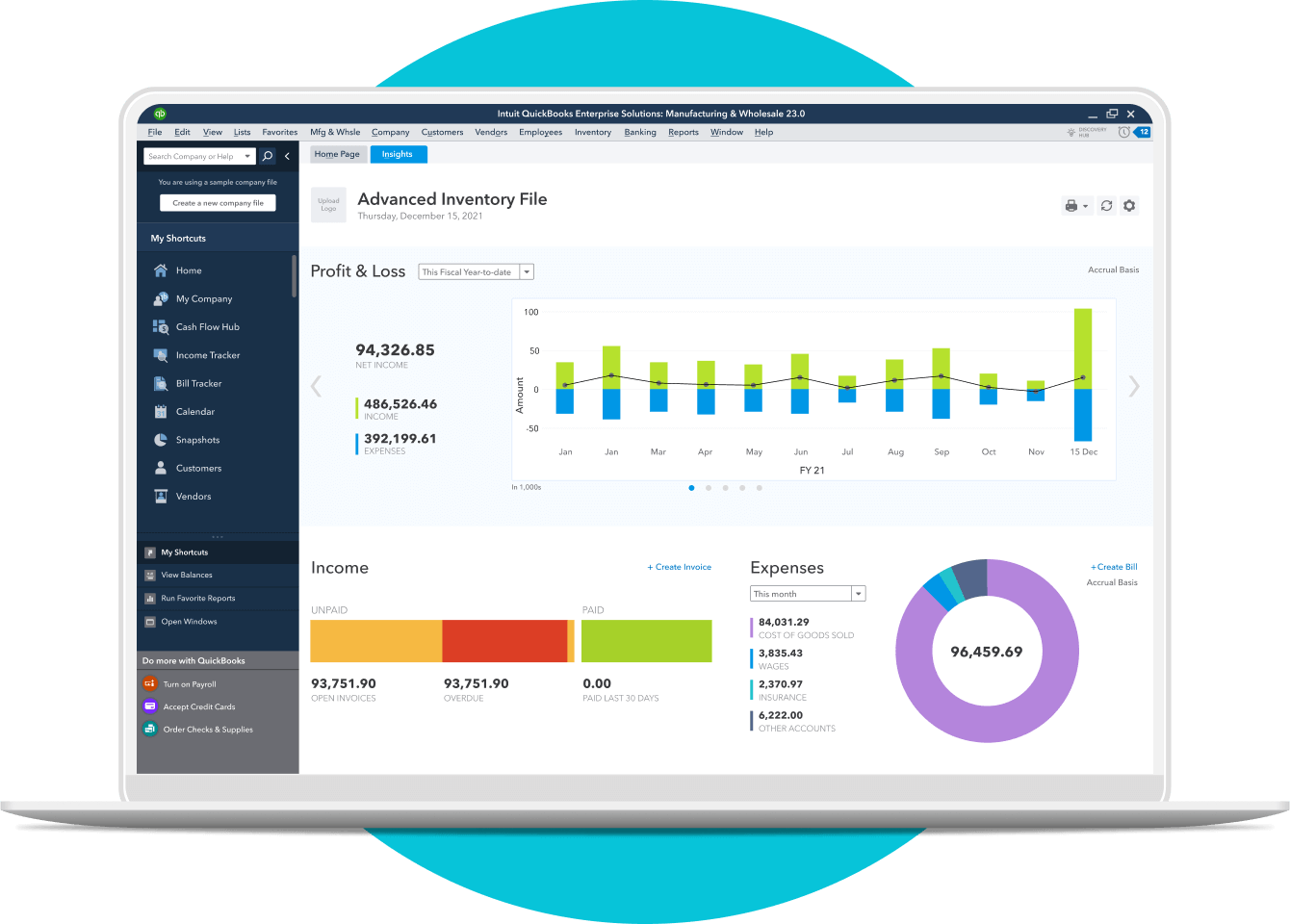
In the realm of business finance, understanding the true cost of essential tools is paramount. This guide aims to demystify the pricing structure of QuickBooks Desktop, delving into its various editions, subscription components, and the often-overlooked financial considerations that contribute to its overall cost-effectiveness. By exploring not just the initial outlay but also the strategic financial implications, businesses can make an informed decision that aligns with their budgetary constraints and long-term financial goals.
Understanding the QuickBooks Desktop Ecosystem: Editions and Features
QuickBooks Desktop isn’t a one-size-fits-all solution. Intuit offers several distinct editions, each tailored to different business sizes and industry-specific needs. The cost is directly tied to the features and scalability each version provides, making it crucial to select the right fit for your financial operations.
QuickBooks Desktop Pro Plus: The Standard for Small Businesses
QuickBooks Desktop Pro Plus is generally considered the entry-level offering for small businesses that require comprehensive accounting features. It’s designed for businesses needing to manage income and expenses, track sales tax, generate basic financial reports, and handle customer and vendor management. The “Plus” designation signifies that it’s now a subscription-based service, including access to the latest version, unlimited customer support, and automatic data backups. This edition is ideal for sole proprietors, freelancers, and small businesses with relatively straightforward financial needs, often supporting up to three users. Its price point reflects its foundational feature set, offering a cost-effective solution for core accounting tasks.
QuickBooks Desktop Premier Plus: Industry-Specific Solutions
Stepping up from Pro Plus, QuickBooks Desktop Premier Plus offers all the features of Pro Plus, augmented with industry-specific functionalities. This makes it particularly valuable for businesses in specialized sectors such as contractors, manufacturing and wholesale, retail, non-profit, and professional services. Premier Plus provides specialized reports, unique chart of accounts templates, and specific tools designed to address the financial intricacies of these industries. For instance, a contractor might benefit from job costing features, while a retail business could leverage advanced inventory management. The enhanced features and industry-specific tools come at a higher price point than Pro Plus, reflecting the added value and specialized financial management capabilities. It also typically supports up to five users, providing more flexibility for growing teams.
QuickBooks Desktop Enterprise: Scalability for Growing Companies
At the pinnacle of the QuickBooks Desktop offerings is QuickBooks Desktop Enterprise. This edition is engineered for larger or rapidly growing businesses that demand superior performance, greater capacity, and advanced functionalities. Enterprise boasts significantly higher user limits (up to 40 users), handles larger data files, and offers sophisticated inventory management, advanced pricing rules, and detailed user permissions. It integrates more deeply with other business systems and provides enhanced reporting capabilities critical for complex financial analysis. The investment in QuickBooks Desktop Enterprise is substantially higher than Pro or Premier, but it delivers the robust infrastructure and scalable financial tools necessary for managing intricate operations and sustained growth. Its pricing model often varies further based on the specific add-ons and user tiers selected.
Key Differences and Feature Set Overview
The core difference in pricing across these editions directly corresponds to their feature sets and capacity. Pro Plus handles fundamental accounting; Premier Plus adds industry-specific depth; and Enterprise provides expansive scalability and advanced controls. From a financial perspective, choosing the right edition is about balancing the immediate cost with the long-term benefit derived from the features that truly impact your business’s financial efficiency and reporting accuracy. Over-purchasing means unnecessary expenditure, while under-purchasing can lead to operational bottlenecks and higher costs in the long run due to workarounds or data inaccuracies.
Deciphering QuickBooks Desktop Pricing Models
Historically, QuickBooks Desktop was sold as a perpetual license, meaning you bought the software once and owned it forever, only paying for optional upgrades. However, Intuit transitioned to a subscription-based model for all new QuickBooks Desktop purchases, aligning it with modern software industry trends and ensuring continuous updates and support for users. Understanding this model is key to accurately budgeting for the software.
Subscription-Based Licensing: The Modern Approach
All current QuickBooks Desktop editions (Pro Plus, Premier Plus, and Enterprise) are offered exclusively via an annual subscription. This model means that to use the software, you must pay an annual fee. This fee typically includes the latest version of the software, unlimited customer support, and automatic data backups, which are significant value additions from a financial management perspective. Instead of a large, one-time capital expenditure, businesses now face an operational expense that is recurring but often more predictable. This shift helps businesses avoid unexpected upgrade costs and ensures they always have access to the most secure and feature-rich version.
Annual Renewal Costs and What They Include
The annual renewal cost is a critical component of budgeting for QuickBooks Desktop. This fee ensures continued access to the software and bundled services. Beyond just the software license, the subscription typically covers:
- Software Updates: Access to the latest features, security patches, and tax table updates, which are vital for compliance and operational efficiency.
- Customer Support: Unlimited technical support, a valuable resource for troubleshooting and getting assistance with financial tasks.
- Data Backup: Often includes automatic online backup services, safeguarding your financial data against loss.
- Desktop Payroll: Some subscriptions may include integrated payroll features, a significant financial consideration for businesses with employees.
- Other Services: Depending on the edition, this might include QuickBooks Payments integration, live bank feeds, and other productivity tools.
Businesses should carefully review what is included in their specific subscription tier to ensure they are getting the most financial value and to avoid duplicate expenses on third-party services.
Factors Influencing Your QuickBooks Desktop Investment
Several factors directly impact the overall financial outlay for QuickBooks Desktop:
- Number of Users: This is perhaps the most significant determinant of cost. While Pro Plus supports up to 3 users and Premier Plus up to 5, Enterprise scales significantly, with pricing tiers increasing based on the number of simultaneous users. Businesses must accurately project their user needs to avoid paying for unused licenses or incurring additional costs later for expansion.
- Edition Choice: As discussed, the jump from Pro Plus to Premier Plus, and especially to Enterprise, entails a substantial increase in annual subscription fees due to enhanced features and scalability.
- Add-on Services: Intuit offers various add-on services, such as enhanced payroll, merchant services for processing payments, and third-party integrations. While these can significantly boost financial efficiency, they represent additional costs that must be factored into the overall budget.
- Promotional Offers: Intuit frequently offers promotional discounts for new subscriptions, particularly during certain times of the year. Savvy financial planning involves looking out for these opportunities to reduce the initial annual investment.
The Shift from Perpetual Licenses
The transition from perpetual licenses to a subscription model represents a significant financial pivot for businesses. While perpetual licenses offered a one-time cost with optional upgrades, they often meant running outdated software, missing out on security enhancements, and facing compatibility issues. The subscription model, though an ongoing expense, provides predictable budgeting, continuous access to the latest technology, and robust support, arguably offering greater long-term financial stability and reduced operational risks. Businesses must now view QuickBooks Desktop as an ongoing operational expense rather than a capital asset, impacting financial statements and budgeting strategies.
Beyond the Sticker Price: Hidden Costs and Long-Term Value
While the annual subscription fee is the most obvious financial consideration, a holistic understanding of QuickBooks Desktop’s cost requires looking at indirect expenses and the profound financial value it can bring. Ignoring these can lead to unexpected budget overruns or a misjudgment of the software’s true return on investment (ROI).
Implementation and Setup Costs
Even with relatively user-friendly software like QuickBooks Desktop, implementation can incur costs. These might include:
- Data Migration: Moving existing financial data from older systems or spreadsheets into QuickBooks can be time-consuming and, if outsourced, costly. Professional data migration services ensure accuracy and prevent costly errors.
- Customization: Tailoring chart of accounts, invoice templates, and reports to specific business needs often requires expert input, particularly for Premier or Enterprise editions.
- Hardware Upgrades: While QuickBooks Desktop isn’t overly demanding, older computer systems might need upgrades to run the software efficiently, especially for multi-user environments. This hardware investment is a direct financial cost.
Training and Support Requirements
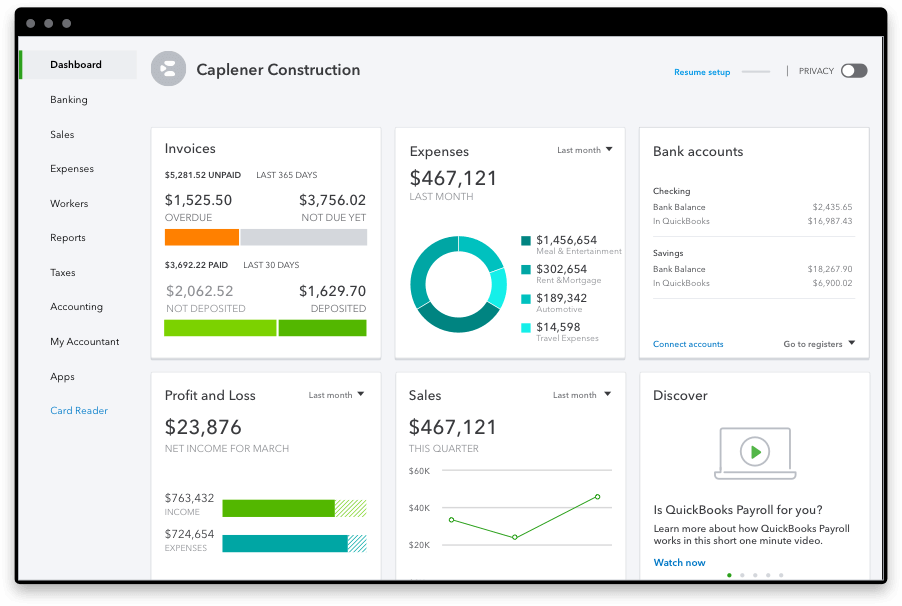
To fully leverage QuickBooks Desktop’s financial capabilities, proper training is essential.
- Staff Training: Employees responsible for financial data entry, invoicing, and reporting will need training. This can be internal, through online courses, or via professional QuickBooks consultants, all of which have associated costs in terms of time and money.
- Ongoing Support: While the subscription includes basic support, complex issues or advanced financial strategies might necessitate consulting with a QuickBooks ProAdvisor or an accounting professional, incurring additional hourly fees. This ensures that the software is being used optimally to meet financial goals.
Integrations with Other Business Software
Many businesses rely on a suite of software tools. Integrating QuickBooks Desktop with other systems like CRM, e-commerce platforms, or specialized inventory management software can streamline financial workflows. However, these integrations can carry their own costs:
- Third-Party App Subscriptions: Many apps designed to integrate with QuickBooks Desktop require their own subscription fees.
- Custom Development: In some cases, businesses might need custom development to achieve seamless data flow, which can be a significant upfront investment.
- Maintenance: Ensuring integrations continue to function correctly often requires ongoing maintenance, which can have an associated financial cost.
The Cost of Not Using Robust Accounting Software
Perhaps the most significant “hidden cost” is the financial detriment of not using an effective accounting solution.
- Manual Errors: Relying on manual processes or spreadsheets is prone to errors, leading to incorrect financial reports, overpayments, missed payments, and potential compliance issues, all of which have direct financial consequences.
- Time Inefficiency: Manual bookkeeping consumes valuable time that could be spent on core business activities or strategic financial planning. Time is money, and inefficient processes drain resources.
- Lack of Financial Insight: Without comprehensive reporting, businesses lack the data needed to make informed financial decisions, identify trends, control expenses, or plan for growth. This lack of insight can lead to poor financial outcomes.
- Compliance Risks: Inadequate financial record-keeping can result in penalties, audits, and legal issues from tax authorities, representing significant financial and reputational damage.
Comparing Desktop to QuickBooks Online: A Financial Perspective
While this article focuses on QuickBooks Desktop, many businesses weigh it against QuickBooks Online (QBO). Financially, QBO is typically a lower annual subscription cost for comparable entry-level features, offers greater accessibility (cloud-based), and has fewer hardware requirements. However, Desktop often excels in handling larger data files, providing more advanced inventory and job costing (especially Enterprise), and offering greater customization for complex financial workflows. The “better” option from a financial standpoint depends entirely on a business’s specific needs, growth trajectory, and tolerance for cloud vs. local solutions. A thorough financial comparison, factoring in all the “hidden” costs for both, is crucial.
Maximizing Your QuickBooks Desktop ROI: Smart Financial Strategies
Investing in QuickBooks Desktop is a significant financial decision. To ensure this investment yields a positive return, businesses must employ smart strategies that go beyond simply purchasing the software. Optimizing its use can lead to substantial financial benefits, from improved efficiency to better tax outcomes.
Strategic Edition Selection Based on Business Needs
The first step in maximizing ROI is choosing the right edition. This is a financial calculus that balances current needs with future growth projections.
- Avoid Over-purchasing: Don’t pay for Enterprise features if Pro Plus or Premier Plus will suffice. Every unnecessary feature translates to wasted subscription fees.
- Plan for Growth: If rapid expansion is anticipated, consider the scalability of Premier or Enterprise upfront, as migrating between editions later can incur additional setup and training costs.
- Industry-Specific Alignment: If your business is in a niche industry, Premier Plus’s tailored features can save significant time and money by automating industry-specific financial tasks and generating relevant reports, which generic software would not provide.
Leveraging QuickBooks Features for Financial Efficiency
The true financial power of QuickBooks Desktop lies in its comprehensive features. Businesses must actively use them to achieve peak financial efficiency:
- Automated Invoicing & Payments: Reduce time spent on billing and improve cash flow by automating repetitive tasks and enabling online payments. This minimizes human error and speeds up revenue recognition.
- Detailed Financial Reporting: Utilize the robust reporting capabilities to gain deep insights into profitability, expenses, cash flow, and financial health. This data is invaluable for strategic financial planning and cost control.
- Inventory Management: For businesses with inventory, using QuickBooks’ tracking tools (especially in Premier and Enterprise) can optimize stock levels, reduce carrying costs, and prevent stockouts, directly impacting financial performance.
- Budgeting & Forecasting: Leverage built-in tools to create budgets, compare actuals to budgets, and forecast future financial performance, enabling proactive financial management rather than reactive responses.
Tax Implications and Deductibility of Software Expenses
From a financial perspective, understanding the tax treatment of QuickBooks Desktop expenses is crucial.
- Operating Expense: As a subscription-based software, the annual fee for QuickBooks Desktop is typically categorized as an operating expense, which is fully deductible for tax purposes in the year incurred. This reduces a business’s taxable income, offering a direct financial benefit.
- Add-on Services: Fees for payroll services, payment processing, and other add-ons are also generally deductible business expenses.
- Consulting & Training: Costs associated with professional setup, training, and ongoing consulting for QuickBooks Desktop are also often tax-deductible as business expenses.
Businesses should consult with a tax professional to ensure they are properly accounting for and deducting all eligible QuickBooks-related expenses, thereby optimizing their financial position.
Exploring Potential Discounts and Promotional Offers
Smart financial management involves seeking out opportunities to reduce costs.
- New Customer Discounts: Intuit frequently offers introductory discounts for new QuickBooks Desktop subscriptions. Keeping an eye on these promotions can significantly lower the first year’s expense.
- Bundling Opportunities: Sometimes, bundling QuickBooks Desktop with other Intuit products (like payroll or payment processing) can lead to overall cost savings compared to purchasing them separately.
- Annual vs. Monthly Payment: While QuickBooks Desktop is typically an annual subscription, some services might offer monthly payment options at a slightly higher overall cost. Opting for annual payments often presents a better financial deal.
Making an Informed Financial Decision for Your Business
The decision to invest in QuickBooks Desktop, and which edition to choose, should be the culmination of a careful financial assessment. It’s not just about the price tag, but about the alignment of the software’s capabilities with your business’s financial health, operational efficiency, and long-term strategic goals.
Assessing Your Business’s Current and Future Financial Needs
Before committing, conduct a thorough audit of your current financial processes.
- Complexity of Operations: Do you have simple invoicing or complex job costing, multi-currency needs, or advanced inventory?
- Transaction Volume: How many invoices, bills, and transactions do you process monthly? Higher volumes might necessitate Enterprise.
- Reporting Requirements: What level of financial detail do you need for decision-making, investor reports, or compliance?
- Number of Users: How many individuals need simultaneous access to the accounting system, now and in the foreseeable future?
These questions directly inform which edition offers the best financial value for your specific scenario.
Budgeting for Software and Associated Expenses
Beyond the annual subscription, create a comprehensive budget that includes:
- Initial Setup: Data migration, customization, and integration costs.
- Training: Time and monetary investment in staff education.
- Ongoing Support: Potential consulting fees or premium support if needed.
- Hardware: Any necessary upgrades to run the software efficiently.
- Add-ons: Costs for payroll, payments, or third-party integrations.
A realistic budget prevents financial surprises and ensures you can fully utilize the software without cutting corners.
The Value Proposition: What You Get for Your Money
Ultimately, the cost of QuickBooks Desktop must be weighed against its value proposition. This software offers:
- Time Savings: Automation of routine financial tasks frees up valuable employee time, which can be redirected to revenue-generating activities.
- Accuracy: Reduces errors in financial records, leading to more reliable reporting and fewer compliance issues.
- Financial Insight: Provides comprehensive data and reports for informed decision-making, strategic planning, and identifying financial opportunities or risks.
- Scalability: Especially with Enterprise, it offers the ability to grow your financial system alongside your business, avoiding costly migrations down the line.
- Compliance: Helps maintain accurate records for tax purposes and regulatory compliance, minimizing legal and financial risks.
When these benefits are quantified, the investment in QuickBooks Desktop often proves to be a wise financial decision, contributing significantly to a business’s bottom line and long-term sustainability.

Consulting with Financial Professionals
For a truly comprehensive financial analysis, consider consulting with an accounting professional or a QuickBooks ProAdvisor. They can help:
- Assess Needs: Provide expert guidance on which edition and features best fit your unique financial situation.
- Optimize Setup: Ensure the software is configured correctly from a financial perspective, maximizing its utility.
- Tax Optimization: Advise on the best way to leverage QuickBooks for tax planning and compliance, ensuring all deductible expenses are claimed.
- Integrate Strategy: Help integrate QuickBooks into your overall financial strategy, linking it with budgeting, forecasting, and performance analysis.
In conclusion, “How much is QuickBooks Desktop?” is a question best answered by understanding its multifaceted financial landscape. While the annual subscription presents a clear cost, the true financial picture emerges when considering implementation, training, integration, and critically, the immense value it brings to efficient, accurate, and insightful financial management. For businesses committed to robust financial health, QuickBooks Desktop remains a powerful, albeit strategic, investment.
aViewFromTheCave is a participant in the Amazon Services LLC Associates Program, an affiliate advertising program designed to provide a means for sites to earn advertising fees by advertising and linking to Amazon.com. Amazon, the Amazon logo, AmazonSupply, and the AmazonSupply logo are trademarks of Amazon.com, Inc. or its affiliates. As an Amazon Associate we earn affiliate commissions from qualifying purchases.