
In today’s dynamic business landscape, proficiency in digital tools is no longer an advantage—it’s a necessity. Among the most critical software for managing business finances, QuickBooks stands paramount. As a comprehensive accounting solution, it empowers small to medium-sized businesses (SMBs) to efficiently track income and expenses, manage payroll, generate invoices, and prepare for taxes. For professionals ranging from business owners and bookkeepers to aspiring accountants and entrepreneurs, mastering QuickBooks is a significant step towards operational excellence and career advancement. This guide delves into the strategic approaches and key principles for effectively studying QuickBooks, positioning it squarely within the realm of tech tutorials and software skill acquisition.
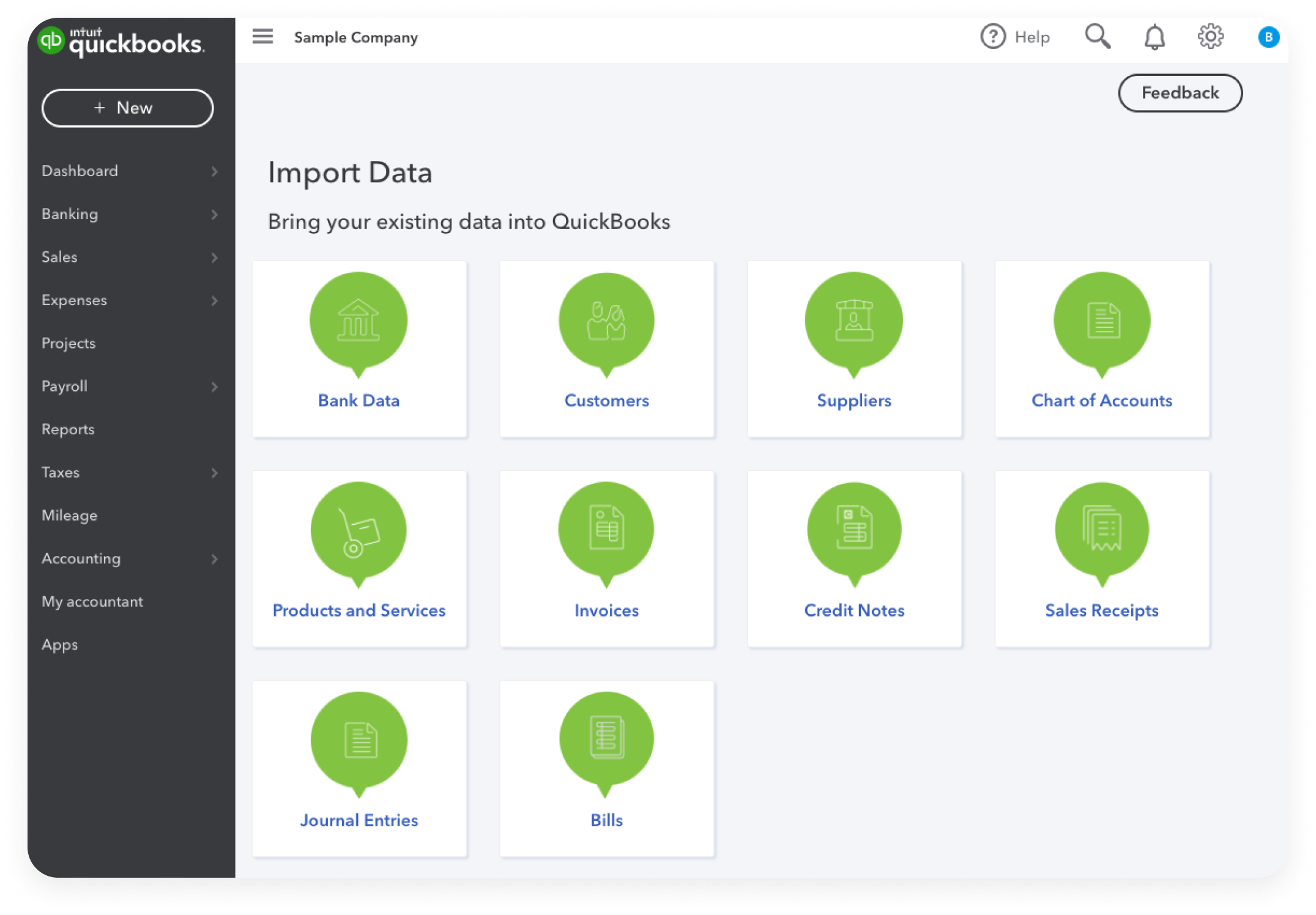
The journey to QuickBooks mastery is not merely about memorizing functions; it’s about understanding the software’s architecture, its diverse applications, and how to leverage its capabilities to streamline financial workflows. This article provides an insightful roadmap for navigating the QuickBooks ecosystem, ensuring that your study efforts translate into tangible skills and impactful business solutions.
Understanding the QuickBooks Ecosystem: Versions and Core Functions
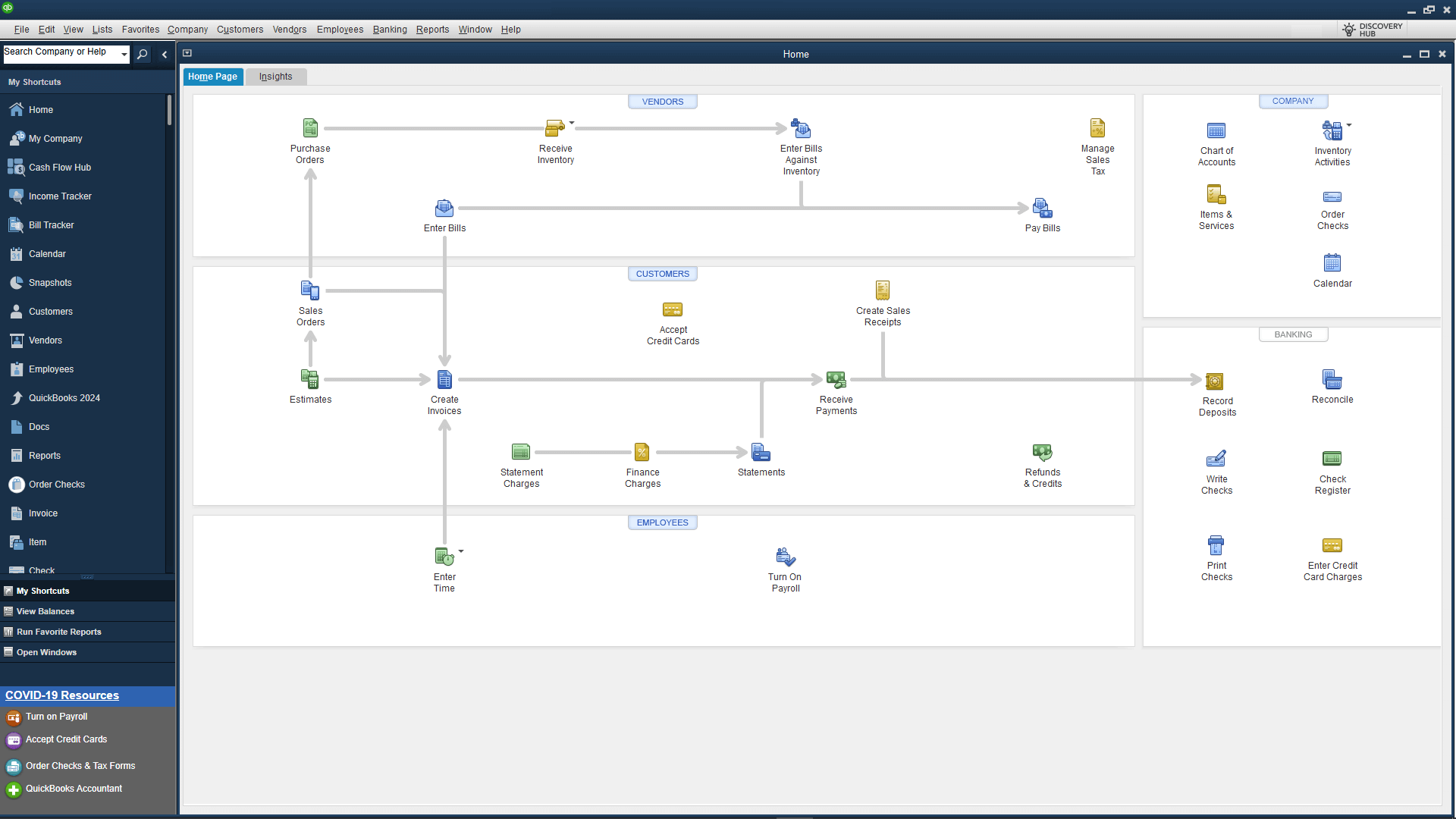
Before diving into the “how-to” of studying, it’s crucial to grasp the fundamental structure of QuickBooks itself. The software isn’t a monolithic entity; it exists in various forms, each tailored to different business needs and technological preferences. Understanding these distinctions and the core functions they offer is the bedrock of effective study.
QuickBooks Desktop vs. Online: Choosing Your Path
The first significant decision in your QuickBooks study journey is whether to focus on QuickBooks Desktop or QuickBooks Online (QBO). While both serve the purpose of financial management, their platforms, features, and user experiences differ considerably, impacting your learning trajectory.
QuickBooks Desktop, the traditional installed software, comes in several editions (Pro, Premier, Enterprise) catering to varying business sizes and complexities. It offers robust features, customizable reports, and often a more localized, powerful feel for users who prefer on-premise solutions. Studying Desktop requires understanding installation, local data management, and version-specific functionalities.
QuickBooks Online, on the other hand, is a cloud-based subscription service accessible from any device with an internet connection. QBO is celebrated for its flexibility, automatic updates, bank feed integration, and collaborative capabilities, making it ideal for remote teams and businesses needing constant accessibility. Learning QBO involves navigating a web interface, understanding its subscription tiers (Simple Start, Essentials, Plus, Advanced), and leveraging its integrated cloud features.
Your choice of which version to study should align with your immediate professional goals or the specific software used by your current or prospective employer. Many resources are available for both, but a clear focus will prevent confusion and optimize your learning.
Core Modules: General Ledger, Accounts Payable/Receivable
At the heart of any accounting software, including QuickBooks, are its core modules that mimic fundamental accounting principles. These are essential for managing the day-to-day financial transactions of a business.
The General Ledger (GL) is the backbone, recording all financial transactions and organizing them into various accounts (assets, liabilities, equity, income, expenses). Studying the GL in QuickBooks involves understanding how to set up a Chart of Accounts, classify transactions, and reconcile accounts. Mastering this ensures data integrity and accurate financial reporting.
Accounts Payable (AP) focuses on managing the money a business owes to its vendors and suppliers. This involves learning how to enter bills, schedule payments, manage vendor details, and track expenses within QuickBooks. Effective AP management is critical for cash flow and vendor relationships.
Accounts Receivable (AR) deals with the money owed to the business by its customers. Studying AR means understanding how to create invoices, receive payments, track customer balances, and manage sales receipts. Proficiency here directly impacts revenue collection and customer satisfaction.
A thorough understanding of these modules is foundational. Practice scenarios involving creating entries, reconciling accounts, and generating basic reports related to GL, AP, and AR will solidify your grasp of QuickBooks’ primary functions.
Specialized Features: Payroll, Inventory, Reporting
Beyond the core functions, QuickBooks offers a suite of specialized features that cater to more complex business operations. Integrating these into your study plan will elevate your proficiency and enable you to manage a wider array of business needs.
Payroll Management involves setting up employee records, processing paychecks, calculating taxes, and generating payroll reports. This module is often integrated or offered as an add-on service. Studying payroll within QuickBooks requires familiarity with tax regulations, direct deposit setups, and year-end form generation.
Inventory Management is crucial for product-based businesses. QuickBooks allows users to track inventory items, manage purchase orders, record sales, and calculate costs of goods sold. Learning this feature involves understanding item setups, inventory adjustments, and perpetual inventory tracking methods.
Robust Reporting is where QuickBooks truly shines, transforming raw financial data into actionable insights. QuickBooks offers a vast array of standard reports (Profit & Loss, Balance Sheet, Statement of Cash Flows, Sales Reports, Vendor Reports) and customizable options. Studying reporting involves not just generating reports but understanding how to interpret them, customize them to specific needs, and use them for strategic decision-making. This delves into the technical aspects of data filtering, column customization, and export options.
Strategic Approaches to Learning QuickBooks
Effective learning requires more than just exposure to the software; it demands a structured, multi-faceted approach. To truly master QuickBooks, you need to engage with the material through various channels, moving from theoretical understanding to practical application.
Self-Paced Learning: Online Resources and Documentation
For many, the initial foray into QuickBooks begins with self-paced learning, leveraging the vast array of online resources. This method offers flexibility and allows you to learn at your own speed, focusing on areas most relevant to your needs.
Key resources include:
- Intuit’s Official QuickBooks Learn & Support: This platform provides comprehensive articles, tutorials, video guides, and community forums directly from the software’s developer. It’s an authoritative source for understanding features, troubleshooting issues, and staying updated.
- YouTube Tutorials: Numerous content creators offer free, step-by-step video tutorials on various QuickBooks functionalities, from basic setup to advanced reporting. Visual demonstrations can be particularly effective for grasping complex processes.
- Third-Party Blogs and Websites: Many accounting professionals and tech educators maintain blogs that offer practical tips, best practices, and solutions to common QuickBooks challenges.
- E-books and Guides: Digital books dedicated to QuickBooks can provide structured learning paths, often with practice exercises.
The key to successful self-paced learning is discipline and a systematic approach. Create a study plan, bookmark useful resources, and dedicate regular time to going through the material.
Structured Learning: Courses, Certifications, and Workshops
While self-paced learning is valuable, structured programs offer a more guided and often accelerated path to proficiency, particularly for those seeking formal recognition or deeper expertise.
- Online Courses: Platforms like Udemy, Coursera, LinkedIn Learning, and specific accounting education sites offer comprehensive QuickBooks courses, often taught by certified professionals. These courses typically include video lectures, practice exercises, quizzes, and even real-world case studies.
- QuickBooks Certification Programs: Intuit offers official QuickBooks ProAdvisor certifications (for Desktop and Online). These certifications validate your expertise and are highly regarded in the industry. Studying for and passing these exams provides a rigorous framework for learning and demonstrates a high level of proficiency to potential clients or employers.
- Local Workshops and Community College Programs: Many community colleges, vocational schools, and local business organizations offer in-person or virtual workshops. These can provide hands-on training, direct interaction with instructors, and networking opportunities.
Structured learning often provides a clear curriculum, expert guidance, and the motivation of working towards a specific credential or learning outcome, which can be invaluable for accelerating your study and ensuring comprehensive coverage.
Experiential Learning: Practice, Sandbox Environments, and Real-World Application
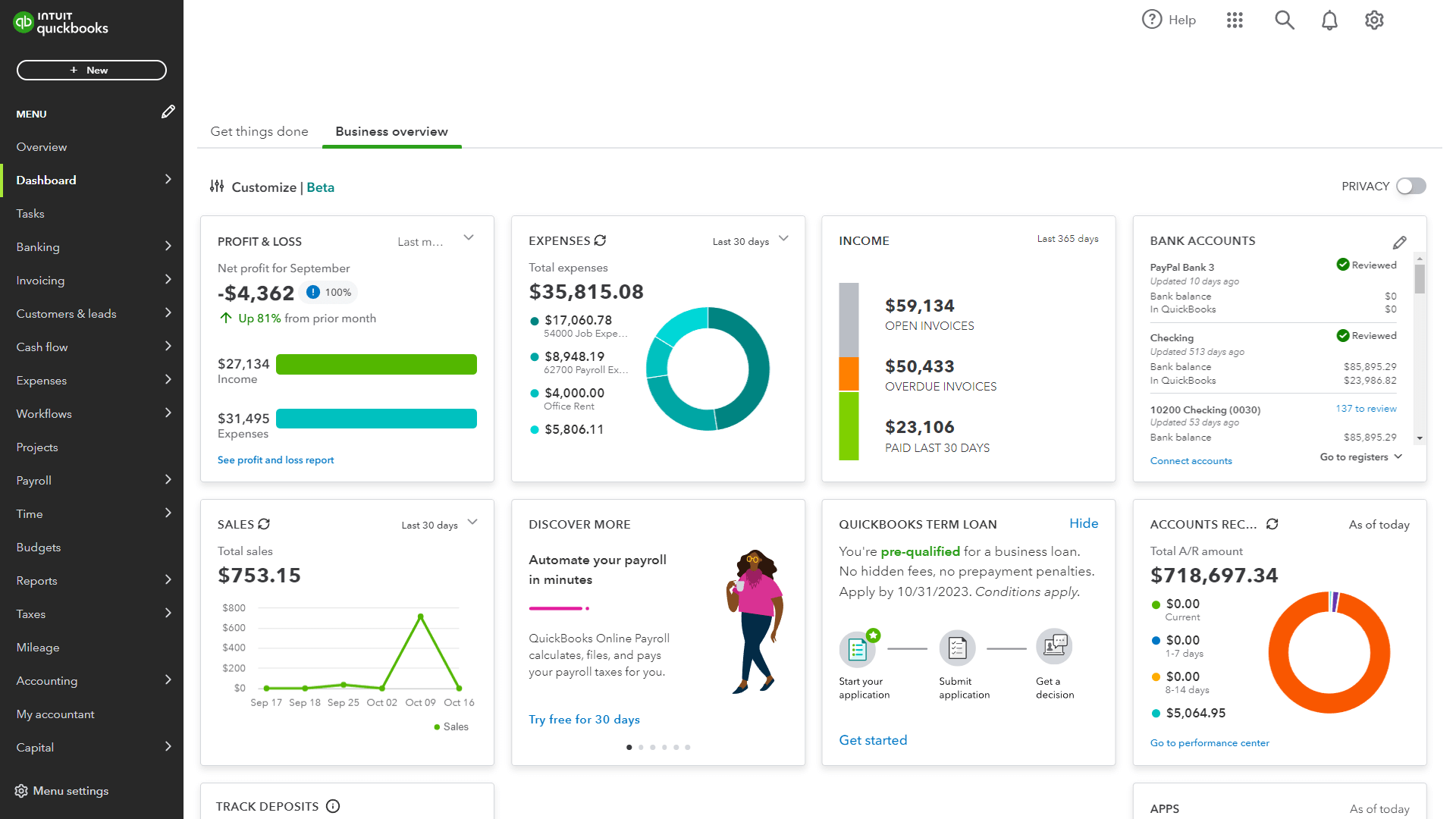
Theoretical knowledge of software is incomplete without practical application. Experiential learning is arguably the most critical component of mastering QuickBooks.
- Practice Files and Sample Companies: QuickBooks provides sample company files that allow users to practice transactions without affecting real data. Utilize these extensively to explore features, experiment with different scenarios, and solidify your understanding of data entry and workflow.
- Sandbox Environments (for QBO): QuickBooks Online often provides “sandbox” or “test drive” companies. These are fully functional but temporary QBO accounts pre-populated with sample data, offering a risk-free environment to practice.
- Personal or Small Business Application: If you own a small business or manage personal finances, consider using QuickBooks for your own accounts. Applying what you learn to real data—even if it’s just your household budget or a side hustle’s finances—provides invaluable hands-on experience and highlights the practical implications of your study.
- Volunteer Opportunities: Offer to manage the books for a small non-profit or a friend’s budding business (with clear boundaries and supervision). This real-world exposure will challenge you with diverse scenarios and deepen your understanding of actual business operations.
The more you practice, experiment, and apply your knowledge, the more intuitive QuickBooks will become. This active engagement is crucial for moving from merely knowing about QuickBooks to truly knowing how to use it effectively.
Key Principles for Effective QuickBooks Study
To maximize the efficacy of your QuickBooks study, incorporate certain foundational principles that enhance retention, understanding, and practical application. These principles bridge the gap between rote learning and true mastery of a complex software tool.
Foundational Accounting Concepts: The ‘Why’ Behind the ‘How’
While QuickBooks simplifies many accounting processes, it’s a tool for accounting, not a replacement for accounting knowledge. A strong grasp of basic accounting principles is paramount. Understanding concepts like the double-entry system, accrual vs. cash basis, debits and credits, asset depreciation, and revenue recognition will significantly enhance your ability to use QuickBooks intelligently.
QuickBooks automates many of these processes, but without understanding the underlying accounting logic, you might struggle with proper classification, error correction, or interpreting financial reports accurately. For example, knowing why certain accounts are debited and others credited will make navigating the Chart of Accounts and journal entries in QuickBooks much more intuitive. Incorporate brief refreshers on accounting basics into your study plan, especially when encountering new QuickBooks features.
Hands-On Practice and Data Entry Scenarios
As previously emphasized, theoretical knowledge alone is insufficient. Active, hands-on practice is the cornerstone of QuickBooks mastery. Dedicate significant time to simulating real-world scenarios within the software.
- Diverse Transaction Types: Practice entering various types of transactions: creating invoices, recording sales receipts, entering bills, paying bills, making bank deposits, transferring funds, and reconciling bank accounts.
- Error Correction: Learn how to find and correct errors. Mistakes are part of learning, and knowing how to rectify them efficiently is a critical skill. Practice voiding checks, deleting invoices, and making adjusting entries.
- Workflow Simulation: Follow complete workflows, such as setting up a new vendor, entering a purchase order, receiving items, entering the bill, and then paying it. Or, setting up a customer, creating an estimate, converting it to an invoice, receiving payment, and making a deposit.
- Month-End/Year-End Closures: Familiarize yourself with the processes involved in closing periods, generating financial statements, and backing up data. This is particularly important for ensuring clean books and preparing for tax season.
The goal is to build muscle memory and intuitive understanding, so you can navigate the software efficiently and confidently under various operational pressures.
Leveraging the QuickBooks Community and Support
No one learns in a vacuum, especially with complex software. The QuickBooks community is vast and incredibly supportive. Tapping into these resources can provide invaluable insights, solutions to specific problems, and a sense of shared learning.
- Official QuickBooks Community Forums: Intuit hosts active forums where users ask questions, share tips, and troubleshoot issues. Searching these forums can often yield solutions to problems you encounter.
- Professional Organizations and Social Media Groups: Join groups on platforms like LinkedIn, Facebook, or dedicated professional accounting forums. These communities often discuss best practices, software updates, and specific challenges related to QuickBooks.
- QuickBooks ProAdvisors: If you get stuck on a complex issue, consider reaching out to a certified QuickBooks ProAdvisor. Many offer consultation services and can provide targeted assistance, serving as mentors or expert guides.
- Software Support: Understand how to access and utilize Intuit’s customer support channels, whether through chat, phone, or email. While direct support should be a last resort for learning, knowing how to leverage it for critical issues is part of tech proficiency.
Engaging with the community fosters continuous learning, exposes you to diverse perspectives on using the software, and keeps you informed about updates and emerging best practices.
Advancing Your QuickBooks Proficiency
Once you’ve mastered the foundational and intermediate aspects of QuickBooks, the journey doesn’t end. The software, like the businesses it serves, is constantly evolving. Advancing your proficiency involves exploring its more sophisticated capabilities and staying current with technological developments.
Exploring Integrations and Third-Party Apps
One of the significant advantages of modern accounting software, particularly QuickBooks Online, is its extensibility through integrations. QuickBooks connects with hundreds of third-party applications designed to enhance specific business functions.
- CRM Systems: Integrate with customer relationship management software to streamline sales and customer data.
- E-commerce Platforms: Connect with online stores (e.g., Shopify, Etsy) to automatically import sales data and manage inventory.
- Payment Processors: Link with payment gateways (e.g., Stripe, PayPal) for seamless payment processing and reconciliation.
- Project Management Tools: Integrate with tools that track project costs and profitability.
- Budgeting and Forecasting Apps: Extend QuickBooks’ reporting capabilities with more advanced financial planning tools.
Studying integrations involves understanding how to connect apps, map data, and troubleshoot synchronization issues. This expands QuickBooks from a mere accounting tool into a central hub for business operations. Explore the QuickBooks App Store and research how these integrations can further automate and optimize various business processes.
Data Analysis and Advanced Reporting Techniques
Beyond generating standard financial reports, advanced QuickBooks users leverage its data for deeper analysis and strategic decision-making. This involves moving beyond simply running reports to understanding how to extract specific insights.
- Custom Report Building: Learn to create highly customized reports by modifying standard templates, adding custom fields, and applying advanced filters. This allows businesses to track specific KPIs crucial to their unique operations.
- Exporting Data for External Analysis: Master exporting QuickBooks data to Excel or other analytical tools. This enables more complex data manipulation, charting, and presentation that might be beyond QuickBooks’ native reporting capabilities.
- Interpreting Financial Ratios: While QuickBooks doesn’t explicitly calculate all financial ratios, understanding how to extract the necessary data to perform these calculations externally is a valuable skill. This includes ratios for liquidity, profitability, solvency, and efficiency.
- Budgeting and Forecasting: Utilize QuickBooks’ budgeting features to set financial targets and then compare actual performance against those budgets. For more advanced forecasting, integrate with specialized tools that pull data from QuickBooks.
Developing skills in data analysis transforms you from a data entry clerk into a financial insights provider, a highly valued role in any organization.
Staying Updated with Software Revisions
QuickBooks, especially the online version, undergoes frequent updates, feature enhancements, and security revisions. Staying current is vital for maintaining proficiency and ensuring you’re leveraging the latest capabilities.
- Subscribe to Intuit Newsletters: Receive direct updates on new features, changes, and important announcements.
- Follow QuickBooks Blogs and Forums: Engage with the community to learn about updates as they roll out and how they impact workflows.
- Regularly Explore the Software: Periodically take time to click through the menus and settings to identify new options or changes to existing features.
- Review Release Notes: For QuickBooks Desktop, pay attention to annual version releases and significant patches. For QuickBooks Online, be aware of continuous updates.
The tech landscape is ever-changing, and software proficiency is a journey, not a destination. Continuous learning and adaptation are key to sustained mastery of QuickBooks.
Conclusion
Mastering QuickBooks is a strategic investment in both personal skill development and business operational efficiency. As a cornerstone of financial technology for countless businesses, understanding its intricacies is a highly sought-after capability. By adopting a structured approach that encompasses understanding the software’s ecosystem, employing strategic learning methodologies, adhering to key study principles, and committing to continuous advancement, you can transition from a novice user to a confident QuickBooks expert. The journey involves a blend of self-paced exploration, formal instruction, and, most importantly, persistent hands-on application. Embrace the challenge, leverage the wealth of resources available, and unlock the full potential of QuickBooks to manage finances with precision, insight, and technological prowess.
aViewFromTheCave is a participant in the Amazon Services LLC Associates Program, an affiliate advertising program designed to provide a means for sites to earn advertising fees by advertising and linking to Amazon.com. Amazon, the Amazon logo, AmazonSupply, and the AmazonSupply logo are trademarks of Amazon.com, Inc. or its affiliates. As an Amazon Associate we earn affiliate commissions from qualifying purchases.