
In an increasingly digitized world, the ability to manage money, send payments, and shop online seamlessly is no longer a luxury but a necessity. At the forefront of this digital financial revolution stands PayPal, a pioneering platform that has redefined how individuals and businesses interact with their money across borders and devices. Registering for a PayPal account is the foundational step towards unlocking a world of convenient and secure digital transactions. This comprehensive guide will walk you through the entire process, from understanding PayPal’s core functionalities to navigating the registration steps and optimizing your account for a robust online financial experience.
Understanding PayPal’s Core Functionality and Benefits
Before diving into the mechanics of registration, it’s crucial to grasp what PayPal offers and why millions of users worldwide trust it for their digital financial needs. As a leading technology platform, PayPal facilitates electronic payments and money transfers, serving as a digital intermediary between you and your bank, credit card, or other financial instruments.
What is PayPal?
At its heart, PayPal is an online payment system that supports money transfers and serves as an electronic alternative to traditional paper methods like checks and money orders. It allows you to send and receive money, make online purchases, and even pay in brick-and-mortar stores using your linked financial accounts or a PayPal balance. Think of it as a secure digital wallet that simplifies financial interactions by eliminating the need to repeatedly share sensitive bank or card details with every transaction.
Key Advantages for Users
The popularity of PayPal stems from a myriad of advantages it offers to its users:
- Convenience: Payments and money transfers can be made in a matter of seconds, anywhere, anytime, using a computer or mobile device. This global accessibility is a cornerstone of its technological appeal.
- Widespread Acceptance: PayPal is accepted by millions of online merchants globally, making it a ubiquitous payment option for e-commerce. Its integration into countless software platforms and apps underscores its technological dominance in online payments.
- Speed: Unlike traditional bank transfers that can take days, PayPal transactions are often instantaneous, particularly for personal payments and online purchases.
- Cost-Effectiveness: While some transactions (like converting currency or receiving commercial payments) might incur small fees, many common operations, such as sending money to friends and family within the same country, are free.
- Buyer and Seller Protection: PayPal offers robust protection programs for both buyers and sellers, which is a significant tech-driven security feature. Buyers can dispute transactions for non-received items or items not as described, while sellers are protected against unauthorized transactions.
Security and Reliability
In the digital realm, security is paramount, and PayPal invests heavily in advanced technological measures to protect its users’ financial information. When you use PayPal, your sensitive bank account or credit card details are encrypted and stored securely within PayPal’s systems, never directly shared with merchants. This adds a crucial layer of digital security to your online transactions. Features like fraud monitoring, two-factor authentication, and email verification are standard, embodying the platform’s commitment to technological security. Its long-standing reputation and widespread adoption are testaments to its reliability as a digital financial tool.
Preparing for Your PayPal Registration
Registering for a PayPal account is a straightforward process, but a little preparation can ensure a smooth and swift setup. Gathering the necessary information and making informed decisions beforehand will save you time and potential frustration.
Essential Information You’ll Need
To register for a PayPal account, you’ll primarily need to provide some basic personal and contact information. This typically includes:
- A Valid Email Address: This will serve as your primary identifier and username for your PayPal account. It’s crucial for account verification and communication.
- A Secure Password: You’ll need to create a strong, unique password to protect your account. We recommend a combination of uppercase and lowercase letters, numbers, and symbols.
- Mobile Phone Number: For account verification, two-factor authentication, and potentially recovering your account.
- Personal Information: Your full legal name, date of birth, and physical address. PayPal, as a financial technology company, is required to comply with “Know Your Customer” (KYC) regulations to prevent fraud and money laundering.
- Financial Instrument (Optional but Recommended): While you can open an account without one, linking a bank account, debit card, or credit card is essential for funding transactions and withdrawing money. Have the details ready if you plan to link one immediately.
Choosing Account Type: Personal vs. Business
PayPal offers two main types of accounts, each tailored to different user needs. Understanding the distinction is vital for optimizing your experience:
- Personal Account: Ideal for individuals who primarily want to shop online, send money to friends and family, or receive occasional payments. This account type is simpler to set up and manage, focusing on consumer-centric digital transactions.
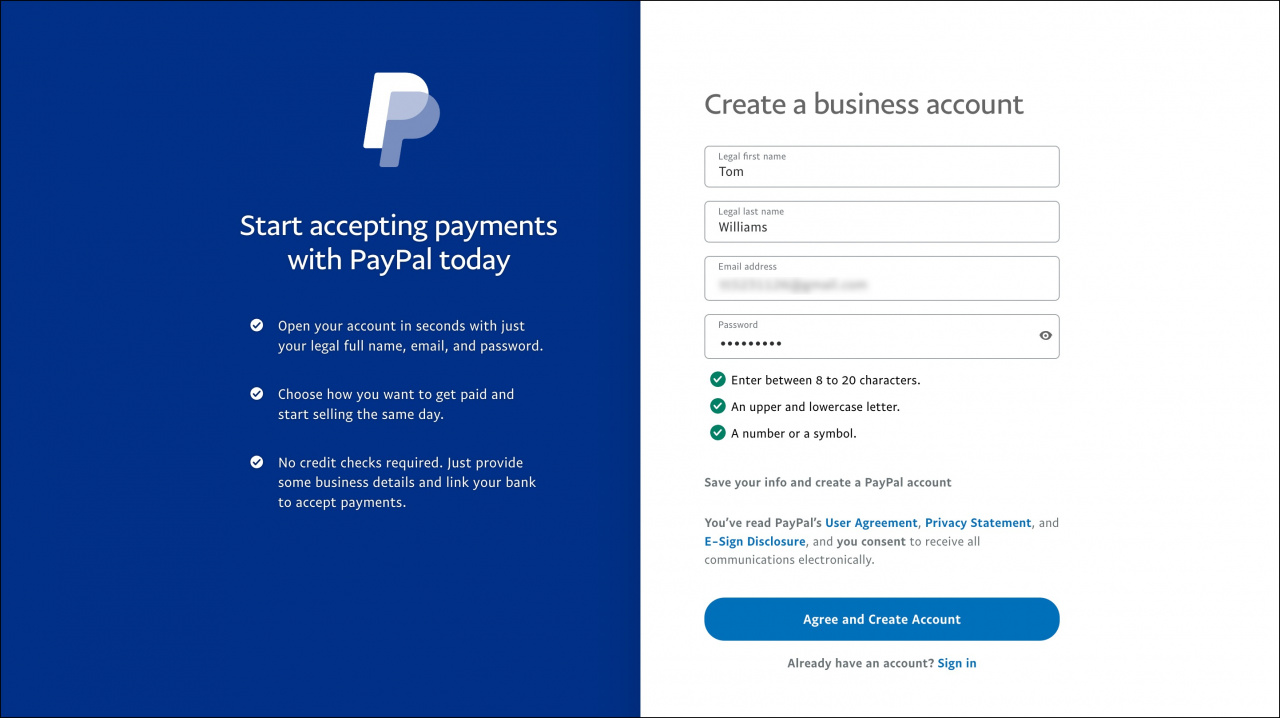
- Business Account: Designed for merchants, freelancers, and businesses of all sizes. It offers features like accepting payments on websites, sending invoices, managing multiple users, and accessing business reporting tools. If you plan to sell goods or services and accept payments regularly, a business account provides the necessary technological infrastructure and financial tools.
You can always upgrade a personal account to a business account later if your needs evolve.
Device and Internet Connection Requirements
To register, you’ll need access to a device with internet connectivity. This could be a:
- Desktop or Laptop Computer: Using a web browser (e.g., Chrome, Firefox, Edge, Safari).
- Smartphone or Tablet: Via the dedicated PayPal mobile app, available for iOS and Android.
Ensure you have a stable and secure internet connection to prevent interruptions during the registration process, especially when entering sensitive information. Using public Wi-Fi is generally not recommended for financial transactions or account setups due to potential security risks.
Step-by-Step Guide: Registering Your PayPal Account
With your preparations complete, let’s walk through the actual registration process. The steps are intuitive, designed to get you set up quickly and securely.
Navigating to the PayPal Website/App
- Via Web Browser: Open your preferred browser and type
www.paypal.cominto the address bar. - Via Mobile App: Download the official PayPal app from the Apple App Store (for iOS) or Google Play Store (for Android).
Once on the website or in the app, look for the “Sign Up” or “Open a Free Account” button, typically located in the top right corner.
Initiating the Sign-Up Process
Clicking the “Sign Up” button will prompt you to choose between a Personal Account or a Business Account. Select the option that best suits your needs, as discussed earlier. For personal users, selecting “Personal Account” is usually the first step.
Providing Personal and Contact Details
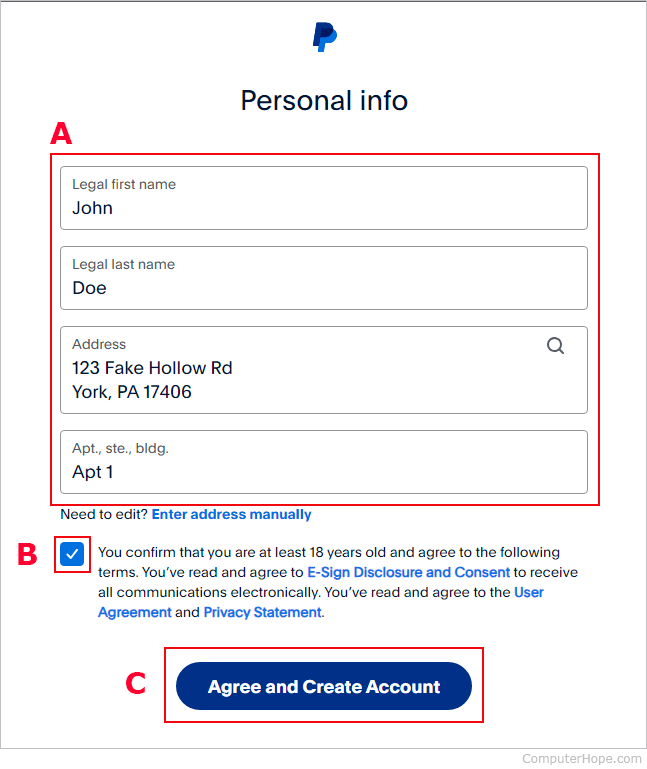
You will then be asked to fill in a form with your details. This includes:
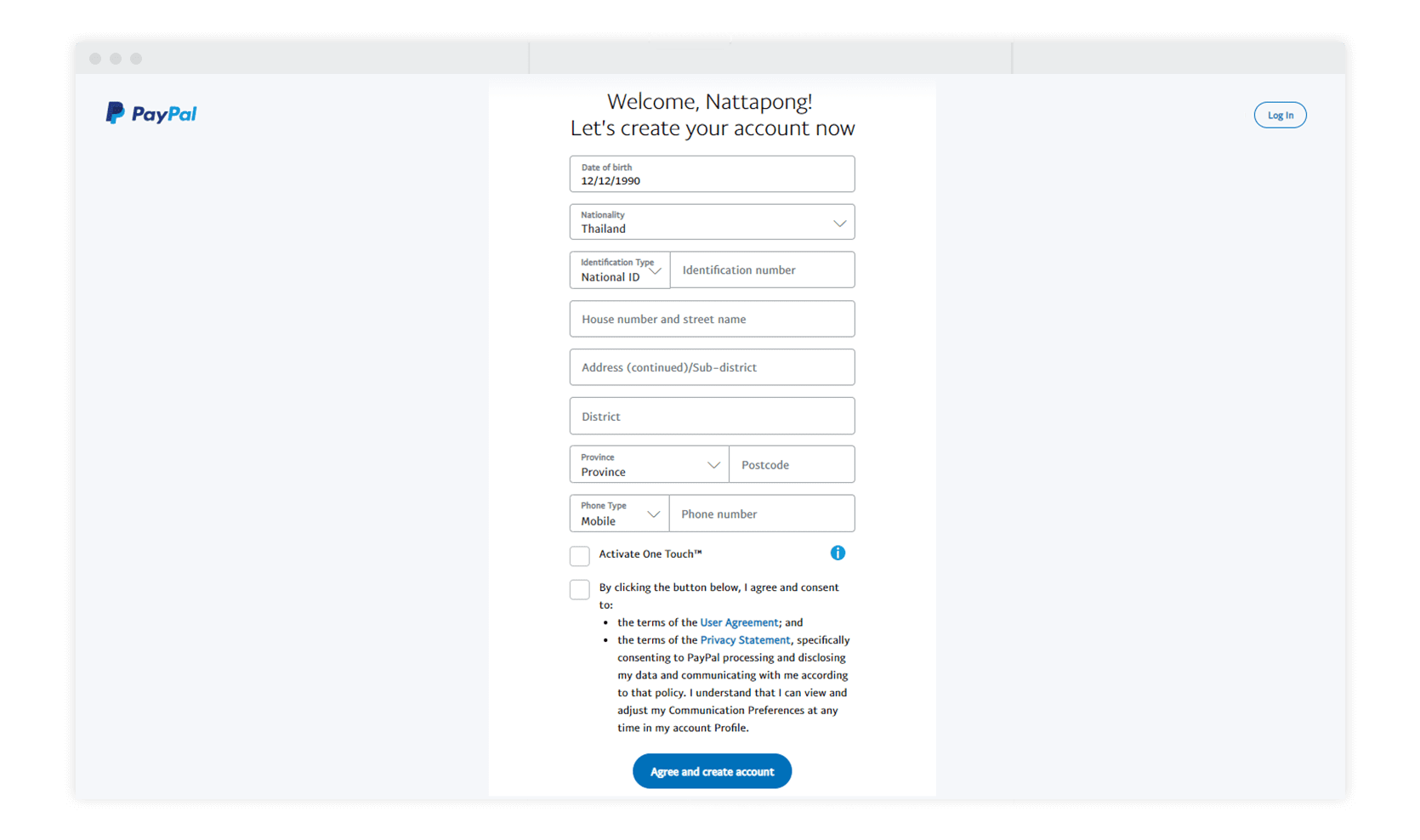
- Country/Region: Confirm your country of residence.
- Mobile Phone Number: Enter your mobile number for verification. PayPal will send a verification code via SMS.
- Verify Phone: Input the code sent to your phone.
- Email Address: Enter your chosen email address.
- Full Name: Your legal first and last names.
- Create a Password: Choose a strong, unique password.
After filling in these details, click “Next” or “Agree and Create Account.”
Setting Up Security Credentials
Beyond your password, PayPal may prompt you to set up additional security measures, such as security questions. While optional at this stage, it’s highly recommended to configure them for enhanced account protection and recovery. This falls under crucial digital security best practices.
Linking Financial Instruments (Bank Account/Debit Card)
To fully utilize your PayPal account for sending money or making purchases, you’ll need to link a financial source. This can be:
- A Bank Account: You’ll typically need your bank’s name, account number, and routing number. PayPal will often make two small deposits to your bank account (which you then verify on PayPal) to confirm ownership, a process that can take a few business days.
- A Debit or Credit Card: You’ll need the card number, expiration date, and the CVV (Card Verification Value) code. PayPal may make a small temporary charge to verify the card, which is later refunded.
You can choose to link these immediately during registration or skip this step and add them later from your account dashboard.
Email Verification and Account Activation
The final crucial step in securing and activating your account is email verification. PayPal will send an email to the address you provided.
- Check Your Inbox: Look for an email from PayPal titled “Activate your PayPal account” or similar. Check your spam/junk folder if you don’t see it.
- Click the Activation Link: Open the email and click on the “Confirm My Email” or “Activate My Account” link within it.
- Log In: You’ll be redirected to PayPal’s website and prompted to log in with your newly created password to complete the verification.
Once your email is confirmed, your PayPal account is fully activated and ready for use.
Post-Registration: Maximizing Your PayPal Experience
Registering your account is just the beginning. To truly harness the power of this digital financial tool, understanding its features and managing your settings effectively is key.
Understanding Your Dashboard
Upon logging in, you’ll be greeted by your PayPal dashboard. This central hub provides an overview of your recent activity, current balance, and quick access to essential functions like “Send & Request,” “Wallet,” and “Activity.” Familiarize yourself with this interface as it’s your primary control panel for all PayPal operations.
Enhancing Account Security
Beyond the initial setup, you can further bolster your account’s digital security:
- Enable Two-Factor Authentication (2FA): This adds an extra layer of security, requiring a code from your phone in addition to your password to log in. It’s a highly recommended security practice for any online account, especially financial ones.
- Regularly Review Activity: Periodically check your transaction history for any unauthorized activity. PayPal provides detailed records for all inflows and outflows.
- Be Wary of Phishing Attempts: PayPal will never ask for your password or full financial details via email. Always be suspicious of unsolicited emails requesting sensitive information.
Exploring Key Features (Send/Receive Money, Online Shopping)
- Send & Request: This feature allows you to send money to friends and family using their email address or phone number, or request money from others.
- Online Shopping: When shopping online, look for the PayPal logo at checkout. Selecting it will allow you to complete your purchase using your linked financial instruments or PayPal balance, often with just a few clicks.
- Wallet: Manage your linked bank accounts and cards here, add new ones, or set a preferred payment method.
- Resolution Center: This is where you can report issues, dispute transactions, or respond to claims, leveraging PayPal’s buyer and seller protection technology.
Managing Notifications and Settings
Customize your notification preferences to stay informed about transactions, security alerts, and account updates. In your settings, you can also update your personal information, manage security settings, and set up automatic payments or subscriptions. Regularly reviewing these settings ensures your account functions precisely as you intend.
Troubleshooting Common Registration Issues
While the PayPal registration process is generally smooth, you might encounter minor hurdles. Here are some common issues and their solutions:
Verification Delays
Sometimes, linking a bank account for verification can take a few business days due to the micro-deposit process. Be patient and regularly check your bank statement for the small deposits from PayPal. Ensure you enter the exact amounts when prompted to verify.
Account Limitations
New accounts or accounts that haven’t fully linked and verified financial instruments might have initial sending or withdrawal limits. Completing all verification steps, such as linking and confirming a bank account or credit card, often removes these limitations.
Forgotten Passwords
If you forget your password, PayPal has a robust recovery process. On the login page, click “Having trouble logging in?” or “Forgot Password.” You’ll typically be asked to verify your identity via email, phone, or security questions to reset your password securely.
Conclusion
Registering for a PayPal account is a fundamental step towards embracing the convenience and security of digital transactions. As a pivotal technological tool in personal finance and e-commerce, PayPal offers a robust platform for managing your money online. By following this comprehensive guide, you can confidently navigate the registration process, set up your account securely, and begin to leverage PayPal’s extensive features for all your online payment needs. Welcome to the world of seamless digital money management, powered by cutting-edge financial technology.
aViewFromTheCave is a participant in the Amazon Services LLC Associates Program, an affiliate advertising program designed to provide a means for sites to earn advertising fees by advertising and linking to Amazon.com. Amazon, the Amazon logo, AmazonSupply, and the AmazonSupply logo are trademarks of Amazon.com, Inc. or its affiliates. As an Amazon Associate we earn affiliate commissions from qualifying purchases.