
In an increasingly app-centric world, where nearly every service, loyalty program, and transaction seems to funnel us toward a dedicated mobile application, the idea of accessing benefits without one might seem counterintuitive, if not impossible. Yet, for Amazon Prime members looking to leverage their perks at Whole Foods Market, foregoing the app is not only possible but surprisingly straightforward. This guide demystifies the process, illustrating how a blend of foundational digital integrations and clever use of existing technologies allows for a seamless, app-free Prime experience at your local Whole Foods. We’ll delve into the underlying mechanisms that make this possible, the steps you need to take, and why understanding these alternatives is a testament to flexible technology design.

The Digital Bridge: Why Amazon Prime Elevates Your Whole Foods Experience
Amazon’s acquisition of Whole Foods Market in 2017 was a strategic move that fundamentally reshaped the grocery landscape. A cornerstone of this integration was the weaving of Amazon Prime benefits directly into the Whole Foods shopping experience. This wasn’t merely about cross-promotion; it was about creating a cohesive ecosystem that rewarded Prime members with tangible value, aiming to drive loyalty and differentiate Whole Foods in a competitive market. For many, the perception is that accessing these perks necessitates the use of the Amazon or Whole Foods Market app. However, the true ingenuity lies in the underlying digital infrastructure that supports these benefits, allowing for access through multiple, often simpler, touchpoints.
Unpacking Prime Benefits at Whole Foods: More Than Just Discounts
The allure of Amazon Prime at Whole Foods extends beyond a simple price reduction. Members enjoy a host of advantages designed to enhance their shopping journey. These include exclusive weekly discounts on select items, denoted by blue Prime member signs throughout the store, offering significant savings on a rotating selection of high-quality produce, meats, and pantry staples. Beyond these featured deals, Prime members also receive an additional 10% off hundreds of sale items, which are typically marked with yellow signs.
Furthermore, Prime membership unlocks convenient delivery and pickup options from Whole Foods, often with no additional fees for orders over a certain threshold, depending on location. While the ordering process for these services typically involves the Amazon app or website, the benefits themselves are tied to the Prime account, not exclusively to app usage for in-store savings. Understanding these benefits is crucial, as it sets the stage for how we can access them through alternative digital pathways. The core technological challenge, then, becomes authenticating your Prime membership at the point of sale without relying on a dedicated application interface.
The App-Centric Default: Understanding the Modern Expectation
In today’s digital age, mobile applications have become the primary gateway for interacting with services. From banking to social media, shopping to fitness tracking, apps offer a streamlined, intuitive, and often personalized user experience. They store loyalty information, process payments, and provide real-time updates, making them incredibly convenient. This prevalence has conditioned consumers to expect an app for nearly every service, including leveraging membership benefits.
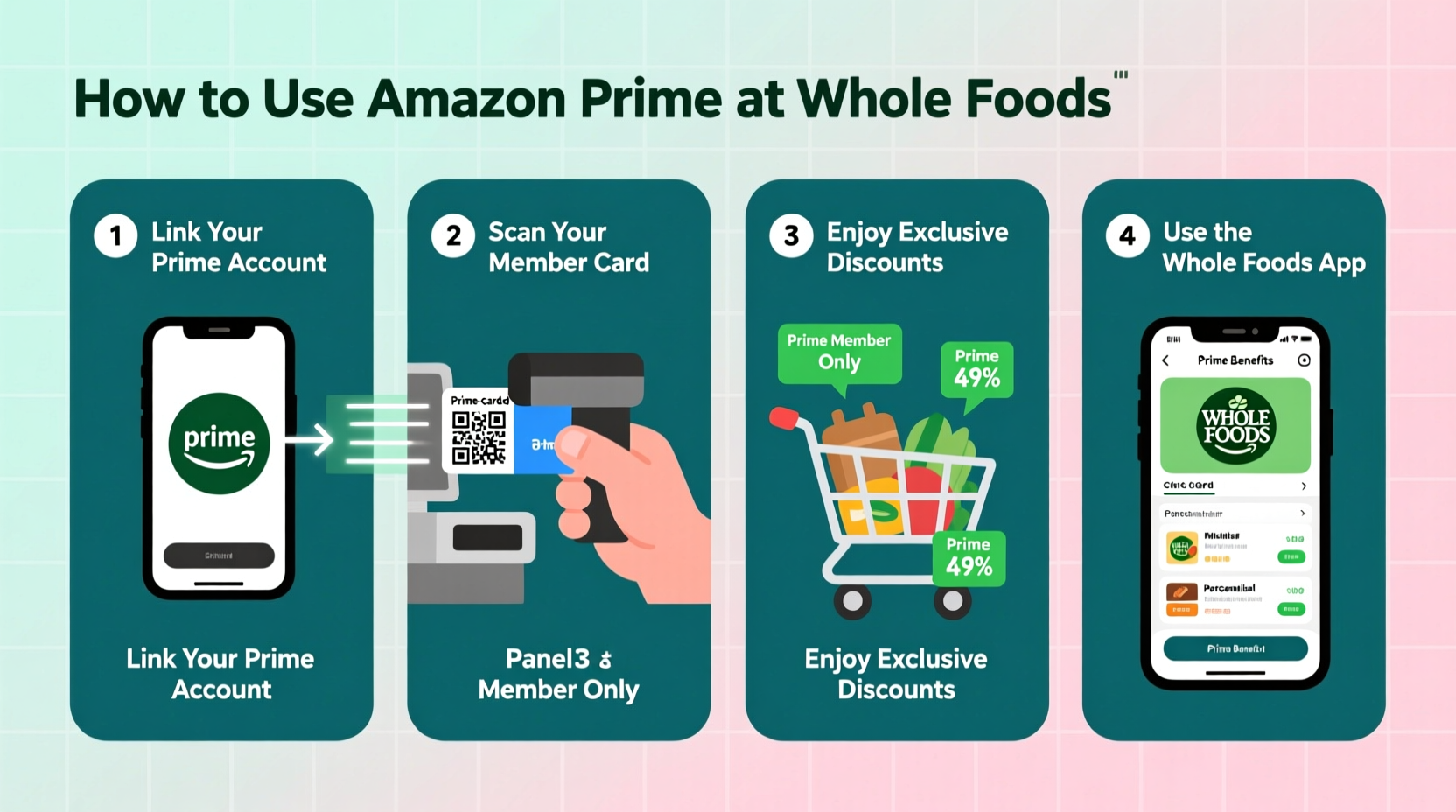
For Amazon Prime at Whole Foods, the “Whole Foods Market” app (or the main Amazon app) does indeed offer a convenient way to display a scannable QR code at checkout, instantly applying discounts. This convenience fosters the assumption that it’s the only way. However, this perspective overlooks the foundational technology that underpins these benefits – your Amazon Prime account itself. The app is merely one interface to access that account’s authentication credentials. The challenge for tech-savvy consumers is to bypass this common interface and tap directly into the underlying digital identification system, which often relies on simpler, more ubiquitous forms of digital identity verification. This is where the non-app approach shines, proving that sophisticated digital services can still cater to a variety of user preferences and technological access points.
Mastering the Non-App Approach: Seamless Prime Integration
The beauty of Amazon Prime’s integration with Whole Foods lies in its flexibility, a testament to robust backend system design. While the app provides a highly visual and interactive interface, the core identification of your Prime membership relies on more fundamental digital identifiers. These methods are designed for universality, ensuring that even if your phone battery dies, or you simply prefer not to download another app, your benefits remain accessible.
The Power of Your Phone Number: Your Primary Non-App Gateway
The most straightforward and widely accessible method to link your Amazon Prime benefits at Whole Foods without an app is through your phone number. This relies on a simple, yet effective, digital linking process. When you initially register for Amazon Prime, or when you link your Prime account to Whole Foods, you’re prompted to associate a mobile phone number with your membership. This phone number then acts as a unique digital identifier.
At the checkout counter in Whole Foods, when asked if you are an Amazon Prime member, simply provide the phone number linked to your Prime account. The point-of-sale (POS) system is designed to interface with Amazon’s membership database. Upon entering your phone number, the system queries this database, authenticates your active Prime status, and automatically applies all eligible discounts and benefits to your transaction. This method is incredibly efficient, requiring no physical cards or digital displays from your phone, making it ideal for those who prefer minimal tech interaction at checkout. It highlights how a seemingly low-tech identifier (a phone number) can serve as a powerful key in a complex digital ecosystem, provided the backend integration is sound.
Digital Barcodes for Offline Convenience: A Web-Based Alternative
While the phone number method is incredibly convenient, some users might prefer a visual confirmation or need a backup. This is where a web-based digital barcode comes into play. Instead of using an app to generate a scannable QR code, you can access a similar, static barcode directly through your mobile browser.
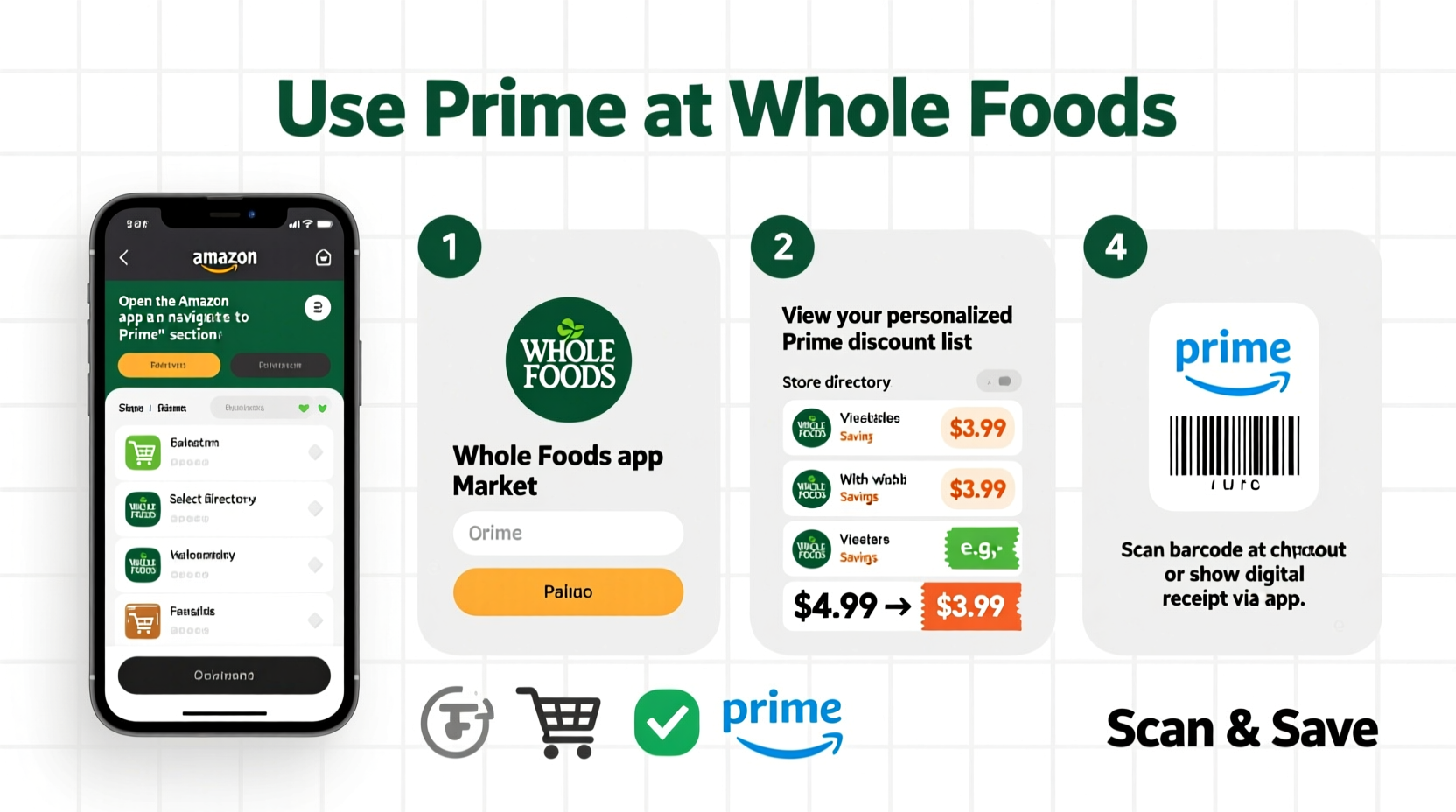
To do this, simply open your preferred web browser on your smartphone (e.g., Chrome, Safari). Navigate to the Whole Foods Market section on Amazon’s website or directly to a specific Whole Foods Prime benefits page (often found by searching “Whole Foods Prime barcode”). Once logged into your Amazon account, you will typically find an option to “Show Prime Code” or “Digital In-Store Code.” This will display a unique, scannable barcode or QR code that is directly linked to your Prime membership.
The clever part here is its offline convenience: once this code is displayed, you can take a screenshot of it. This screenshot then serves as your “digital card.” The next time you visit Whole Foods, you don’t even need an active internet connection or to log into a browser. Simply open your phone’s photo gallery, display the screenshot to the cashier, and they can scan it directly. This method offers a perfect blend of digital access and physical-world utility, bypassing the need for an app while still providing a scannable identifier. It leverages the browser as the initial access point and then your phone’s native image storage for ongoing, app-free use.
The Amazon Prime Rewards Visa Signature Card: A Physical Key to Digital Benefits
For frequent shoppers who also value rewards, the Amazon Prime Rewards Visa Signature Card offers a robust dual-purpose solution that seamlessly integrates your Prime benefits without needing an app. This card isn’t just a payment method; it’s also implicitly linked to your Prime membership.
When you use your Amazon Prime Rewards Visa Signature Card to pay at Whole Foods, two things happen simultaneously. Firstly, because the card itself is tied to your Prime account, its use at checkout automatically identifies you as a Prime member. This means all eligible discounts – the exclusive weekly deals and the extra 10% off sale items – are applied without you having to explicitly state you’re a Prime member or provide a phone number or barcode. Secondly, using this card at Whole Foods earns you 5% back on your purchases, an additional financial incentive that compounds your Prime savings.
This method exemplifies a “set it and forget it” approach to Prime benefits. The physical card acts as a proxy for your digital membership, automating the identification process entirely. It’s a testament to how financial instruments can be deeply integrated into loyalty programs, providing a frictionless experience that feels almost magical in its simplicity, all while keeping your phone in your pocket.
Beyond the Checkout: Maximizing Non-App Prime Perks
While the immediate application of Prime discounts at the checkout is a primary concern, the non-app approach to Whole Foods benefits extends beyond the transaction point. It encompasses how you interact with the service for planning, ordering, and identifying deals, all through web-based or traditional means, without the necessity of a dedicated mobile application.
Online Shopping, Offline Pickup: Leveraging Browser for Whole Foods Delivery/Pickup
For those who appreciate the convenience of ordering groceries online but prefer not to use an app, Amazon’s robust web platform for Whole Foods delivery and pickup services is your solution. You can access the full range of Whole Foods products, build your cart, and schedule a delivery or in-store pickup directly through a web browser on your computer, tablet, or smartphone.
Simply visit Amazon.com and navigate to the Whole Foods Market section. Log in with your Prime account credentials, and you’ll have access to all Prime-exclusive pricing and free delivery/pickup options (where applicable and meeting order minimums). The browser interface provides the same functionality as the app for browsing aisles, adding items, and managing your order details. Once your order is placed, whether for delivery or pickup, your Prime membership is automatically recognized through your Amazon account login. This method demonstrates that the core digital infrastructure for ordering and membership recognition is platform-agnostic, functioning equally well across different web-enabled devices, freeing users from app dependency for their grocery planning and fulfillment needs.
Prime Member Deals: Spotting Savings the Traditional Way
One might assume that without the app, keeping track of weekly Prime member deals would be a challenge. While apps often provide personalized notifications and easy-to-browse digital flyers, the physical Whole Foods store is still designed to prominently display these savings.
Prime member deals are clearly marked throughout the store with distinctive blue (exclusive deals) and yellow (10% off sale items) signage. These signs are strategically placed next to the products, making them highly visible to all shoppers, regardless of their tech preferences. This traditional method of deal identification relies on effective in-store merchandising rather than digital alerts. For shoppers who prefer a less screen-dependent experience, simply walking the aisles and looking for these color-coded signs is an effective way to maximize savings. This approach underscores that while technology offers new ways to engage, fundamental retail practices remain powerful and accessible to all customers, integrating digital benefits into a physical discovery process.
Digital Security and Best Practices for App-Free Engagement
Embracing an app-free approach to accessing your Amazon Prime benefits at Whole Foods doesn’t mean abandoning digital security best practices. In fact, relying more on web browsers and phone numbers requires a heightened awareness of how your digital identity is protected and managed. Understanding these best practices ensures a secure and seamless experience.
Safeguarding Your Account Information: Beyond the App Interface
When you’re not using a dedicated app, your primary points of interaction become web browsers and verbal identification via phone numbers. This shifts the focus of security to your Amazon account credentials themselves. It’s crucial to use strong, unique passwords for your Amazon account that combine uppercase and lowercase letters, numbers, and symbols. Avoid reusing passwords across multiple services.
Furthermore, always enable two-factor authentication (2FA) on your Amazon account. This adds an extra layer of security, requiring a second verification step (like a code sent to your phone) even if your password is compromised. When accessing Amazon on public Wi-Fi networks, consider using a Virtual Private Network (VPN) to encrypt your data and protect against potential eavesdropping. For the phone number method, ensure that the phone number linked to your Prime account is secure and that only authorized individuals have access to it, as it acts as a direct identifier for your benefits. These practices ensure that while you gain flexibility by going app-free, you don’t compromise on the robust security measures essential in today’s digital landscape.
Troubleshooting Common Non-App Issues: Smooth Digital Journeys
Even with the most streamlined app-free methods, occasional hitches can occur. Knowing how to troubleshoot common issues can prevent frustration and ensure uninterrupted access to your Prime benefits.
- Phone Number Not Recognized: If the cashier enters your phone number and the system doesn’t recognize your Prime membership, first verify that you’ve provided the exact number linked to your Amazon Prime account. You can confirm this by logging into your Amazon account on a browser and checking your “Manage Prime Membership” settings. If the number is correct, there might be a temporary system glitch. In this case, you can offer the web-based digital barcode screenshot as an alternative.
- Barcode Scan Failure: If the cashier has trouble scanning your digital barcode screenshot, ensure your phone screen is clean, bright, and free of cracks. If the issue persists, try zooming in slightly on the barcode to make it larger. As a backup, have your phone number ready.
- Benefits Not Applied: If you’ve used one of the non-app methods and believe discounts weren’t applied, check your receipt carefully. If an issue is identified, speak with customer service at the store immediately. They can often manually adjust the transaction or offer a refund for the difference.
Understanding these common scenarios and having alternative app-free methods ready empowers you to navigate any technical speed bumps with confidence, ensuring a consistently smooth Prime experience.
The Future of Frictionless Tech: What This Means for Consumers
The ability to access sophisticated benefits like Amazon Prime at Whole Foods without a dedicated app is more than just a convenience; it’s an indicator of evolving technological philosophies. It speaks to a future where digital services are designed with greater flexibility and interoperability, moving beyond walled gardens and single-point access applications. This trend towards frictionless technology means:
- User Choice: Consumers are given more agency in how they interact with services, catering to different preferences for digital engagement.
- Resilience: Services become less reliant on a single piece of software, offering robustness even when specific apps aren’t available or functional.
- Accessibility: It lowers the barrier to entry for those with older devices, limited storage, or simply a preference for minimalist digital interaction.
This focus on fundamental digital identity—whether through a phone number, a browser-generated barcode, or an integrated payment card—showcases a mature approach to technology integration. It’s about making the underlying digital benefits universally accessible, rather than forcing users into a particular technological funnel. This empowers consumers with more control and flexibility in their digital lives, hinting at a future where essential services are seamlessly integrated into our daily routines, regardless of app adoption.
Conclusion
Accessing your Amazon Prime benefits at Whole Foods Market without a dedicated app is not merely a workaround; it’s a testament to thoughtful digital integration and the power of flexible user authentication. By leveraging familiar tools like your registered phone number, a browser-generated digital barcode, or the Amazon Prime Rewards Visa Signature Card, Prime members can enjoy all the exclusive discounts and conveniences without needing to download, update, or even open a specific application.
This approach not only offers unparalleled convenience but also reinforces critical tech literacy, encouraging users to understand the underlying mechanisms of their digital services. It’s about empowerment, providing choice, and ensuring that your access to valuable perks remains uninterrupted, regardless of your app preferences or phone’s charge. So, the next time you head to Whole Foods, confidently leave the app behind, knowing that a world of Prime savings is just a phone number or a screenshot away, seamlessly integrated into your shopping experience.
aViewFromTheCave is a participant in the Amazon Services LLC Associates Program, an affiliate advertising program designed to provide a means for sites to earn advertising fees by advertising and linking to Amazon.com. Amazon, the Amazon logo, AmazonSupply, and the AmazonSupply logo are trademarks of Amazon.com, Inc. or its affiliates. As an Amazon Associate we earn affiliate commissions from qualifying purchases.