
The quest to reach a human voice at Facebook (now Meta Platforms) support can often feel like searching for a digital unicorn – a mythical creature whispered about in online forums but rarely encountered in the wild. In an era dominated by instant communication and customer-centric rhetoric, the apparent inaccessibility of direct phone support for one of the world’s largest technology companies is a source of widespread frustration and confusion. Users grappling with hacked accounts, technical glitches, or policy disputes frequently find themselves adrift in a sea of FAQs and automated responses, longing for the simplicity of a phone call.
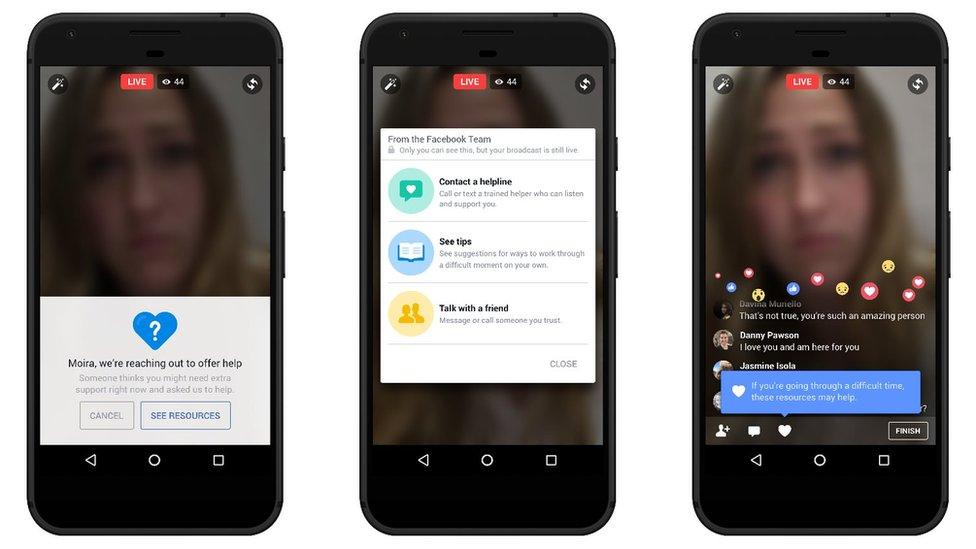
This article delves into the realities of Facebook’s support infrastructure, exploring why traditional phone lines are largely non-existent for the average user, and more importantly, outlining the effective, albeit less direct, pathways to resolving your issues. We’ll navigate Meta’s multifaceted help ecosystem, provide strategic approaches for various common problems, and offer insights into how the future of digital support is evolving. Understanding these dynamics is crucial for anyone seeking to efficiently troubleshoot problems within the Meta universe.
The Elusive Direct Phone Line: Why Facebook Support Isn’t What You’d Expect
The expectation of a direct customer service hotline stems from a legacy model of consumer support, prevalent in industries like banking or traditional retail. However, for a company operating on the scale of Meta, supporting billions of users across multiple platforms (Facebook, Instagram, WhatsApp, Messenger, Oculus/Meta Quest), this model becomes logistically and economically unsustainable.
Meta’s Scale and Support Strategy
Imagine the sheer volume of calls that would inundate Meta if a public phone number were readily available. With over 3 billion monthly active users across its family of apps, even a fraction of those users experiencing issues would translate into an astronomical number of support requests. To manage this unparalleled scale, Meta has strategically moved away from traditional, synchronous (real-time, one-on-one) phone support for general user issues. Their approach prioritizes asynchronous communication, self-service tools, and community-driven solutions, allowing them to handle a vast number of inquiries without the overhead of a massive call center workforce dedicated to individual phone interactions. This strategy is not unique to Meta; many hyperscale tech companies, from Google to Apple (for certain products/services), employ similar models for their free-tier users.
The Shift Towards Self-Service and AI
The cornerstone of Meta’s support philosophy lies in empowering users to find solutions independently. Their comprehensive Help Center is a testament to this, housing an exhaustive database of articles, guides, and troubleshooting steps for nearly every conceivable issue. This proactive approach aims to deflect a significant portion of common queries before they ever reach a human agent.
Furthermore, advancements in Artificial Intelligence (AI) and machine learning play an increasingly vital role. AI-powered chatbots and virtual assistants are often the first point of contact for users, designed to understand natural language queries, guide users through relevant help articles, or collect necessary information before escalating complex issues to human review. While these tools can sometimes feel impersonal, they are critical for filtering and categorizing the immense volume of support requests, ensuring that the most urgent or unique problems eventually reach the appropriate human expertise. This technological pivot allows Meta to provide some level of support at scale, even if it’s not the immediate human interaction many users desire.
When Direct Contact Might Be Possible: Specialized Support Channels
While general users rarely access phone support, there are specific scenarios and user categories where more direct, real-time assistance, including potential phone callbacks, becomes available:
- Advertisers and Businesses: For businesses that invest significantly in advertising on Facebook or Instagram, Meta offers more robust support channels. This can include dedicated chat support, email contact, and in some cases, scheduled phone calls with account managers or specialized support teams. Access to these channels is often tiered based on ad spend and business status, with larger advertisers receiving priority.
- Developers: For developers building apps or integrations on Meta’s platforms, there are specific developer support channels, forums, and documentation. While direct phone support is still rare, technical issues can often be escalated through bug reporting systems or dedicated developer communities.
- Partnerships and High-Profile Accounts: In instances involving strategic partnerships, public figures, or accounts with significant platform influence, Meta may assign dedicated points of contact. These are exceptions rather than the rule, reflecting the strategic importance of these entities to the platform.
It’s crucial for the average user to understand that these specialized channels are not accessible via a general public hotline and are typically initiated through specific portals within the platform itself.
Navigating Meta’s Help Ecosystem: Your Primary Avenues for Assistance
Since a direct phone call is largely off the table for most, understanding and effectively utilizing Meta’s official support channels is paramount. These platforms are designed to guide you toward solutions, even if they require a bit more legwork on your part.
The Official Help Center: Your First Port of Call
The Facebook Help Center (help.facebook.com) and the Meta Business Help Center are comprehensive resources designed to answer the vast majority of user questions. These centers are meticulously organized by topic, covering everything from account settings and privacy to marketplace issues and technical troubleshooting.
- How to Use It: Start by using the search bar with specific keywords related to your issue (e.g., “hacked account,” “forgot password,” “page unpublished”).
- Benefit: Often provides immediate answers without needing to wait for a human response. Many articles include step-by-step guides and visual aids.
Community Forums and Peer Support
Meta encourages a strong sense of community, and this extends to problem-solving. While not officially staffed by Meta employees for direct support, community forums (including Meta’s official community help pages and independent Facebook groups dedicated to troubleshooting) can be incredibly valuable.
- How to Use It: Search for existing threads related to your issue. If you don’t find a solution, post your question clearly and concisely.
- Benefit: Other users who have encountered similar problems can offer advice, workarounds, or confirm if an issue is widespread. It can also be a good way to gauge if your problem is unique or a known bug.
Leveraging In-App Reporting Tools
For many issues, especially those related to content, policy violations, or technical bugs within the app itself, the most direct way to get Meta’s attention is through the built-in reporting features.
- How to Use It:
- Content Violations: If you see offensive content, spam, or intellectual property infringement, use the “Report Post,” “Report Profile,” or “Report Comment” options available next to the content.
- Technical Bugs: Within the Facebook app, you can typically find a “Report a Problem” or “Give Feedback” option (often under “Help & Support” in the settings menu). This allows you to describe the bug, sometimes attach screenshots, and send it directly to Meta’s technical teams.
- Benefit: This ensures your report goes to the specific team responsible for that type of issue, often bypassing general support queues. For policy violations, these reports are crucial for Meta’s content moderation efforts.
Specialized Support for Businesses and Advertisers
If you run a Facebook Page, manage ad campaigns, or operate a business account, you’ll have access to more dedicated support channels.

- How to Use It: Access these channels through the Meta Business Suite or Ads Manager. Look for “Help” or “Support” icons, which can lead to:
- Live Chat: Often the fastest way to get real-time help for business-related issues.
- Email Support: A more formal channel for complex queries, usually with a response time of 1-3 business days.
- Support Tickets: A system for tracking ongoing issues.
- Benefit: These channels are staffed by agents specialized in business and advertising products, offering more tailored and often quicker resolutions for these specific use cases.
Strategic Approaches to Resolving Common Facebook Issues
Different types of problems require different strategies within Meta’s support ecosystem. Tailoring your approach to the specific nature of your issue can significantly improve your chances of a resolution.
Account Access and Security Concerns
This is often the most critical and time-sensitive category.
- Strategy: Utilize Meta’s dedicated account recovery processes. This typically involves using the “Forgot Password” link, verifying your identity through linked email/phone numbers, or submitting government ID for review.
- What to Avoid: Do not create a new account to report a hacked old one unless specifically instructed. Focus on proving ownership of the original account.
Content Moderation and Policy Violations
If your content has been removed, your account restricted, or you believe another user is violating policies.
- Strategy: Use the in-app appeal mechanisms. When content is removed, you’ll usually receive a notification with an option to “Request Review.” For restrictions, Meta will typically provide information on how to appeal the decision.
- What to Avoid: Repeatedly posting violating content or creating multiple accounts to circumvent restrictions will only worsen your situation.
Technical Glitches and Bug Reporting
From features not working to unexpected errors.
- Strategy: First, try basic troubleshooting (clear cache, restart app/browser, check internet connection). If the problem persists, use the “Report a Problem” feature within the app. Be as detailed as possible, including steps to reproduce the bug and screenshots/screen recordings.
- What to Avoid: Simply complaining on social media. While it can raise awareness, direct bug reports through the official channel are more likely to reach the engineering teams.
Payments and Monetization Support
Issues with ad billing, payout problems for creators, or purchases on the platform.
- Strategy: For ad accounts, use the Business Help Center’s live chat or email support. For creator payouts, check the Creator Studio’s support resources. These are often more responsive channels due to their financial implications.
- What to Avoid: General help center articles might not be sufficient; look for specific payment-related support options.
Preparing for Contact and Maximizing Your Chances of Resolution
Even without a direct phone line, there are steps you can take to make any interaction with Meta’s support system more efficient and increase your likelihood of a positive outcome.
Gathering Essential Information
Before you initiate any support request, collect all relevant details.
- Account Information: Your Facebook profile URL, associated email addresses, phone numbers, and any usernames.
- Problem Details: When did the issue start? What exactly is happening? Are there any error messages?
- Context: What actions did you take before the issue occurred?
- Evidence: Screenshots or screen recordings of the problem. This is invaluable for technical issues and policy violations.
Clearly Articulating Your Problem
When writing out your issue (whether in a bug report, community post, or business support chat), clarity is key.
- Be Concise: Get straight to the point.
- Be Specific: Instead of “Facebook is broken,” say “I cannot upload photos to my Page using the desktop version of Meta Business Suite; the upload button is grayed out after selecting files.”
- Include Steps: If applicable, list the exact steps you take that lead to the problem.
- Manage Expectations: Understand that resolutions might take time, especially for complex issues.
Patience and Persistence: The Unsung Virtues
Navigating large tech company support often requires a significant degree of patience.
- Wait for Responses: Don’t submit multiple identical requests; this can clutter the system and delay resolution.
- Follow Up Appropriately: If you haven’t heard back within the stated timeframe, a polite follow-up is acceptable.
- Explore All Avenues: If one channel isn’t working, try another (e.g., if the Help Center doesn’t solve it, try reporting a bug).
The Future of Digital Support: A Glimpse into Meta’s AI-Powered Horizon
The landscape of tech support is continuously evolving, and Meta is at the forefront of leveraging emerging technologies to enhance user assistance, even if it doesn’t always involve a human voice.
AI-Driven Chatbots and Virtual Assistants
The current generation of chatbots is already sophisticated, but future iterations will be even more intelligent, capable of understanding complex queries, offering more personalized solutions, and even performing basic account actions on your behalf (with appropriate security protocols). These AI tools will become even more seamless, acting as intelligent guides through the vastness of the Meta ecosystem.
Personalized Support Dashboards
Imagine a personalized support hub within your Facebook settings that not only shows you the status of your reported issues but also proactively suggests troubleshooting steps based on your activity, device, and common problems encountered by users similar to you. This would streamline the support process, making it more intuitive and less of a scavenger hunt.
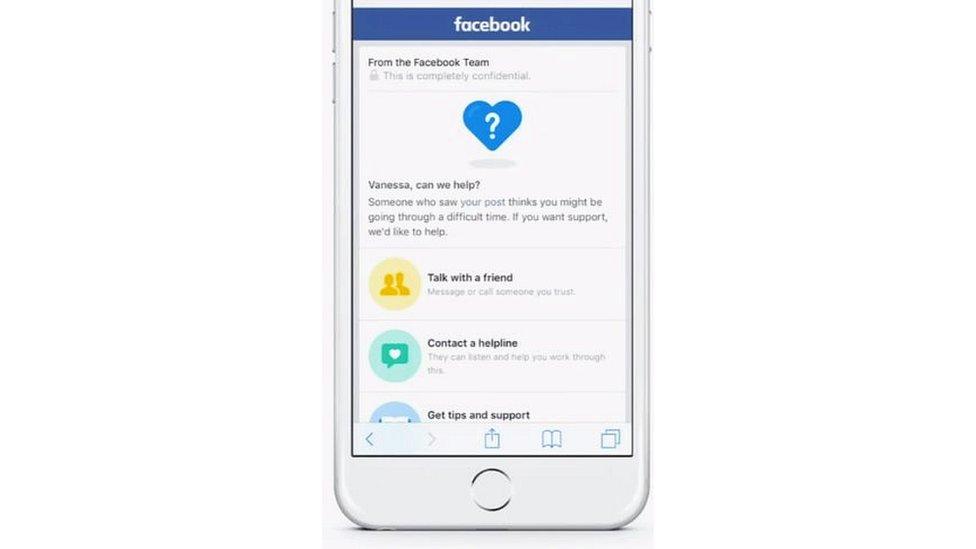
The Human Touch in a Scaled Environment
While AI will handle the bulk of routine inquiries, the role of human agents will likely shift towards more complex, nuanced, or sensitive issues. This could involve highly trained specialists for unique security breaches, ethical dilemmas, or critical business account problems. The challenge for Meta will be to find the optimal balance between scalable automated support and targeted, high-quality human intervention, ensuring that users feel heard and supported even in an increasingly automated world.
In conclusion, while the dream of a direct phone call to Facebook support remains largely unfulfilled for the average user, the reality is a sophisticated, multi-layered support system built for unprecedented scale. By understanding these mechanisms, leveraging the available self-service tools, and approaching issues strategically, users can effectively navigate Meta’s ecosystem and find resolutions to their problems. The future promises even smarter, more personalized digital assistance, but the core principle will remain: empowering users with the right information and tools to solve their own challenges.
aViewFromTheCave is a participant in the Amazon Services LLC Associates Program, an affiliate advertising program designed to provide a means for sites to earn advertising fees by advertising and linking to Amazon.com. Amazon, the Amazon logo, AmazonSupply, and the AmazonSupply logo are trademarks of Amazon.com, Inc. or its affiliates. As an Amazon Associate we earn affiliate commissions from qualifying purchases.